An Elastic Container Instance (ECI) starts a container using the settings predefined in its image. If you did not set a startup command and arguments when you built the image, or if you want to override the existing ones, you can specify them when creating an ECI instance. This allows you to define the container's startup behavior and initialization process, ensuring it runs correctly and provides the required services. This topic describes how to set the startup command and arguments for a container.
How it works
To override the default startup settings defined in the image, such as the working directory, startup command, and arguments, you can configure the following parameters:
-
Working directory
When you build an image, you can use the
WORKDIRinstruction to specify the container's working directory. Commands executed at container startup run in this directory. For more information, see WORKDIR.When you create an ECI instance, you can override the
WORKDIRinstruction by setting the container's working directory (WorkingDir).Note-
If the image does not specify a
WORKDIRand you do not set a working directory when creating the ECI instance, the working directory defaults to the root directory (/). -
If the specified working directory does not exist, the system automatically creates it.
-
-
Startup command and arguments
When you build an image, you can use the
ENTRYPOINTandCMDinstructions to specify the command and arguments to execute when the container starts. For more information, see ENTRYPOINT and CMD.When you create an ECI instance, you can override the
ENTRYPOINTandCMDinstructions by setting the container's startup command (Command) and arguments (Arg). The following rules determine how these overrides take effect:ImportantThe startup command must be a command supported by the container image. Otherwise, the container fails to start.
Image
ENTRYPOINTImage
CMDContainer
CommandContainer
ArgExecuted command
Description
mkdir/data/backupNot set
Not set
mkdir /data/backupIf the container's
CommandandArgare not set, the image'sENTRYPOINTandCMDare executed.mkdir/data/backupcdNot set
cdIf the container's
Commandis set butArgis not, only the container'sCommandis executed. The image'sENTRYPOINTandCMDare ignored.mkdir/data/backupNot set
/opt/backupmkdir /opt/backupIf the container's
Argis set butCommandis not, the image'sENTRYPOINTis executed with the container'sArg.mkdir/data/backupcd/opt/backupcd /opt/backupIf the container's
CommandandArgare both set, only the container'sCommandandArgare executed. The image'sENTRYPOINTandCMDare ignored.
Configuration
API
When you call the CreateContainerGroup operation to create an ECI instance, you can set the working directory, startup command, and arguments for a container by using the WorkingDir, Command, and Arg parameters. The following table describes these parameters. For more information, see CreateContainerGroup.
|
Parameter |
Type |
Example |
Description |
|
|
String |
|
The container's working directory. |
|
|
Array |
|
The container's startup command, specified as an array of strings. The array can contain up to 20 elements. |
|
|
Array |
|
The arguments for the startup command, specified as an array of strings. The array can contain up to 10 elements. |
Console
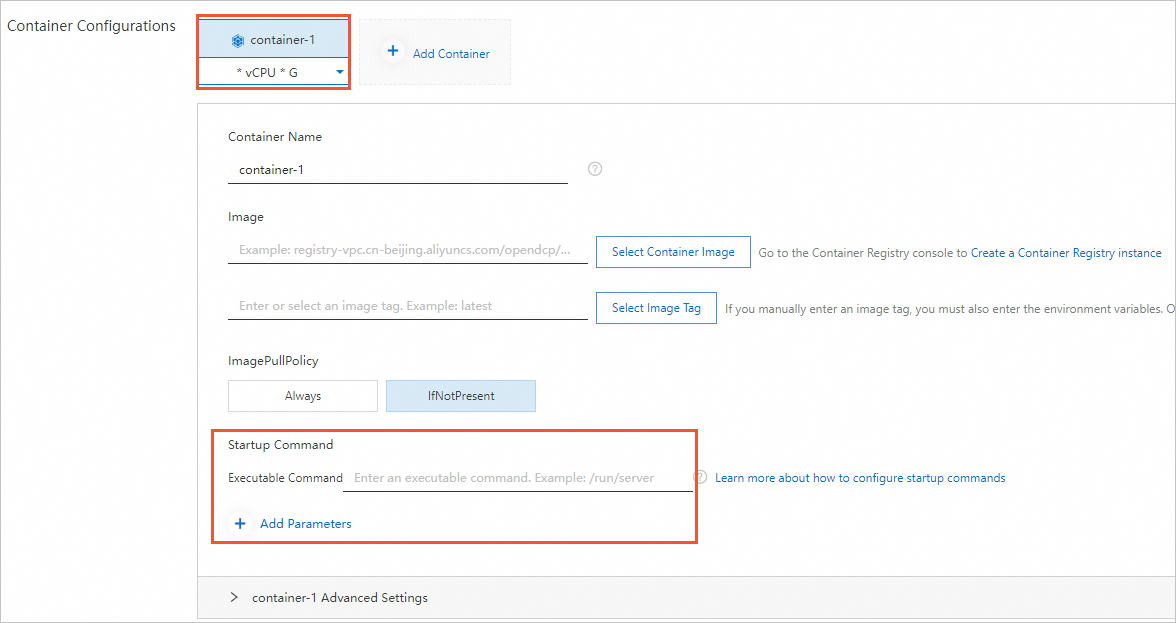
When you create an ECI instance from the Elastic Container Instance buy page, you can set the startup command and arguments for each container in the Container Configurations section.