E-HPC client operation logs record user activities on the client for the past 30 days, such as logging on to the client, submitting jobs, and querying jobs. You can query these logs as needed and audit them for abnormal operations.
Procedure
Log on to the E-HPC client.
For more information, see Log on to the E-HPC client.
In the navigation pane on the left, select Operation logs.
Set the time range and log level for your query.
View the operation logs.
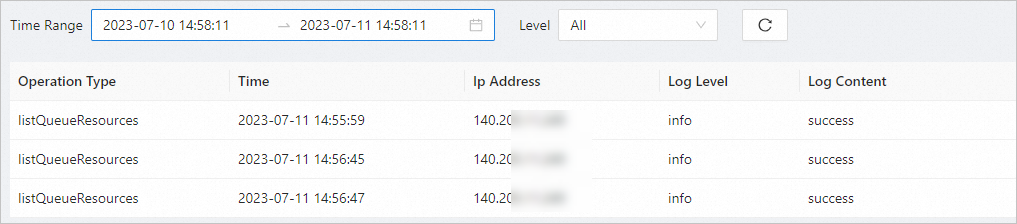
Each operation log includes the following:
Operation type: The action performed, such as logging on to the client, submitting a job, or querying a job.
Time: The time when the operation was executed.
IP address: The user's IP address.
Log level: Either info (Normal) or error (fault).
Log content: The result of the operation.