You can unbind tags from a Data Transmission Service (DTS) instance.
Precautions
You can unbind up to 5 tags at a time.
If you unbind a tag from all instances, the tag is automatically deleted.
When you unbind tags from an instance, the instance is not negatively affected.
If you unbind all tags from an instance, you can no longer filter the instance by tag.
Procedure
- Log on to the DTS console.
- In the left-side navigation pane, click Data Migration, Data Synchronization, Change Tracking, or Data Integration.
- In the top navigation bar, select the region in which your instance resides.
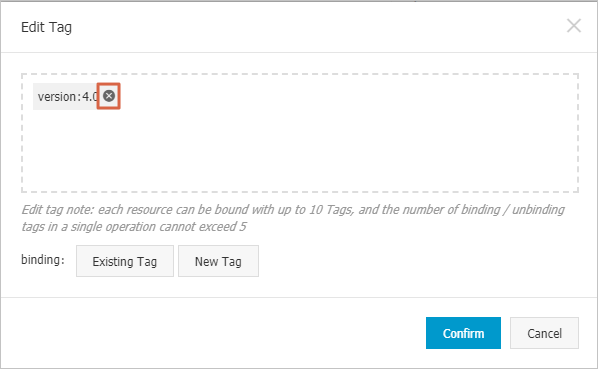
Click Edit Tag in the Actions column of the instance.

In the dialog box that appears, click the
 icon next to the tag that you want to unbind.
  Note
NoteTo delete a tag, unbind the tag from all instances.
Click OK.
Related API operation
API operation | Description |
Unbinds tags from one or more DTS instances. |