Migrating a legacy database alongside its dependent applications is difficult to plan: you need to estimate application transformation effort, isolate data dependencies across services, identify which SQL statements require manual rewriting, and manage the added complexity of applications that have not been maintained for a long time. Advanced Database & Application Migration (ADAM) addresses this by combining application and database evaluation results into a unified view — grouping your architecture into self-contained migration units, scoring transformation difficulty, and pinpointing the specific code areas that need attention.
Prerequisites
Before you begin, ensure that you have:
Application profiles created from all collection packages
All associated databases in the Complete state
Create an application evaluation project
Enter the basic information for your applications. Select the type and version of the destination database.
Select one or more application profiles to include in the evaluation.
Select the database evaluation project.
Understand the overall evaluation results
The results page is organized into three levels: overall results, migration groups, and individual application nodes.
Architecture list
ADAM uses intelligent algorithms to group your overall architecture based on relationships between databases and applications. Each group is called a migration group — the smallest self-contained migration unit.
Migrating one migration group does not affect the data dependencies of other migration groups, which makes it possible to plan and execute migration in isolated phases without cross-group interference.
Application calls between groups are not considered in the grouping logic.
Migration score
ADAM scores the difficulty of migration and transformation work. A higher score means lower transformation cost.
The score depends on the completeness of collected data. Base your final migration cost estimates on your actual business requirements, not the score alone.
Overall compatibility
This metric shows the compatibility of application SQL statements and database objects.
SQL statements collected directly from databases reflect database-level behavior. They are not used as a reference for application-level SQL compatibility.
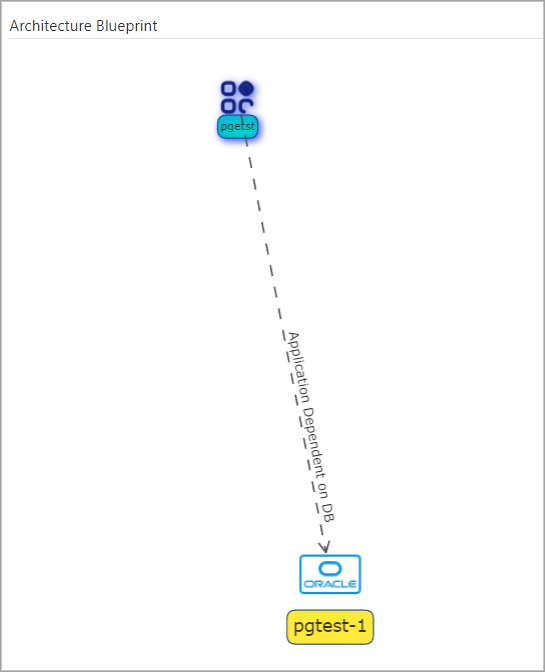
Architecture blueprint
The architecture blueprint shows the status of all migration groups in a topology view.
Review migration group results
A migration group contains application nodes and database nodes. Click an application node to see its full evaluation and transformation details.
Each application node evaluation covers three areas:
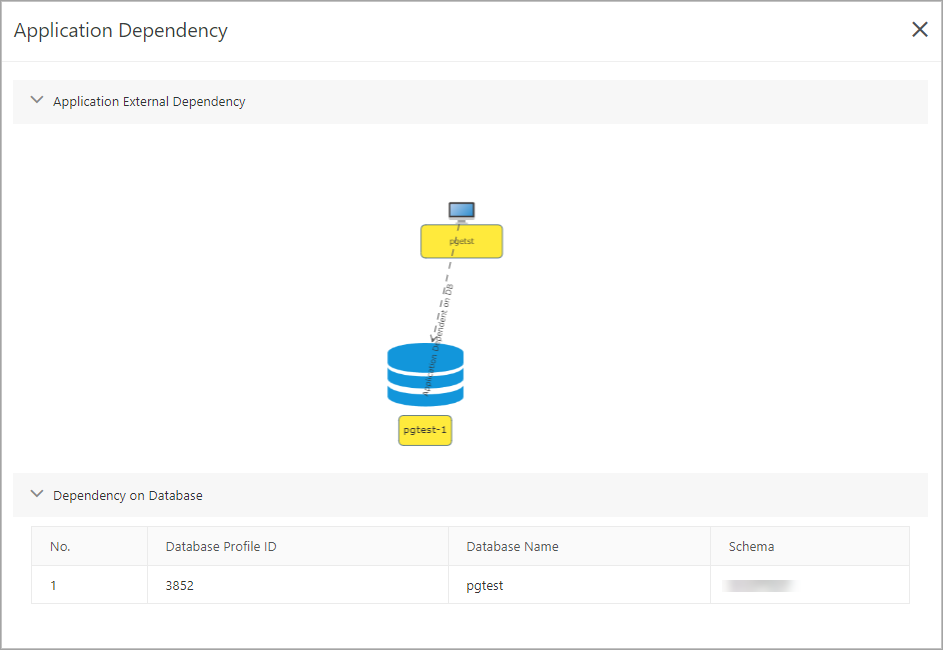
Application dependencies
Shows which databases the application depends on. Dependencies are tracked at the schema level — schemas are the minimum dependent objects.
SQL compatibility
Shows how well the application's SQL statements work with the destination database, along with specific transformation rules for each statement.
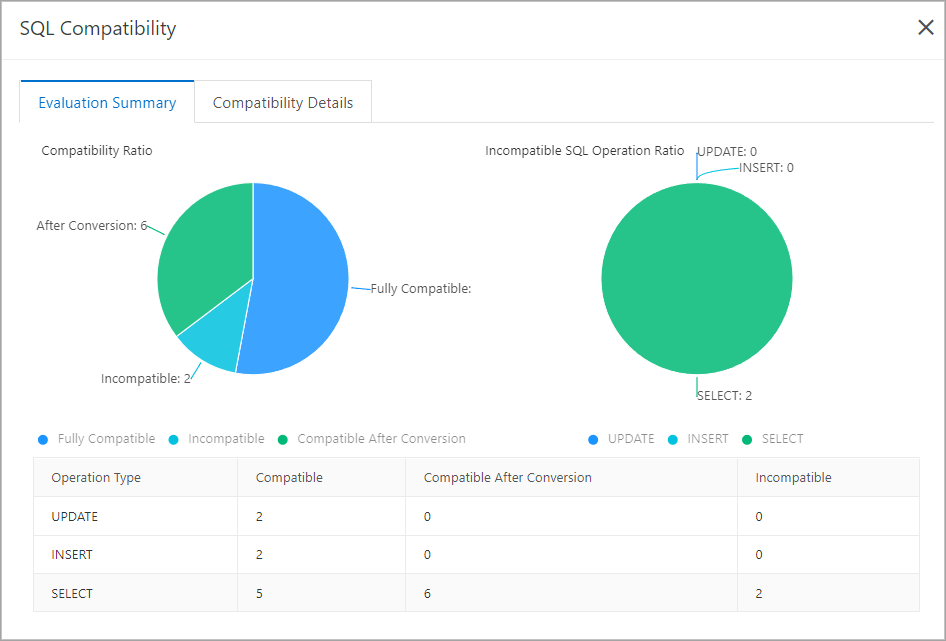
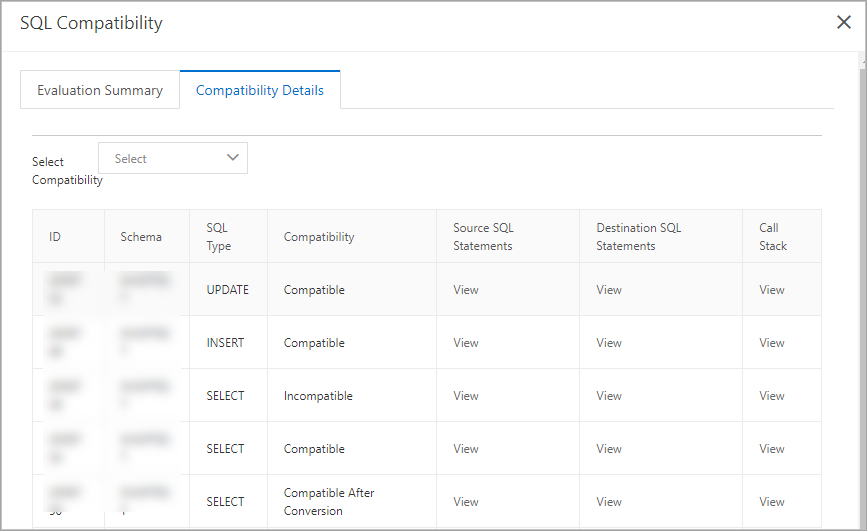
SQL statements fall into three categories:
| Category | Description | What to do |
|---|---|---|
| Compatible | Statements that run in the destination database without changes | No action required |
| Compatible after Conversion | Statements that ADAM has transformed | Replace the original statements in your application code with the converted versions |
| Incompatible | Statements that cannot run in the destination database | Modify your application code or SQL statements based on the transformation suggestions provided |
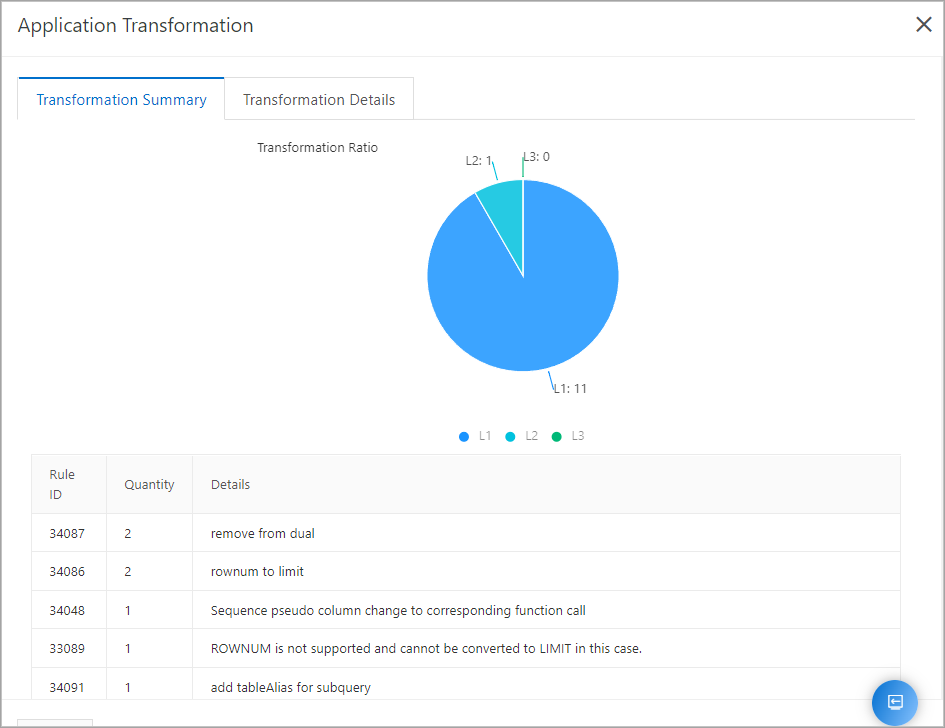
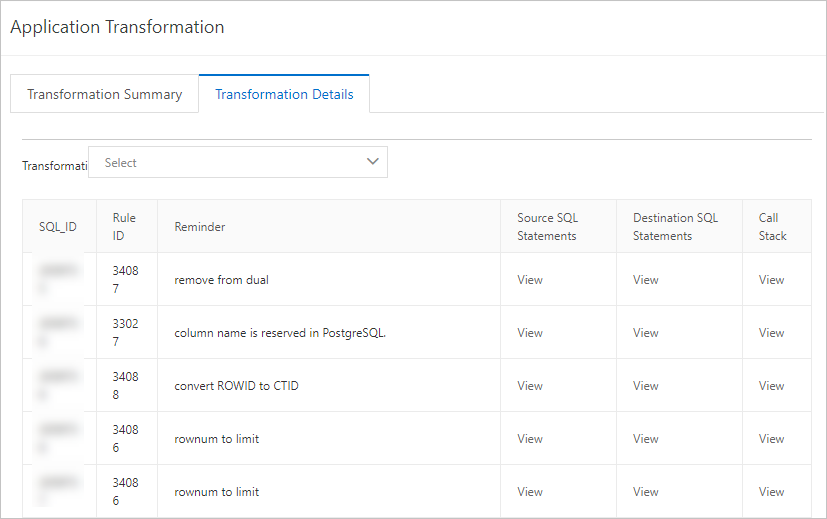
Focus areas of application transformation
ADAM identifies the specific areas of your application that need transformation and provides suggestions for each. Switch between the brief and detailed views depending on how much context you need.