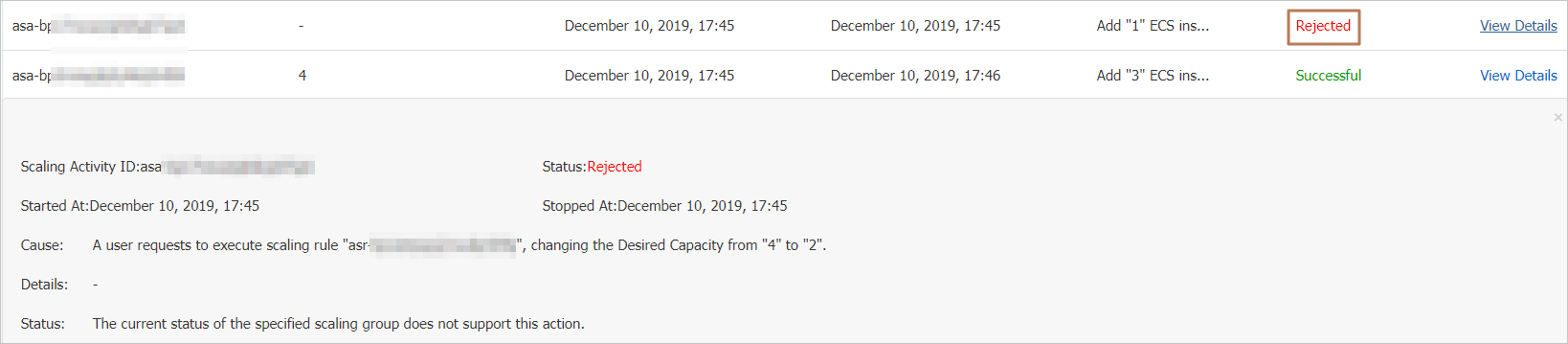
Without the Expected Number of Instances feature, a scaling group can only run one scaling activity at a time — all other requests are rejected while one is in progress, and any failed activity requires manual retry. Enable the Expected Number of Instances feature to remove both constraints: Auto Scaling maintains the instance count automatically, retries failures without intervention, and supports parallel scaling activities.
When to use expected number of instances
Enable this feature when you need any of the following:
Automatic recovery from failures: Auto Scaling retries failed scaling activities automatically, without manual intervention.
Parallel scaling activities: Multiple compatible scaling activities can run concurrently. Without this feature, only one activity runs at a time, and all others are rejected during that period.
Continuous instance reconciliation: Auto Scaling continuously checks the actual instance count against the expected count and adjusts automatically.
Key concepts
| Concept | Description |
|---|---|
| Steady-state instance | An instance in the In Service, Protected, or Standby state in a scaling group. |
| Parallel scaling activity | A scaling activity that can run concurrently with other ongoing activities. Triggered by: manually executing a scaling rule, using a scheduled task to execute a scaling rule, manually adding or removing instances, or system checks (expected count, health status, min/max count). |
| Non-parallel scaling activity | A scaling activity that cannot run concurrently with other ongoing activities. Triggered by: executing a scaling rule via an event-triggered task, manually running a rebalancing task on the Instances tab, or automatic spot instance supplementation (requires Scaling Policy set to Cost Optimization Policy with Enable Supplemental Spot Instances turned on). |
Limits
A scaling group cannot have both parallel and non-parallel scaling activities in progress at the same time.
The Expected Number of Instances value must fall within the Minimum Number of Instances to Maximum Number of Instances range.
Enable or disable expected number of instances
To enable: When creating or modifying a scaling group, set the Expected Number of Instances parameter. For details, see Manage scaling groups. After enabling, you can update the expected count at any time to match your business needs.
To disable: Call the ModifyScalingGroup API operation.
How instance count changes
The expected count and the actual instance count change differently depending on how a scaling activity is triggered.
Parallel scaling activities
| Trigger | Effect on instances | Effect on expected count | Formula |
|---|---|---|---|
| Manually execute a scaling rule | Not immediately created or removed. Auto Scaling waits for the next expected-count check. | Changes immediately. | Steady-state count ± scaled count |
| Scheduled task executes a scaling rule | Not immediately created or removed. Auto Scaling waits for the next expected-count check. | Changes immediately. | Steady-state count ± scaled count |
| Manually add instances | Added immediately. | Increases by the number of instances added. | Current expected count + added count |
| Manually remove instances | Removed immediately. | Decreases by the number of instances removed. | Current expected count − removed count |
| Check min/max count | No automatic change. | Must be updated manually if the new min/max would make the current expected count out of range. | Manually specified |
| Health check detects unhealthy instances | Unhealthy instances removed immediately. | Unchanged. Auto Scaling detects the gap and creates instances to compensate. | Unchanged |
| Expected-count check detects a gap | Instances added or removed immediately to close the gap. | Unchanged. | Unchanged |
Non-parallel scaling activities
| Trigger | Effect on instances | Effect on expected count | Formula |
|---|---|---|---|
| Event-triggered task executes a scaling rule | Added or removed immediately. | Changes immediately. | Steady-state count ± scaled count |
Note: For detailed examples of how to specify an expected count, see Examples of parallel scaling activities and Examples of non-parallel scaling activities.
Comparison: with vs. without expected number of instances
| Item | With expected number of instances | Without expected number of instances |
|---|---|---|
| Maintenance | Automatic. Auto Scaling retries failed activities automatically. | Manual. You must retry failed activities yourself. |
| Manual scaling rules and scheduled tasks | Do not immediately trigger scaling. Auto Scaling updates the expected count and reconciles during the next check. | Immediately trigger a scaling activity. |
| Manual add/remove, event-triggered tasks | Immediately trigger scaling and update the expected count. | Immediately trigger a scaling activity. |
| Parallel scaling activities | Supported. | Not supported. Only one activity runs at a time; all others are rejected during that period. |
Examples of parallel scaling activities
After you set an expected number of instances, Auto Scaling can run compatible scaling activities in parallel.
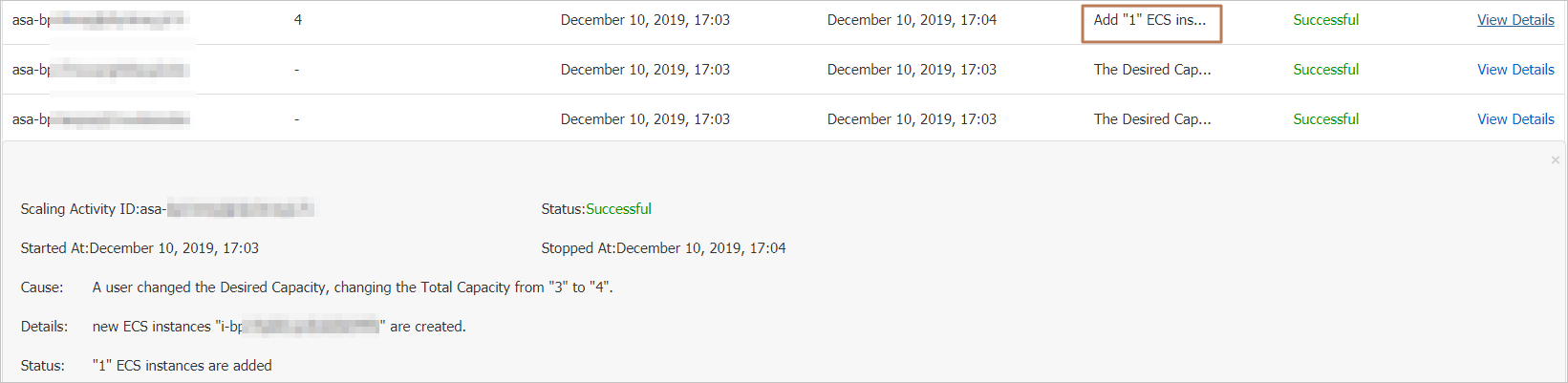
Example 1: Two scaling rules executed consecutively
Starting state:
Expected count: 3
Steady-state instances: 3
add3 rule: creates 3 ECS instances
add1 rule: creates 1 ECS instance
Execute the add3 rule, then immediately execute the add1 rule.
After executing add3: the expected count changes from 3 to 6 (steady-state 3 + 3 = 6).
After executing add1: the expected count changes from 6 to 4 (steady-state 3 + 1 = 4).
Both activities run in parallel. When complete, the steady-state instance count is 4.
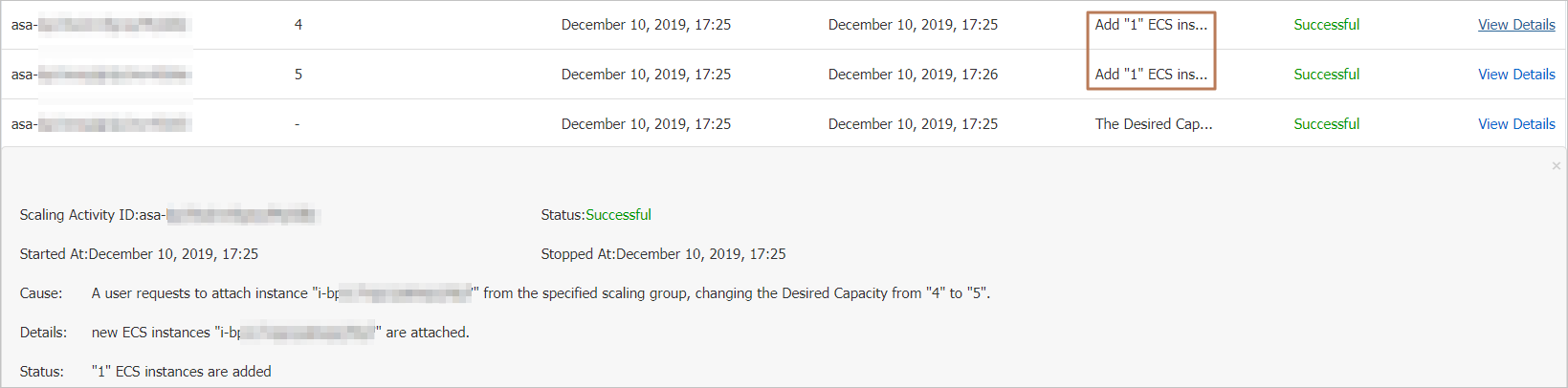
Example 2: Scaling rule and manual instance addition run simultaneously
Starting state:
Expected count: 3
Steady-state instances: 3
add1 rule: creates 1 ECS instance
Execute the add1 rule and manually add 1 existing ECS instance at the same time.
After executing add1: the expected count changes from 3 to 4 (steady-state 3 + 1 = 4).
After adding the instance manually: the expected count changes from 4 to 5 (current expected 4 + 1 = 5).
Both activities run in parallel. When complete, the steady-state instance count is 5.
Examples of non-parallel scaling activities
When a non-parallel scaling activity is in progress, parallel scaling activity requests are rejected.
Starting state:
Expected count: 1
Steady-state instances: 1
Event-triggered task rule: creates 3 ECS instances
add1 rule: creates 1 ECS instance
Trigger the event-triggered task, then immediately execute the add1 rule.
The event-triggered task starts a non-parallel scaling activity and changes the expected count from 1 to 4 (steady-state 1 + 3 = 4).
The request to execute add1 is rejected because a non-parallel activity is already in progress.
The expected count stays at 4. When the non-parallel activity completes, the steady-state instance count is 4 (3 instances created).