Before using user marketing, you must authorize Quick Audience to access each channel.
There are three types of account authorization operations in different channels:
Brand data engine: Authorization is performed in Quick Audience, but approval is required.
Baidu Marketing: Authorize directly in Quick Audience.
Youmeng PUSH, Dharma Plate, Tiangon Zhitou, Giant Engine, Tencent Advertising, WeChat official account (including subscription number and service number), WeCom, and Chattering: You need to jump to the corresponding channel for operation.
The classification will be described below.
Brand Data Engine Account Authorization
Brand data engine account authorization is performed in Quick Audience. The process is:
You submit an account authorization application.
Approved by the organization administrator or workspace administrator. After the approval is passed, authorization is completed.
Procedure:
Choose Workspace> Configuration Management > Marketing Configuration > Marketing Account.
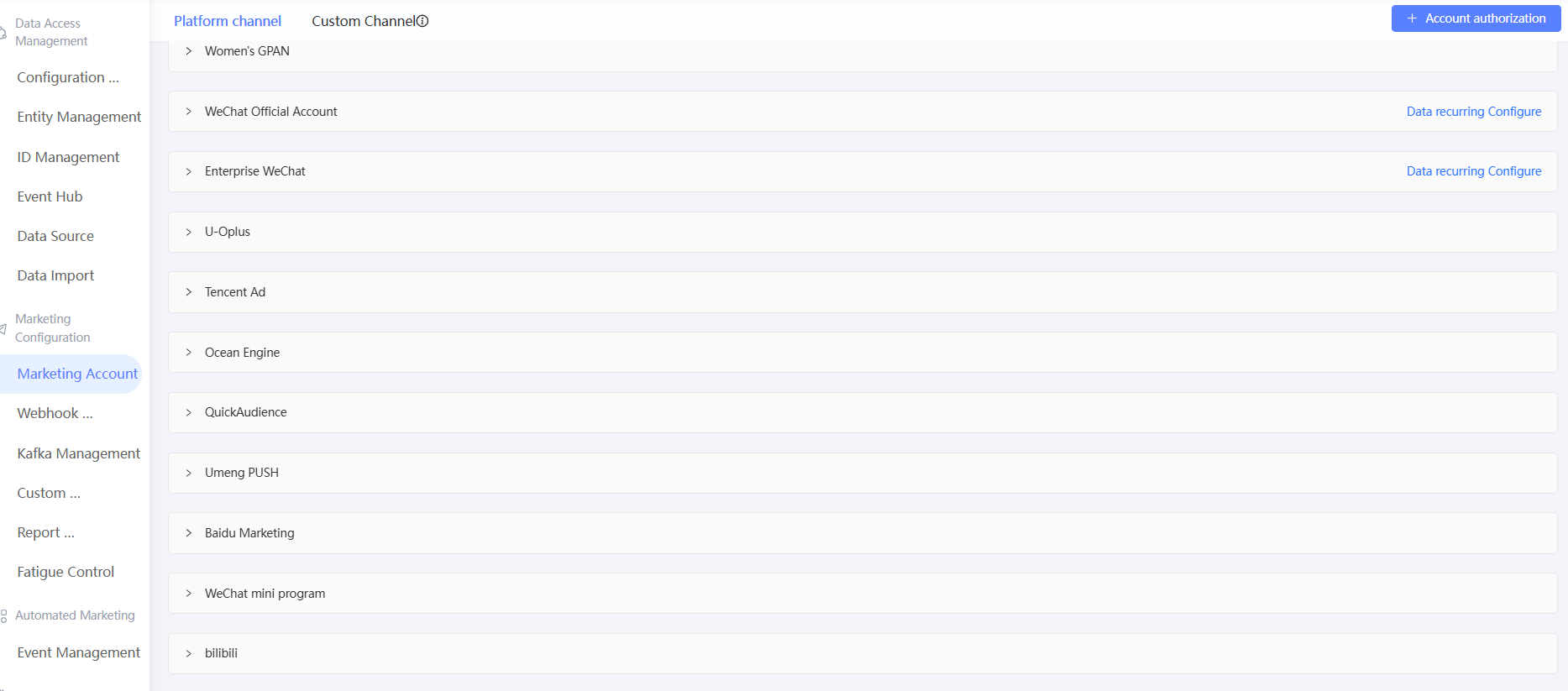
Click Authorize Account.
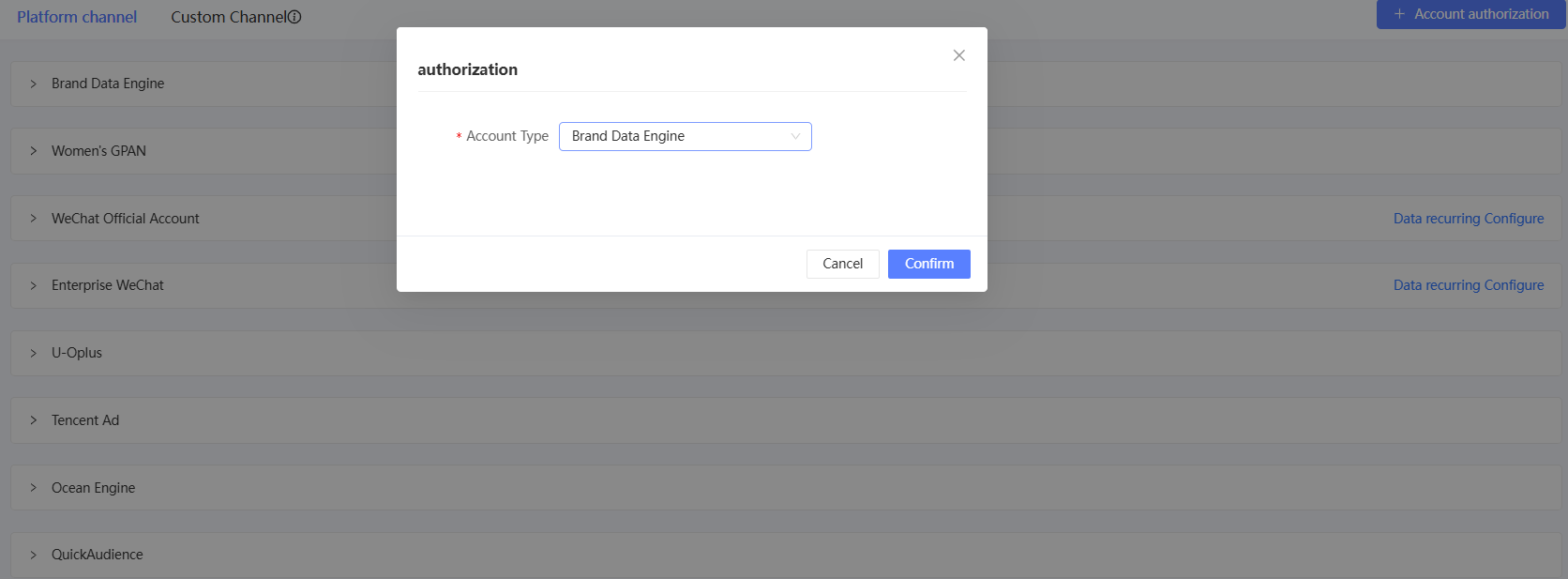
Select Brand Data Engine from the Account Type drop-down list and click OK.
Enter the brand name, brand name, account number, and token for the brand data engine in the new dialog box. For more information about how to obtain these parameters, see Obtain Data Engine Token.
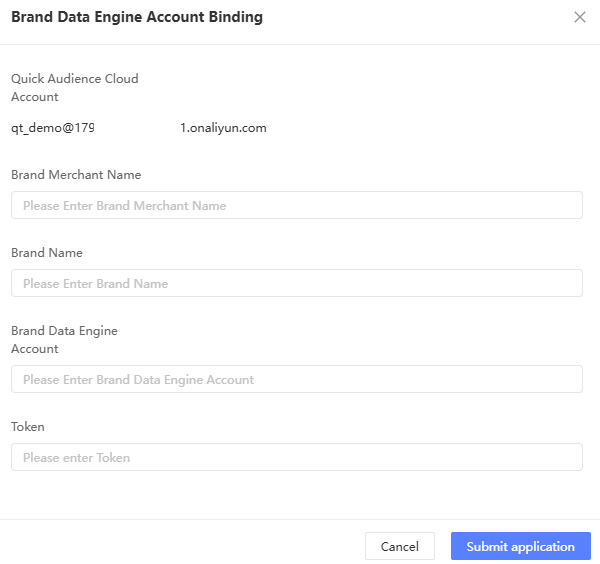
Click Submit. The account is in the Pending Approval state.
If the application is approved, the status of the application is Authorized. Otherwise, the application is Approved.
 Note
NoteThe binding application is approved by the organization administrator and workspace administrator. For more information, see Notifications.
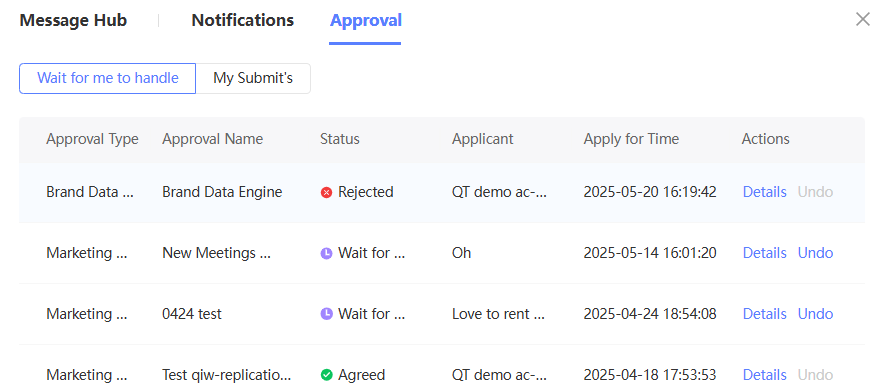
You can view the application progress in the Message Center > My Applications section. You can cancel the application. For more information, see Approval.
Baidu Marketing Account Authorization
Baidu marketing account authorization is performed directly in Quick Audience.
Procedure:
Choose Workspace> Configuration Management > Marketing Configuration > Marketing Account.
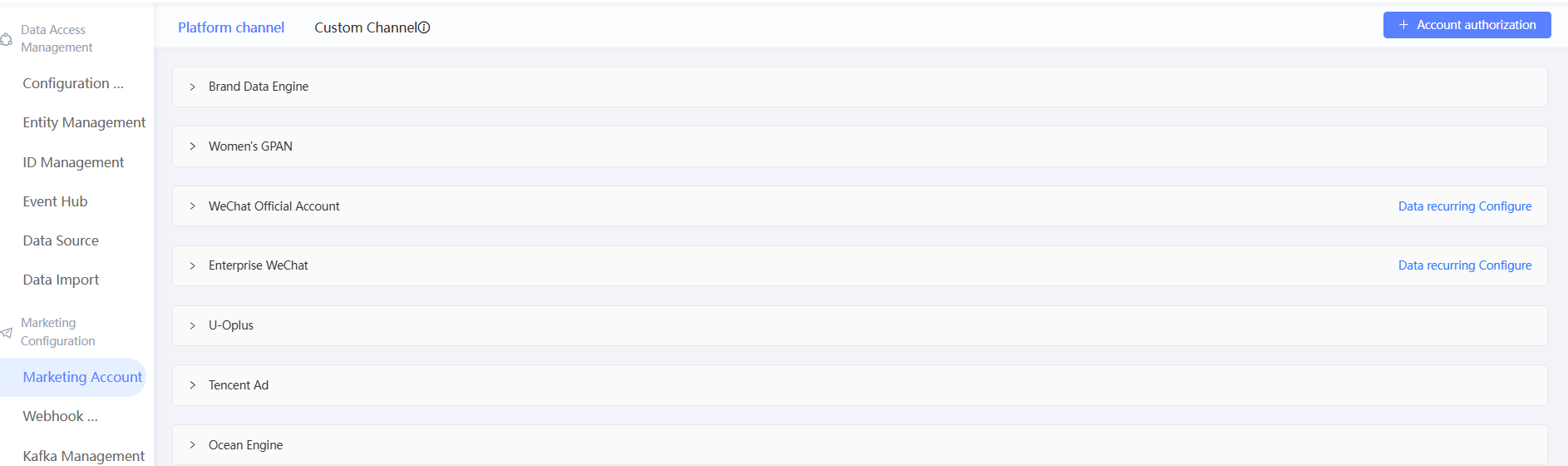
Click Authorize Account.
Select Baidu Marketing from the Account Type drop-down list and click OK.

Enter the account number, password, and permission code of Baidu Marketing in the new dialog box.
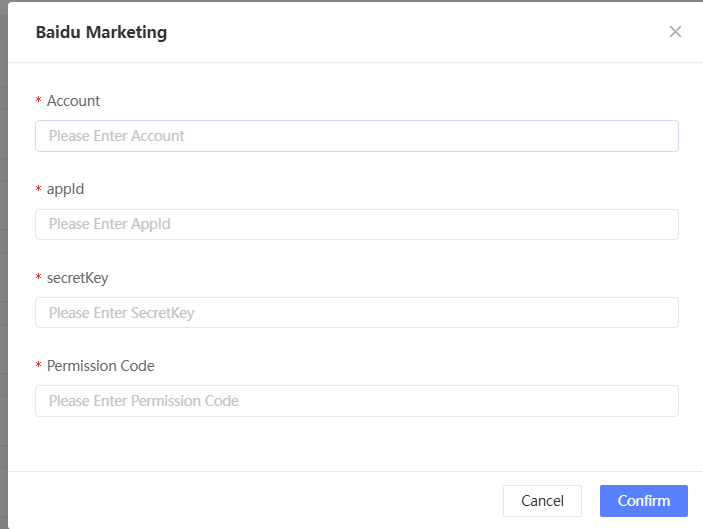
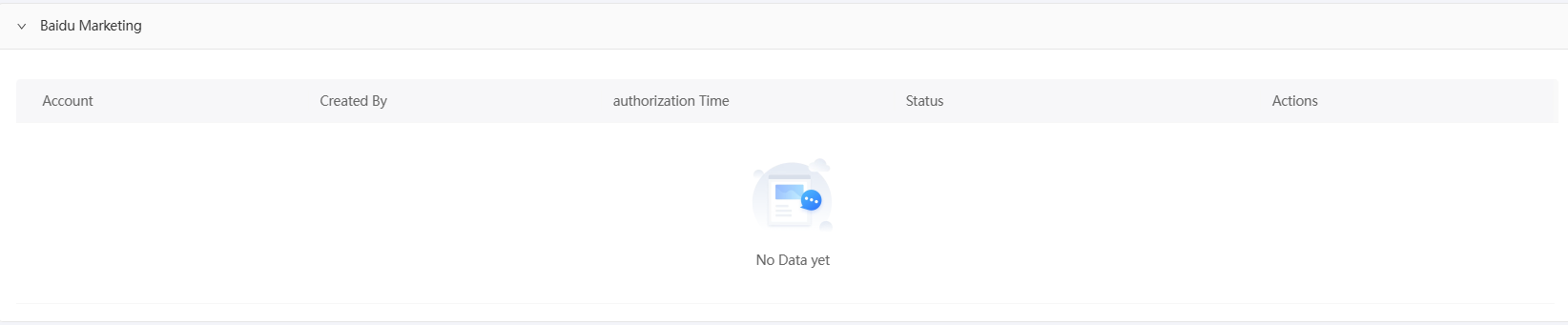
Click OK. The account is added to the list of authorized accounts. The status of the account is Authorized.
Jump to the corresponding channel for account authorization
Youmeng PUSH, Damengpan, U-Oplus, Ocean Engine, Tencent Advertising, WeCom, WeChat official account (including subscription number and service number), WeChat applet, tremolo, bilibili, need to jump to the corresponding channel for account authorization.
For a WeChat official account, you need to complete WeChat official account authentication in the corresponding channel. Otherwise, the user marketing function cannot be used normally.
For Tencent advertising, the following circumstances will lead to the failure of authorization with WeChat account, it is recommended to authorize with QQ account.
WeChat enterprise official account authorization has not been opened.
When registering Tencent's advertisement, it was registered with QQ number, and WeChat account was bound after registration.
For Damengpan, please log in with your Taobao main account when jumping, and then bind the store and brand under that account, see Bind Damengpan.
Procedure:
Choose Workspace> Configuration Management > Marketing Configuration > Marketing Account.
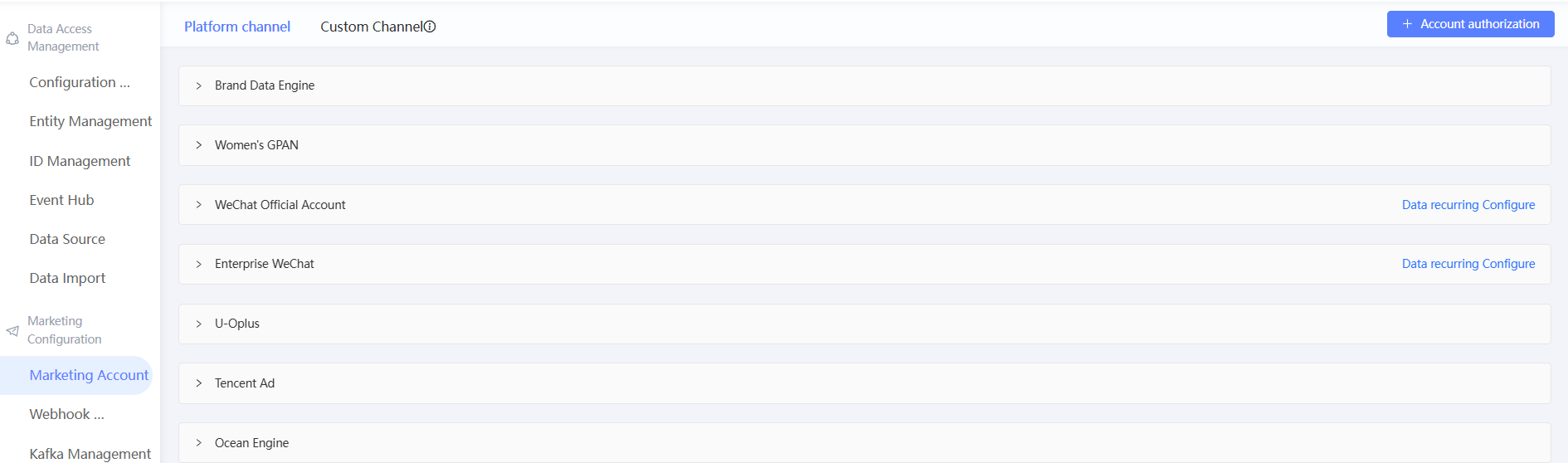
Click Authorize Account.
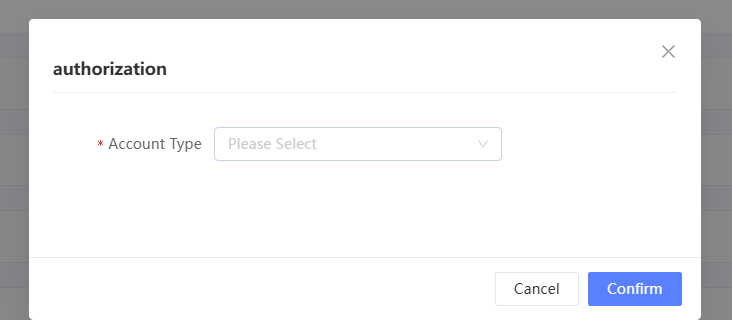
Select a channel from the Account Type drop-down list and click OK.
Go to the page of the corresponding channel to log on and complete the authorization. If not, check whether the browser has blocked the opening of a new window.
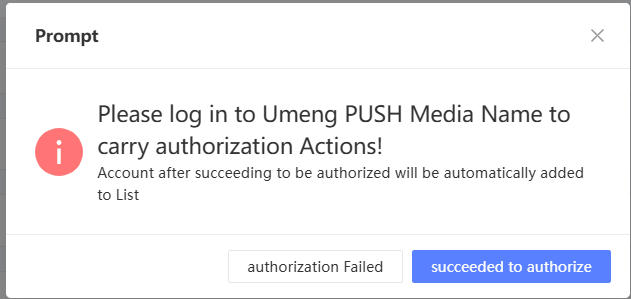
After the authorization operation is successfully completed, return to Quick Audience. As shown in the following figure, click Authorization succeeded. The system obtains the authorization information of the account and adds the account to the authorized account list. If the account is not authorized, click Authorization failed to authorize the account again. .
Manage an account
After you authorize an account, you can perform subsequent management, including re-authorizing and deleting the authorization, as shown in the following figure.
Reauthorize: If the account is in the Authorization Exception state, you cannot use the related features. Click Re-authorize to re-authorize. The subsequent operations are the same as the initial authorization.
Delete authorization: If the account is no longer in use, click Delete to delete the authorization. The data that has been obtained by using this account will not be deleted.
Data bank accounts are not re-authorized or deleted, and Damengpan is not re-authorized.
WeCom account authorization
For WeCom accounts, it is quite special and needs to contact QA production and research personnel to complete the configuration. The steps are as follows:
Log on to the QA service. In the left-side pane, choose Configuration Management> Marketing Accounts. On the Marketing Accounts page, click Account Authorization.
FAQ
Does every user who needs to use channels for marketing have to bind an account?
A: Yes, each user needs to re-bind an account before using each workspace. One-time binding cannot share the same account across users. Only administrators can use accounts bound to other users.