View all approval requests you have submitted in the Message Center, check approval status, and withdraw pending requests.
-
On a Quick Audience page, click the
 icon in the upper-right corner to open the Message Center panel.
-
On the Approval tab, view all pending and submitted requests.
-
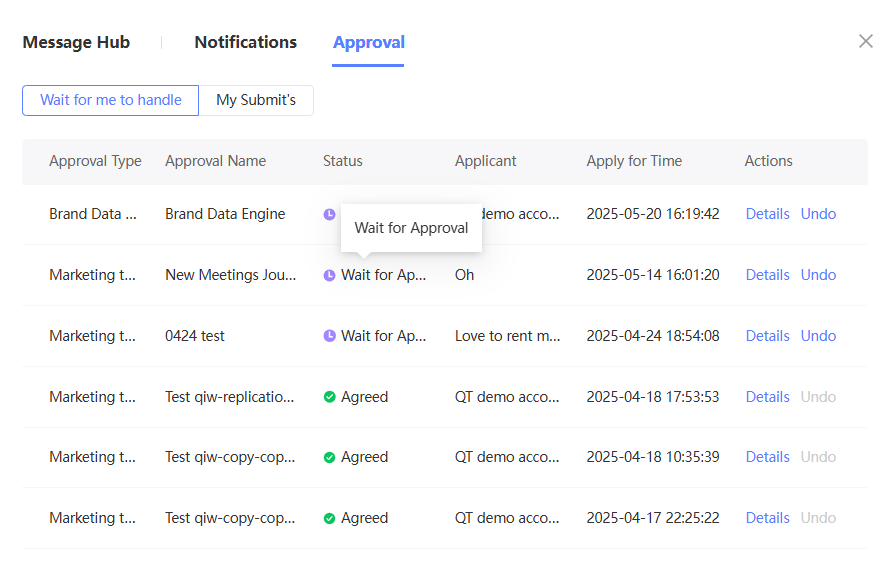
On the To Be Processed tab, view the list of requests pending your approval.
-
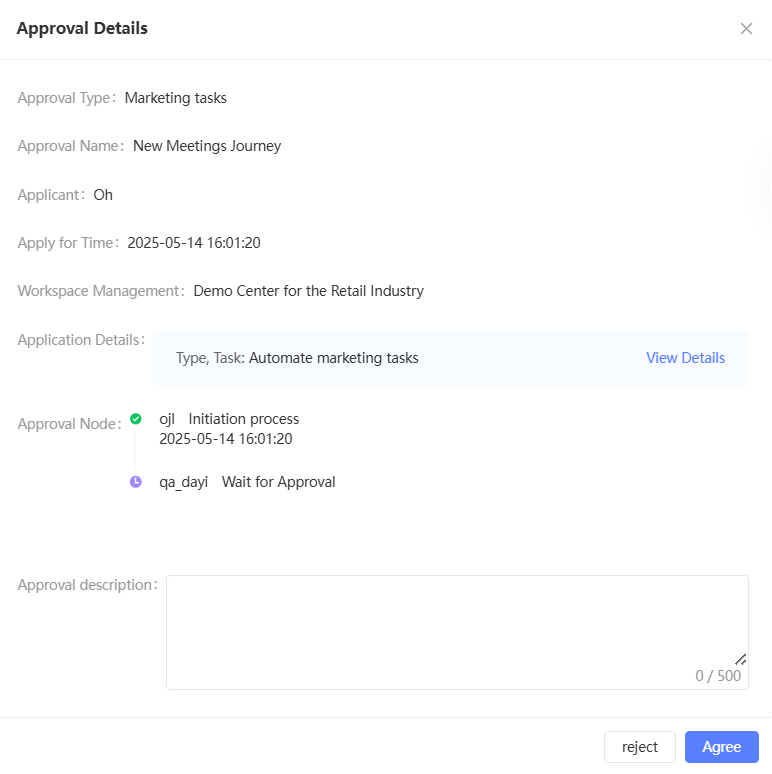
Click Details to view the application details.
-
Click Agree or Reject to complete the approval process.
-
-
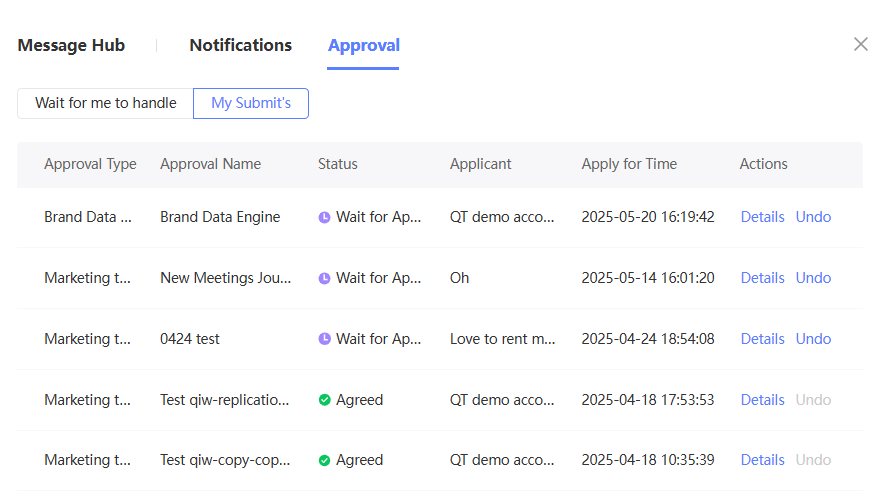
On the Submitted by Me tab, view the list of requests you have submitted. The list displays the approval status.
-
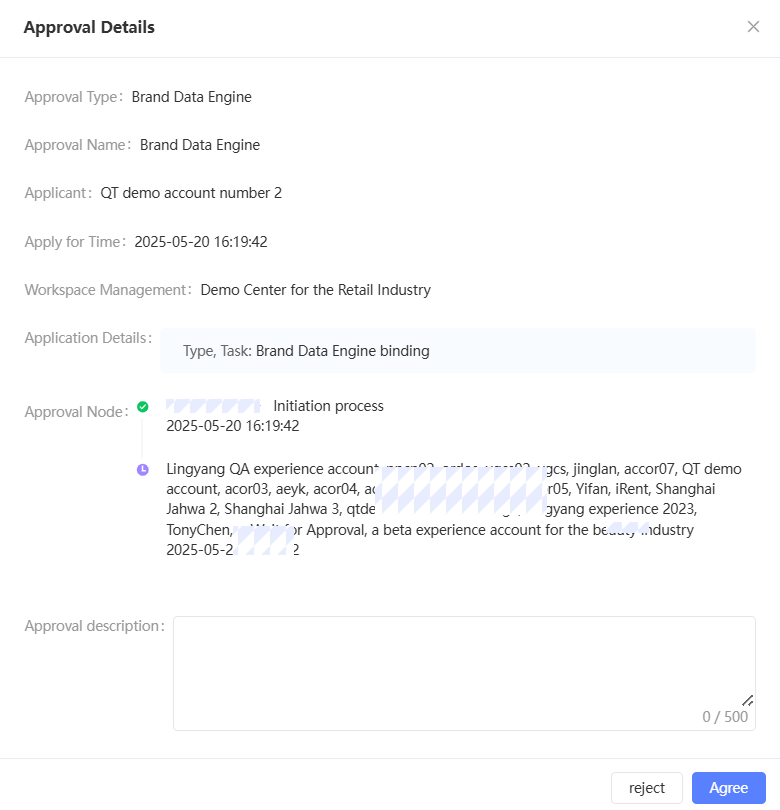
Click Details. The Application Details dialog box appears, as shown in the following figure.
-
If the application is not approved, you can click Cancel to withdraw it.
-
-