After you purchase the GoChina ICP Filing Assistant service, contact your designated ICP filing expert through the order details page. The expert then reviews your requirements and handles the ICP filing on your behalf.
-
Place an order.
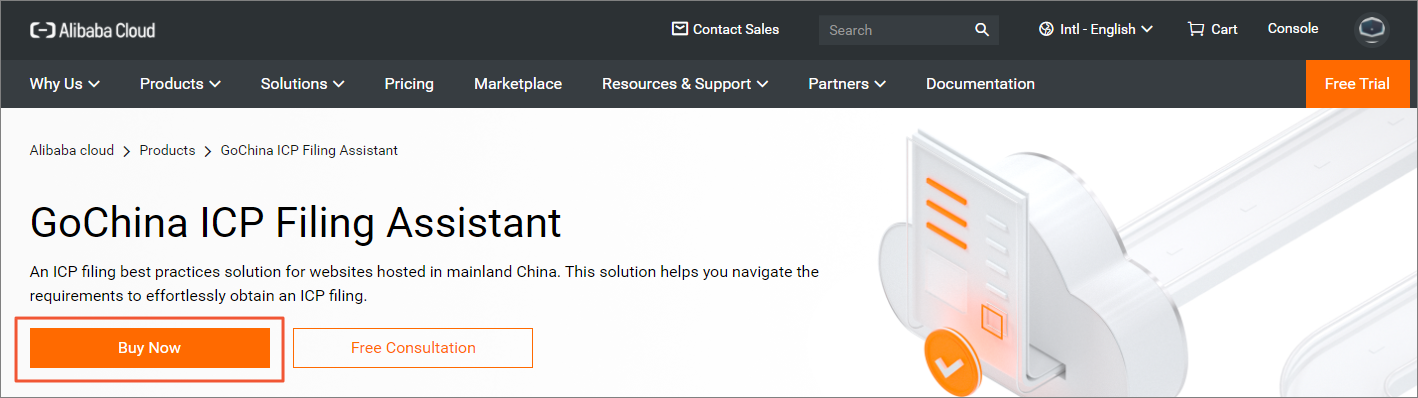
On the GoChina ICP Filing Assistant product page, click Buy Now and complete the payment.
-
Contact your ICP filing expert.
After payment, contact the expert:
-
Log on to the GoChina ICP Filing Assistant console.
-
Find your order and click Details in the Actions column.
-
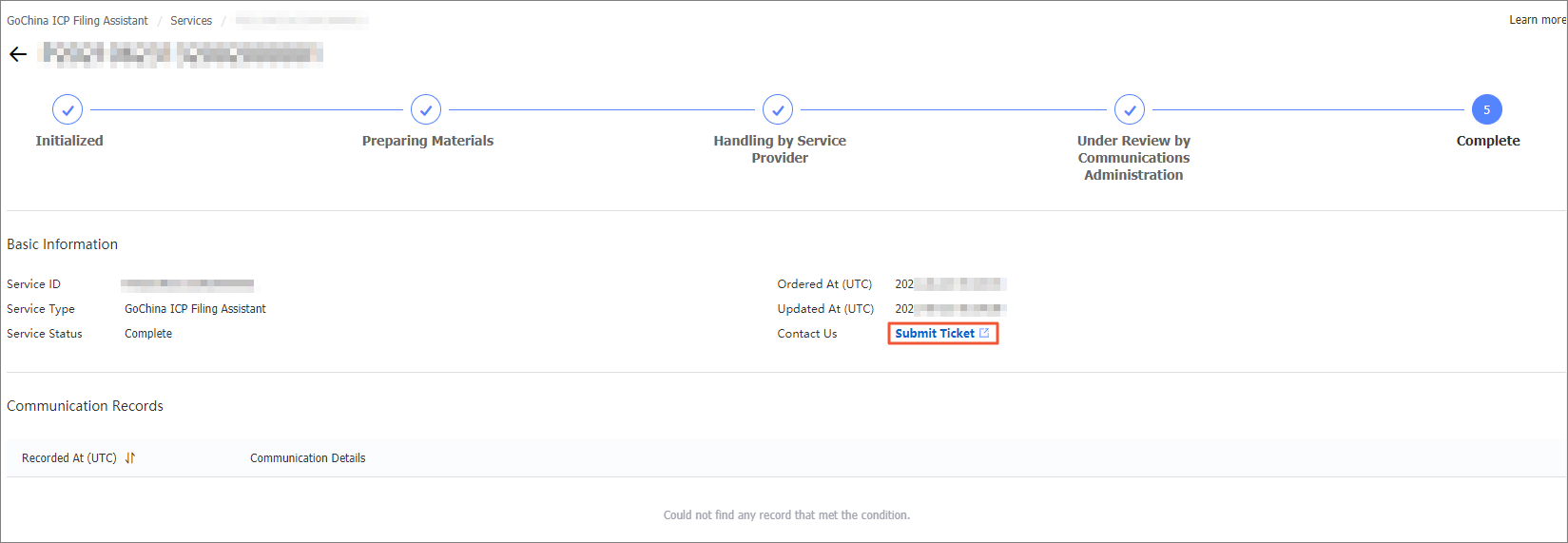
On the order details page, click Service Consultation.
-
-
The expert reviews your requirements.
After you submit the ticket, inform the expert of your ICP filing requirements. The expert performs one of the following operations:
-
Apply for a new ICP filing:
The expert consults with you on the application process and files on your behalf. Prepare the required materials in advance. For more information about the required materials, see Required materials for ICP filing.
Note-
Prepare a domain name and an Alibaba Cloud instance hosted in mainland China for the ICP filing. Contact the expert if you need help registering a domain name or purchasing an instance.
-
MIIT requires the website administrator to complete facial recognition for authenticity verification via the Alibaba Cloud app during the application. Contact the expert for details.
-
-
Add Alibaba Cloud as a service provider or file for a new website:
If your website has an ICP filing through another provider, the expert can add Alibaba Cloud as a service provider.
If your website already has an ICP filing through Alibaba Cloud, the expert can file for additional websites.
-
Modify the ICP filing information or cancel an ICP filing:
Your ICP filing information may change, or you may need to cancel an existing filing. Contact the expert to modify or cancel an ICP filing.
-
Resume website access or handle a special inspection: If your website becomes inaccessible or requires a special inspection, contact the expert for help.
-
-
The expert provides the ICP filing service.
After you submit your requirements, the expert begins the ICP filing service. Check the service progress in the console. For more information, see View the service progress.
-
Verify the results.
After the ICP filing is approved, the expert notifies you for service acceptance. Contact the expert if you need additional services.