Common questions and solutions for the HTTPDNS public recursive resolution SDK and API.
After integrating the SDK into iOS, the code fails to run and reports the error "'DNSResolver.h' file not found"?
This error occurs when the compiler cannot locate the header file. To resolve the issue:
-
If you are using Swift to develop your app, after importing the SDK through CocoaPods, add
import <pdns-sdk-ios/DNSResolver.h>to import the header file. -
If you are using OC (Objective-C) to develop your app:
-
Add
import "pdns-sdk-ios/DNSResolver.h"to import the header file. -
If importing the header file does not resolve the issue, modify "Header Search Paths" in the Build Settings to point to your local path.
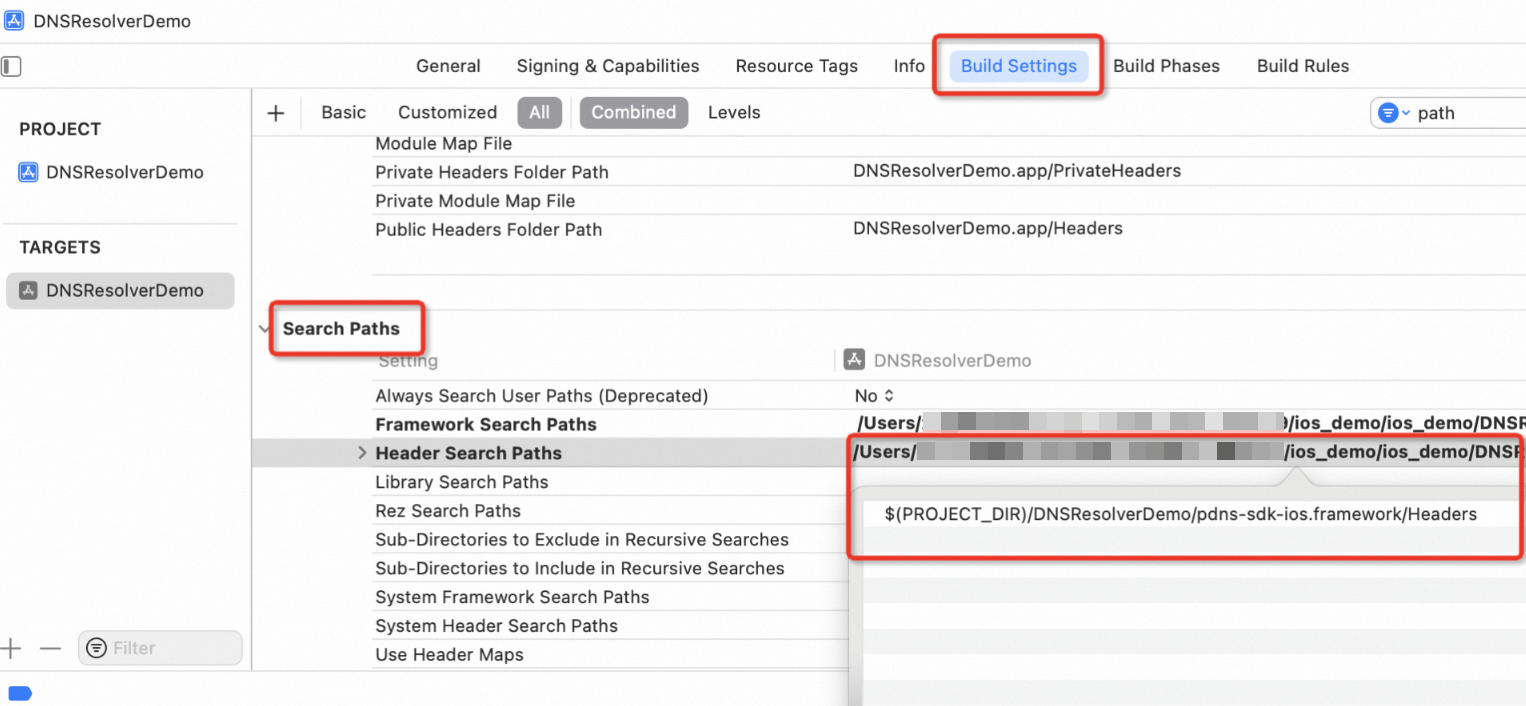
-