Configure custom environment variables for your Dify instance in the Data Management Service (DMS) console to tune performance limits, service endpoints, authentication, and monitoring settings.
Usage notes
Service restart: Saving any changes to environment variables triggers an automatic restart of your Dify instance, causing a brief service interruption. Perform this operation during off-peak hours.
Whitelist restriction: Only variables listed in Supported environment variables can be modified.
Format requirement: All parameters must be provided as JSON key-value pairs (
"Key": "Value"). All values must be strings.
Prerequisites
Before you begin, ensure that you have:
A Dify instance in the DMS console
The required permissions to manage the Dify instance
Set environment variables
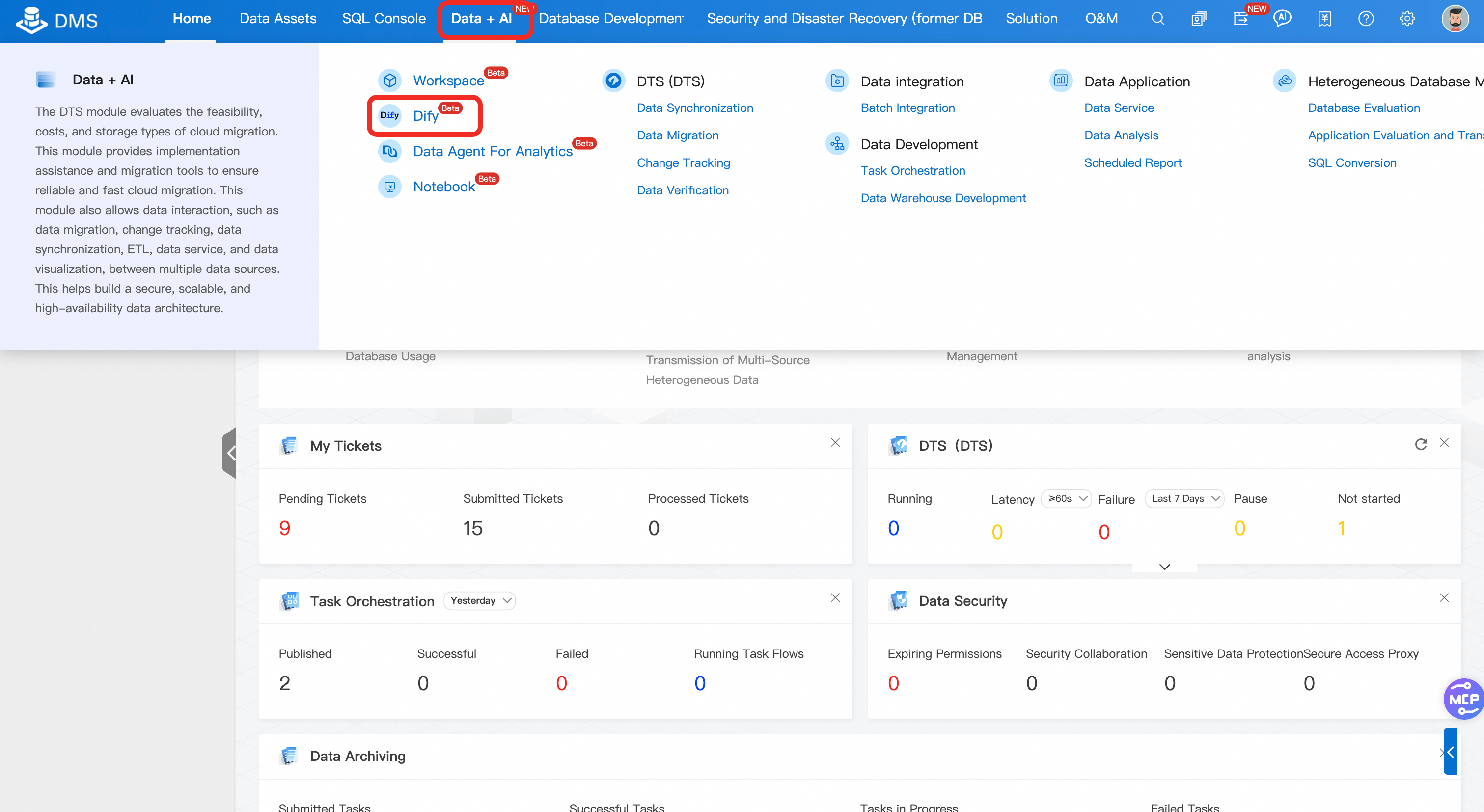
Log on to the DMS console. In the top navigation bar, choose Data + AI > Dify to open the Dify instance list.
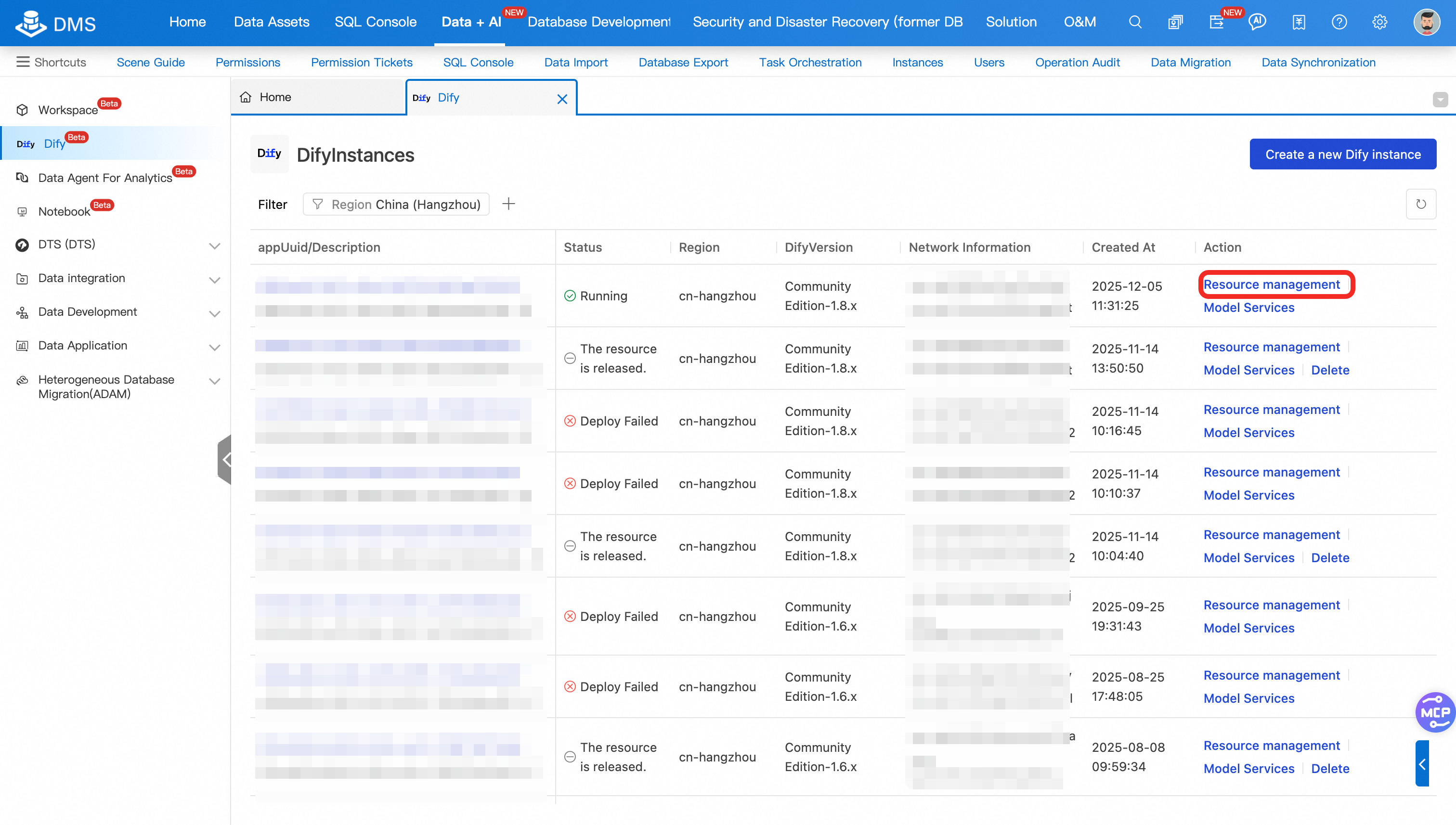
In the Actions column for your Dify instance, click Resource Management.
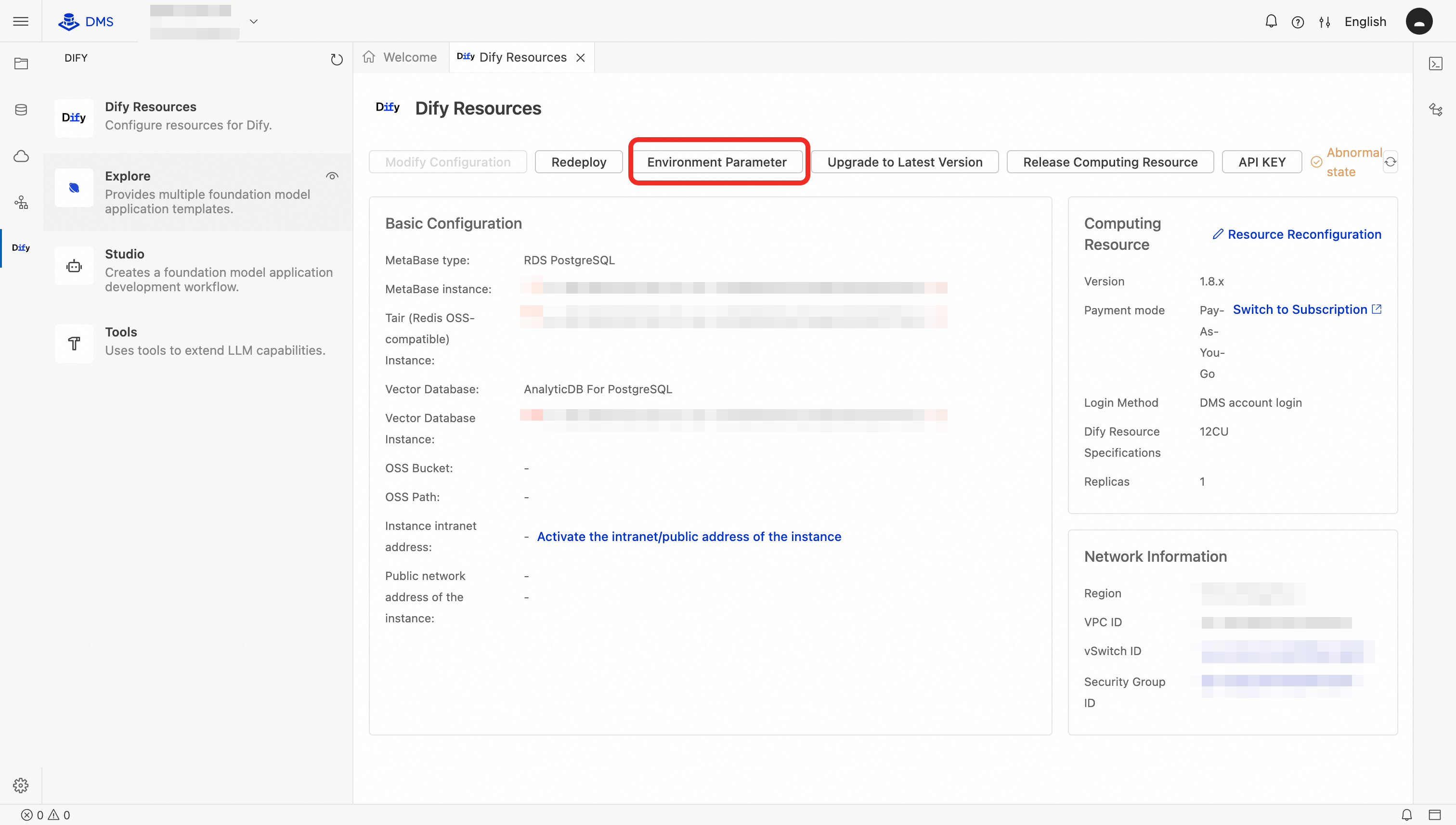
In the Resource Management interface, click Environment Parameters.
In the Environment Parameters Configuration dialog box, modify or add environment variables:
Modify an existing variable: Edit the value directly in the input field. To restore a variable to its default, delete the entire key-value pair — the system applies the default after you save.
Add a new variable: Some whitelisted variables are not shown by default and must be added manually. The following example configures a custom domain. Add the key-value pairs below, replacing
my_web.comwith your domain.NoteCONSOLE_API_URL,CONSOLE_WEB_URL, andAPP_WEB_URLare modifiable only in Dify Account Edition and Enterprise Edition.{ "HTTP_REQUEST_NODE_MAX_TEXT_SIZE": "1048576", ... "CONSOLE_API_URL": "http://my_web.com", "APP_API_URL": "http://my_web.com", "CONSOLE_WEB_URL": "http://my_web.com", "APP_WEB_URL": "http://my_web.com", "FILES_URL": "http://my_web.com" }
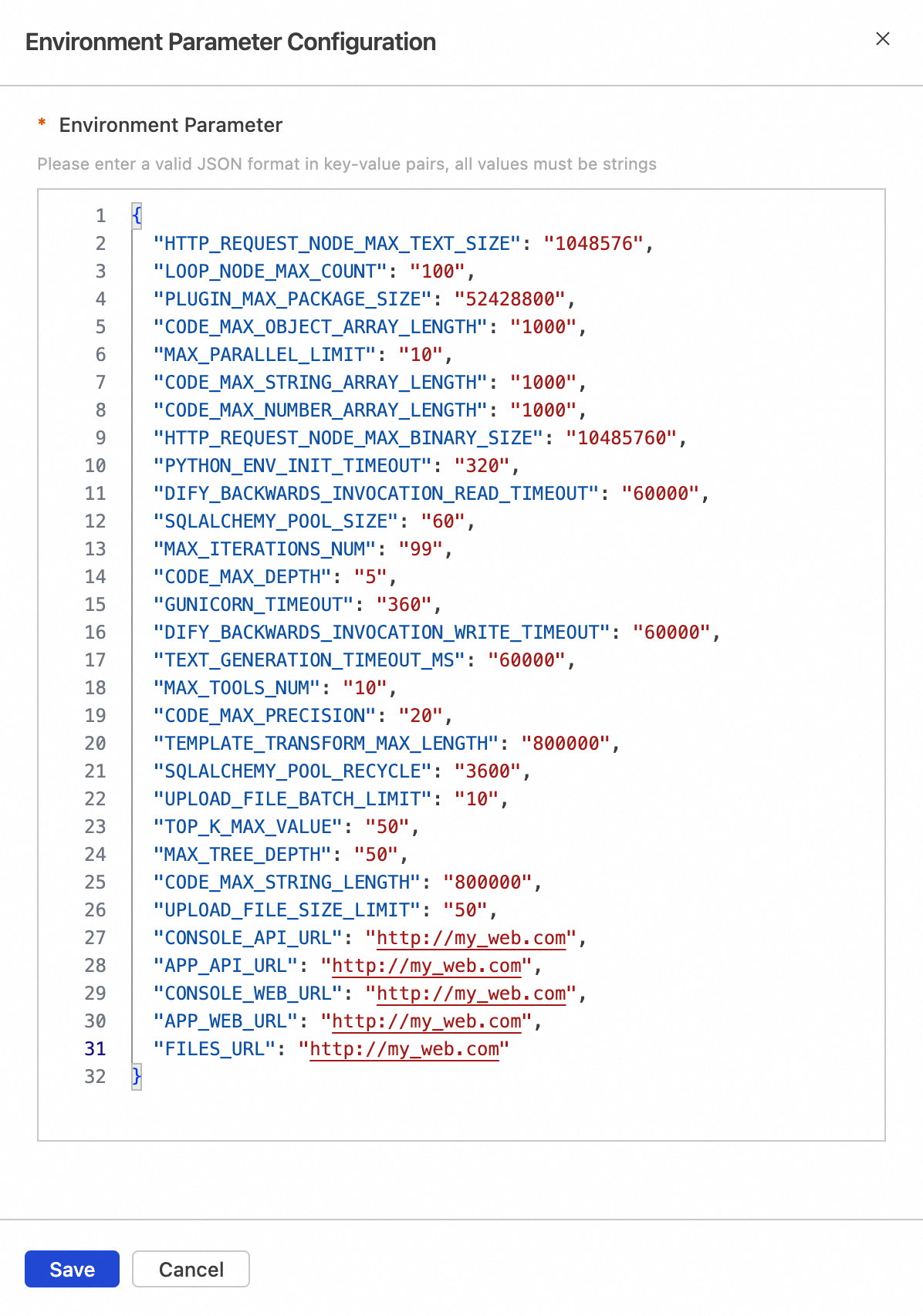
Click Save, then click Confirm in the confirmation dialog box.
After saving, the system redeploys the instance. Check the result in the bottom-right corner:
Success: Three notifications appear in sequence: Environment parameters validated successfully, Environment parameters updated successfully, and Redeployment started. The Dify instance is restarting.
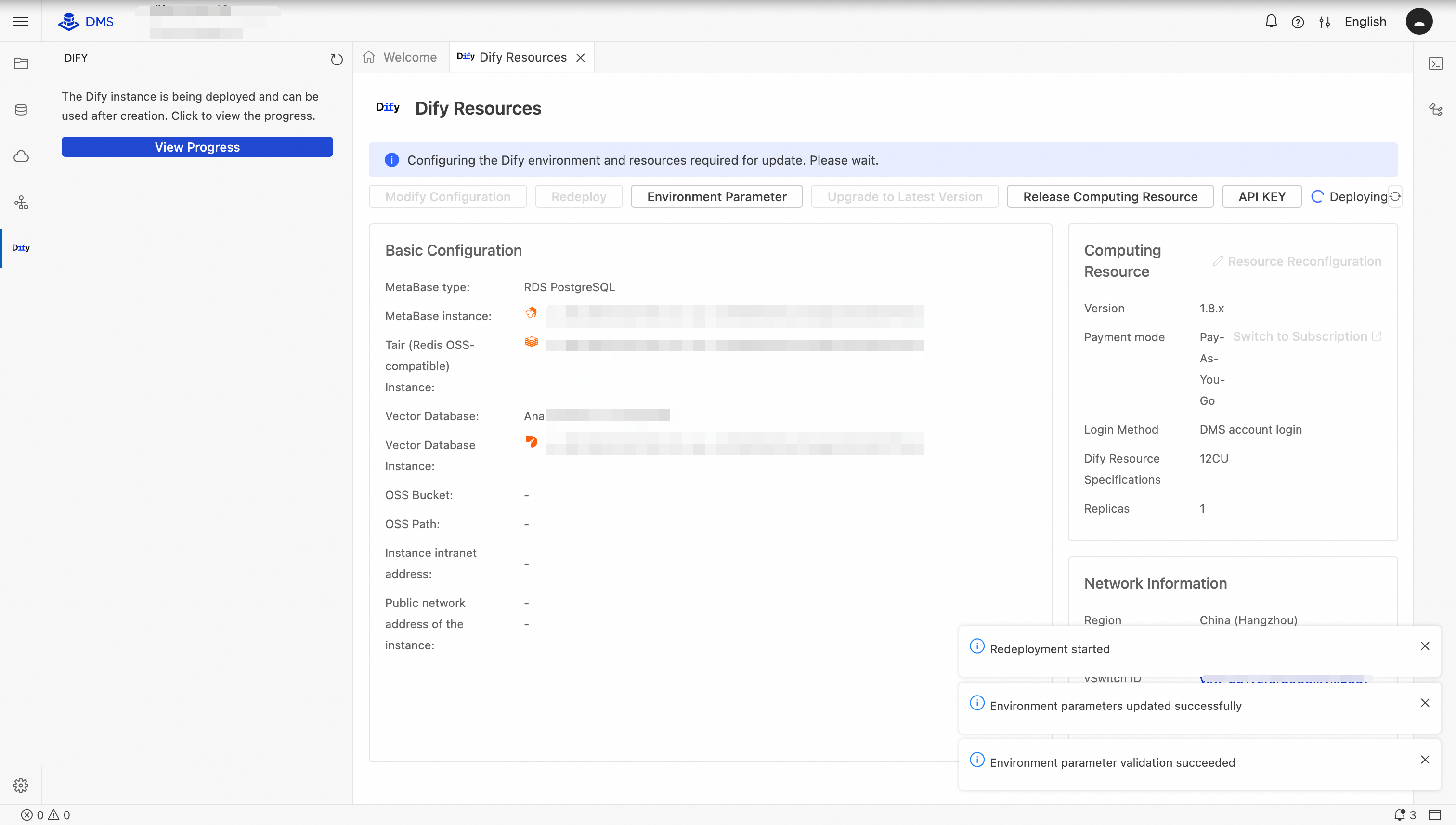
Failure: An error such as
Env key 'xxxx' is invalidindicates that the keyxxxxis incorrect. Verify that the key is in the whitelist and spelled correctly.
Supported environment variables
URL endpoints
| Parameter | Default value | Description | Edition |
|---|---|---|---|
CONSOLE_API_URL | DMS account login: https://dify-{region, for example cn-beijing}-dms.aliyuncs.com; Dify Account Edition or Enterprise Edition: http:// + assigned Application Load Balancer (ALB) public IP | Endpoint for the console backend API | Account & Enterprise only |
APP_API_URL | Endpoint for the application API | All | |
CONSOLE_WEB_URL | Endpoint for the console frontend web | Account & Enterprise only | |
APP_WEB_URL | Endpoint for the application frontend web | Account & Enterprise only | |
FILES_URL | Endpoint for the file service | All | |
SERVICE_API_URL | Empty | Endpoint for the API service | All |
TRIGGER_URL | Empty | Webhook address for workflow triggers | All |
Limits and timeouts
| Parameter | Default value | Description | Edition |
|---|---|---|---|
CODE_MAX_STRING_LENGTH | 800000 | Maximum length of output strings in code nodes | All |
TEMPLATE_TRANSFORM_MAX_LENGTH | 800000 | Maximum length of strings in template transformations | All |
CODE_MAX_STRING_ARRAY_LENGTH | 1000 | Maximum number of elements in string arrays output by code nodes | All |
CODE_MAX_OBJECT_ARRAY_LENGTH | 1000 | Maximum number of elements in object arrays output by code nodes | All |
CODE_MAX_NUMBER_ARRAY_LENGTH | 1000 | Maximum number of elements in numeric arrays output by code nodes | All |
CODE_MAX_DEPTH | 5 | Maximum nesting depth for objects or arrays output by code nodes | All |
CODE_MAX_PRECISION | 20 | Maximum decimal places for numbers in code nodes | All |
UPLOAD_FILE_SIZE_LIMIT | 50 | Maximum size (MB) for a single uploaded file | All |
UPLOAD_FILE_BATCH_LIMIT | 10 | Maximum number of files in a single batch upload | All |
HTTP_REQUEST_NODE_MAX_TEXT_SIZE | 1048576 | Maximum size (bytes) for text responses from HTTP request nodes | All |
HTTP_REQUEST_NODE_MAX_BINARY_SIZE | 10485760 | Maximum size (bytes) for binary responses from HTTP request nodes | All |
PLUGIN_MAX_PACKAGE_SIZE | 52428800 | Maximum size (bytes) for plugin installation packages | All |
GUNICORN_TIMEOUT | 360 | Maximum response wait time (seconds). Requests exceeding this timeout are terminated. | All |
APP_MAX_ACTIVE_REQUESTS | 0 | Maximum concurrent requests the application handles (0 means unlimited) | All |
APP_MAX_EXECUTION_TIME | 1200 | Maximum duration (seconds) for a single application execution | All |
TOP_K_MAX_VALUE | 50 | Maximum Top-K value for knowledge base retrieval | All |
TEXT_GENERATION_TIMEOUT_MS | 60000 | Timeout (milliseconds) for text generation requests | All |
LOOP_NODE_MAX_COUNT | 100 | Maximum number of iterations for loop nodes | All |
MAX_TOOLS_NUM | 10 | Maximum number of tools an agent can use | All |
MAX_PARALLEL_LIMIT | 10 | Maximum concurrency for parallel execution nodes | All |
MAX_ITERATIONS_NUM | 99 | Maximum number of iterations for iteration nodes | All |
MAX_TREE_DEPTH | 50 | Maximum node chain length from start to end in workflows | All |
FILES_ACCESS_TIMEOUT | 300 | Timeout (seconds) for file access operations | All |
ACCESS_TOKEN_EXPIRE_MINUTES | 60 | Expiration time (minutes) for access tokens | All |
HTTP request timeouts
| Parameter | Default value | Description | Edition |
|---|---|---|---|
HTTP_REQUEST_MAX_CONNECT_TIMEOUT | 300 | Maximum connection timeout (seconds) for HTTP requests | All |
HTTP_REQUEST_MAX_READ_TIMEOUT | 600 | Maximum read timeout (seconds) for HTTP request responses | All |
HTTP_REQUEST_MAX_WRITE_TIMEOUT | 600 | Maximum write timeout (seconds) for HTTP requests | All |
Database and connection pool
| Parameter | Default value | Description | Edition |
|---|---|---|---|
SQLALCHEMY_POOL_SIZE | 60 | Maximum number of database connections in the connection pool | All |
SQLALCHEMY_POOL_RECYCLE | 3600 | Connection recycle interval (seconds). Connections older than this value are rebuilt. | All |
Code execution
| Parameter | Default value | Description | Edition |
|---|---|---|---|
CODE_EXECUTION_CONNECT_TIMEOUT | 10 | Connection timeout (seconds) for code execution services | All |
CODE_EXECUTION_READ_TIMEOUT | 60 | Read timeout (seconds) for code execution results | All |
CODE_EXECUTION_WRITE_TIMEOUT | 10 | Write timeout (seconds) for code execution data | All |
Plugin and sandbox
| Parameter | Default value | Description | Edition |
|---|---|---|---|
DIFY_BACKWARDS_INVOCATION_WRITE_TIMEOUT | 60000 | Write timeout (milliseconds) for plugin reverse invocations | All |
DIFY_BACKWARDS_INVOCATION_READ_TIMEOUT | 60000 | Read timeout (milliseconds) for plugin reverse invocations | All |
PYTHON_ENV_INIT_TIMEOUT | 320 | Timeout (seconds) for initializing the plugin Python environment | All |
Authentication
| Parameter | Default value | Description | Edition |
|---|---|---|---|
ENABLE_EMAIL_PASSWORD_LOGIN | true | Allow login with email and password | All |
ENABLE_SOCIAL_OAUTH_LOGIN | false | Allow login with social accounts via OAuth | All |
ALLOW_REGISTER | false | Allow user self-registration | All |
ALLOW_CREATE_WORKSPACE | false | Allow users to create new workspaces | All |
ALLOWED_OAUTH_DOMAINS | Empty | Domains allowed for OAuth login (comma-separated) | All |
GOOGLE_CLIENT_ID | Empty | Client ID for Google OAuth | All |
GOOGLE_CLIENT_SECRET | Empty | Client secret for Google OAuth | All |
GITHUB_CLIENT_ID | Empty | Client ID for GitHub OAuth | All |
GITHUB_CLIENT_SECRET | Empty | Client secret for GitHub OAuth | All |
Monitoring
| Parameter | Default value | Description | Edition |
|---|---|---|---|
ARMS_ENABLE | false | Enable ARMS real-time application monitoring | All |
ARMS_DIFY_API_APP_NAME | Empty | Application name for the dify-api component in ARMS | All |
ARMS_DIFY_PLUGIN_APP_NAME | Empty | Application name for the dify-plugin-daemon component in ARMS | All |
ARMS_DIFY_SANDBOX_APP_NAME | Empty | Application name for the dify-sandbox component in ARMS | All |
ARMS_REGION_ID | Empty | Region ID for ARMS monitoring (for example, cn-hangzhou) | All |
ARMS_LICENSE_KEY | Empty | License Key required for ARMS monitoring | All |