What are invalid addresses
Invalid addresses fall into two categories: global and account-level. When a recipient's server repeatedly rejects emails with an invalid address semantic error, the address is added to the global list. A single rejection adds the address to your account-level list. Account-level lists are private to each account, while the global list is shared across all users.
In the Direct Mail console, you can add or remove addresses and set the effective scope of your account-level invalid address list. The global list cannot be managed from the console.
Changes to the account-level invalid address list affect only your account.
Sending an email to an address on an invalid address list fails with an error. Check the delivery details page for more information.
Manage account-level invalid addresses
The account-level invalid address list contains two types of invalid addresses:
-
Manual entry
-
System-determined invalid address (multiple bounces)
Emails to invalid addresses are not delivered. System-added addresses are automatically removed if not hit for one year.
Add an invalid address
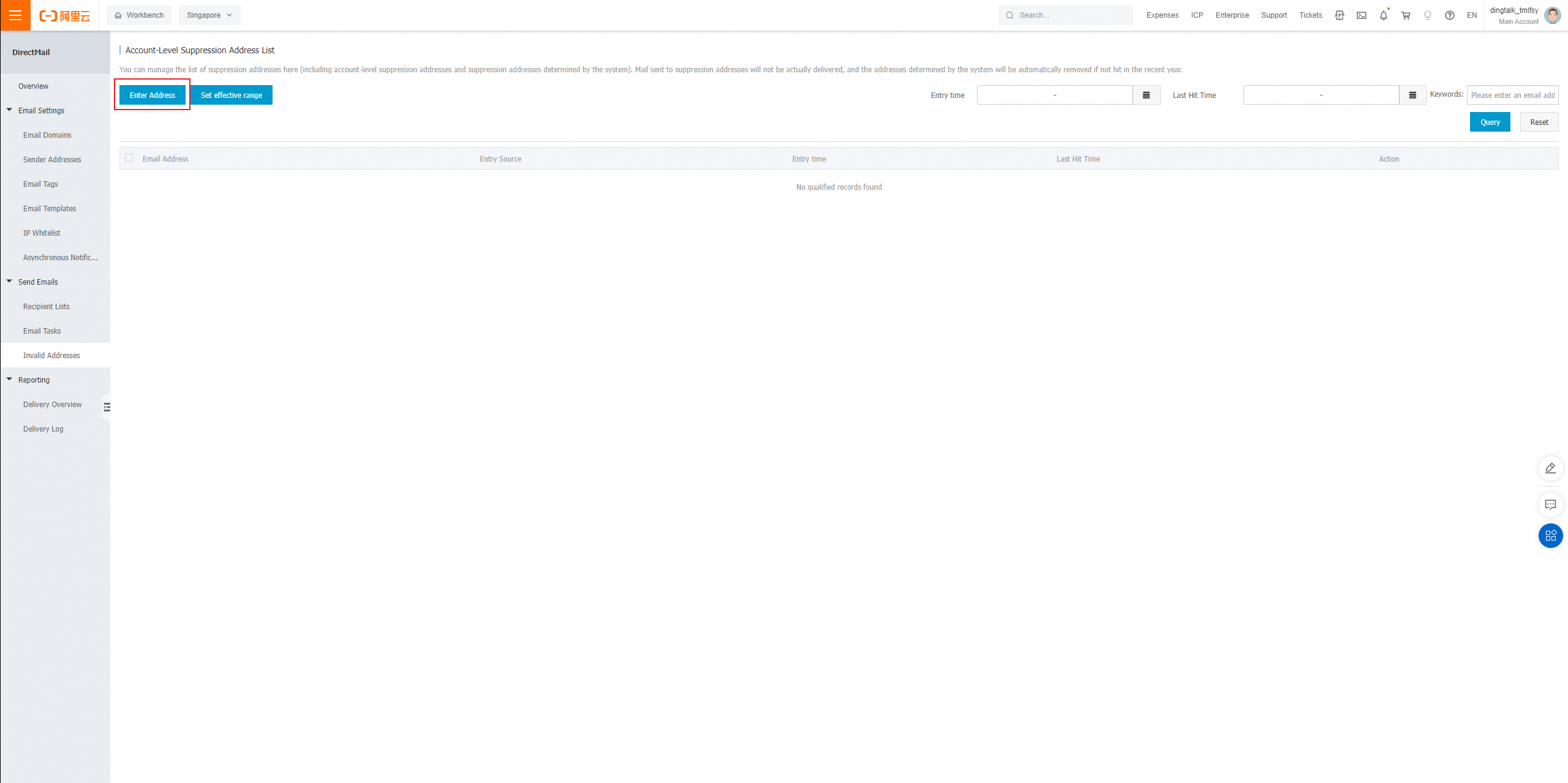
1. On the Invalid Addresses page, click Add Address.
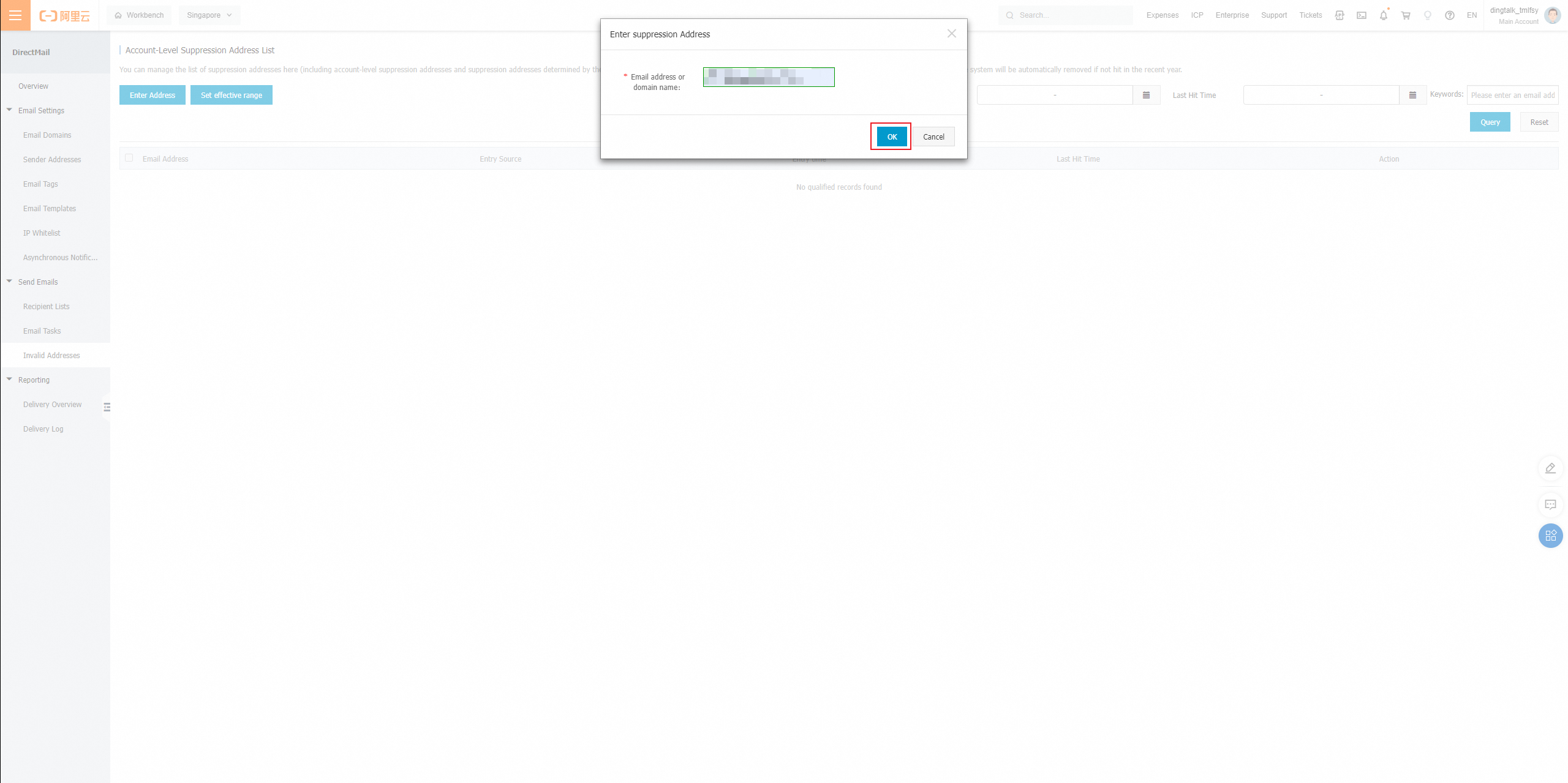
2. Enter an email address or domain name and click OK.
Set the effective scope
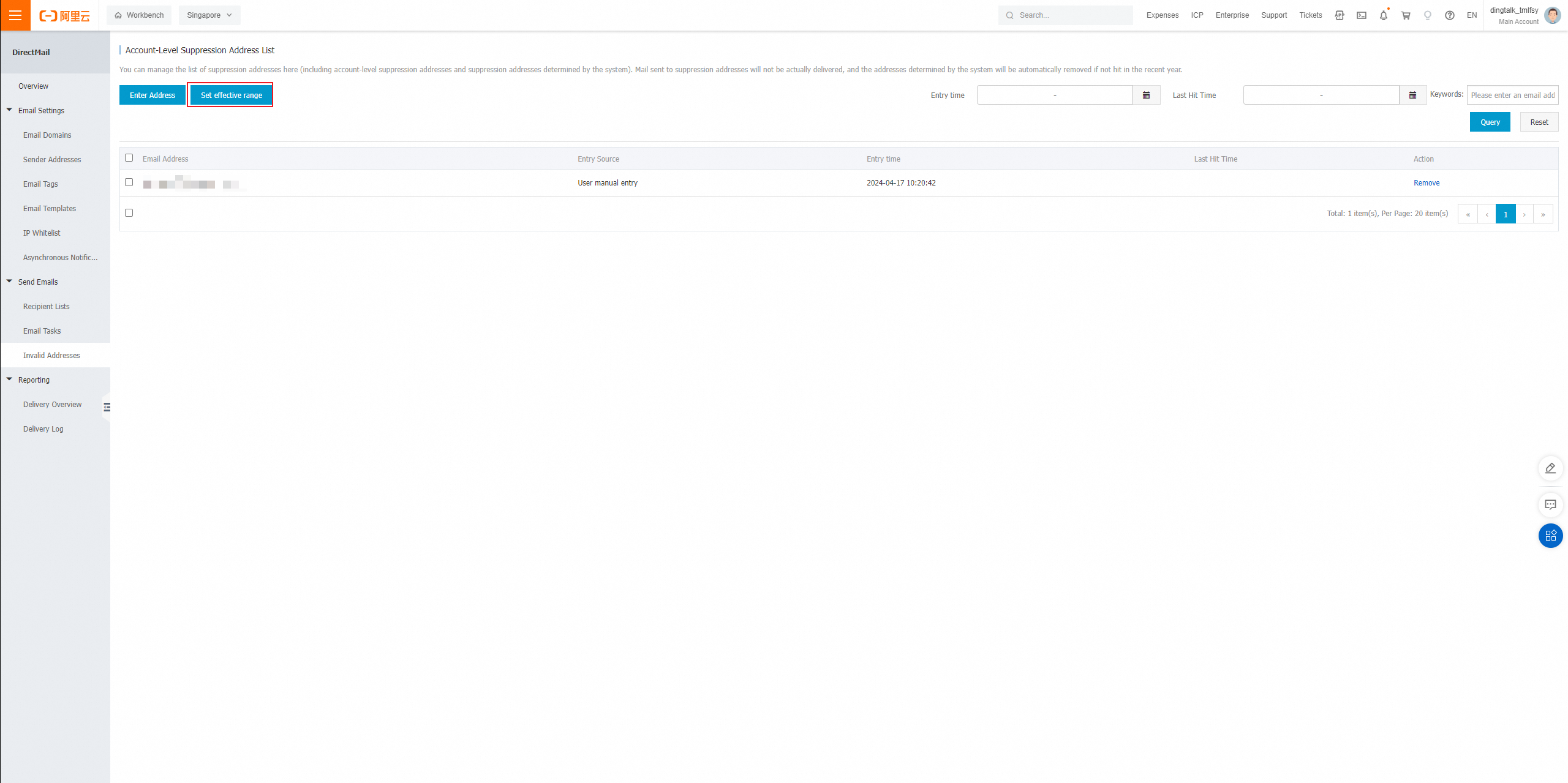
1. On the Invalid Addresses page, click Set Scope.
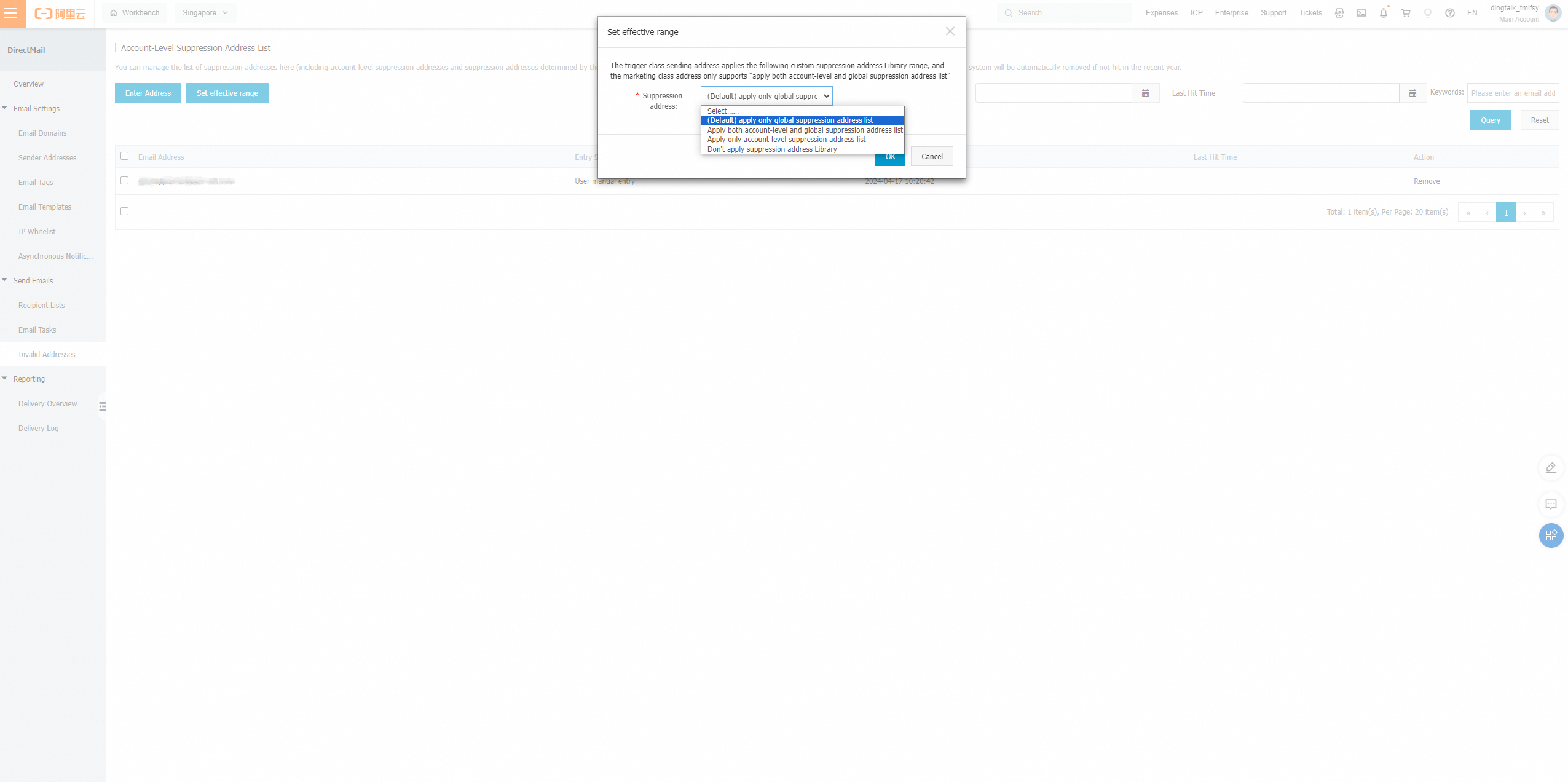
2. Select a scope. This setting applies only to triggered email sender addresses. Marketing email addresses always use both the account-level and global lists.
Remove an invalid address
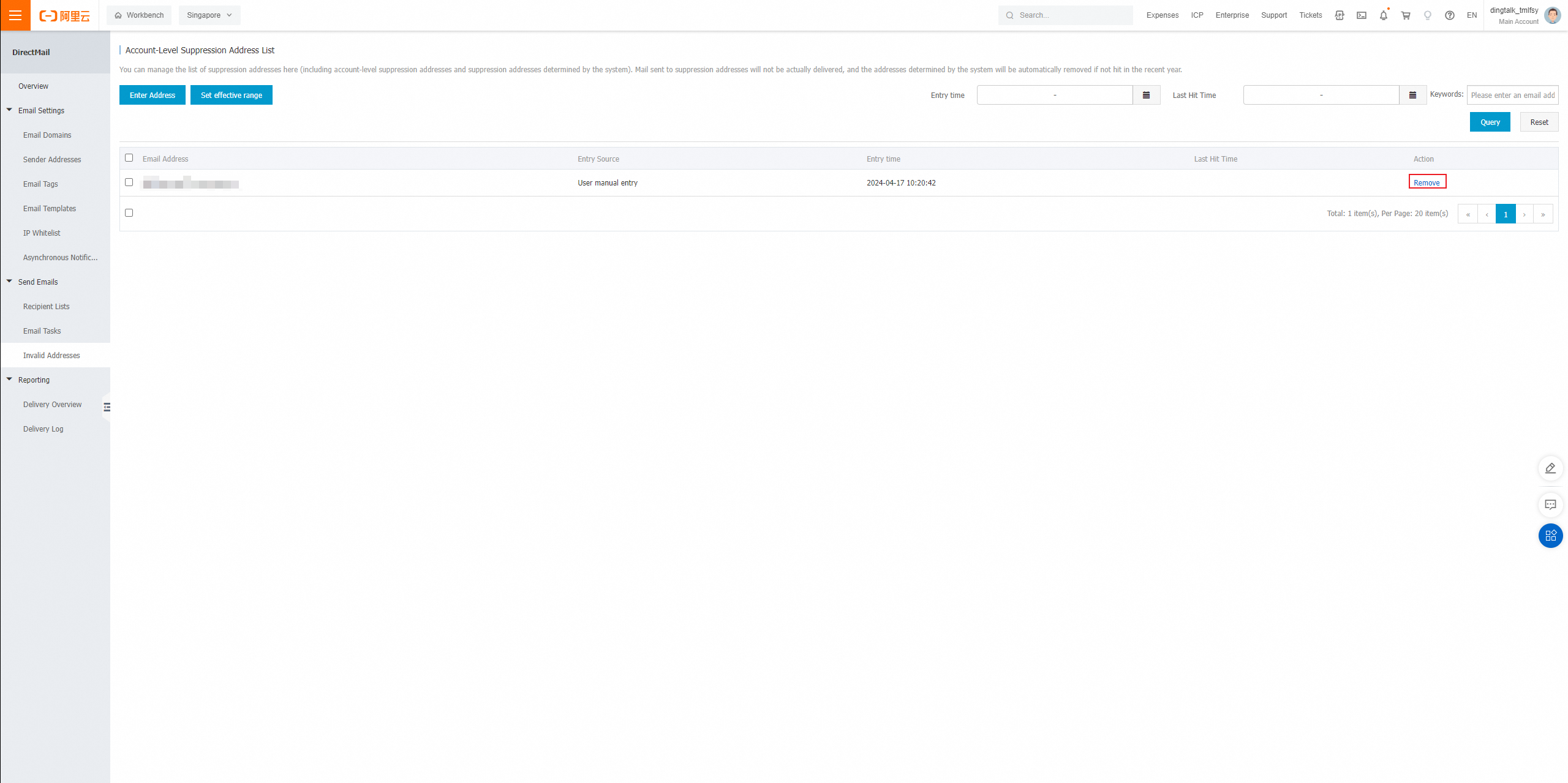
1. On the Invalid Addresses page, select the target address and click Remove.
2. To remove multiple addresses, select the checkboxes and click Remove All.
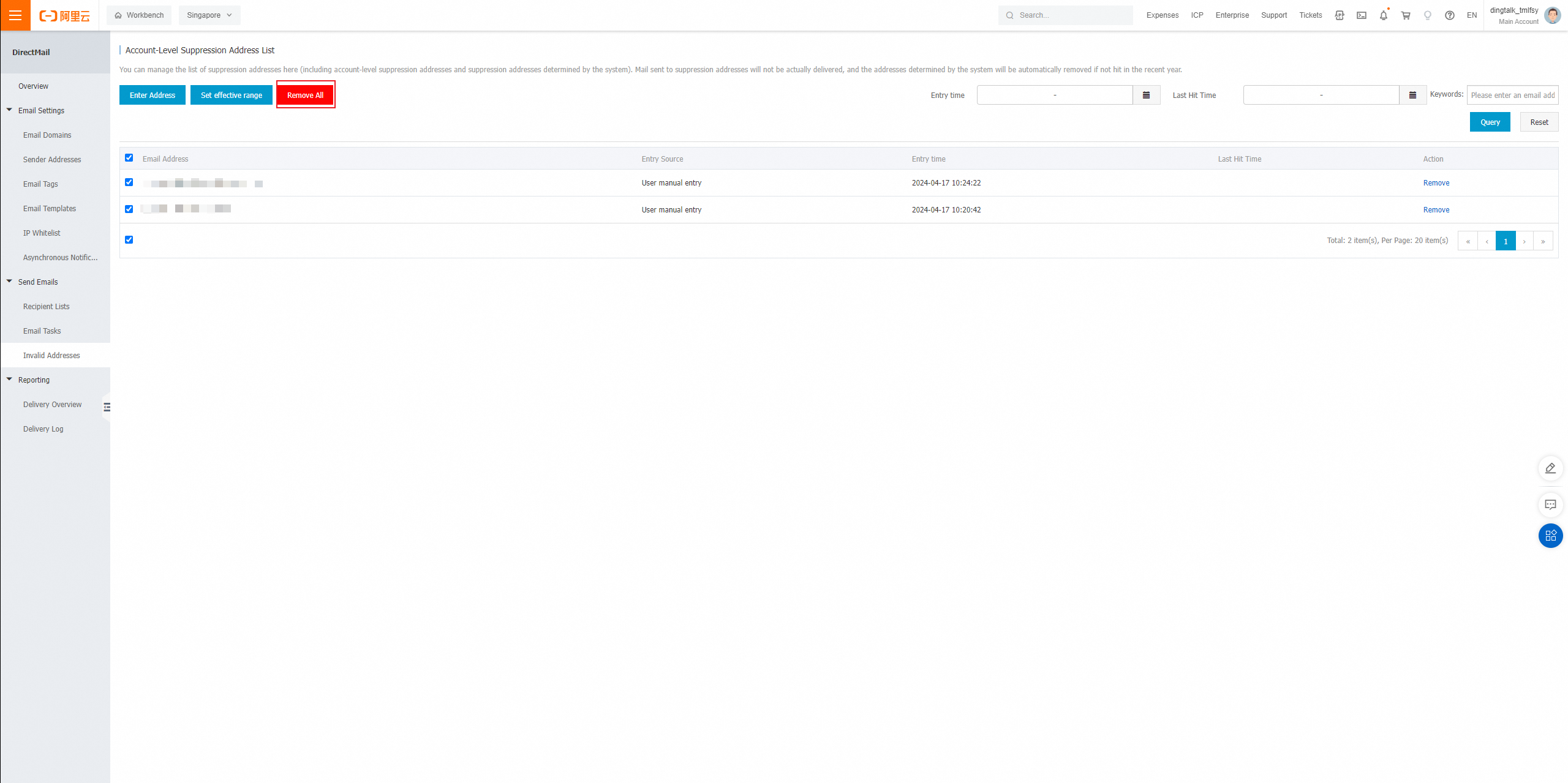
Removing an address from the account-level invalid address list takes about 10 minutes to take effect. Perform this operation in advance.
Query for invalid addresses
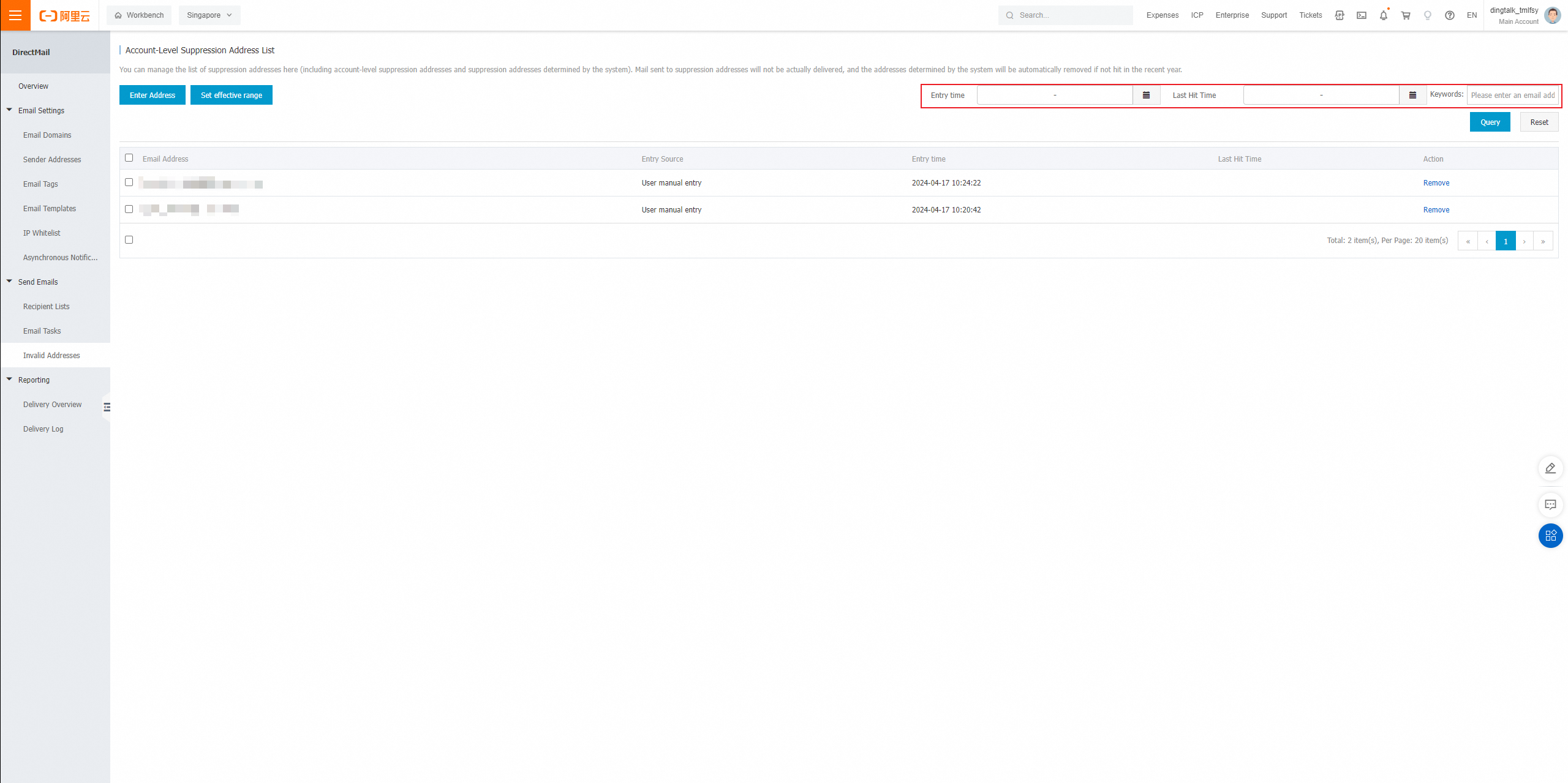
1. On the Invalid Addresses page, specify a date range for when the address was added or last hit, or enter a full email address or domain name, and click Query.
Check delivery failures from invalid address filtering
1. On the delivery details page, check the delivery status and details.
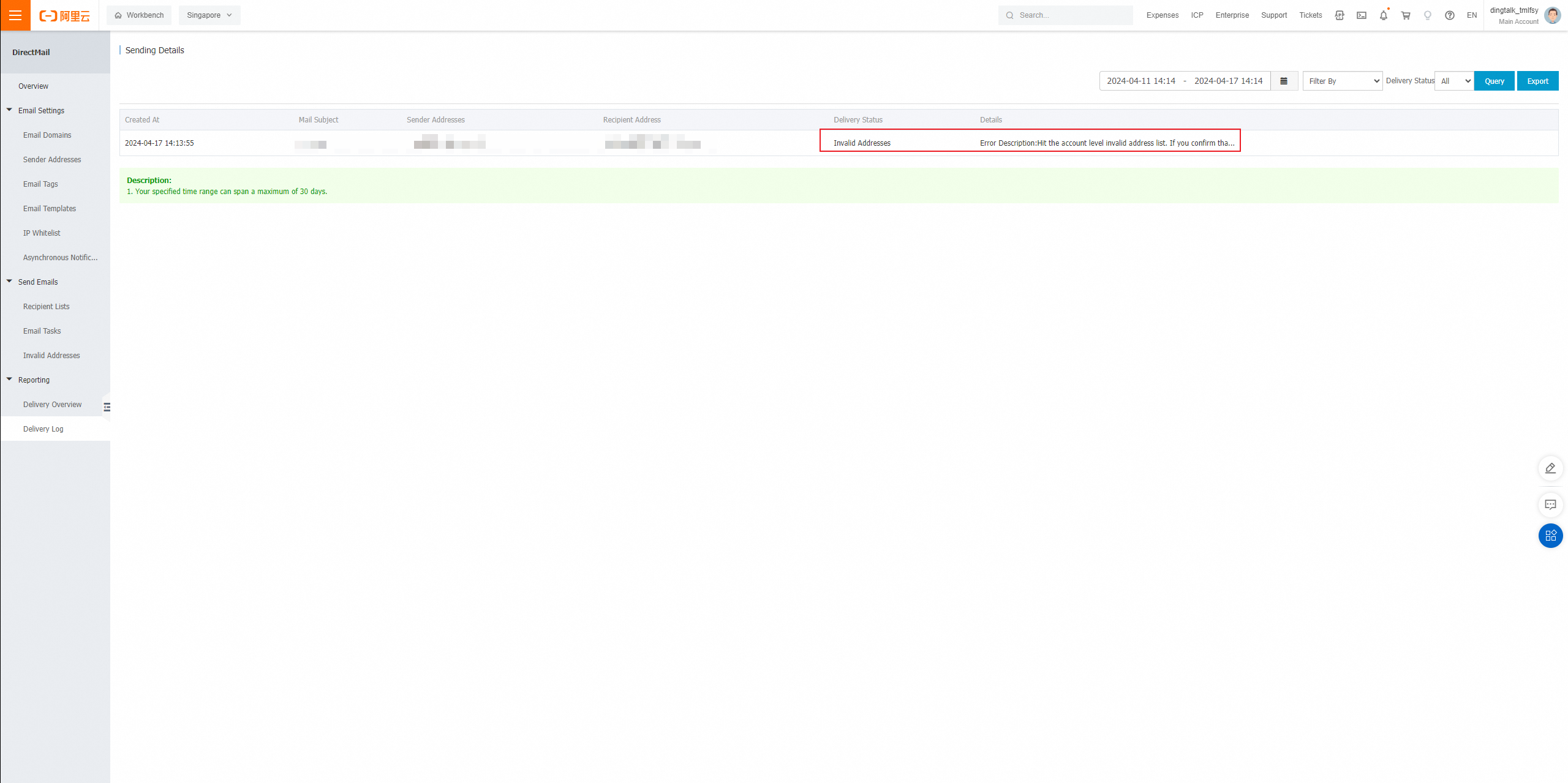
2. The delivery status shows Invalid Address. The details indicate which invalid address list was hit and the recommended action.
Billing, quota, and invalid address rates by account type (existing accounts will be aligned with new accounts in the future)
|
Existing accounts (created before 00:00 on April 15, 2024) |
New accounts |
|
|
Billed and counted against quota when hitting the global list |
1. Broadcast scenarios (sending to multiple recipients, sending from the console): Yes 2. Single-send scenarios: No |
Yes |
|
Billed and counted against quota when hitting the account-level list |
Yes |
Yes |
|
Counted in invalid address rate when hitting the global list |
1. Broadcast scenarios (sending to multiple recipients, sending from the console): Yes 2. Single-send scenarios: No |
Yes |
|
Counted in invalid address rate when hitting the account-level list |
No |
No |
Default scope and user configurations
-
By default, triggered addresses use the global list. Marketing addresses use both global and account-level lists.
-
You can adjust the scope only for triggered emails. Marketing emails always use both lists.
-
To unsubscribe a batch of users by adding them to your account-level list without affecting triggered emails, use the default settings. By default, triggered emails check only the global list.
|
Triggered address |
Marketing address |
|
|
Default |
Global |
Global + Account-level |
|
When set to Global |
Global |
Global + Account-level |
|
When set to Account-level |
Account-level |
Global + Account-level |
|
When set to Global + Account-level |
Global + Account-level |
Global + Account-level |
|
When turned off |
Off |
Global + Account-level |