The knowledge base in Data Asset Governance compiles solutions for common governance issues and check events. You can use these solutions to troubleshoot and resolve the corresponding issues independently. This topic describes the knowledge base.
Background information
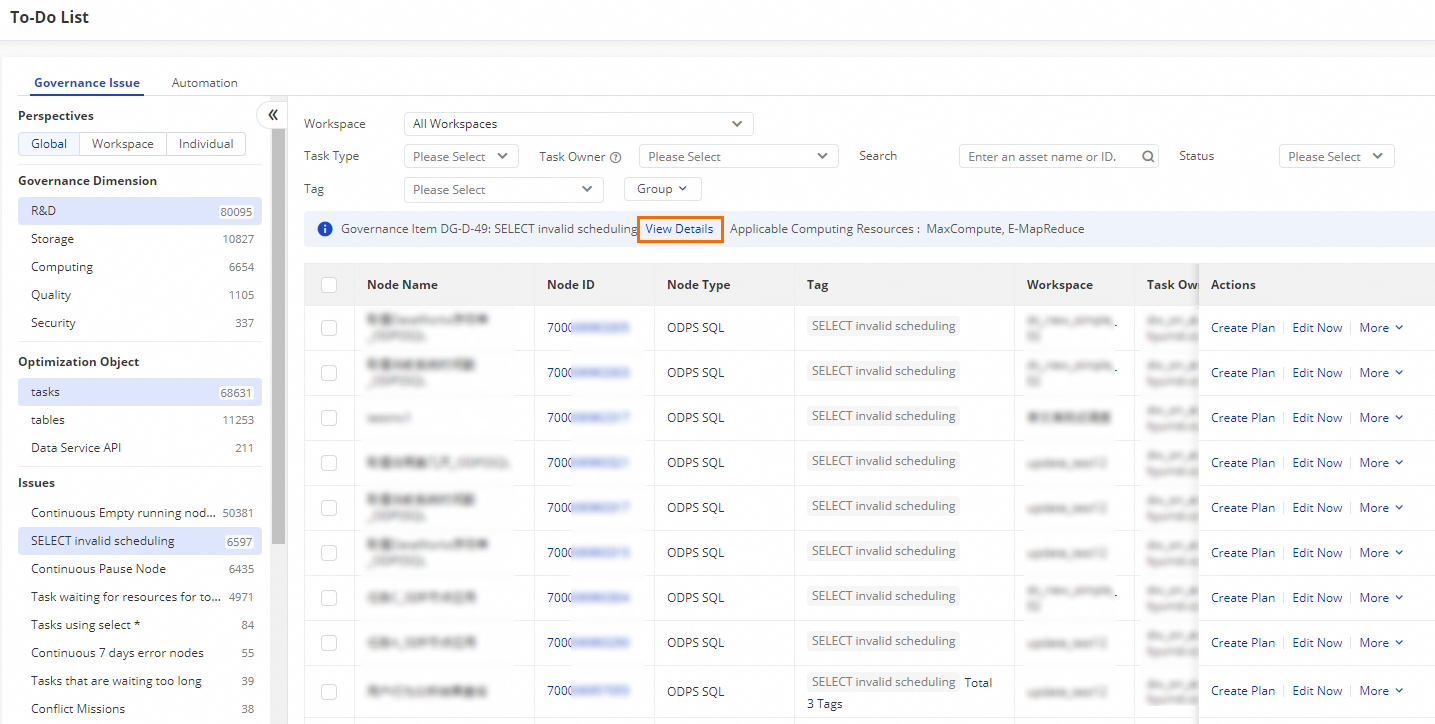
In the To-Do List section of Data Asset Governance, you can view the governance issues that exist in your tenant. Click View Details for a target issue to go to the knowledge base, where you can find the solution provided by Data Asset Governance. You can use this solution to quickly resolve the issue. For more information about viewing governance issues, see Handle governance issues.
Notes
Data Asset Governance currently supports MaxCompute, E-MapReduce, and Hologres data sources. For the check items and governance items supported by each data source, see the Applicable Data Source column on the page.
-
To use a Hologres compute resource in Data Asset Governance, you must first collect its metadata with Data Map. For more information, see Metadata collection.
-
Data Asset Governance supports Hologres compute resources only in the China (Beijing), China (Shanghai), China (Hangzhou), and China (Shenzhen) regions.
Solutions for governance issues
On the , you can view basic information and detailed solutions for governance issues across dimensions. The following figure shows an example based on the R&D dimension.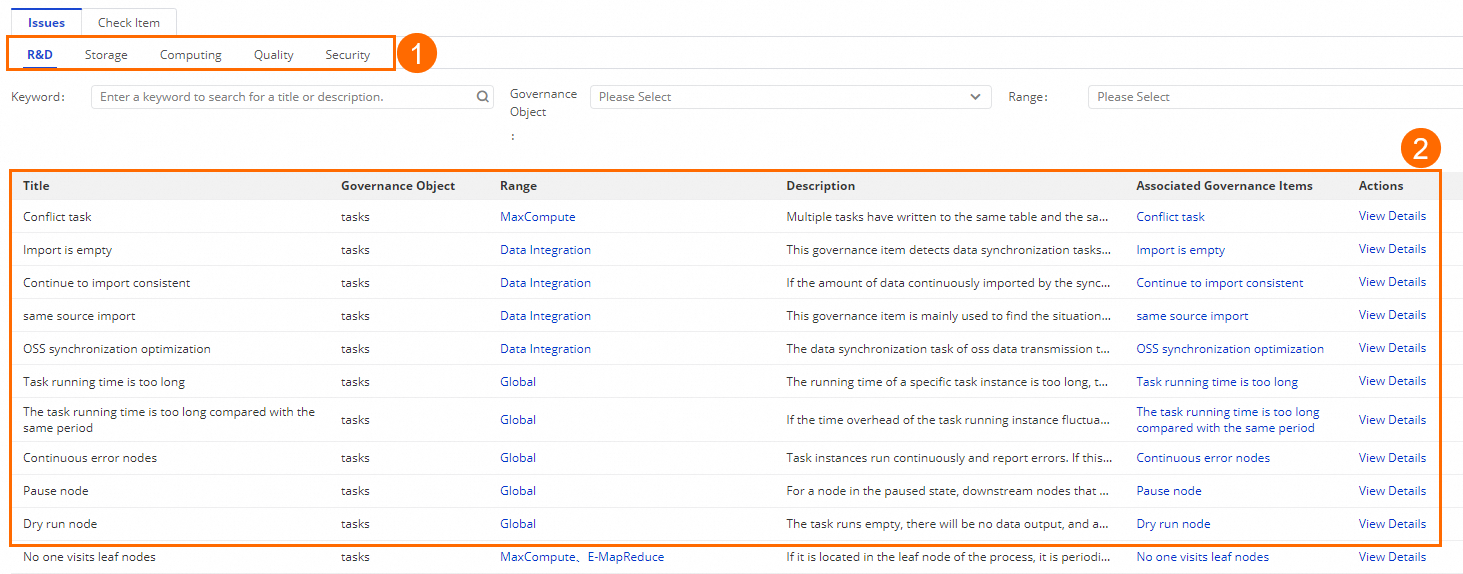
|
Area |
Description |
|
① |
Here, you can select a dimension (such as R&D, Storage, Computing, Quality, or Security) or search by keyword to find solutions for governance items. |
|
② |
This area displays basic information about governance items in the selected dimension, including their Title, Object, Range, Description, and Associated Governance Items. To resolve a governance issue, click View Details in the Actions column to find its solution. |
Solutions for check events
On the , you can view basic information and detailed solutions for check events across dimensions. The following figure shows an example based on the R&D dimension.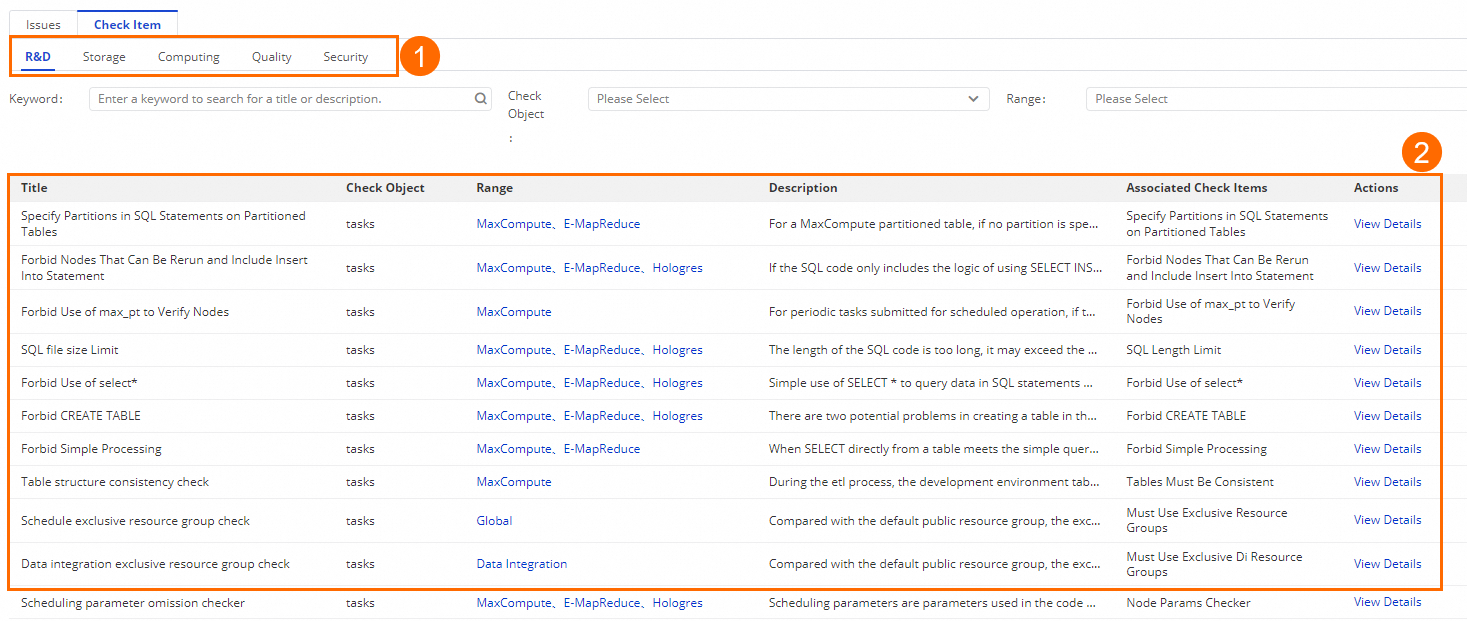
|
Area |
Description |
|
① |
Here, you can select a dimension (such as R&D, Storage, Computing, Quality, or Security) or search by keyword to find solutions for check events. |
|
② |
This area displays basic information for check events within the selected dimension, including their Title, Check Object, Range, Description, and Associated Check Items. To resolve an event, click View Details in the Actions column to find its solution. Note
Hover your cursor over the scope of an item to view the applicable node types. |