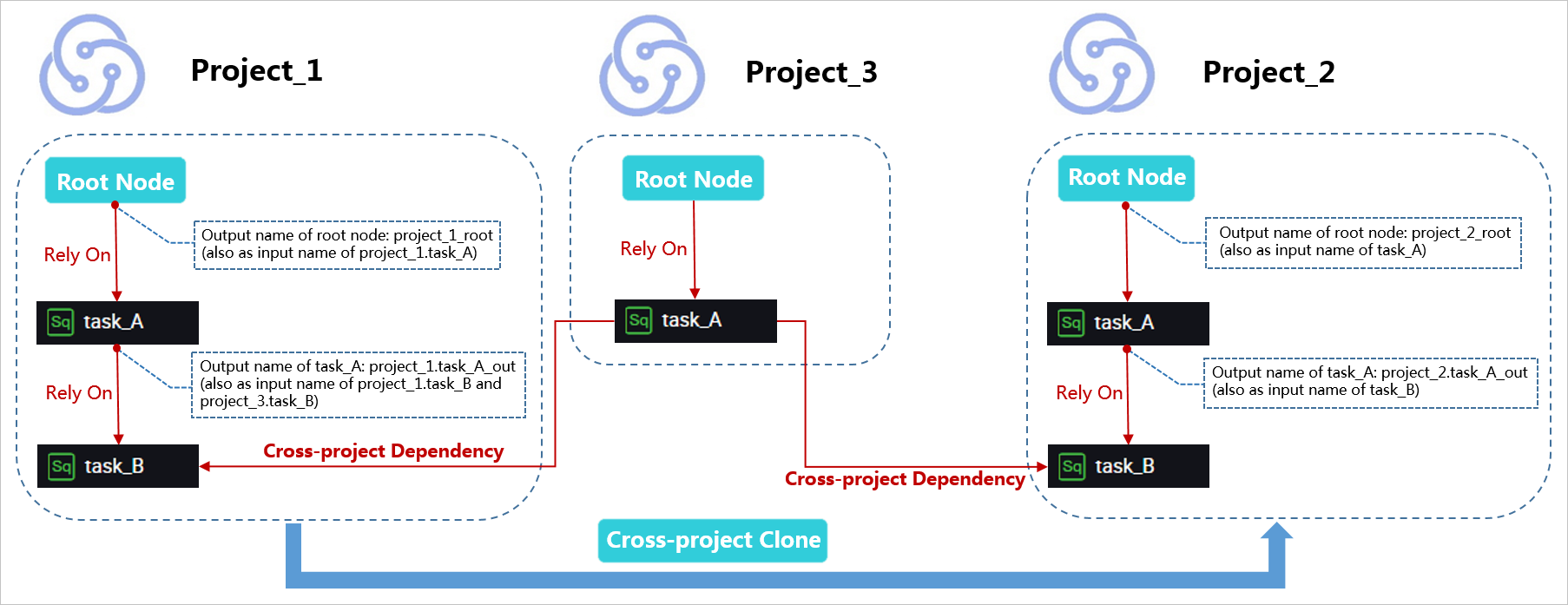
Cross-workspace cloning isolates the development environment from the production environment for workspaces in basic mode under the same Alibaba Cloud account. You can also use this feature to clone and migrate nodes, such as computing and sync nodes, between workspaces.
The cross-workspace cloning feature will be discontinued on June 30, 2025. For more information, see Notice on the discontinuation of DataWorks cross-workspace cloning.
When you use cross-workspace cloning to clone a node, the system automatically renames the node's output in the destination workspace to distinguish outputs from different workspaces under the same Alibaba Cloud account and preserve dependencies.
-
cross-workspace cloning does not support cross-region publishing.
-
Cloning a legacy workflow to a new workspace is not supported. You must first migrate the nodes from the source Workflow (Early Version) to a directory under a Workflow, and then clone the Business Flow to the destination workspace.
You can set the node owner to Default or Clone Task Creator:
-
If the source node is owned by the default project administrator, you can set the owner of the cloned node to Default or Clone Task Creator after you clone the node to the target workspace.
Select an option from the Owner of Cloned Objects drop-down list on the Create Clone Package page.
After the node is cloned, the system attempts to assign ownership to the original node owner. If the original owner is not a member of the destination workspace, the system automatically assigns ownership to the Clone Task Creator.
-
When the clone owner is the Clone Task Creator, after cloning to the target workspace, you can select the owner of the cloned node as Default or Clone Task Creator.
After the node is cloned, the system attempts to assign ownership to the original node owner. If the original owner is not a member of the destination workspace, the system prompts you to confirm the owner change. If you agree, the clone process completes and ownership is transferred to the Clone Task Creator. If you decline, the clone task is canceled.
Complete business flow cloning
If the output of node task_A in workspace_1 is workspace_1.task_A_out, after cloning it to workspace_2, the output name becomes workspace_2.task_A_out.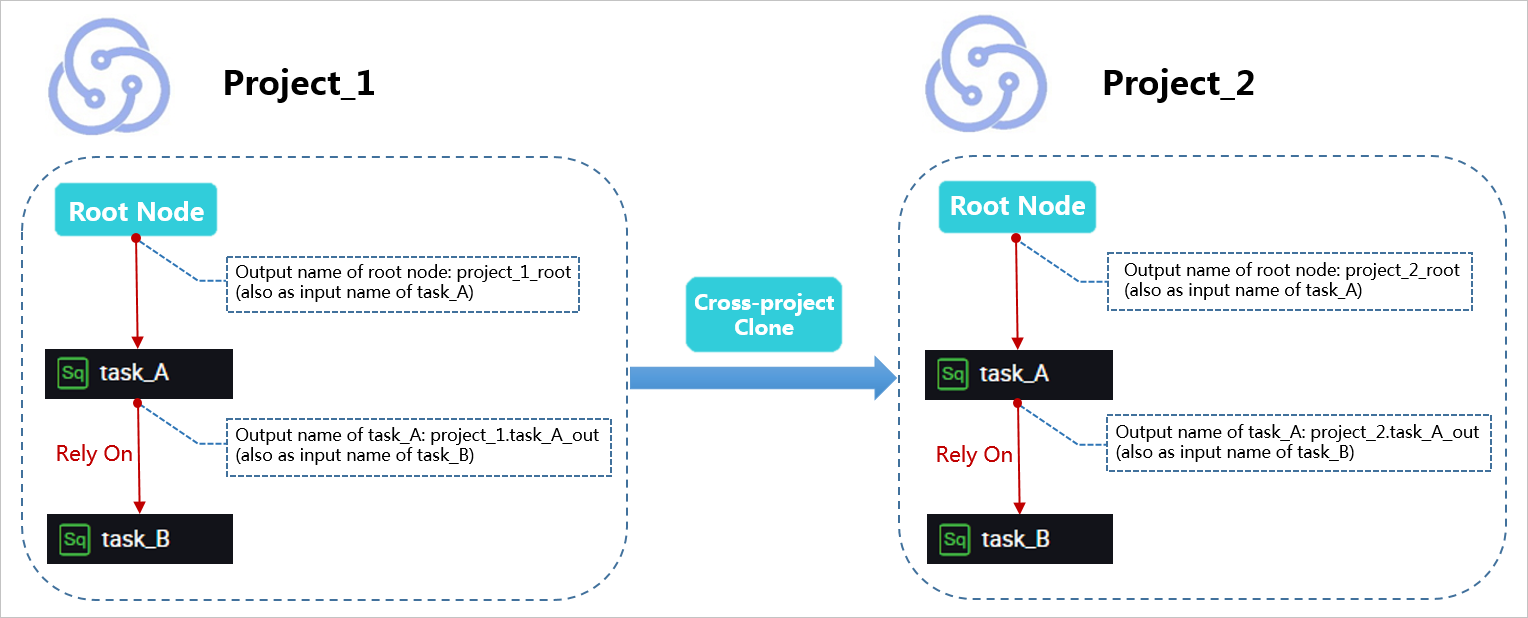
Cloning nodes with cross-workspace dependencies
In workspace_1, node task_B depends on node task_A in workspace_3. After cloning workspace_1.task_B to workspace_2.task_B, the dependency is also cloned. That is, workspace_2.task_B still depends on workspace_3.task_A.