If you're familiar with the old Data Development (DataStudio), this page maps the features you know to their equivalents in the new Data Studio. New users can skip this page and start using Data Development directly.
This page covers only modules with significant location or functional changes after the upgrade. For the full migration walkthrough, see the Data Studio upgrade guide.
What's new in Data Studio
The upgrade is more than a rename. Data Studio consolidates previously scattered workflows into unified modules, reducing context-switching and making code promotion to production more explicit:
-
Unified organization: Folders replace business flows, giving you flexible, tag-based structure instead of a fixed hierarchy.
-
Integrated publishing: The old Submit button is now part of a controlled publish flow with permission-based access and release center support.
-
Centralized table management: All table operations — create and manage — live in a single data catalog instead of separate modules.
-
Consolidated resource management: Resources and functions are managed in one place instead of separate development areas.
-
Dedicated debugging space: The Personal Folder separates exploratory work from production tasks, making the path from prototype to scheduled task explicit.
-
Flow orchestration: Periodic workflows, a capability not available in DataStudio, let you orchestrate multi-step data flows.
Quick reference
| Old feature (DataStudio) | New equivalent | What changed |
|---|---|---|
| Business flow | Folder | Flexible organization: Create folders as needed and tag them to match your old business flow structure. The business flow dashboard is replaced by the folder dashboard. |
| Business flow dashboard | Folder dashboard | View any folder: The folder dashboard lets you navigate any folder, not just business flows. |
| — | Periodic workflows | New orchestration feature: Use periodic workflows for flow orchestration — not available in the old version. |
| Run / Run with Parameters | Run (with debug configuration pane) | Consolidated run settings: The toolbar has a Run button. Configure Computing Resources and Parameters in the debug configuration pane on the right. |
| Submit | Publish flow | Integrated publishing: Submit is now part of the publish flow. In standard mode, package and publish tasks directly to the release center. |
| Table development, table management, public tables | Data catalog | Centralized table management: All table operations move to the data catalog. Create tables from there using a visual form, code, or AI. |
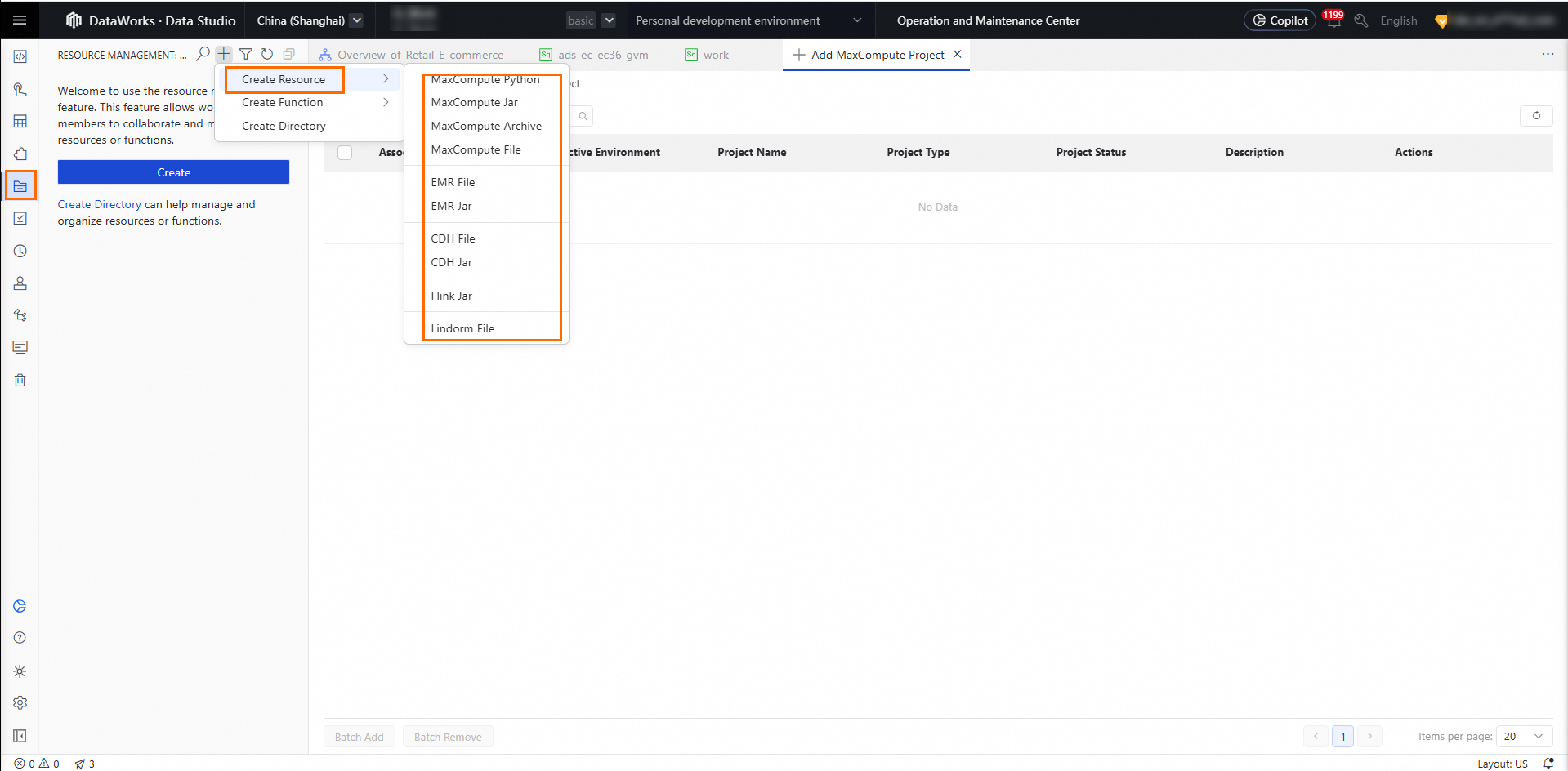
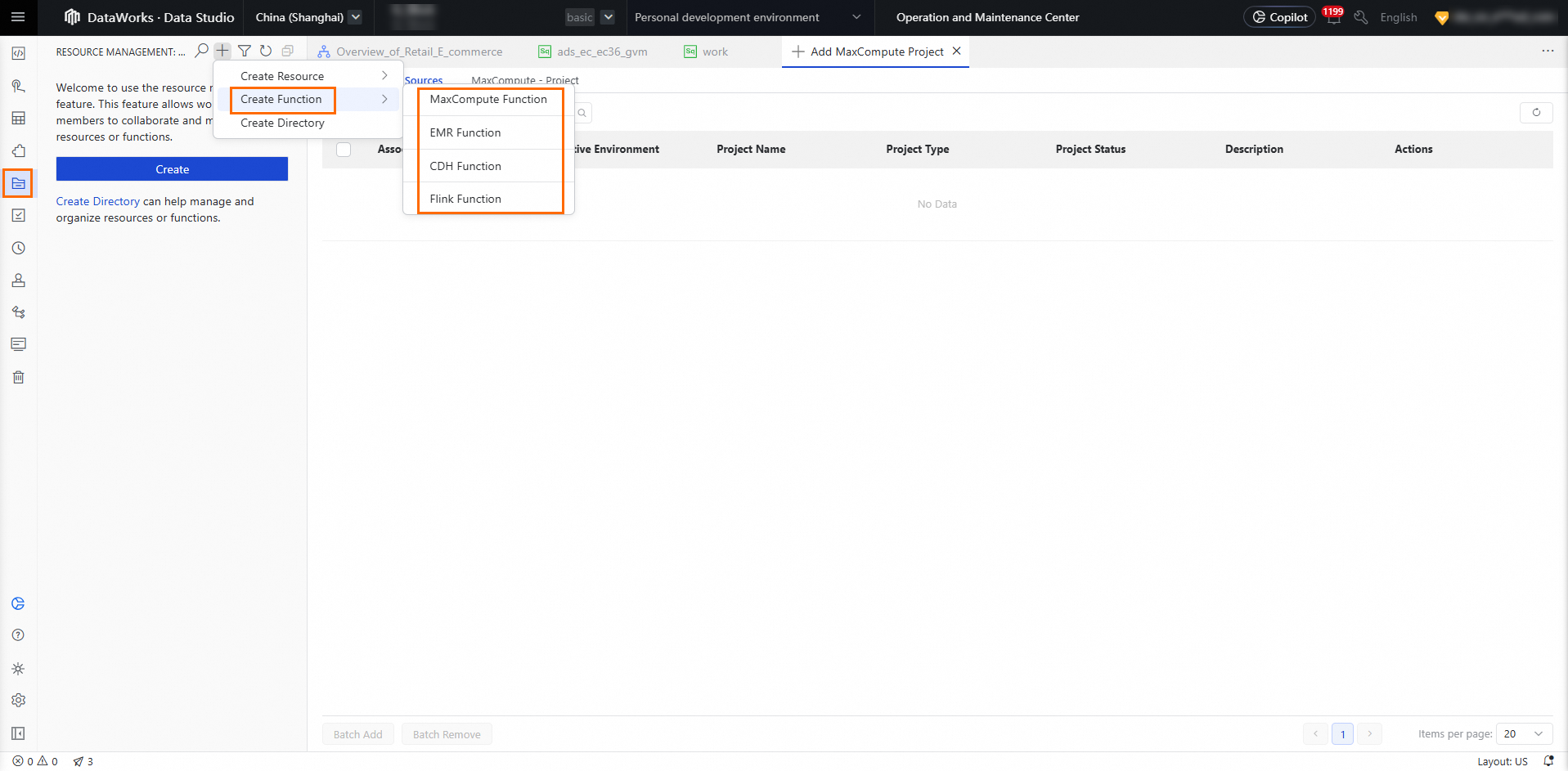
| Resource and function development | Resource Management | Single module for all resources: The Resource Management module centralizes all resources and functions. |
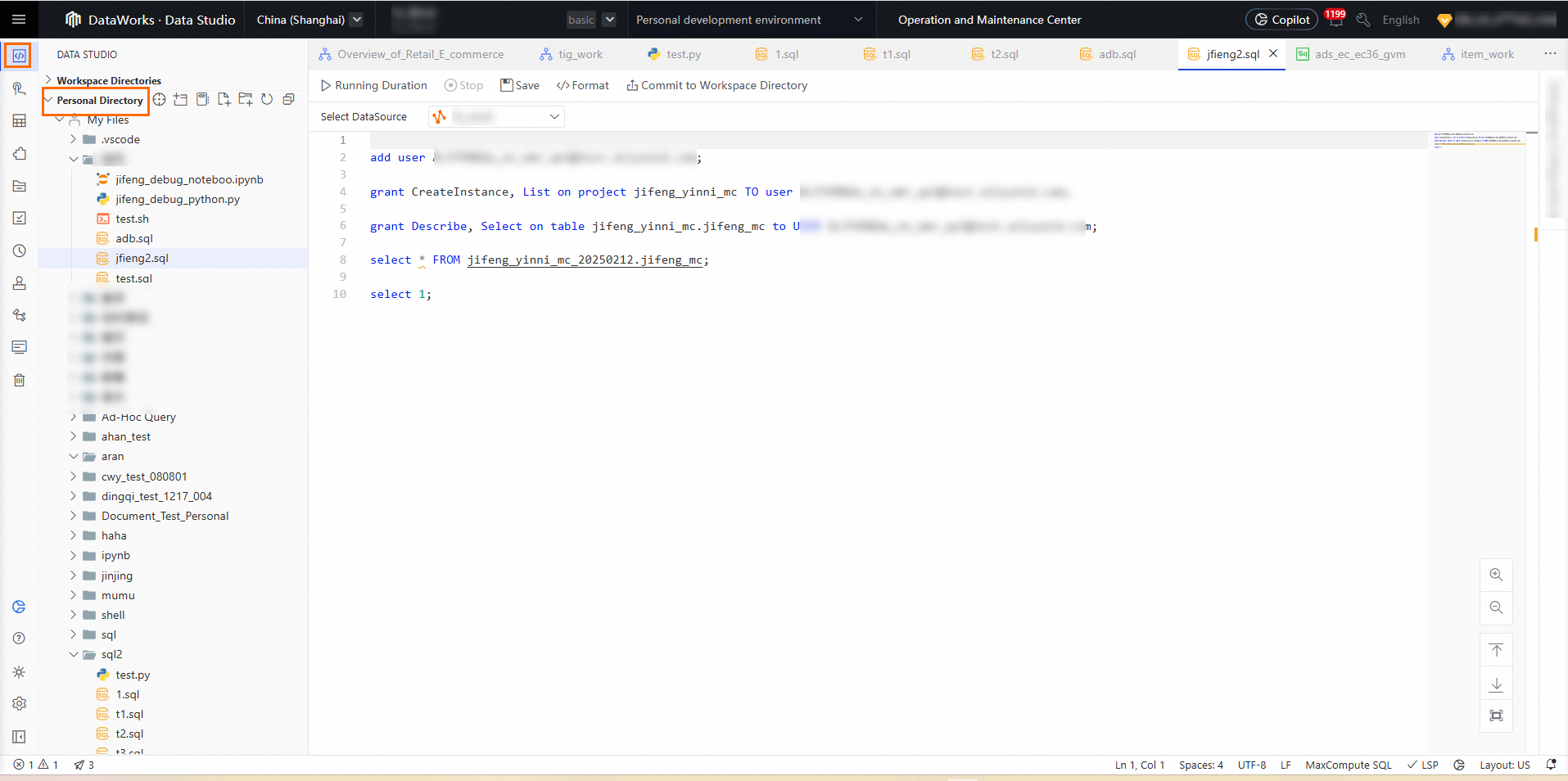
| Ad hoc queries | Personal Folder | Dedicated debugging space: Use the Personal Folder for ad hoc queries and code debugging. When a file is ready for production, move it to a project folder, configure scheduling settings, and publish it as a task. |
Changes to common features
Business flows
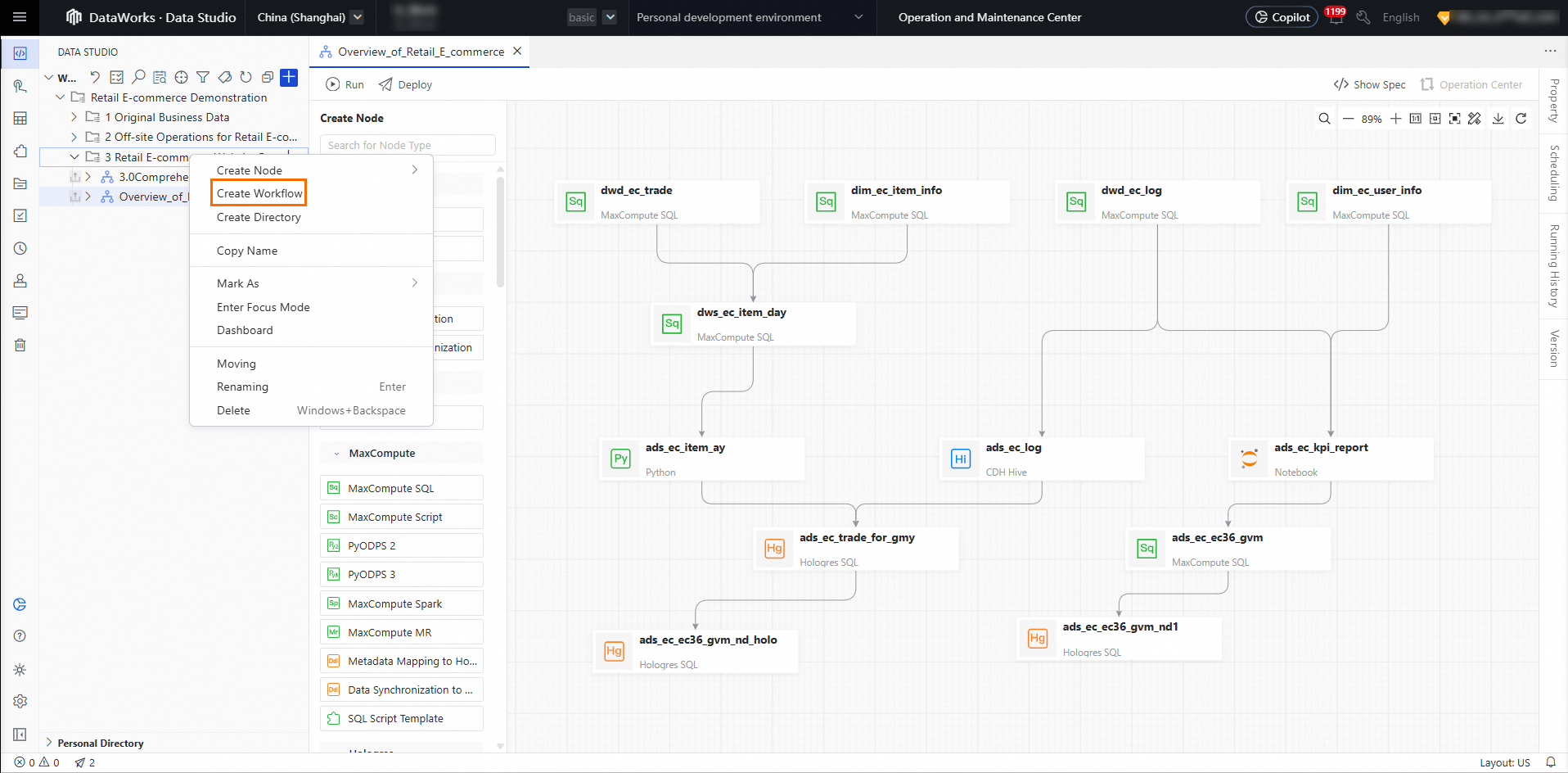
Folder-based organization replaces business flows. Create folders as needed and tag them to correspond to your old business flow folders.
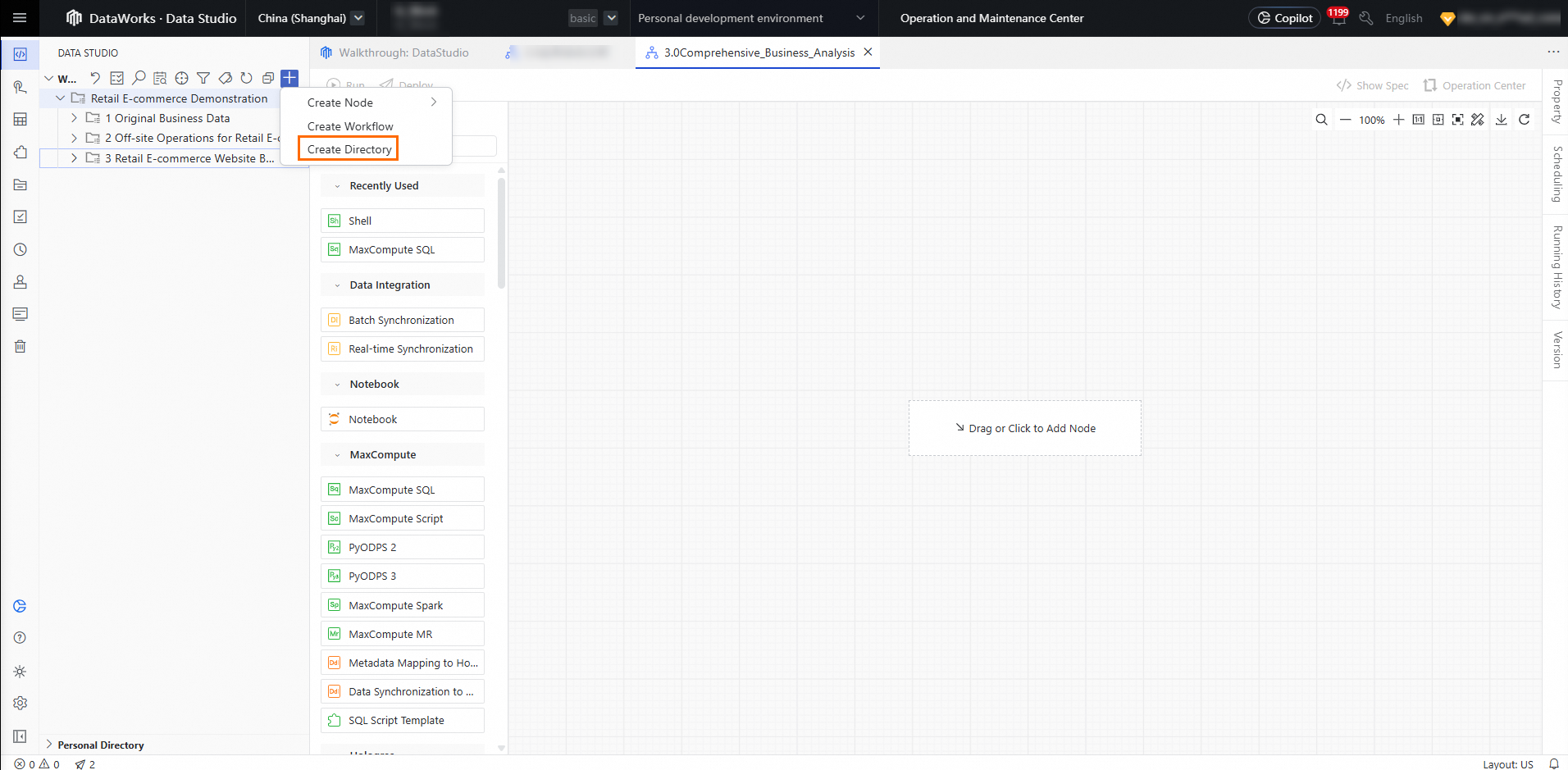
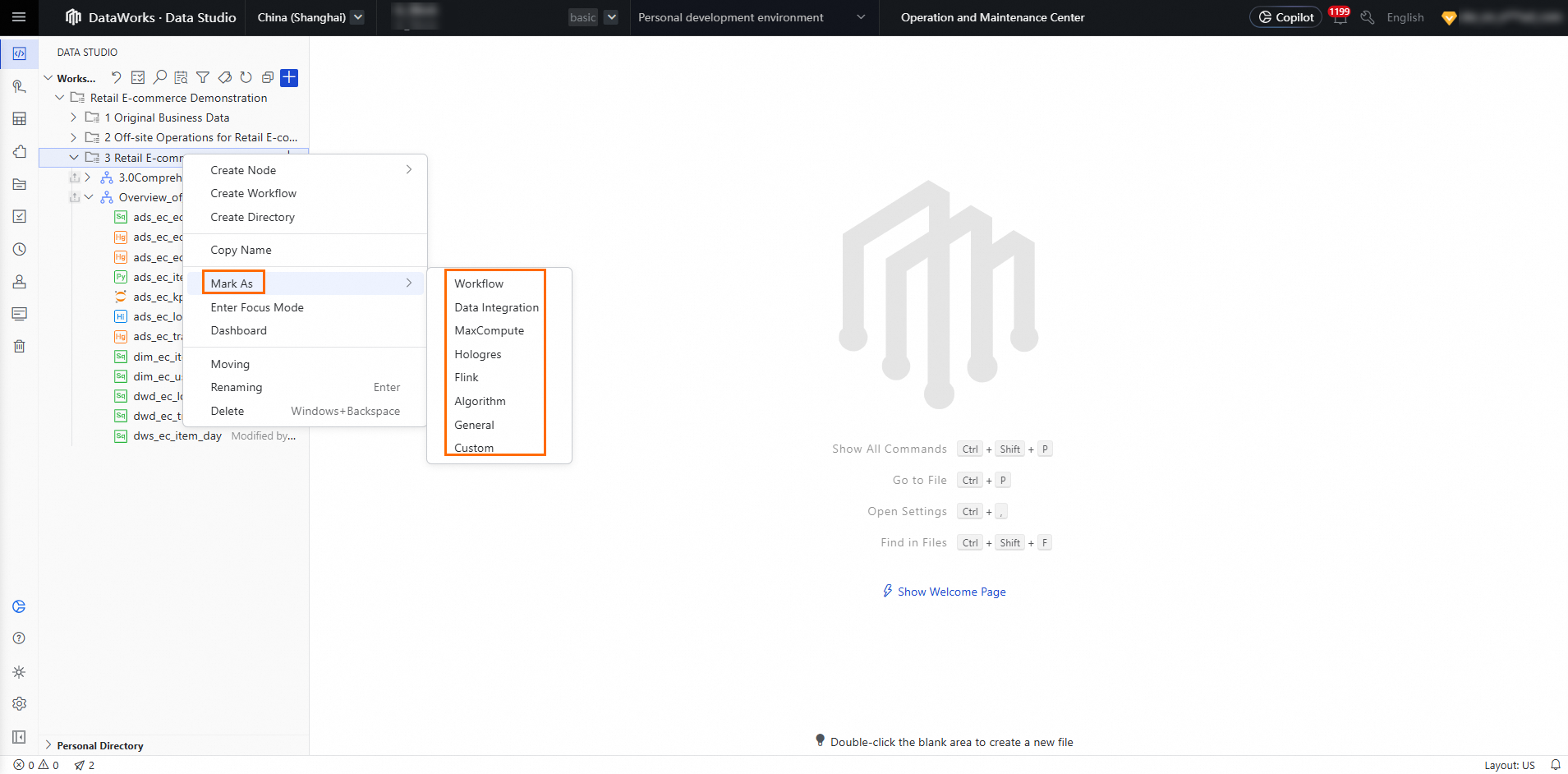
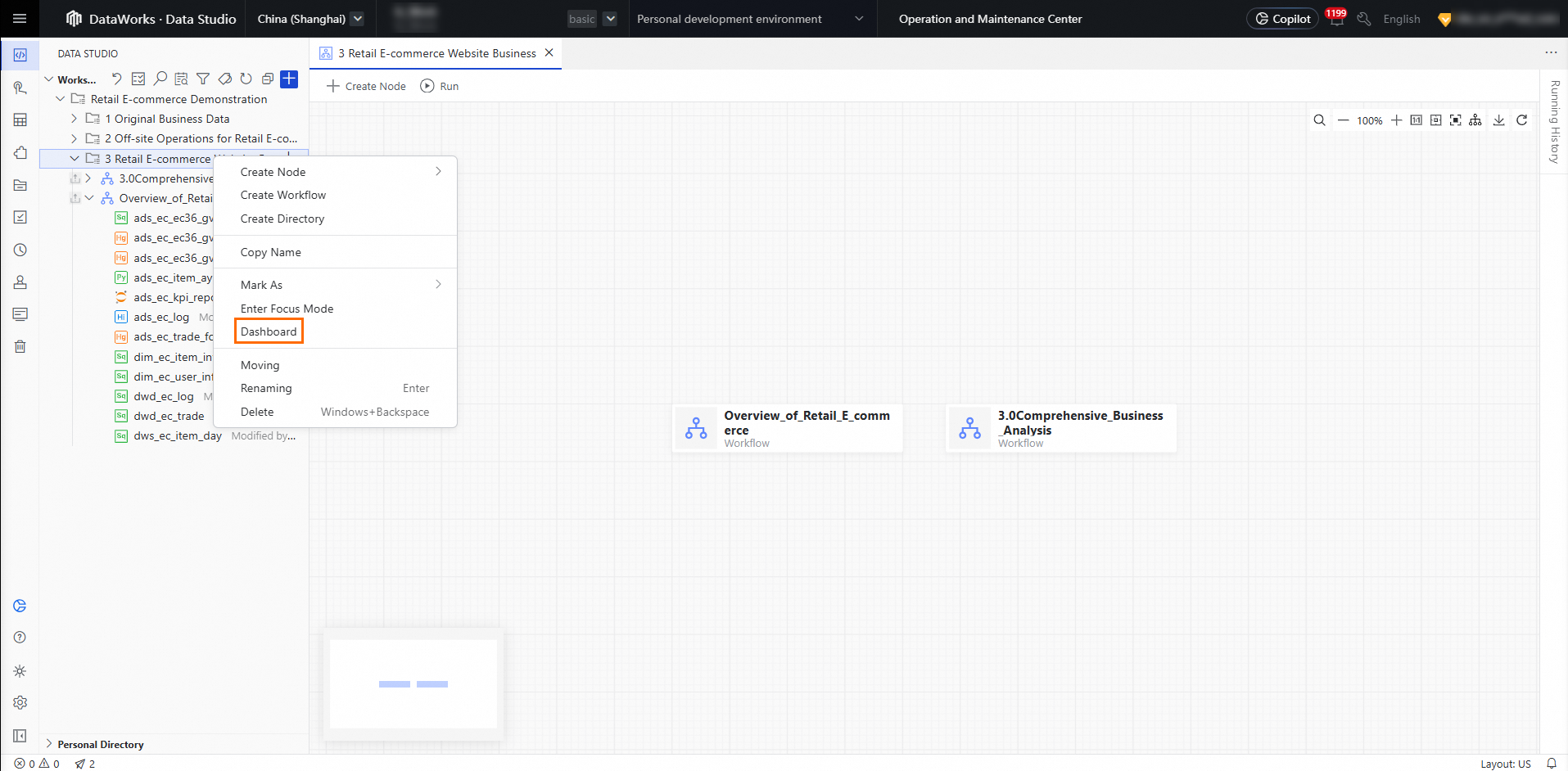
The business flow dashboard is replaced by the folder dashboard, where you can view any folder.
Data Development also introduces periodic workflows for flow orchestration — a capability not available in the old version.
Run and run with parameters
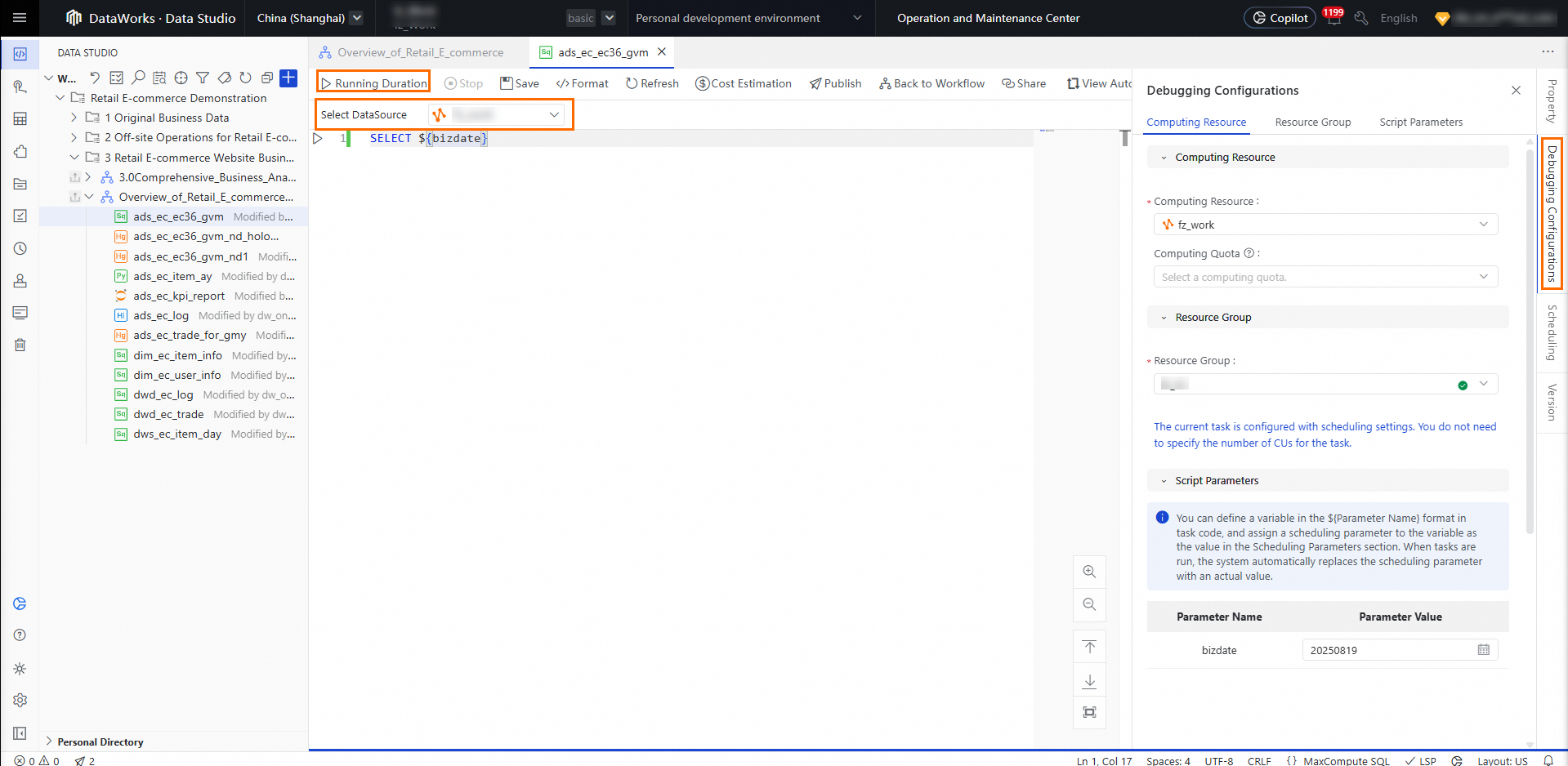
Consolidated run settings. The toolbar on the node editing page has a Run button. Configure runtime settings — Computing Resources and Parameters — in the debug configuration pane on the right.
Submit
Submit is now part of the publish flow. Users with the required permissions can publish directly through the publish flow. In standard mode, package and publish tasks to the release center.
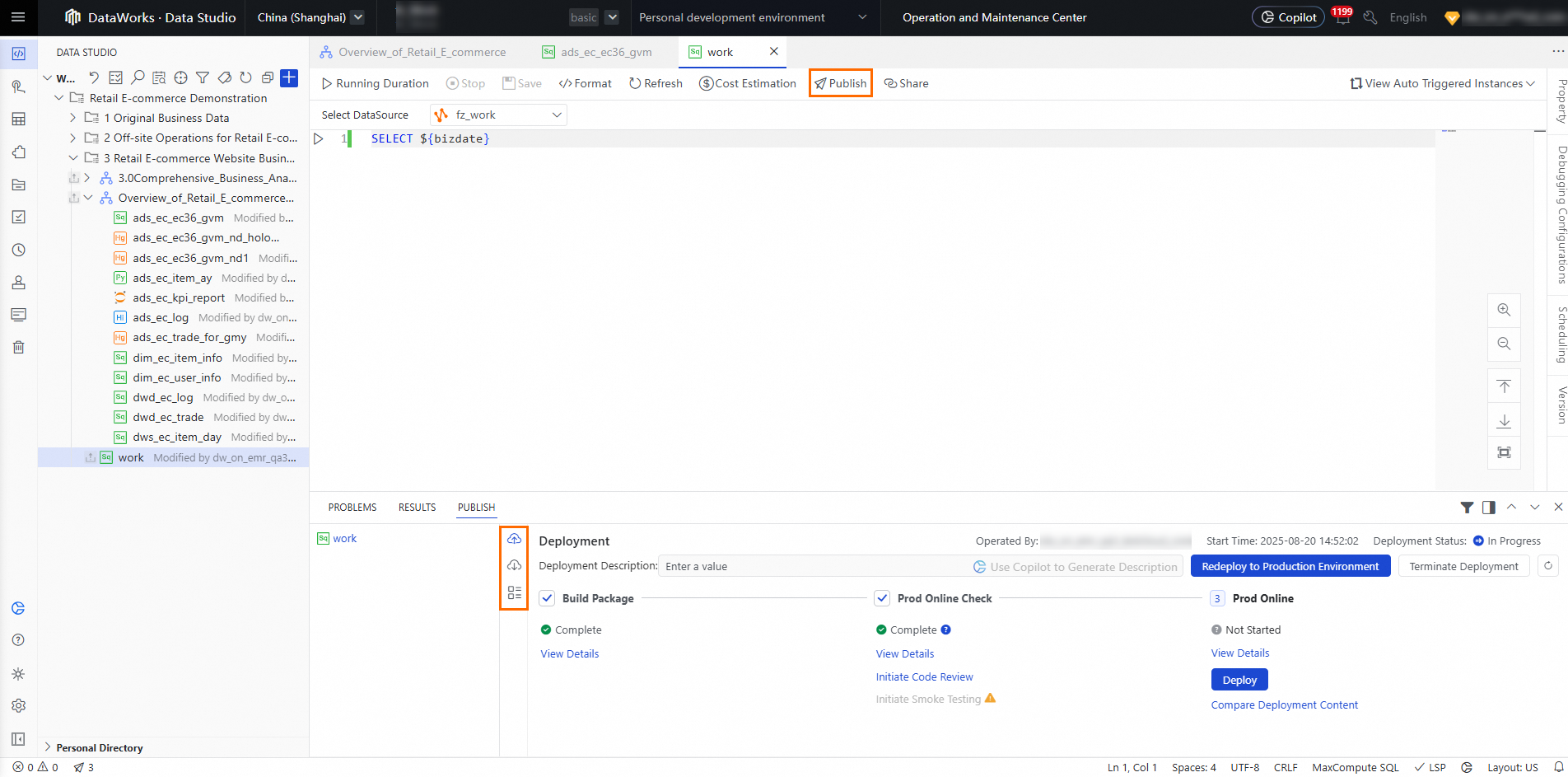
Table development, table management, and public tables
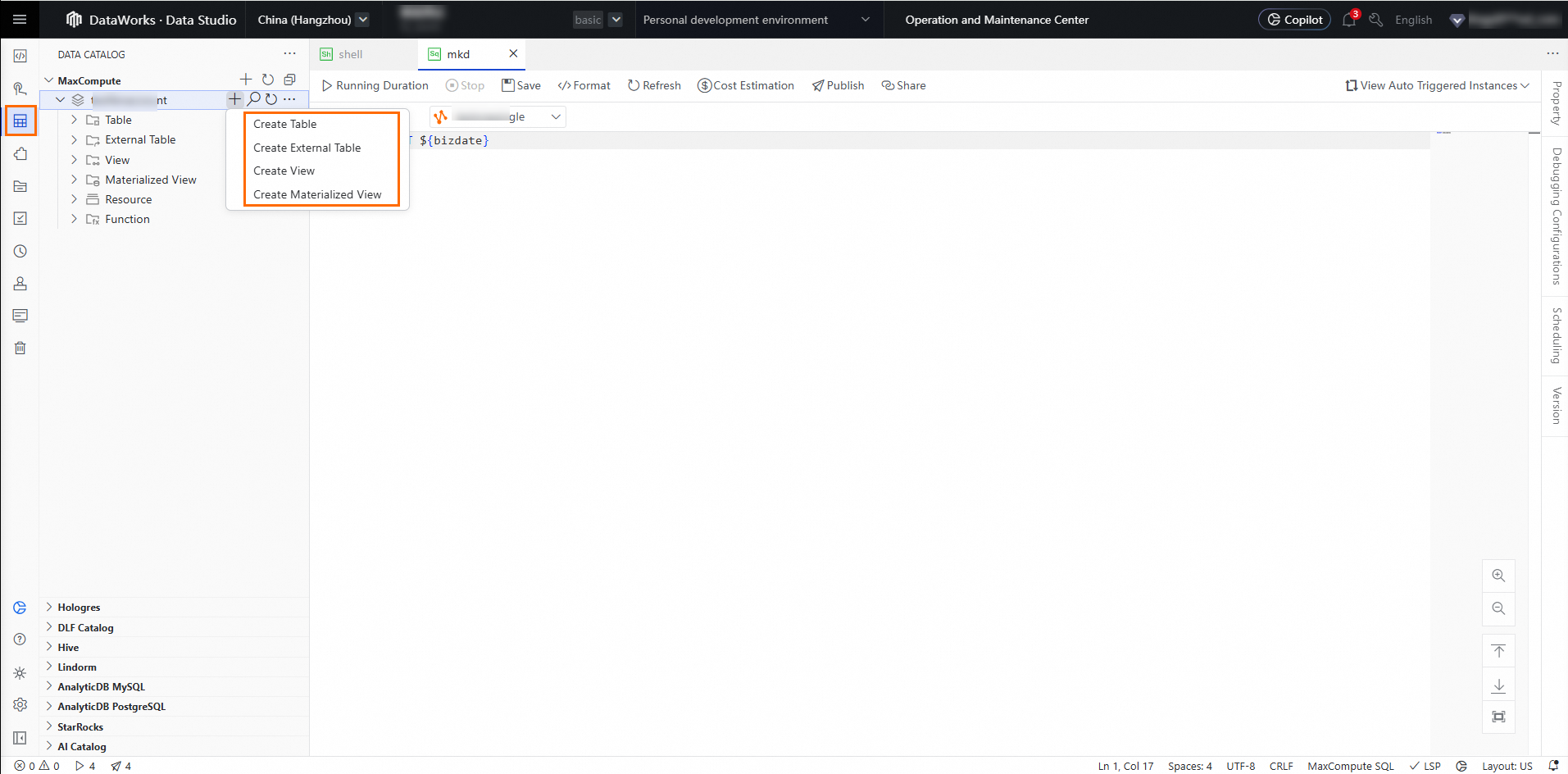
All table operations move to the data catalog. Data Development uses the data catalog for table management. To create a table, go to the data catalog and select New Table. Choose from a visual form, code, or AI.
Resource and function development
All resources and functions in one place. The centralized Resource Management module replaces the separate resource and function development areas.
Ad hoc queries
A dedicated space for debugging. The Personal Folder replaces ad hoc query workflows. Use it to write and test code. When a file is ready for production, move it to a project folder, configure its scheduling settings, and publish it as a task.