You can view and manage the historical versions of tasks submitted for real-time computing.
Real-time task history versions entry
-
Navigate to the Dataphin home page and click Development on the top menu bar. You will be directed to the data Development page by default.
-
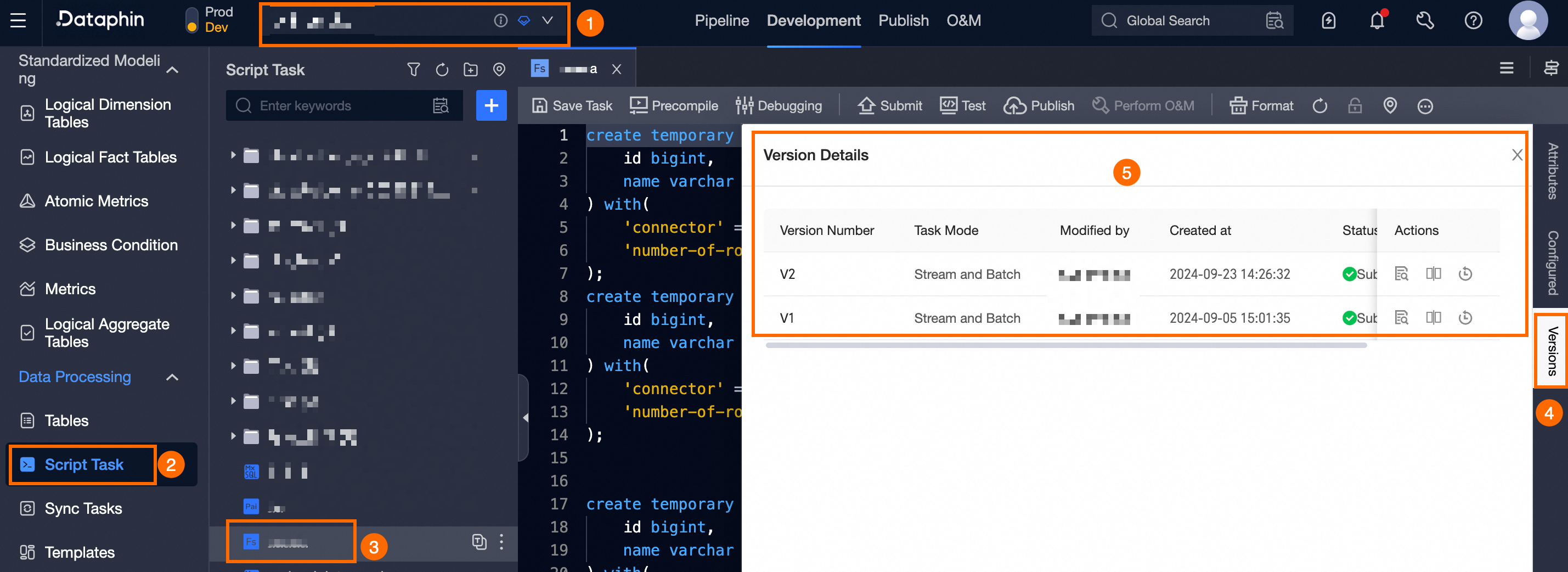
On the data Development page, use the operation guide illustrated below to select the computing task whose historical versions you wish to view, and open the Version Information dialog box.
Real-time task history versions introduction
The real-time task history versions page displays the version number, task pattern, modifier, creation time, status, remarks, and available management actions for each historical version.
You can perform the following actions on task versions:
-
Viewing version details: Click
 to see detailed information about a specific task version.
 -
Comparing versions: Click
 to compare versions and identify differences. Use
  to switch between versions in the dropdown list.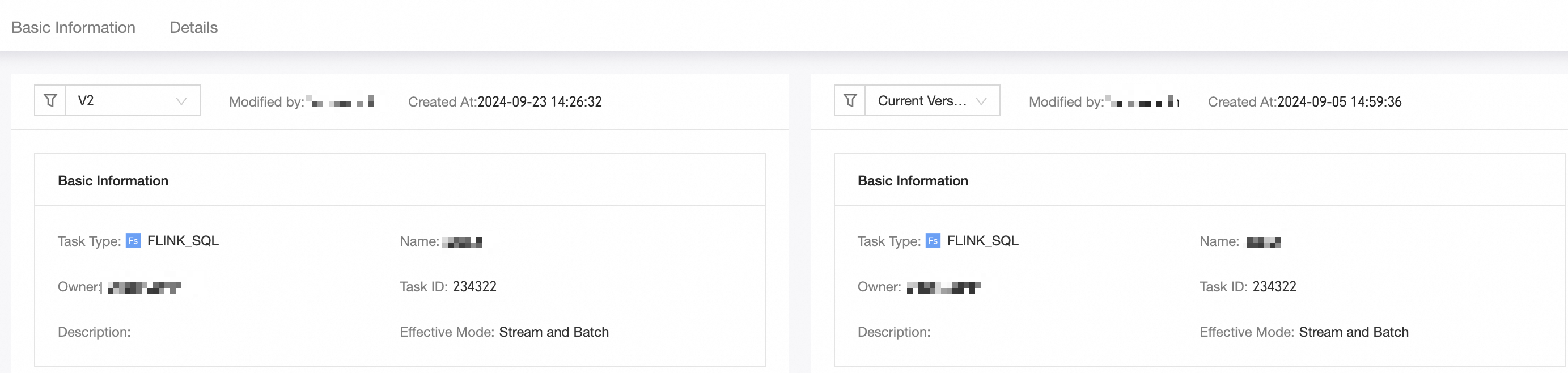
-
Rolling back to a version: Click
 to revert the task to the selected version.Important
The rollback operation is irreversible. Exercise caution when proceeding.