All Products
Search
Document Center

Dataphin:View and manage baseline instances

Last Updated:Jan 23, 2025

Data business output's core quality indicators are timeliness and accuracy. Define scenarios with content assurance and establish baselines with timeliness assurance based on the data business's importance. A baseline encompasses tasks or assets requiring guarantees, sets a commitment time for these objects, and mandates timely data output according to a unified specification, with resource allocation prioritized. Generally, a baseline is a set of interdependent tasks or asset groups that receive cluster resources with precedence and are reinforced by alerts. This topic outlines how to view and manage baseline instances.

Prerequisites

Ensure you have purchased the artificial intelligence for IT operations value-added service and that the current tenant has the artificial intelligence for IT operations module enabled.

Baseline instance generation time

Baseline instances are generated nightly between 11 PM and midnight, following the creation of node instances.

Baseline instance entry

  1. Navigate to the Dataphin home page and single click the Development tab in the top menu bar.

  2. Use the instructions in the figure below to access the Baseline Instances page.

    image.png

Baseline instance page introduction

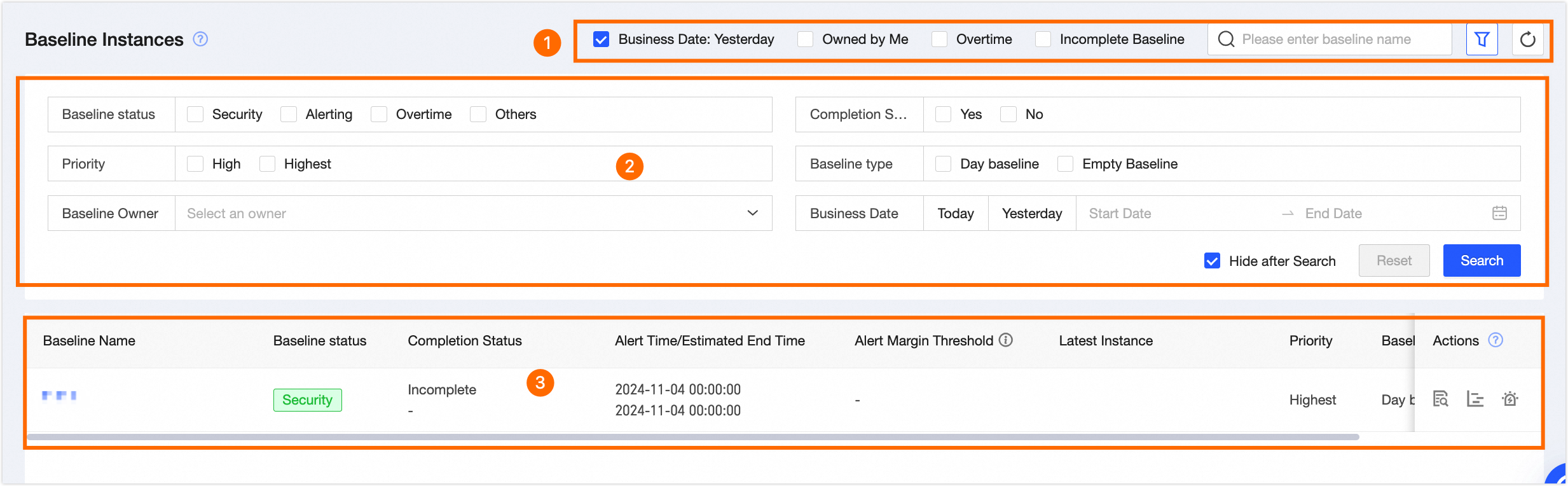
The baseline instance page mainly consists of the search and filter area, filter area, baseline instance list.. You can perform operations such as filtered query, refresh, view details, view Gantt chart, and set related alerts on the baseline instance.

image.png

Parameter

Description

Search and filter area

Enables searching for baseline instances by name and offers quick filtering options such as data timestamp, my owner, broken baseline, and incomplete baseline.

  • Data Timestamp: Quickly filter baseline instances from yesterday.

  • My Owner: Filter baseline instances where you are the owner.

  • Broken Baseline: Filter baseline instances with a status of Broken.

  • Incomplete Baseline: Filter baseline instances with a running status of Incomplete.

Filter area

Single click image, to expand the filter area, which supports filtering by:

  • Baseline Status:

    • Safe: The baseline's (expected) completion time is on or before the alert time.

    • Alert: The baseline's (expected) completion time is after the alert time but on or before the commitment time.

    • Broken: The baseline's (expected) completion time exceeds the commitment time.

    • Others: All instances are paused or it's an empty baseline with no guaranteed nodes.

  • Completion Status: Filter by whether the baseline is completed, and select Yes or No.

  • Priority: Filter by baseline precedence, you can select Highest or High.

  • Baseline Type: Filter by baseline type, you can select Daily Baseline or Empty Baseline.

    Note

    Empty baselines are not created intentionally; they result when all configured nodes are unpublished.

  • Baseline Owner: Filter results based on the baseline owner.

  • Data Timestamp: Use the data timestamp to filter results based on the baseline. Options include Today, Yesterday, and Custom Date.

Baseline instance list

The list displays baseline instance information, including name, status, completion, alert/guarantee time, alert margin, latest instance, priority, type, owner, and available operations.

  • Baseline instance details: To view the details of a baseline instance, simply single click the image icon. For additional information, see view baseline instance details or .

  • Critical path Gantt chart: To view the critical path Gantt chart, single click the image icon. For additional details, see view critical path Gantt chart or .

  • Related alerts: Single click image icon to view baseline instance related alerts. For more information, see alert events.

View baseline instance details

The baseline instance page mainly consists of basic information, (estimated) latest instance, current key instance, key path, historical operation trends, alert events..You can view the relevant information on the baseline instance details page.

Area

Description

Basic information

Basic information of the baseline instance. Includes baseline name, owner, precedence, baseline type, guarantee time, and warning time.

image.png

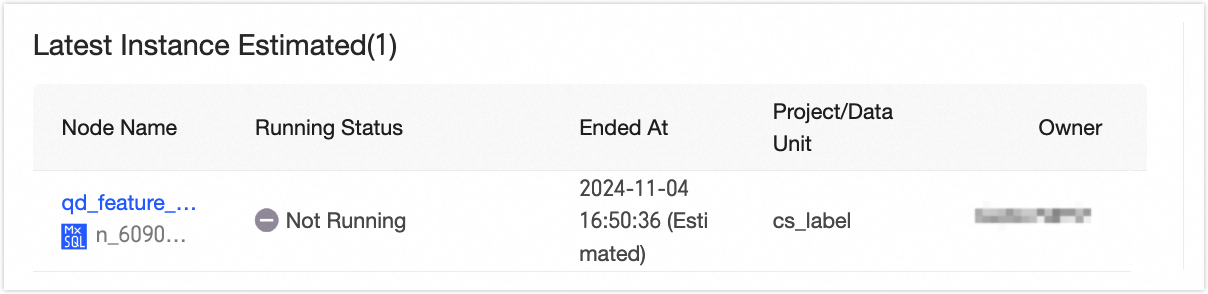
(Expected) latest instance

image.png

The last node on the critical path.

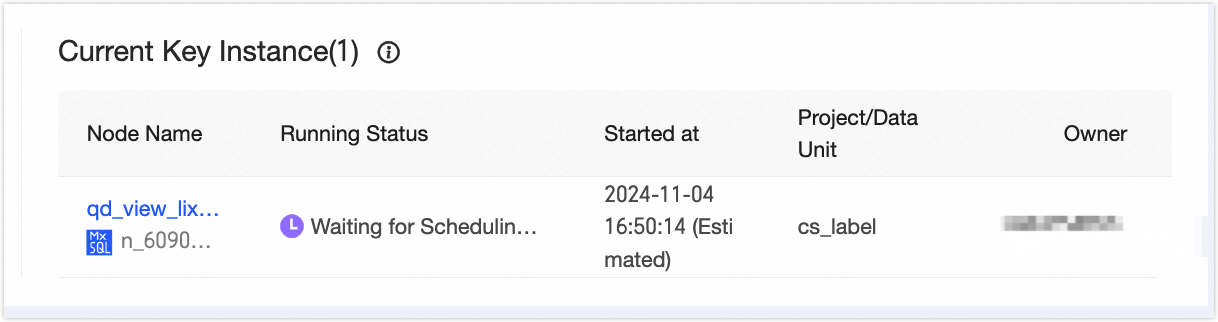
Current Critical Instance

image.png

The highest instance on the critical path that has yet to run successfully.

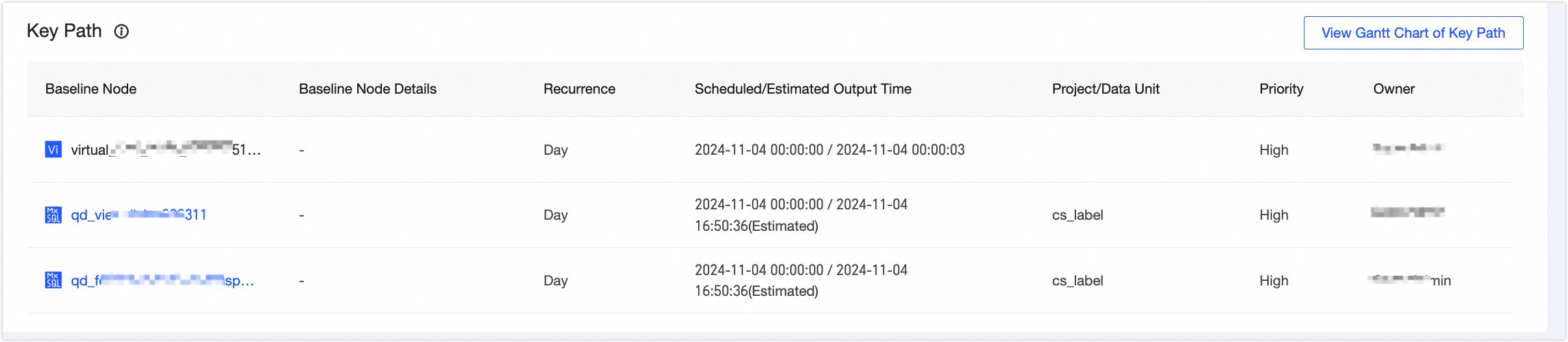
Critical path

image.png

This node represents the longest path's guarantee object impacting the baseline guarantee task. It encompasses the guarantee object name, details (logical table node), scheduled/anticipated output time, associated project/section, priority, and owner.

You can single click to view the critical path Gantt chart, which allows you to directly access the critical path Gantt chart. For more information, see view critical path Gantt chart or .

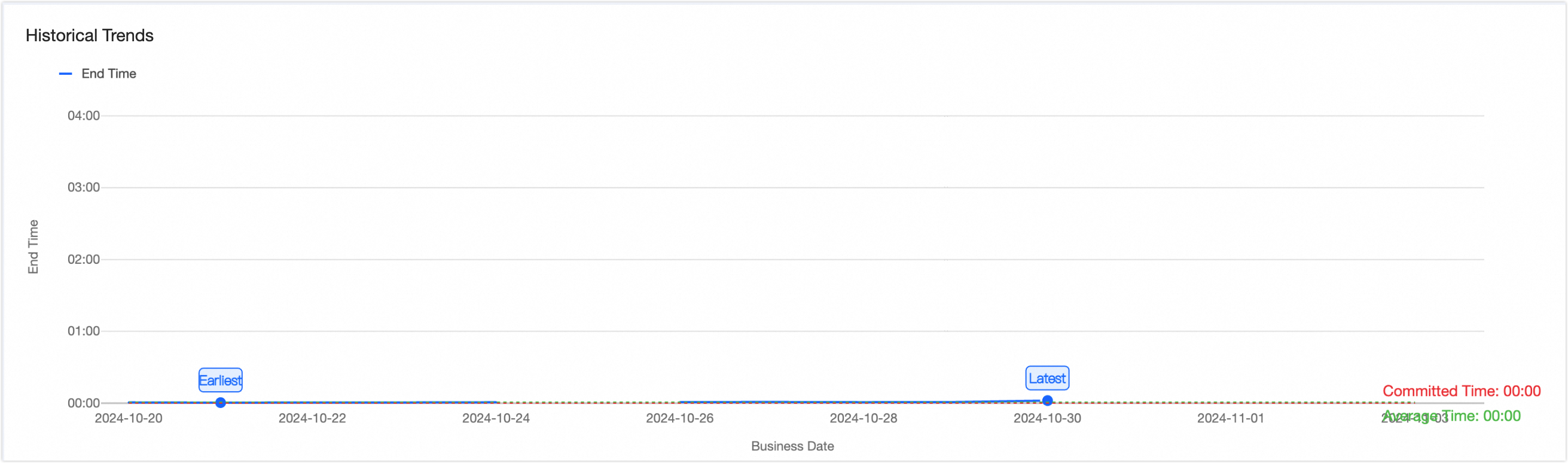
Historical running trends

image.png

Baseline instance historical running trend chart.

  • Horizontal axis: Data timestamp.

  • Vertical axis: Output time.

  • Data variables: Includes commitment time, alert time, average output time, and actual output time for each data timestamp, represented by various lines and dots for easy reference.

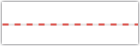
    • Commitment time: The deadline by which the baseline task must be successfully completed, indicated by a red dashed line (image.png) for clarity.

    • Alert time: is calculated as the committed time minus the alert buffer. It is indicated by an orange dashed line (image.png) on the chart.

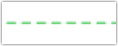
    • Average production time: The average time of actual production on historical data timestamps. Marked with a green dashed line (image.png).

    • Actual output time for each data timestamp: The specific time when the baseline task has been successfully executed, marked by a blue solid line (image.png).

Note
  • When data variables of different types share the same value, they are displayed in order of priority: actual output time > commitment time > alert time > average output time.

  • The historical operation trend graph uses dark points to indicate the instance's earliest and latest completion times.

Alert events

image.png

A log of alert events triggered by the baseline instance, detailing the alert node, reason, latest alert time, recipient, status, and actions.

  • Alert node: Includes event and baseline alert nodes.

  • Alert reason: Reasons such as baseline alert, broken baseline, task slowdown, or error.

  • Latest alert time: The most recent time an alert was sent for an event.

  • Recipient: The individual who received the alert.

  • Operation: Click the image.png to navigate to the alert center for detailed event information.

View critical path Gantt chart

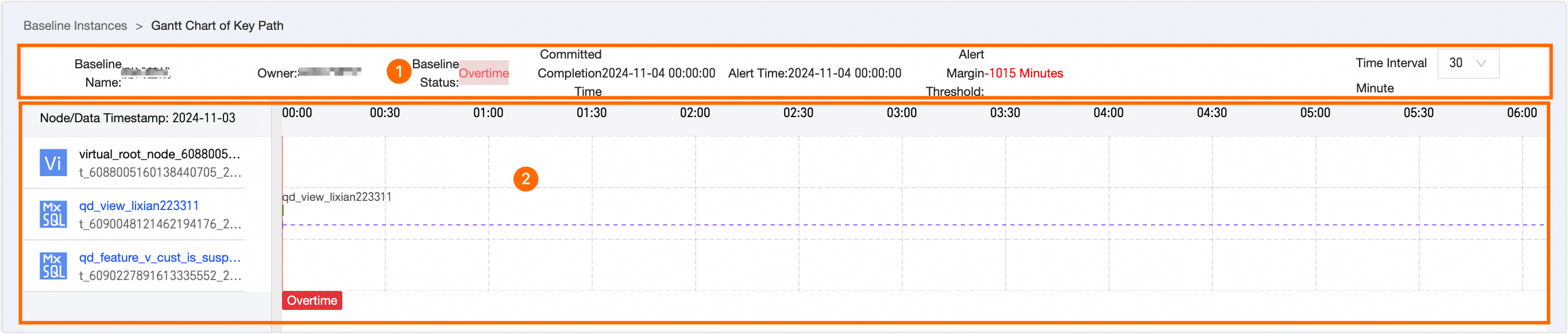
The critical path denotes the sequence of tasks that dictates the minimum completion time for a baseline instance. The Gantt chart for the critical path visually represents the status and duration of tasks within the baseline instance, providing insights into the progress and pivotal tasks for efficient planning and resource allocation. On the critical path Gantt chart page, you can access pertinent details.

image.png

Area

Description

Basic information

Basic information of the critical path Gantt chart, including baseline name, owner, baseline status, committed time, warning time, and slack.

Additionally, you can customize the Gantt chart's display granularity by altering the time interval, with options to select either 10 minutes or 30 minutes.

Note

For shorter runtimes, a 10-minute interval is recommended for a clearer view.

Critical path Gantt chart

The chart includes the critical path node list and the progress time and status of each node within the current baseline instance.

image.png

  • Node list order: Arranged from the start to the end of the critical path, top to bottom.

  • Progress time: Shows the progress of nodes from the first successful upstream instance to the current status or waiting time.

  • Historical average runtime and instance running status reversal time interval:

    • Historical average runtime: This displays the historical average runtime for the current instance node, serving as a benchmark to determine if the current runtime is abnormal. It is represented by light green bars (image.png) that denote the time interval. Hovering the mouse pointer over the mark reveals the recent average.

    • Instance running status reversal mark: Includes the time before all upstream runs are successful, the time from all upstream runs being successful to the scheduled time, the time from the scheduled time to the throttling pass time, the time from the throttling pass to the instance being issued to the compute engine runtime, and the time from operation pause to resume.

      • Time before all upstream runs are successful: The current instance node awaits the successful completion of all upstream instances on the critical path, with no specific task mark.

      • Time from all upstream runs being successful to the scheduled time: The upstream instances on the critical path have completed successfully, but the current business time has not reached the instance's scheduled time. This interval is indicated by a purple dashed line and a waiting time prompt (image.png) . Hover the mouse pointer over the mark to see the total duration.

      • Time from the scheduled time to the throttling pass time: Once the scheduled time is reached after all upstream instances have successfully run, this interval is marked with a purple dashed line and a waiting for issue prompt (image.png) . Hover the mouse pointer over the mark to view the total duration.

      • Time from the throttling pass to the instance being issued to the compute engine runtime: After the throttling pass is achieved post-scheduled time, this interval is denoted by green bars (image.png) . Hover the mouse pointer over the mark to view details such as the instance's Task ID, owner, project, running status, and duration.

      • Time from operation pause to resume: This marks the interval from the start of an operation pause to its resumption, indicated by a purple dashed line and a pause prompt (image.png) . Hover the mouse pointer over the mark to see the total duration.

        Important
        • If the instance node triggers a running slowdown alert, the system will highlight the corresponding time point with a yellow dot. Hover the mouse pointer over the mark to view the data timestamp, node name (node ID), reason, and occurrence time.

        • Should the instance node trigger a running slowdown alert, it will be marked with a red dot. Hover the mouse pointer over the mark to view the data timestamp, node name (node ID), reason, and occurrence time.

        • The alert time is indicated by a yellow solid line at the corresponding time point.

        • A red solid line marks the broken time at the corresponding time point.

        • When the alert time and broken time coincide, the alert time will be overwritten, and only the broken time will be indicated.