Two typical scenarios demonstrate how to use cross-node parameters to pass values between tasks.
Scenarios
Cross-node parameters apply to the following scenarios:
-
A financial enterprise settles daily investment returns in US dollars and needs currency conversion across multiple scheduled tasks. Daily closing exchange rates are extracted from the business system and synchronized to an offline table. To share the rates, you create an output node task that reads the exchange rate and exposes it as a cross-node parameter. Downstream tasks that need the exchange rate reference this parameter as input nodes.
-
A retail distribution enterprise queries a supplier's service daily to check whether the product catalog has changed. A full catalog pull is costly due to the large data volume, so it should run only when changes are detected. To achieve this, you create an output node task that checks the catalog status and exposes the result as a cross-node parameter. The downstream task that pulls the catalog is configured as an input node with conditional scheduling based on the parameter value.
Example 1: Exchange rate conversion
Data structure
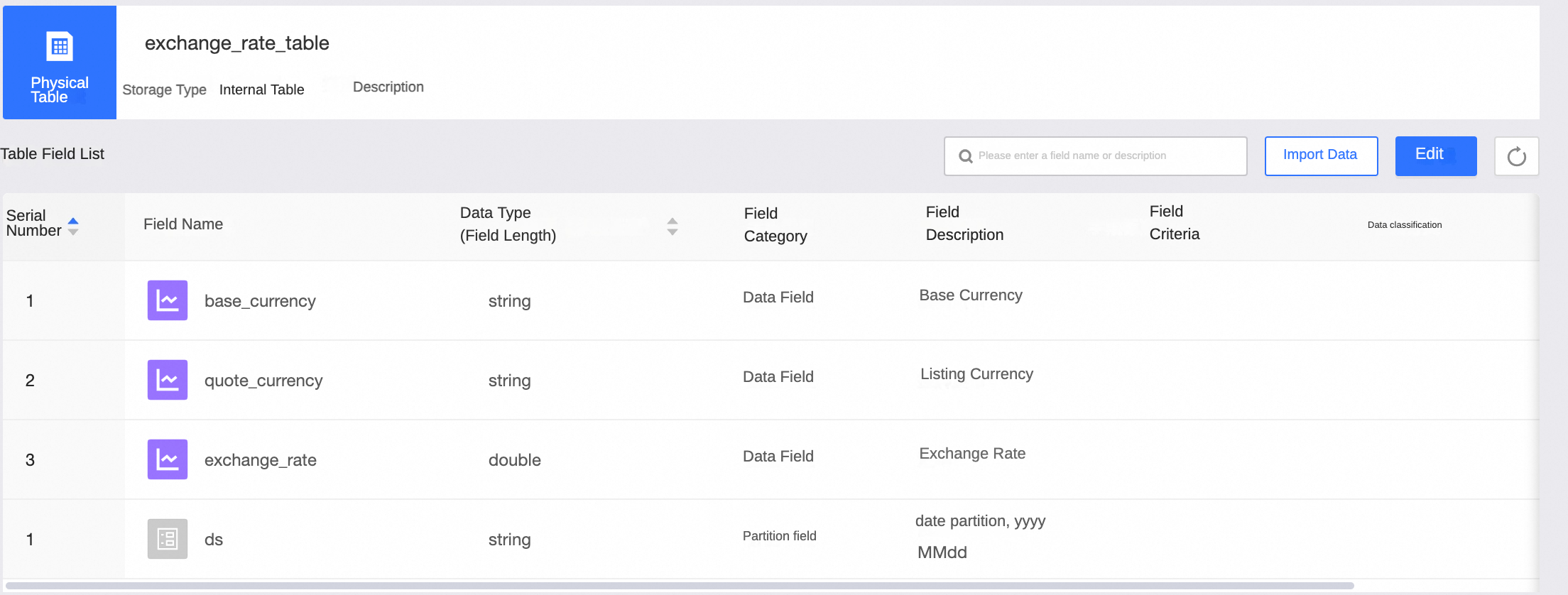
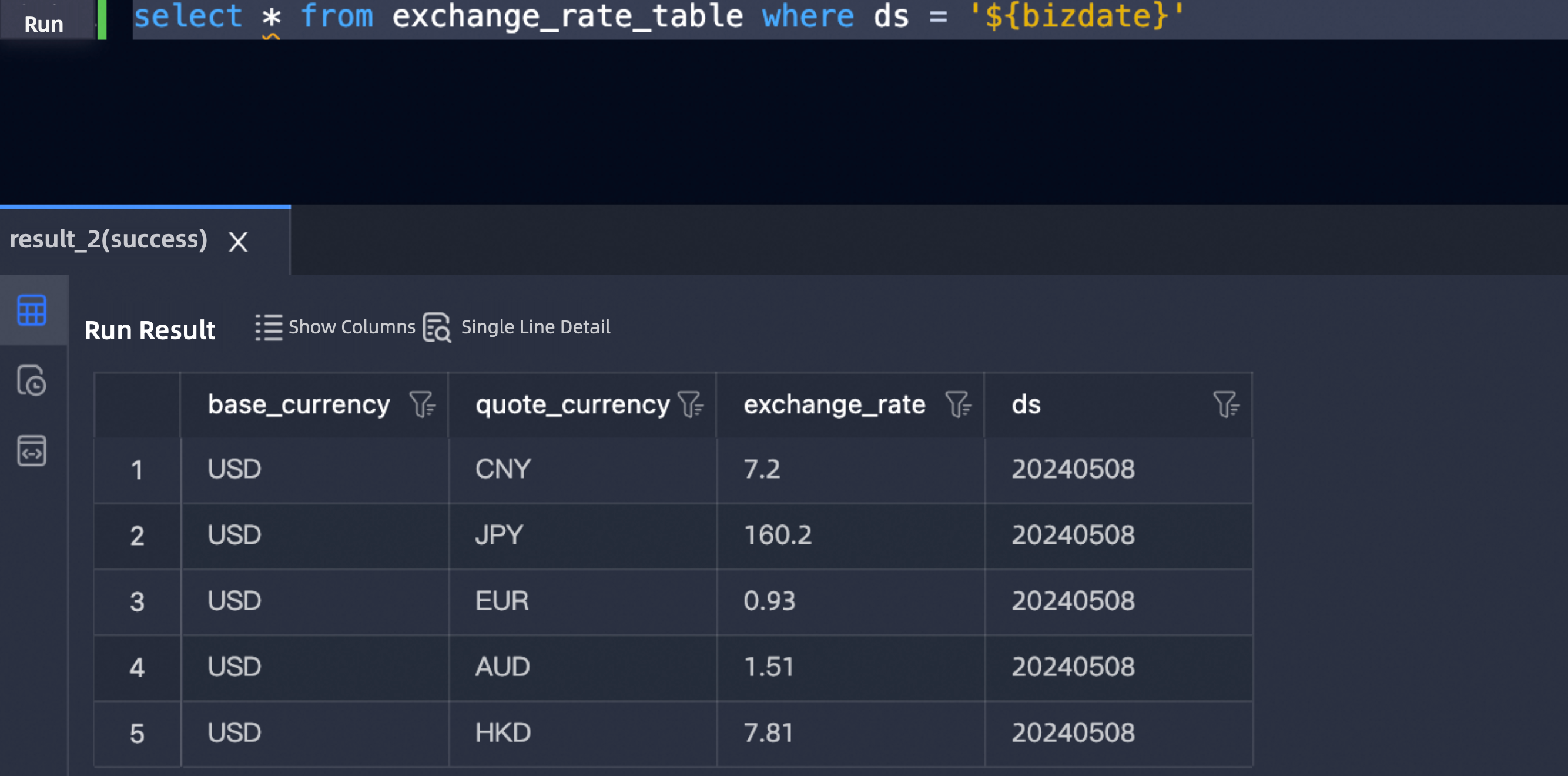
The following table schema and sample data show the exchange rate table exchange_rate_table.
Output node
-
Create a MAX_COMPUTE_SQL task
get_exchange_rate, and define the cross-node output parameterusd2cny.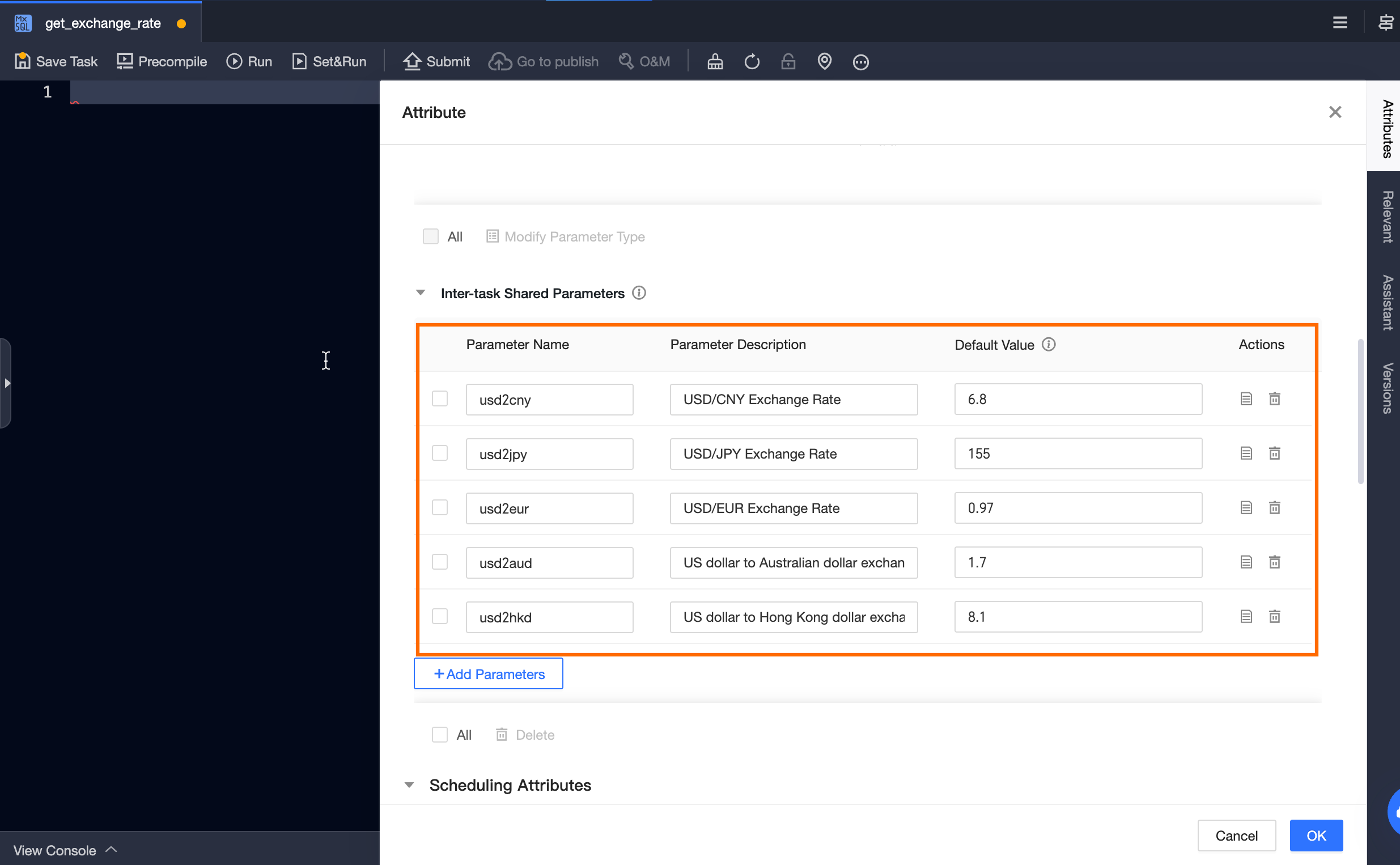
-
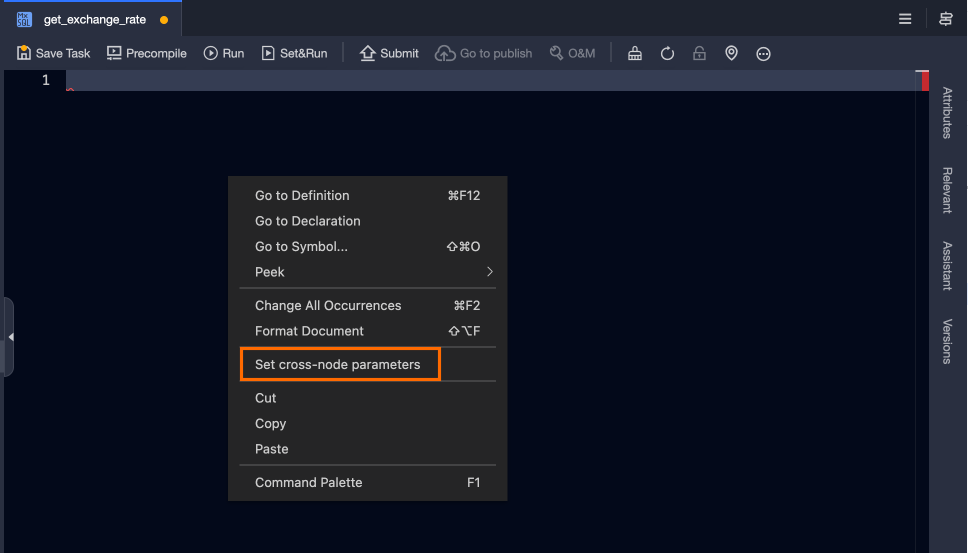
In the task editor, right-click and select Set Cross-node Parameters.
-
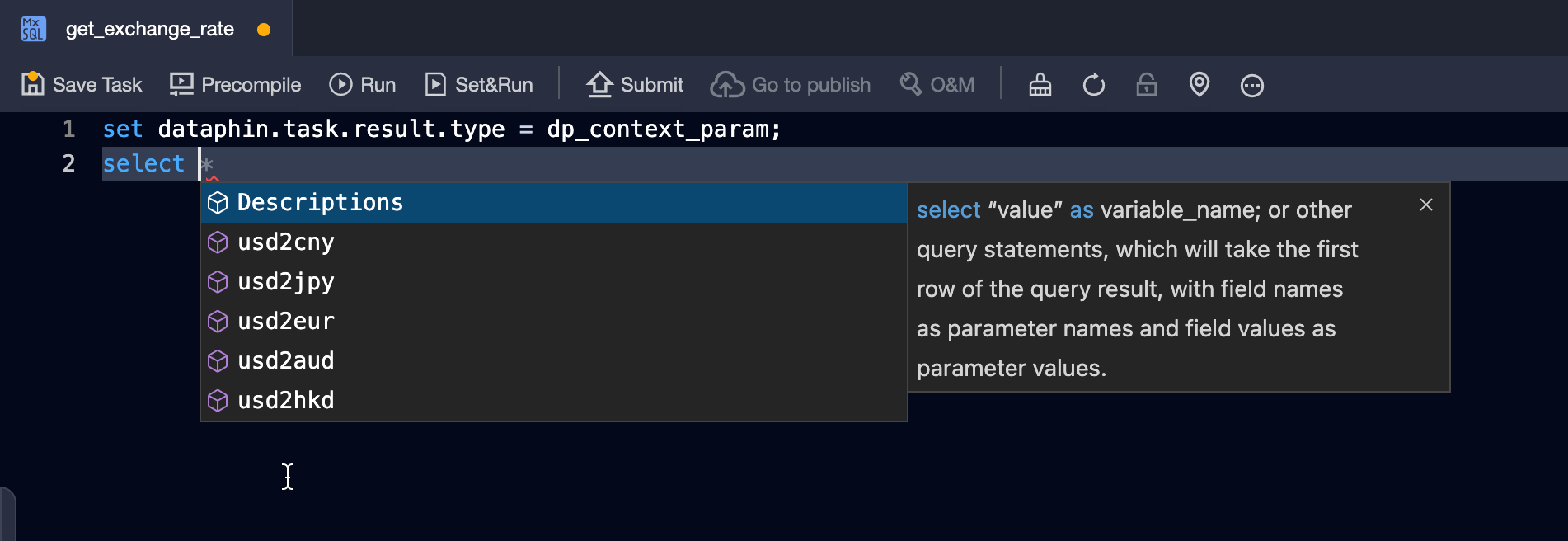
The task editor automatically displays the defined cross-node output parameters.
-
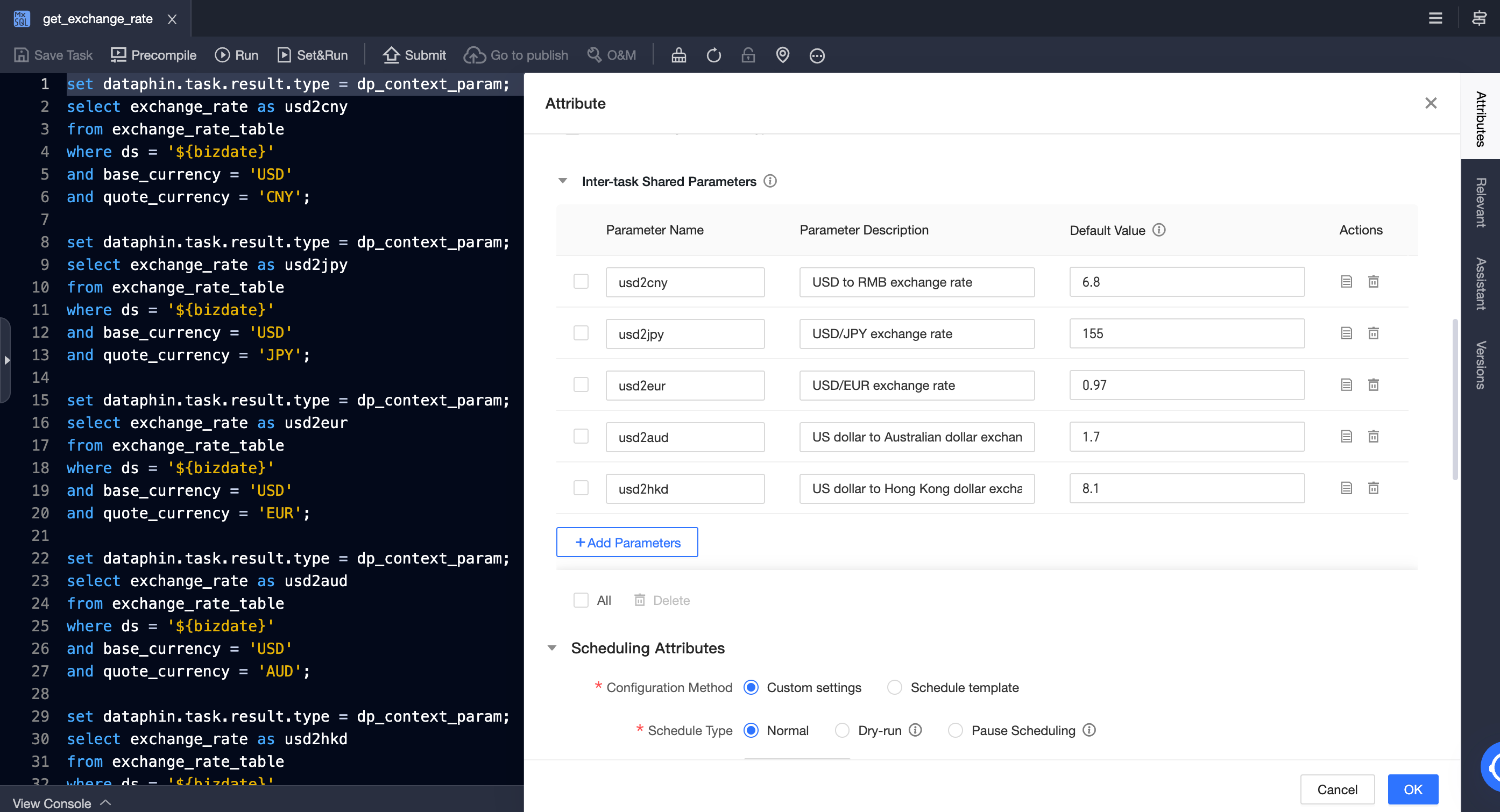
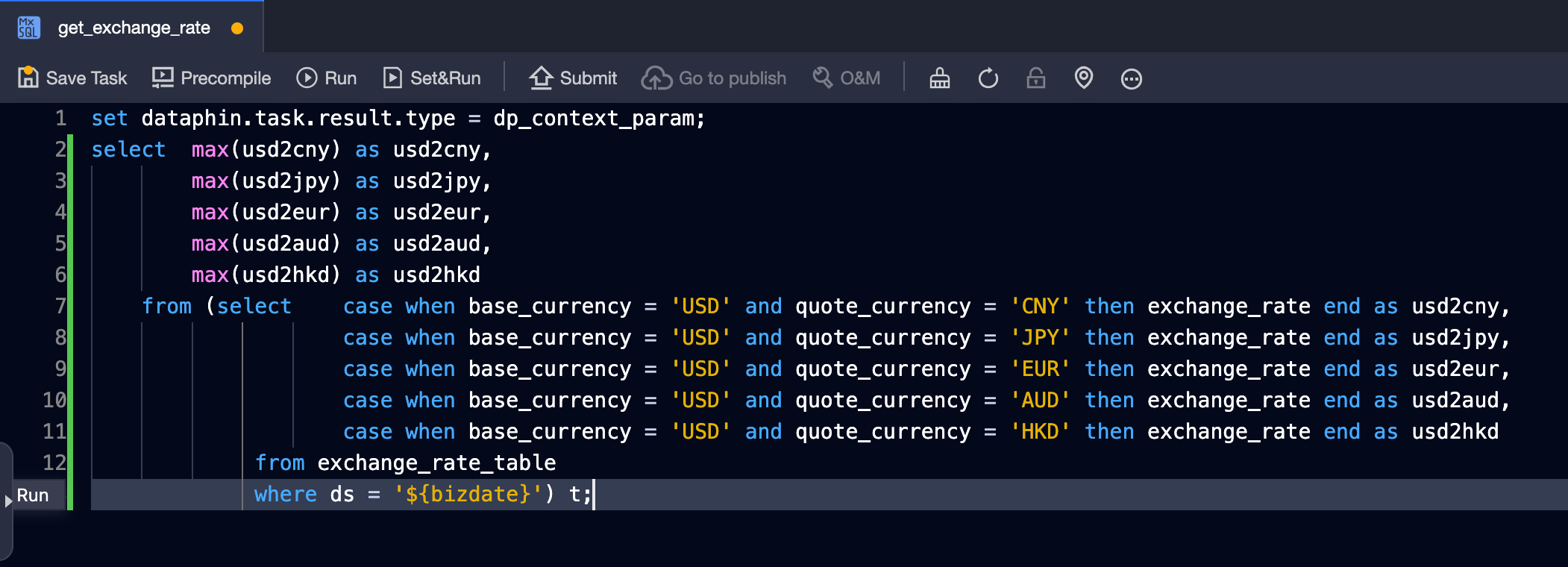
Set the field alias to the name of the cross-node output parameter. The system automatically assigns the value of the corresponding field in the first row of the query result to the cross-node parameter.
NoteFor SQL tasks, if multiple statements output cross-node parameters, the
setstatement before each statement cannot be omitted.This example supports two SQL writing methods:
-
A separate SQL statement for each cross-node parameter.
-
A single combined statement.
-
-
Submit the task.
Input node
-
Create an SQL task
exchange_usd_to_cnywith the following sample code, and add the output nodeget_exchange_rateas an upstream node.-- Convert 10000 USD to CNY, JPY, EUR, AUD, and HKD select 10000 * ${usd2cny_rate}, 10000 * ${usd2jpy_rate}, 10000 * ${usd2eur_rate}, 10000 * ${usd2aud_rate}, 10000 * ${usd2hkd_rate};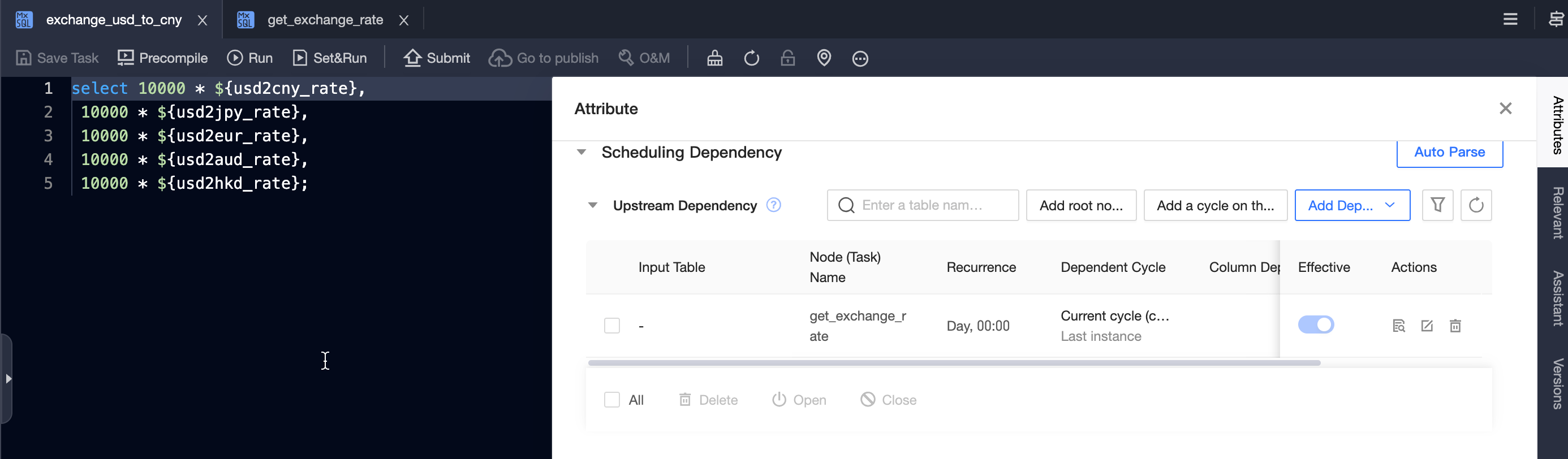
-
Change the type of the identified variable parameters to Cross-node Variable.
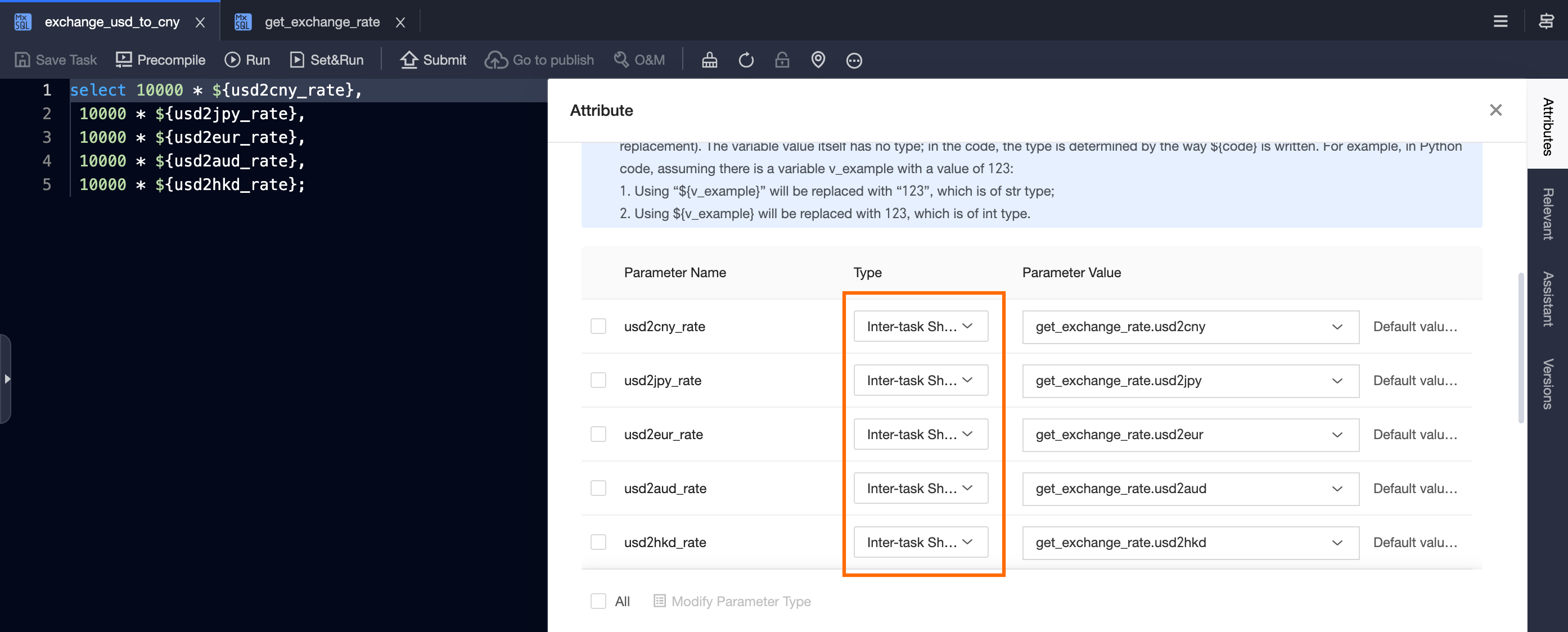
-
For each cross-node variable, select the corresponding cross-node output parameter of
get_exchange_rateas its value.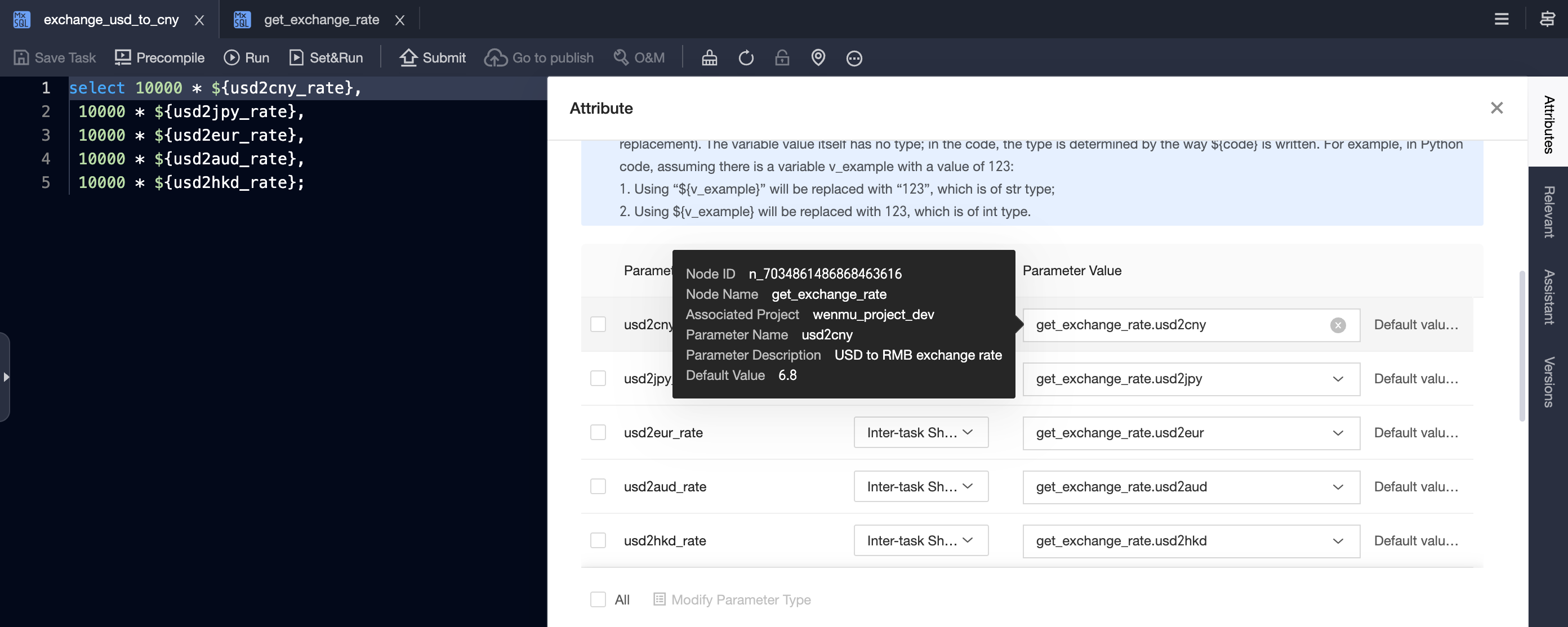
Data backfill
-
Confirm the exchange rate for the current day in the table.
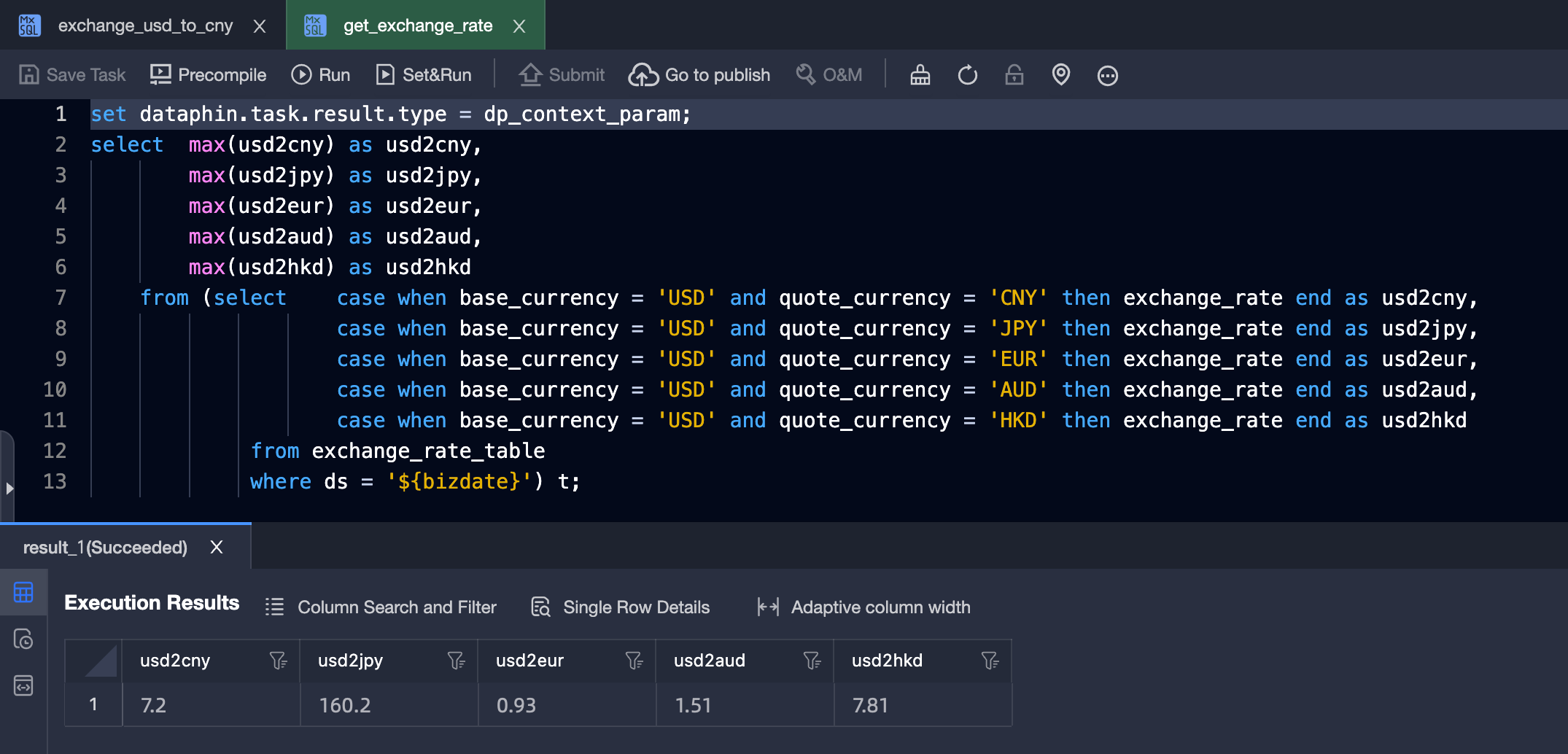
-
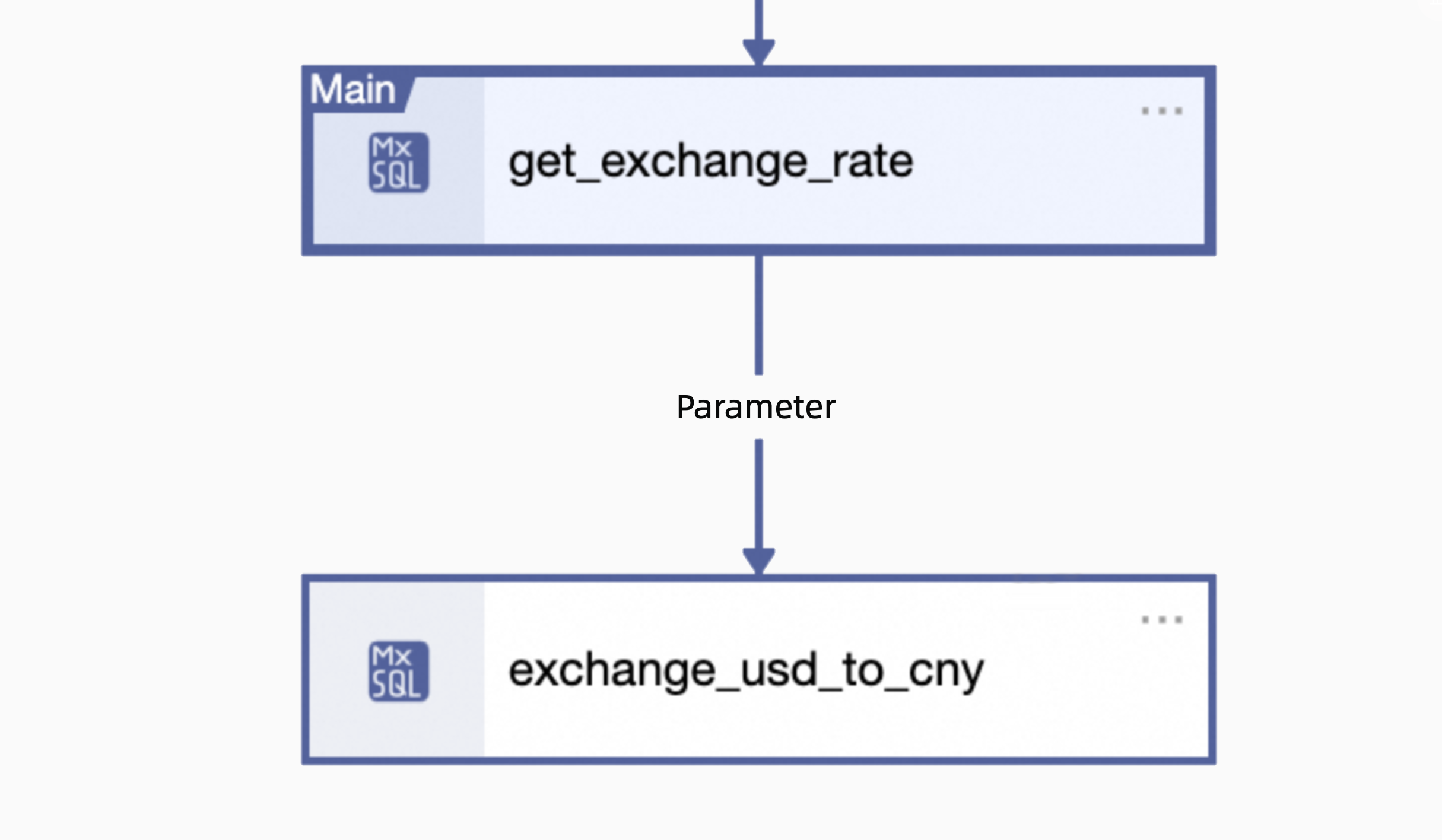
Go to the Operations Center, click Data Backfill in the
get_exchange_ratenode, select Backfill Current And Upstream/downstream Tasks, and select the downstreamexchange_usd_to_cnyto backfill data together.NoteWhen backfilling data for input nodes, you must also backfill the output nodes. Otherwise, the input nodes will use the default values of the cross-node parameters.
-
The runtime log of
exchange_usd_to_cnyshows how the system reads data from the table, assigns values to the cross-node output parameters, and passes them to the downstream task.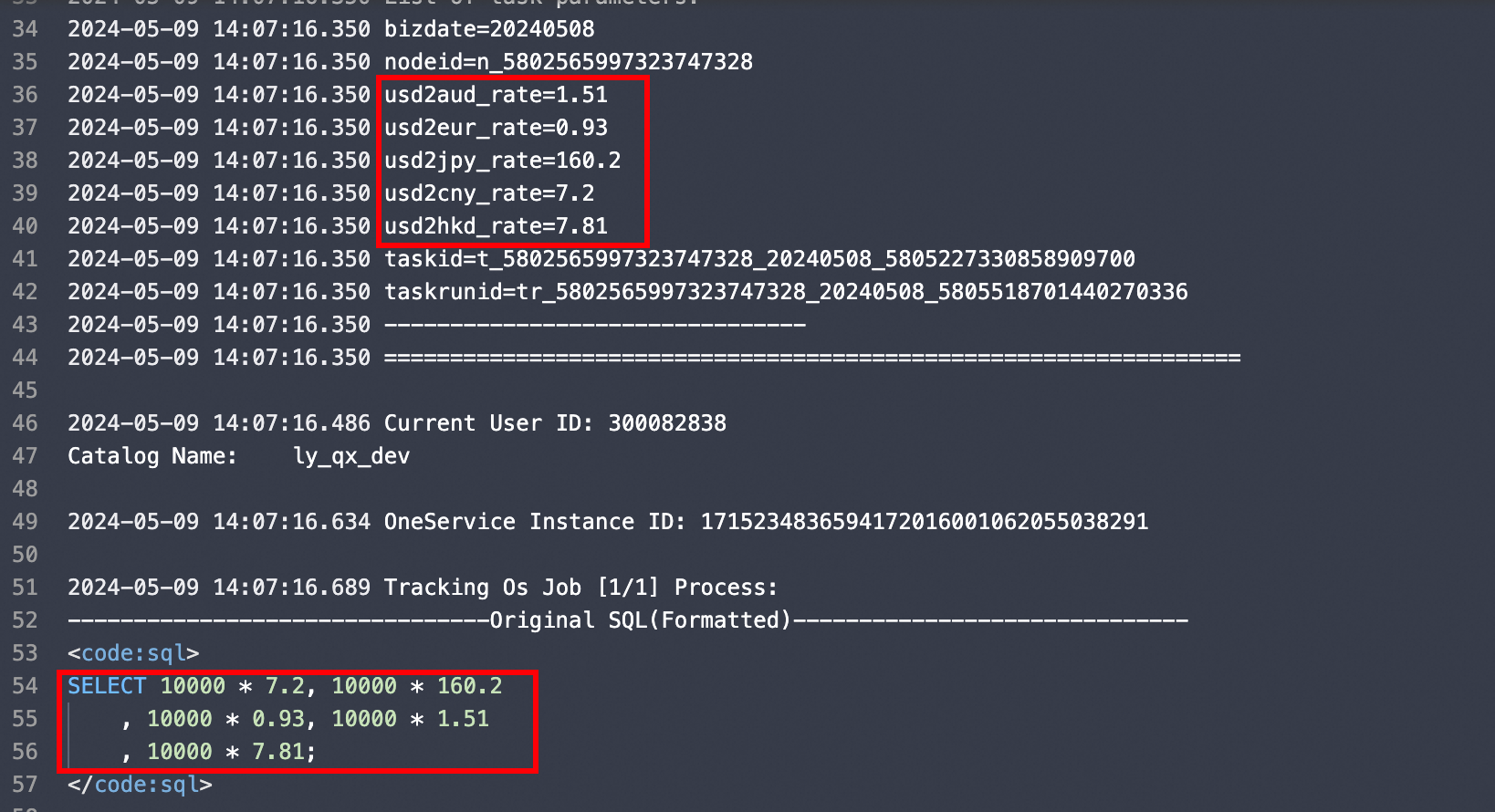
Example 2: Confirming update status
Output node
-
Create a simulated Python task to detect the update status, and add the cross-node output parameter
update_status.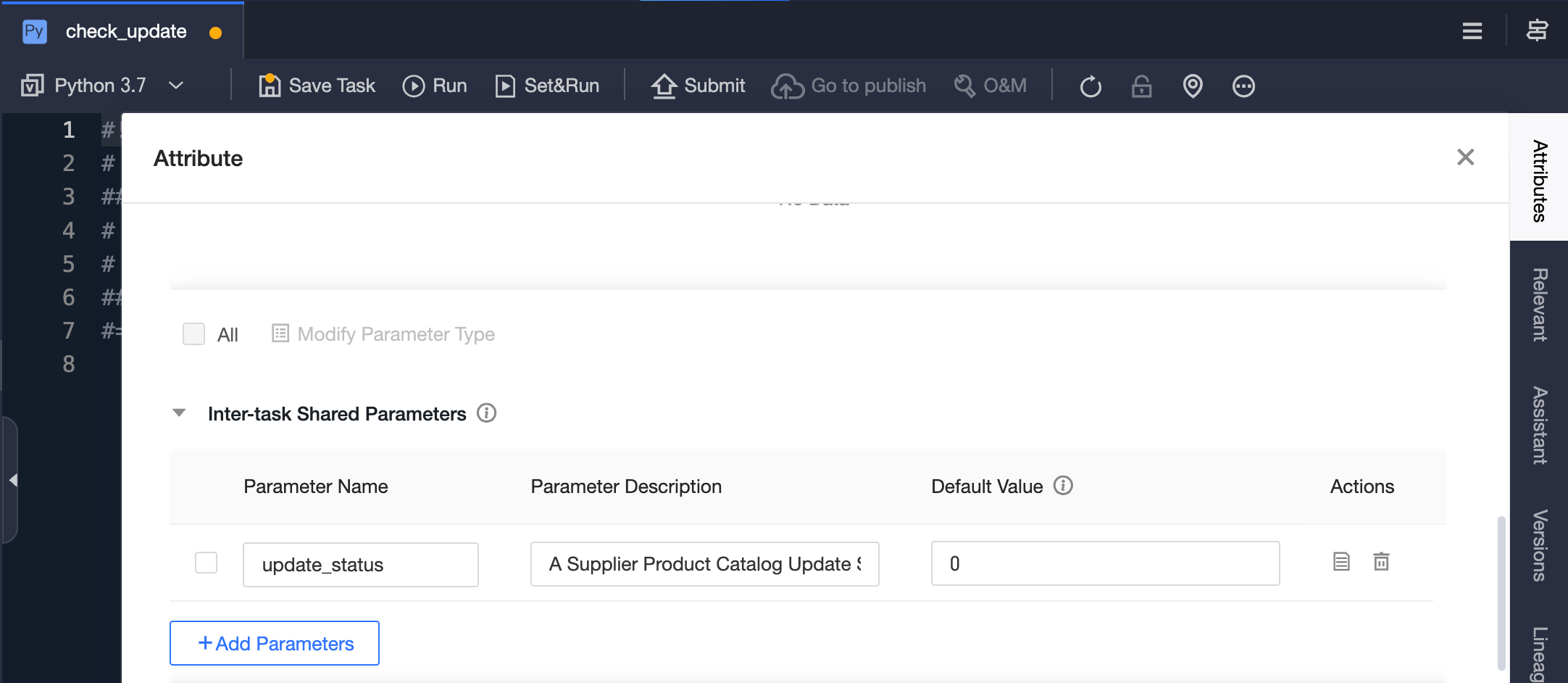
-
Enter the code, using a random function to return the status. Right-click, select Set Cross-node Parameters, and then submit the task.
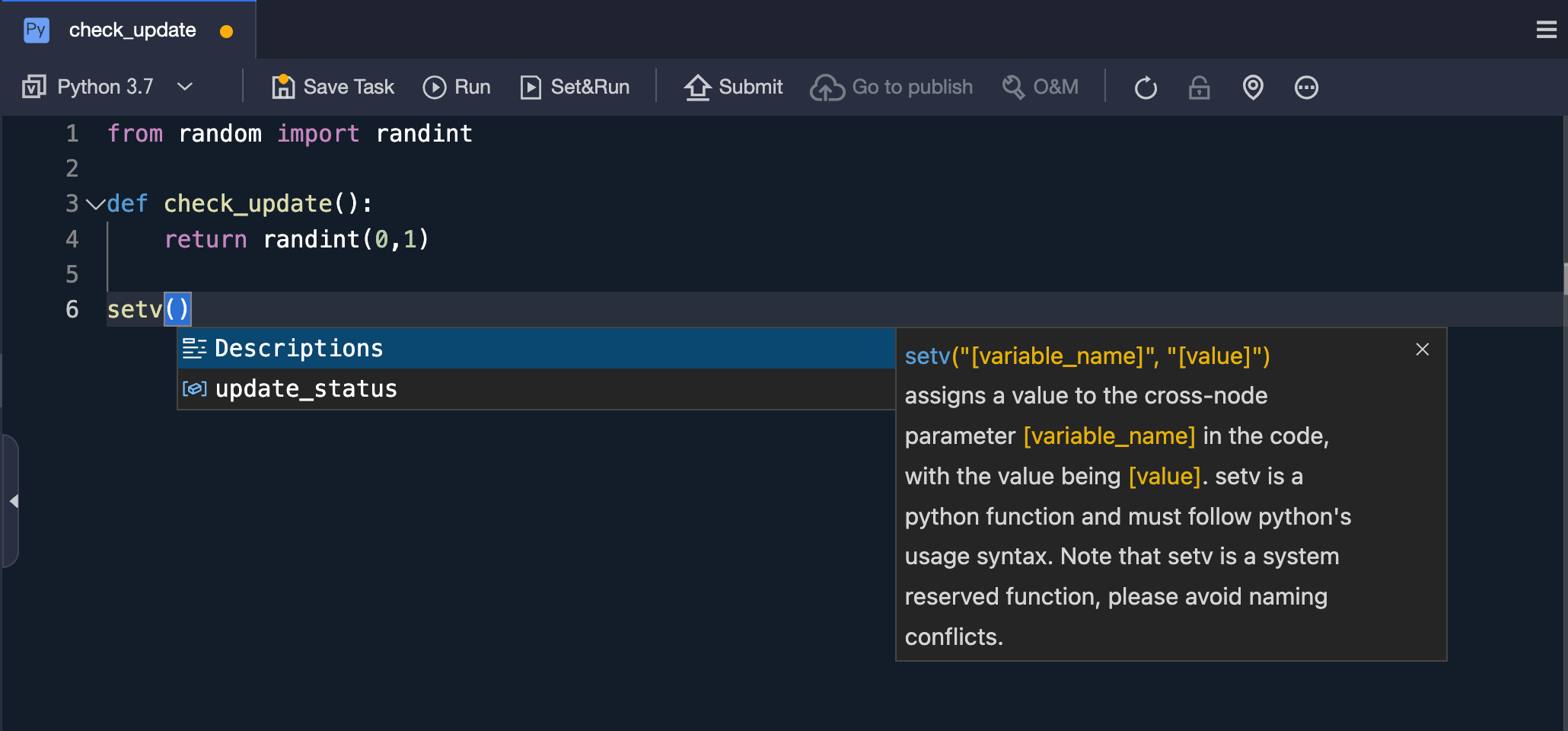
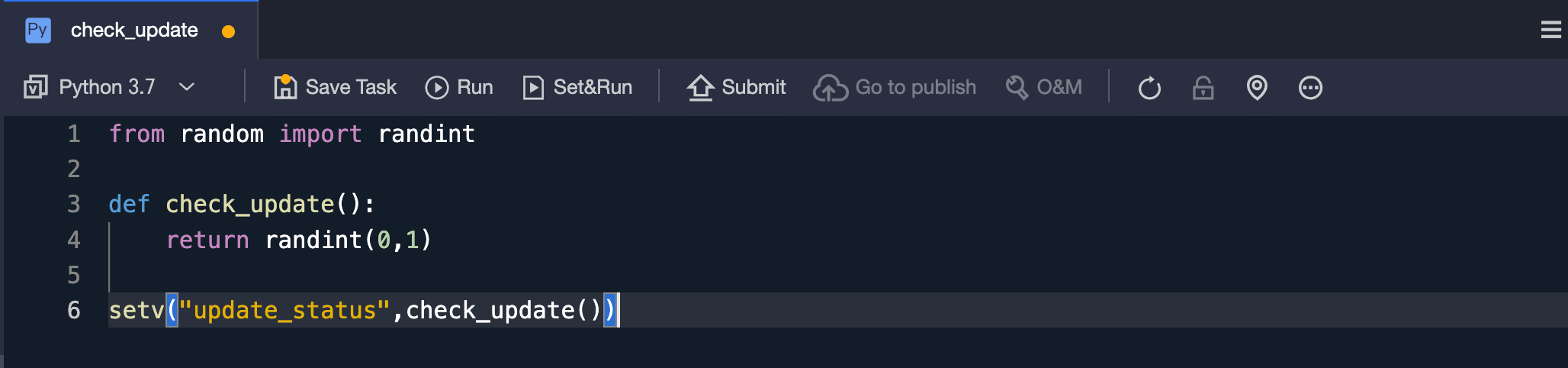
from random import randint
def check_update():
 return randint(0, 1)
setv("update_status", check_update())
Input node
-
Create an offline pipeline task
imp_product_catalog, and addcheck_updateas its upstream task.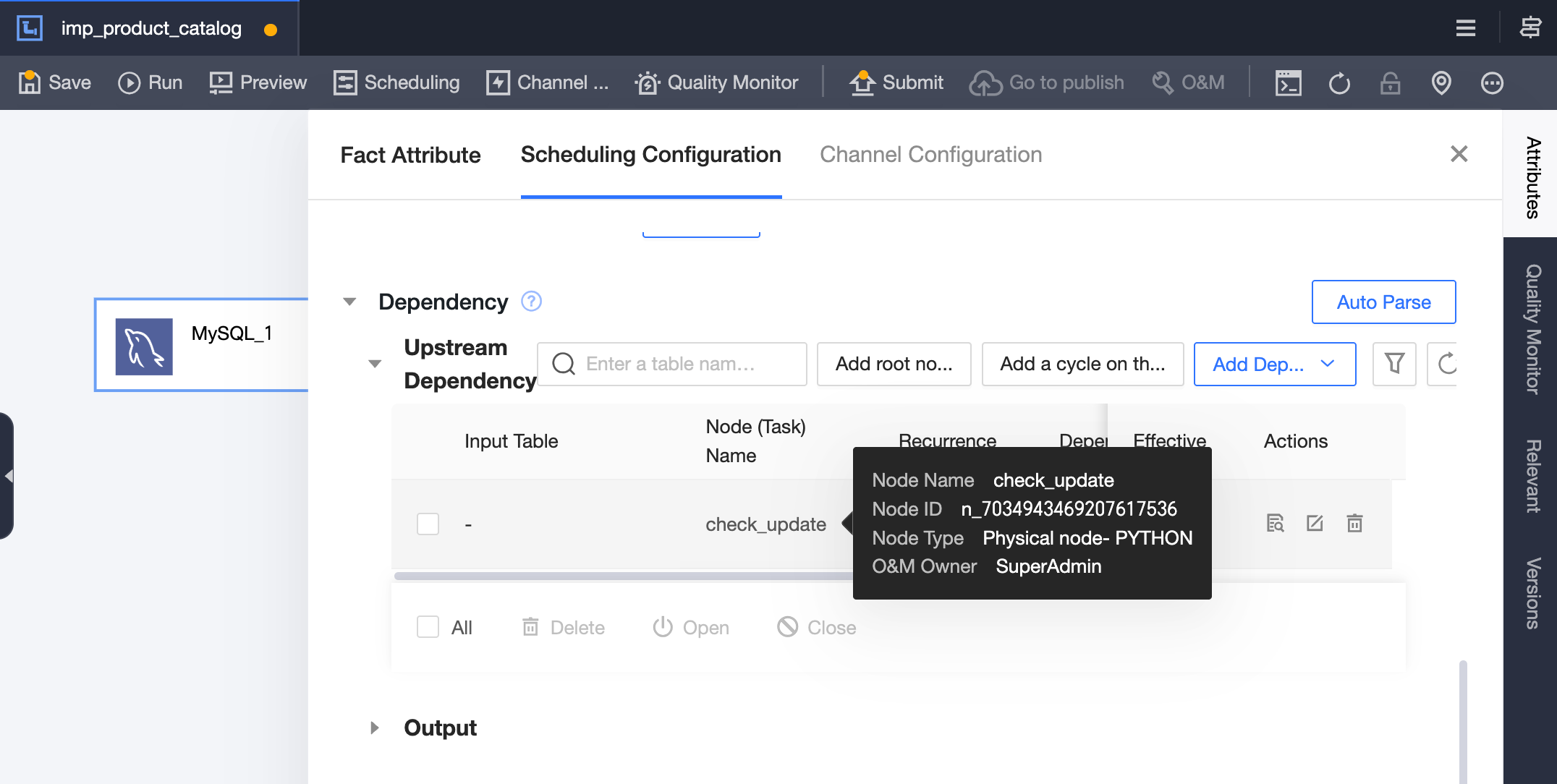
-
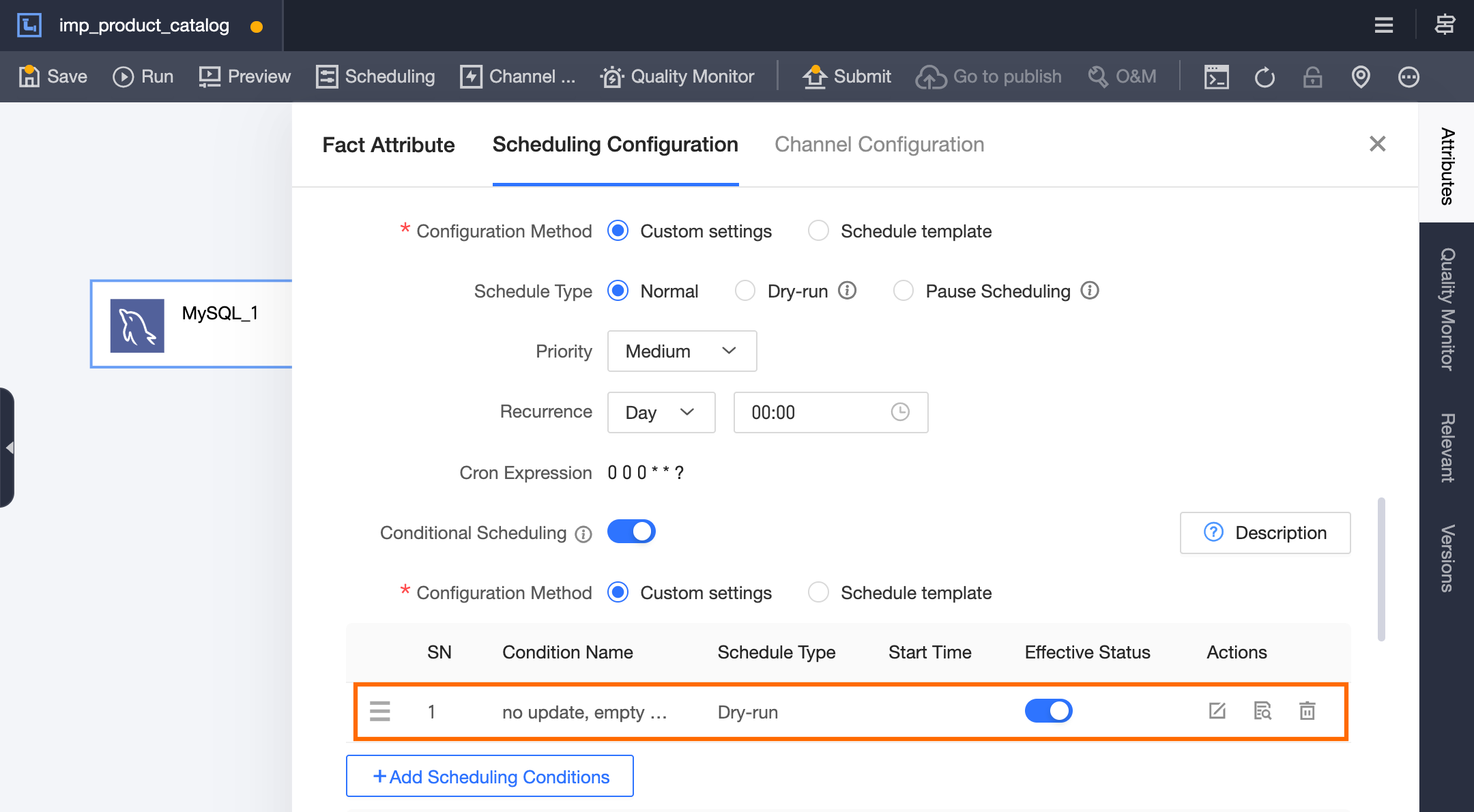
Enable conditional scheduling for the
imp_product_catalogtask.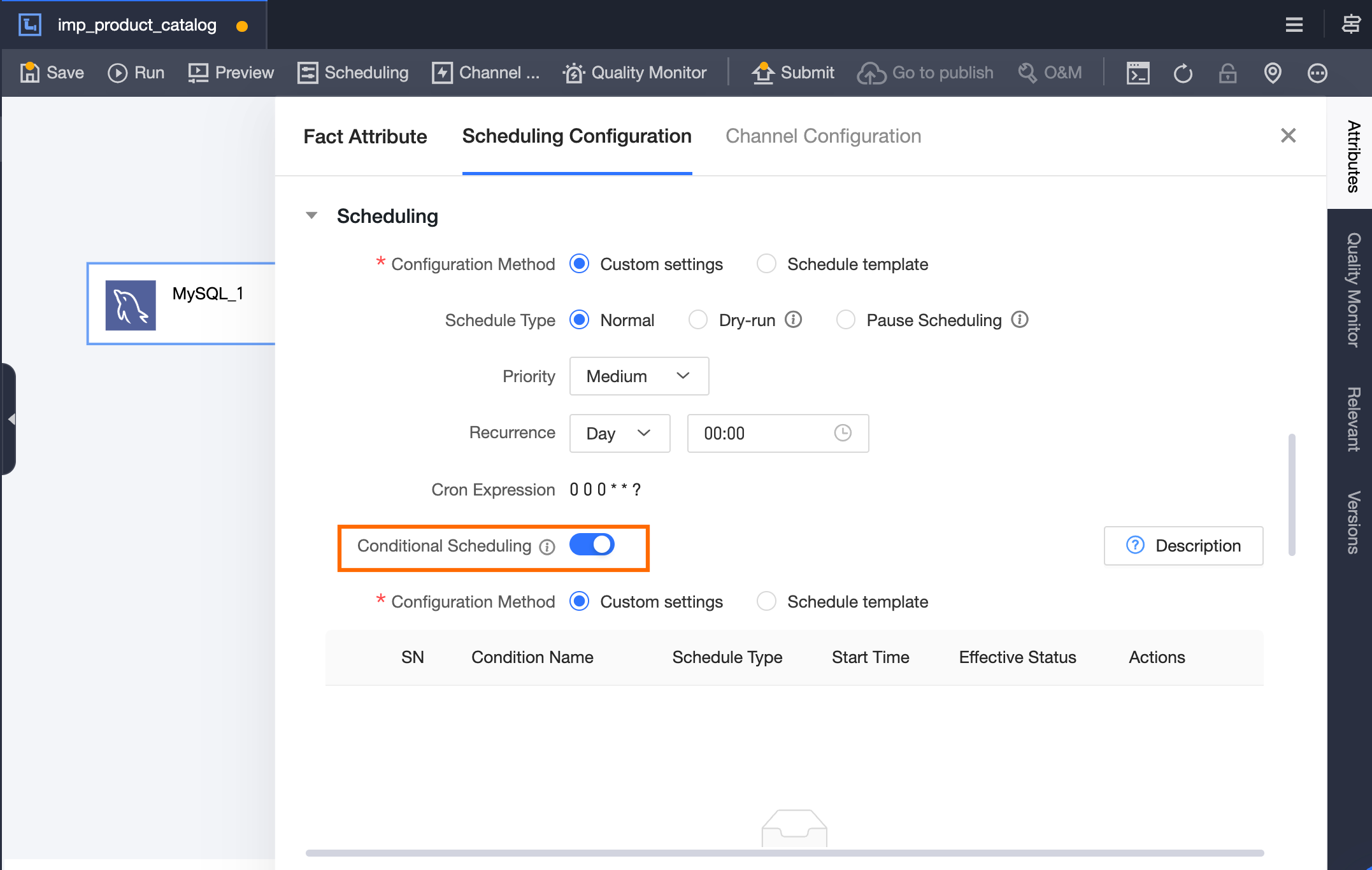
-
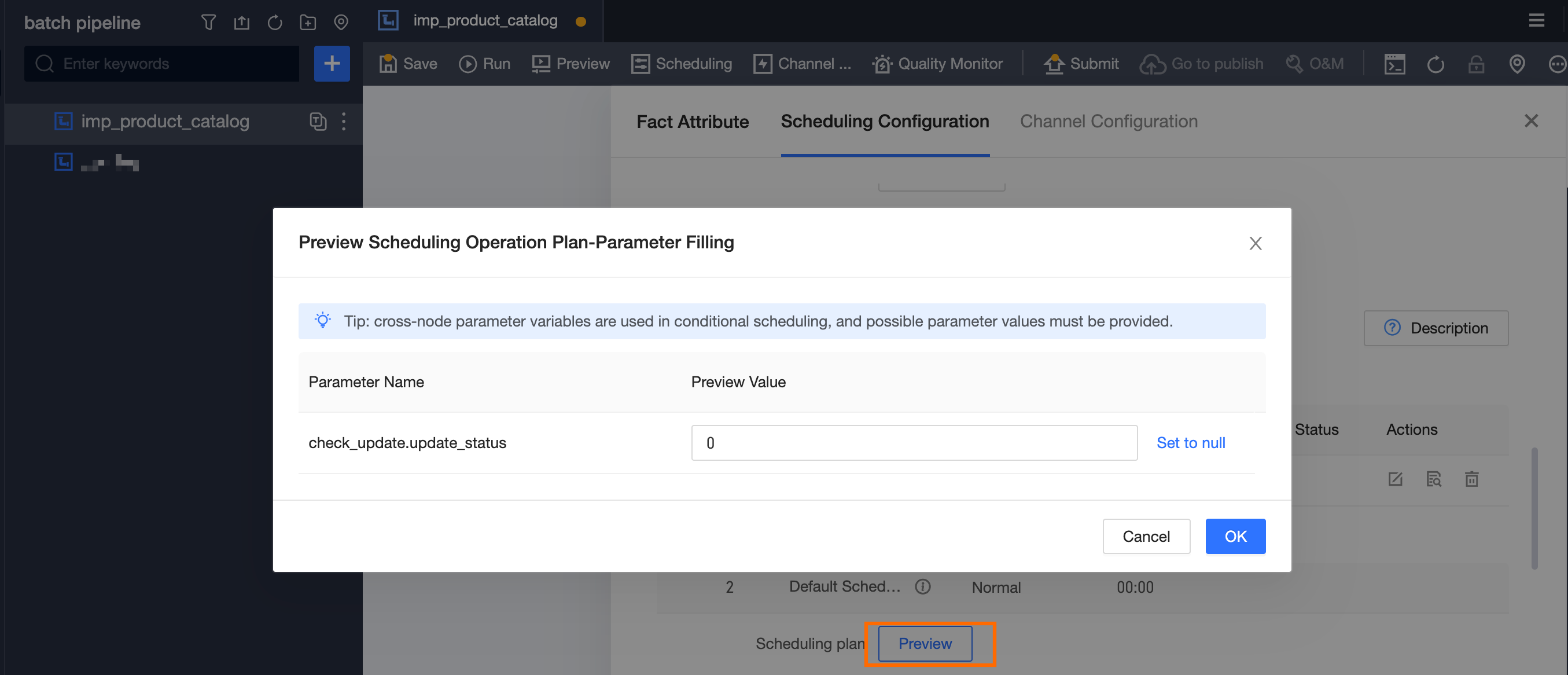
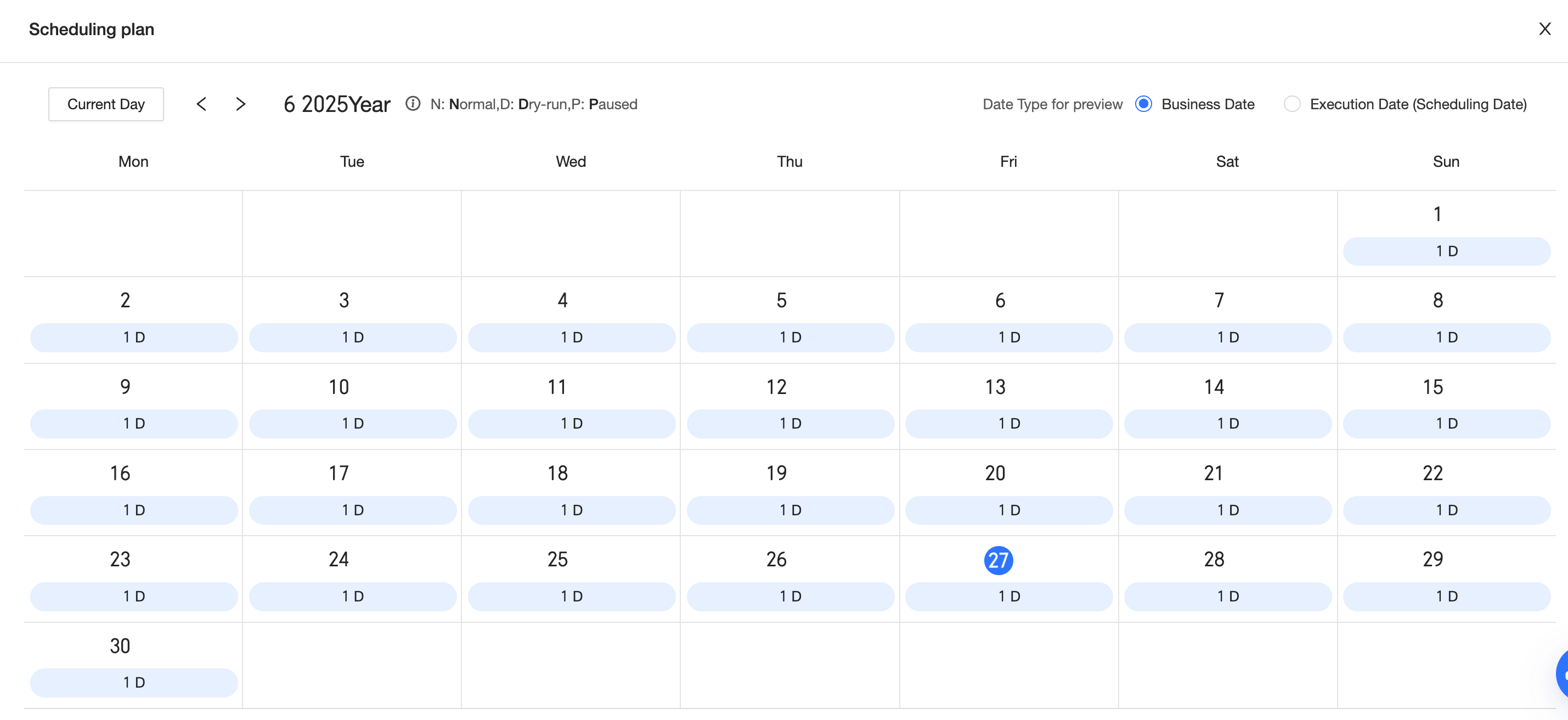
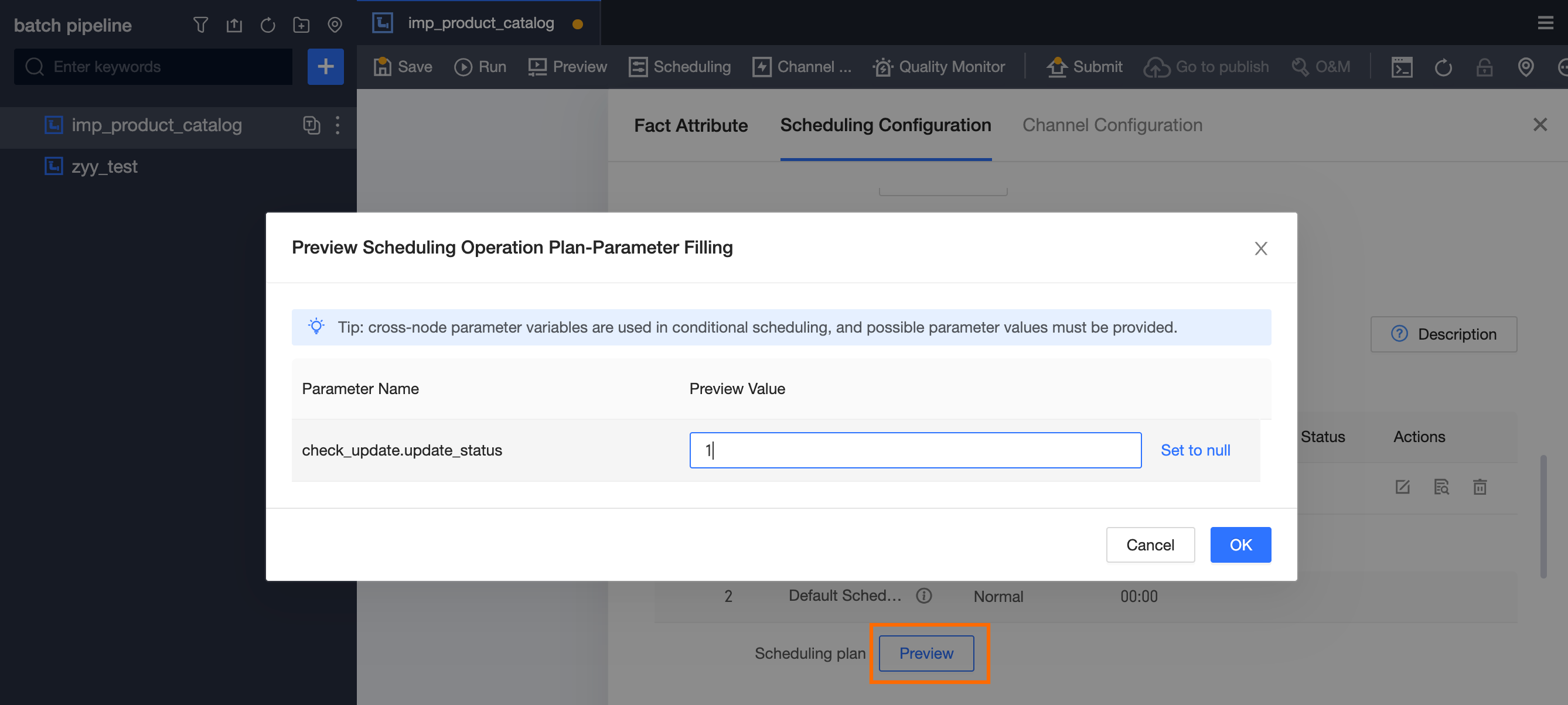
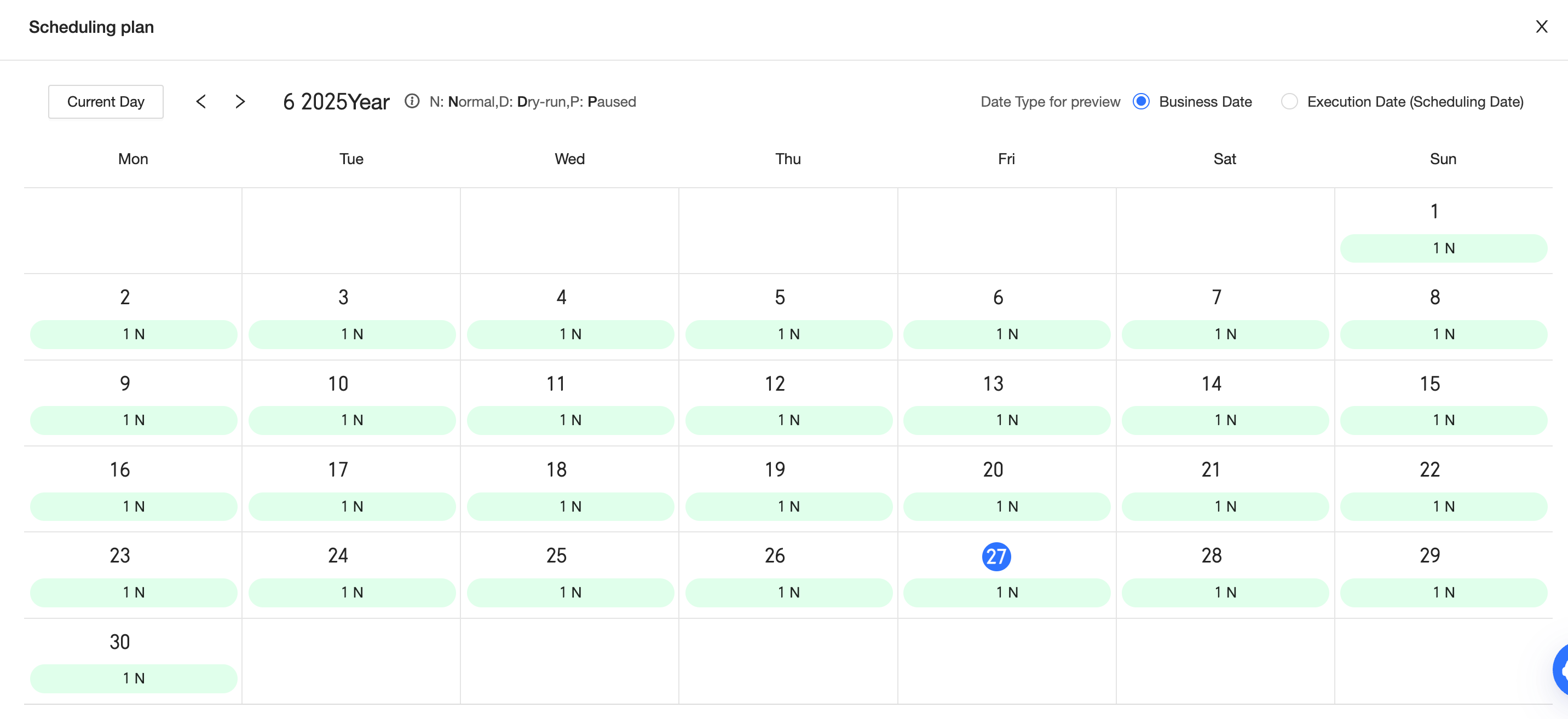
In conditional scheduling, add the condition
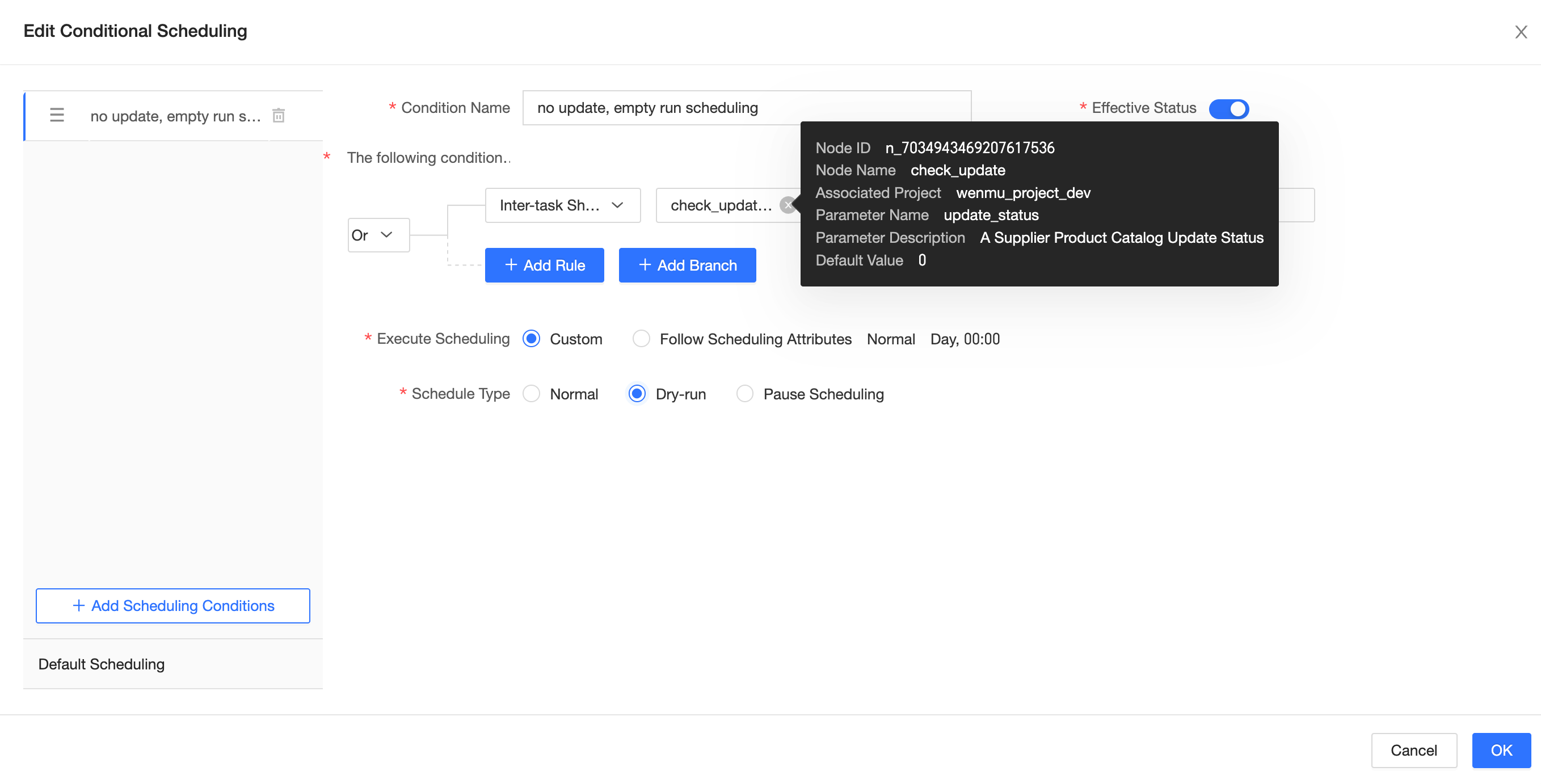
Cross-node parameter-check_update.update_status = 0(no update detected) for dry-run scheduling. If this condition is not met, the default condition applies (normal scheduling).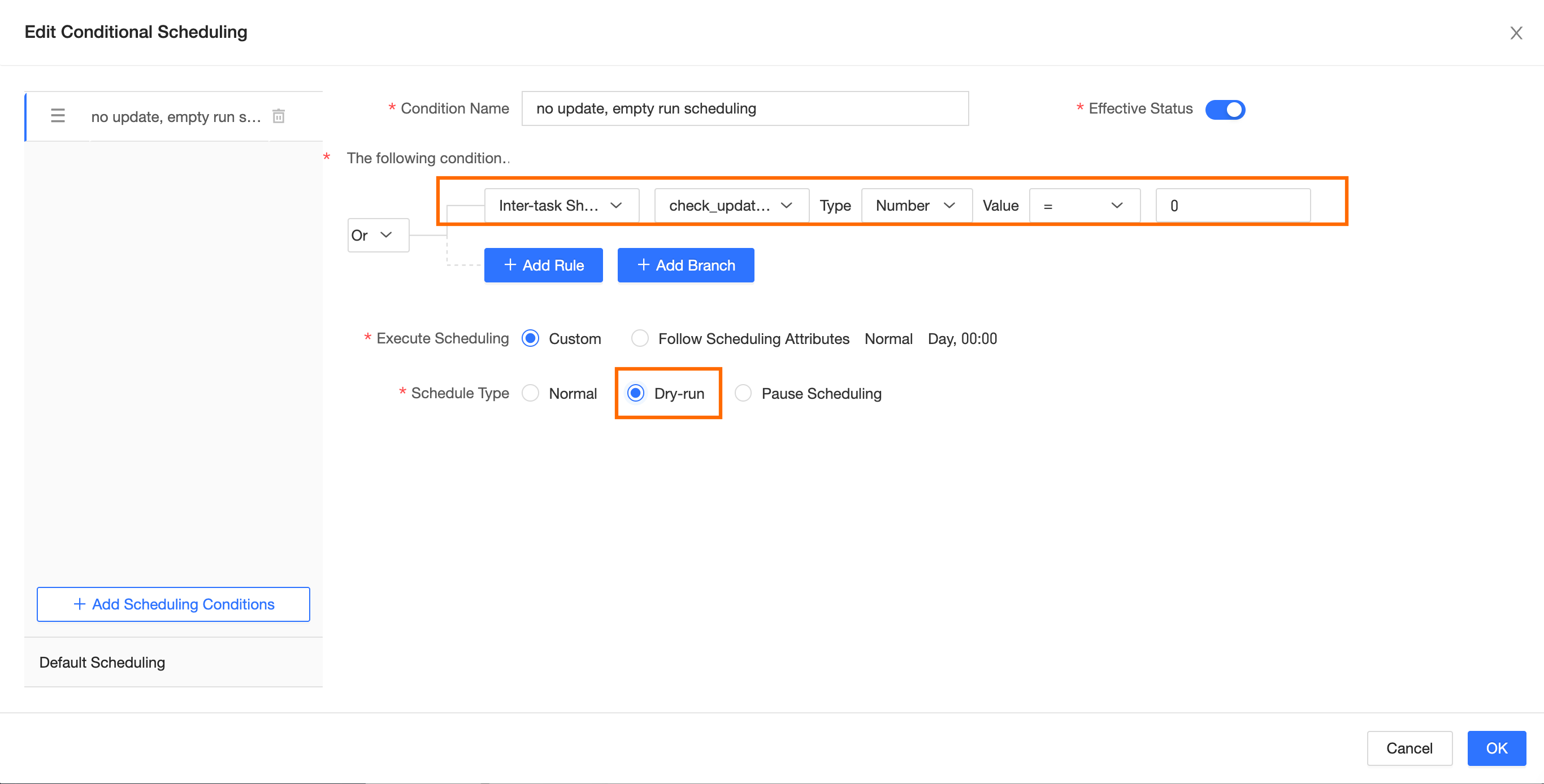
-
Enter different cross-node parameter values to preview the scheduling plan.