This tutorial describes how to migrate data from S3-compatible sources to Alibaba Cloud Object Storage Service (OSS) by using Data Online Migration.
What is Data Online Migration?
The Alibaba Cloud Online Migration Service is a data transport service that helps you migrate data to OSS from third-party sources or between OSS buckets.
To use the Online Migration Service, enter the source and destination addresses in the console to create a migration task. Once the task starts, you can manage it, monitor its progress, and view traffic information from the console.
Specify the source data address and destination OSS address in the Data Online Migration console.
Create a migration task.
Monitor the migration task in the console. Track progress and traffic information as the task runs.
Migration process
The migration process is shown in the following figure: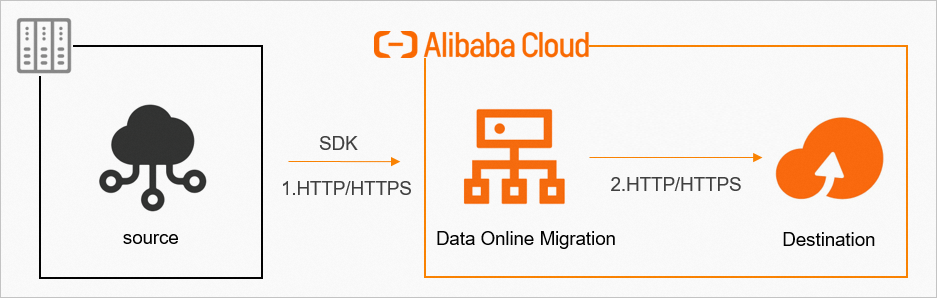
For data security and consistency, we recommend using HTTPS.
After a migration task is complete, you must verify data consistency between the source and destination.
Always verify the destination data after the migration is complete. Deleting source data before verification may result in permanent data loss, for which you are solely responsible.
Workflow for creating a migration task
The workflow for creating a migration task is shown in the following figure: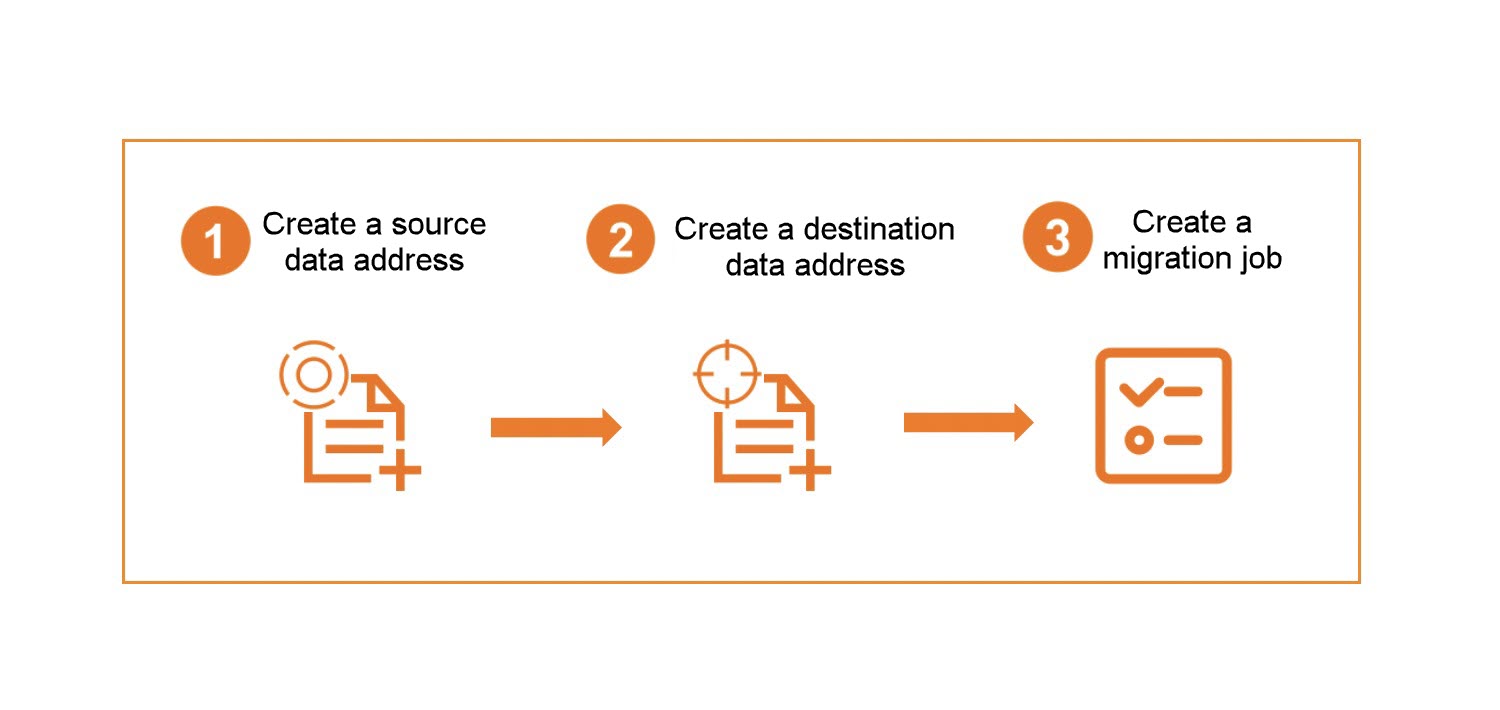
During migration, data is read from the source data address. The source storage provider charges outbound Internet traffic fees for this transfer.
Tutorial steps
This tutorial consists of three parts:
| Step | Description |
|---|---|
| Preparations | Set up accounts, permissions, and the destination bucket before migration. |
| Migration implementation | Create and run the migration task. |
| What to do next | Verify data and complete post-migration steps. |