This tutorial describes how to migrate data from Baidu Object Storage (BOS) to Alibaba Cloud Object Storage Service (OSS).
In addition to the method described in this tutorial, you can also migrate data from BOS to Alibaba Cloud OSS over an Express Connect circuit. For more information, see Overview
Overview
Data Online Migration provides a data transfer channel between storage products. By using Data Online Migration, you can easily migrate third-party data to OSS, or perform flexible data migration between OSS buckets.
To migrate data by using Data Online Migration, you only need to enter the source data address and the destination OSS address in the console and create a migration task. After the migration starts, you can manage the task in the console and view details such as the migration progress and traffic.
Flowcharts
Migration process
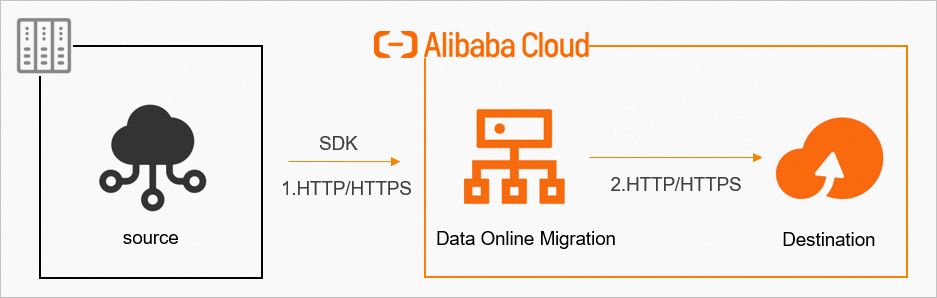
The migration process is shown in the following figure:
-
Use HTTPS to ensure data security and consistency.
-
After a migration task completes, verify data consistency between the source and destination.
You must verify the destination data after the migration task completes. You are solely responsible for any data loss or other consequences that result from deleting source data before confirming the destination data's integrity.
Workflow for creating a migration task
The following figure shows the workflow for creating a migration task: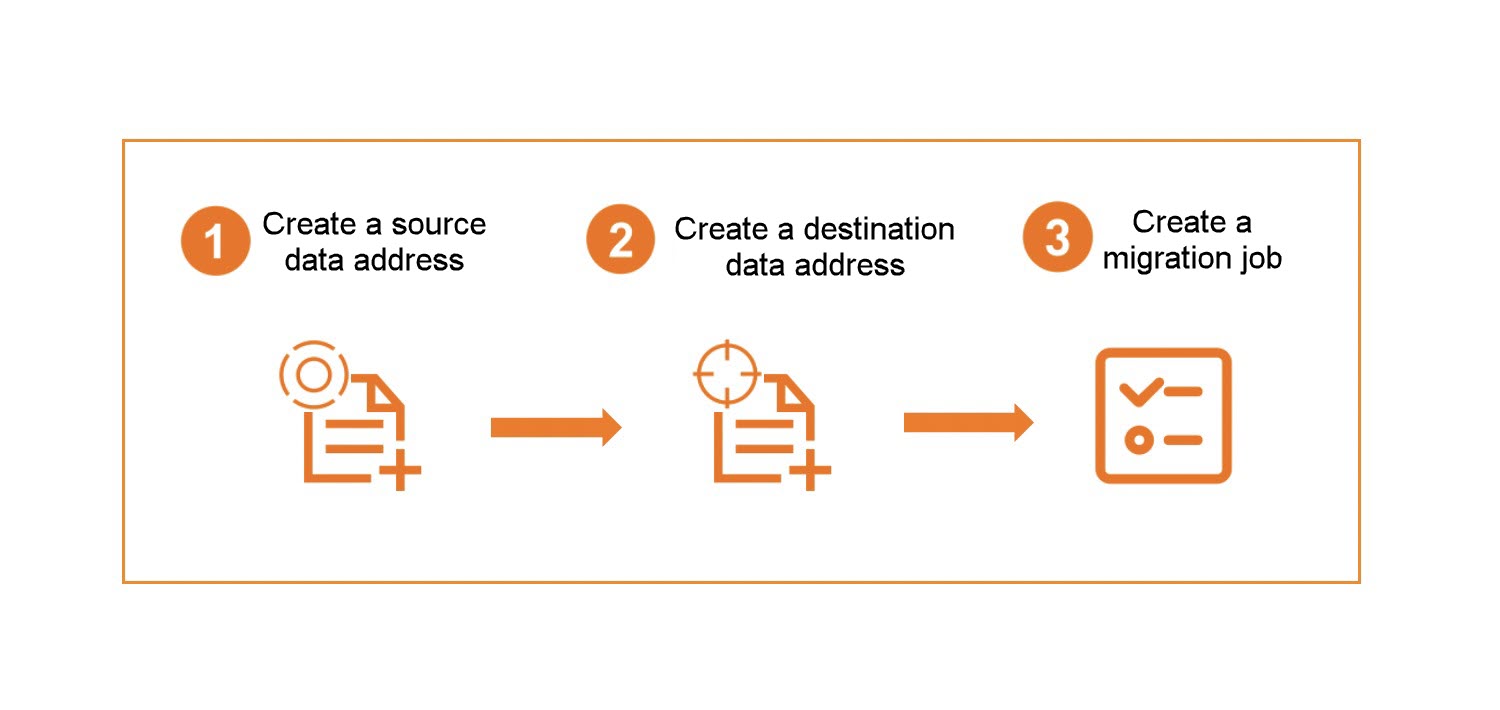
Data is read from the source data address during a migration task. In this case, you are charged for outbound Internet traffic by the storage service provider of the source data address.
References
This tutorial contains the following topics: