Data Online Migration is a data transport service that migrates data to Object Storage Service (OSS) from third-party sources or between OSS buckets. This guide walks you through migrating data from an Amazon Simple Storage Service (Amazon S3) bucket to an OSS bucket over the Internet. To migrate over a dedicated network connection instead, see Migrate data by using agents over Express Connect.
Migration process
The following diagram shows the migration process from Amazon S3 to OSS.
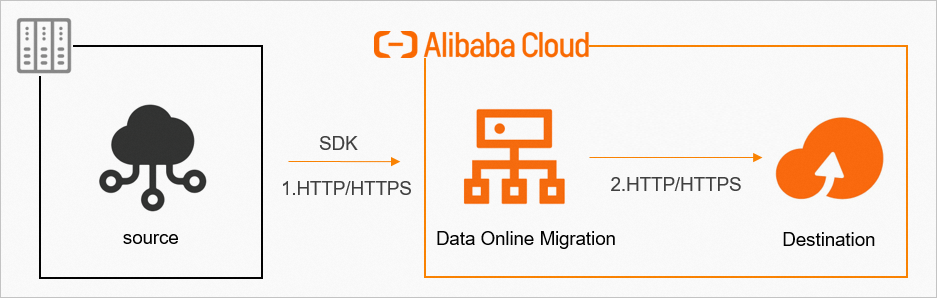
Specify a source data address and a destination in the console.
Create a migration task.
Monitor progress and view traffic information from the console.
Data is transferred over HTTPS to protect integrity. After migration completes, verify data consistency between the source and destination before deleting any source data.
Always verify the destination data after migration completes. Deleting source data before verification may result in permanent data loss. You are solely responsible for any data loss caused by premature deletion.
Create a migration task
The following diagram shows the workflow for creating a migration task.
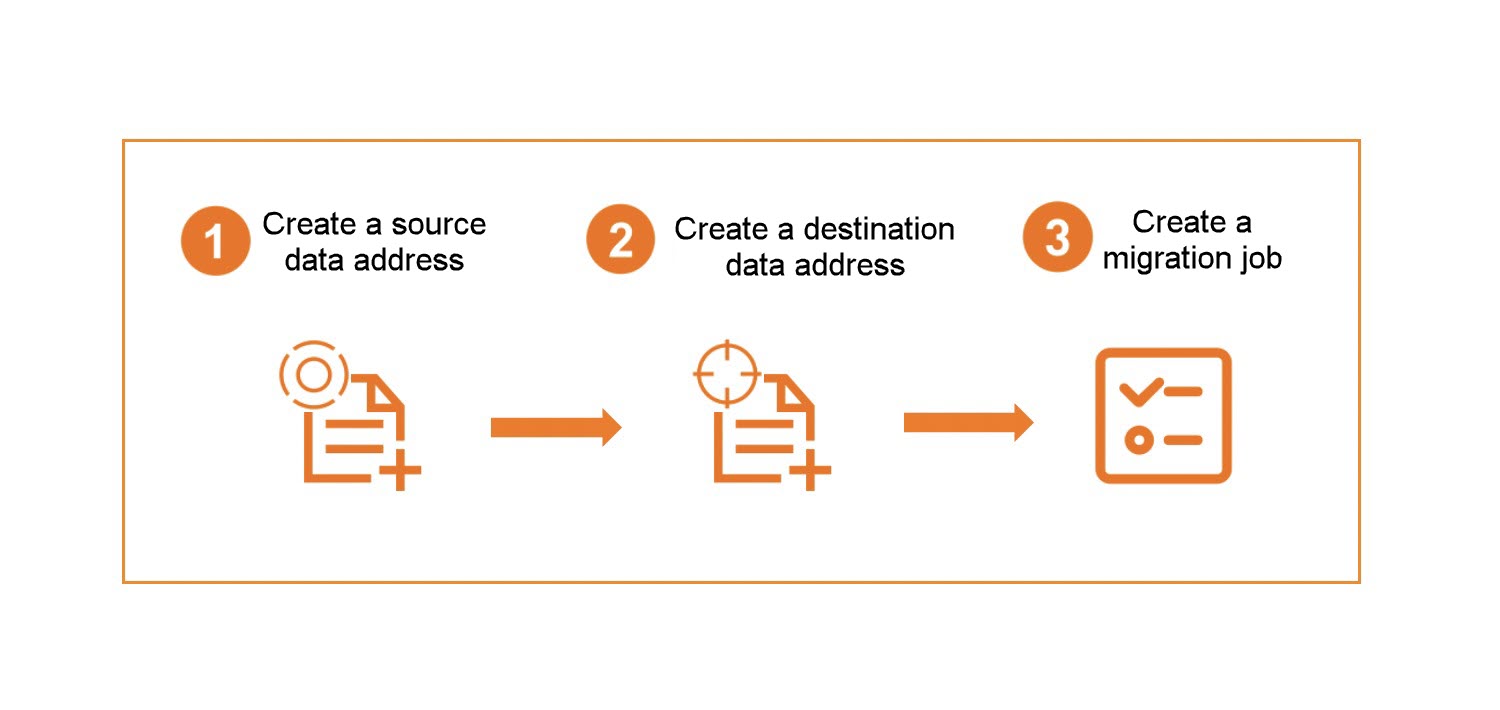
During migration, data is read from the source data address. Amazon S3 charges outbound Internet traffic fees for this transfer. Review your AWS S3 egress pricing before starting the migration to avoid unexpected costs.
Tutorial steps
Complete the following three steps to set up and run your migration.
|
Step |
Section |
Description |
|
1 |
Set up access credentials, create the destination OSS bucket, and configure permissions |
|
|
2 |
Create and run a migration task in the console |
|
|
3 |
View migration reports and logs, and rerun failed tasks |