Data Online Migration transfers data from a Qiniu Cloud Object Storage (KODO) bucket to an Alibaba Cloud Object Storage Service (OSS) bucket over the public internet. This tutorial walks you through the setup, execution, and verification of a migration task.
How the migration works
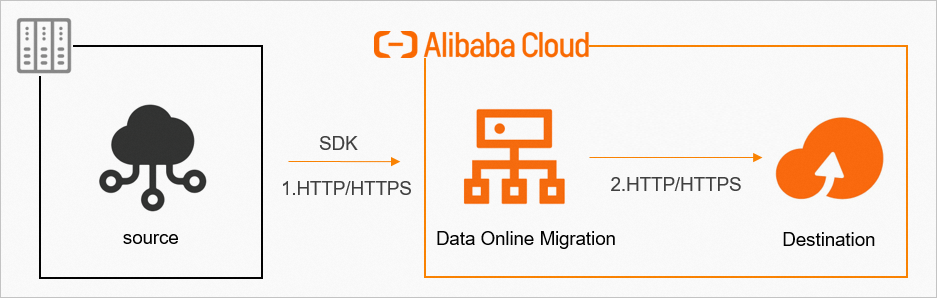
Data Online Migration is a data channel between different storage services of Alibaba Cloud. It moves data from third-party storage providers to OSS, or between OSS buckets. A migration consists of three stages:
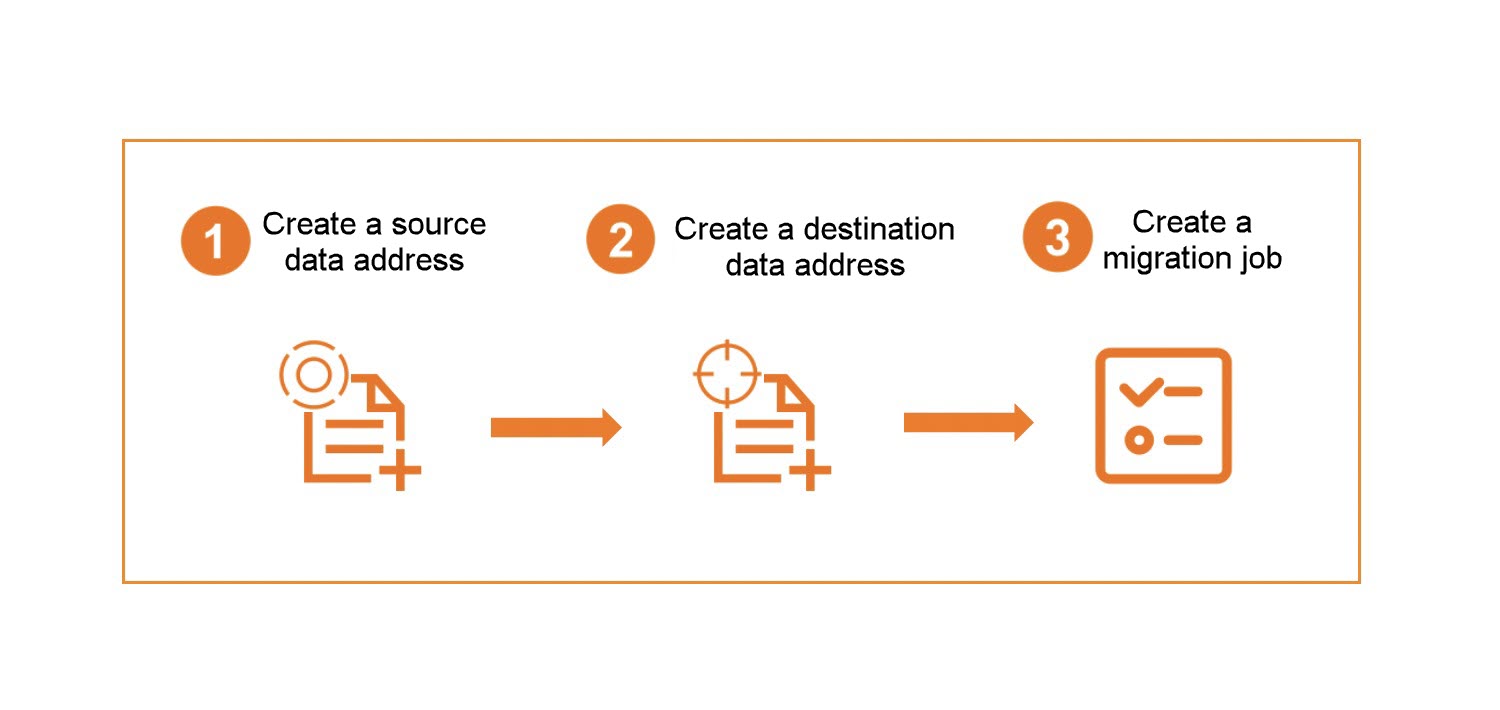
Configure -- Specify the source data address (KODO bucket) and the destination data address (OSS bucket) in the Data Online Migration console.
Transfer -- Create and start a migration task. Data Online Migration reads objects from the source and writes them to the destination over HTTPS.
Verify -- After the task completes, confirm that the data at the destination data address matches the data at the source data address.
After the task starts, you can monitor migration progress and bandwidth usage in the Data Online Migration console.
| Term | Description |
|---|---|
| Source data address | The KODO bucket from which objects are read |
| Destination data address | The OSS bucket to which objects are written |
| Migration task | A transfer job that moves data from a source data address to a destination data address |
Migration process
The following figure shows the end-to-end migration process.
Task creation process
The following figure shows the steps to create a migration task.
Billing
Reading data from the source during a migration task incurs outbound internet traffic charges from the source storage provider (Qiniu Cloud).
Data security and integrity
To ensure data security and consistency, use HTTPS.
After the task completes, verify that the migrated data at the destination is complete and consistent with the source.
Verify the migrated data at the destination before deleting any data at the source data address. If you delete source data before verification, you are liable for any data loss.
Tutorial steps
This tutorial covers the following topics:
Preparations -- Set up access credentials, create the destination OSS bucket, and configure RAM permissions.
Migrate data -- Create and run the migration task.
What to do next -- View migration reports, check migration logs, and rerun failed tasks.
Alternative migration methods
| Method | When to use |
|---|---|
| Migration with agents | Migrate over leased lines instead of the public internet |
| S3 protocol-compatible migration | Migrate using AWS S3 compatible domain names provided by Qiniu Cloud |