Use Data Online Migration to migrate data from Google Cloud Storage to Alibaba Cloud Object Storage Service (OSS).
To migrate data from Google Cloud Storage to Alibaba Cloud OSS over an Express Connect circuit, see Agent-based migration overview.
Overview
Data Online Migration provides a data transfer channel between storage products. By using Data Online Migration, you can easily migrate third-party data to OSS, or perform flexible data migration between OSS buckets.
To migrate data by using Data Online Migration, you only need to enter the source data address and the destination OSS address in the console and create a migration task. After the migration starts, you can manage the task in the console and view details such as the migration progress and traffic.
How it works
Migration process
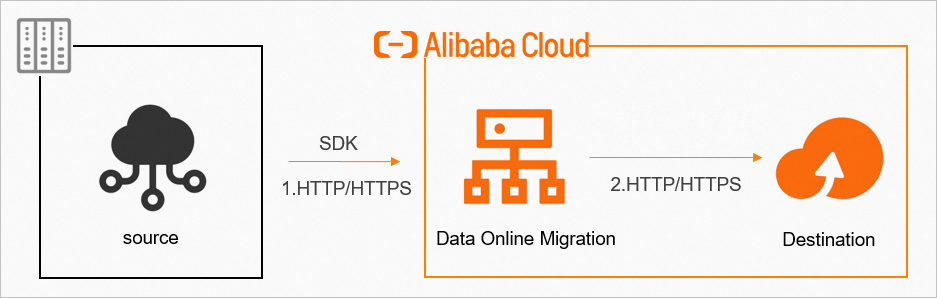
The migration process is shown in the following figure:
-
Use HTTPS to ensure data security and consistency.
-
After a migration task completes, verify data consistency between the source and destination.
You must verify the destination data after the migration task completes. You are solely responsible for any data loss or other consequences that result from deleting source data before confirming the destination data's integrity.
Workflow for creating a migration task
The following figure shows the workflow for creating a migration task: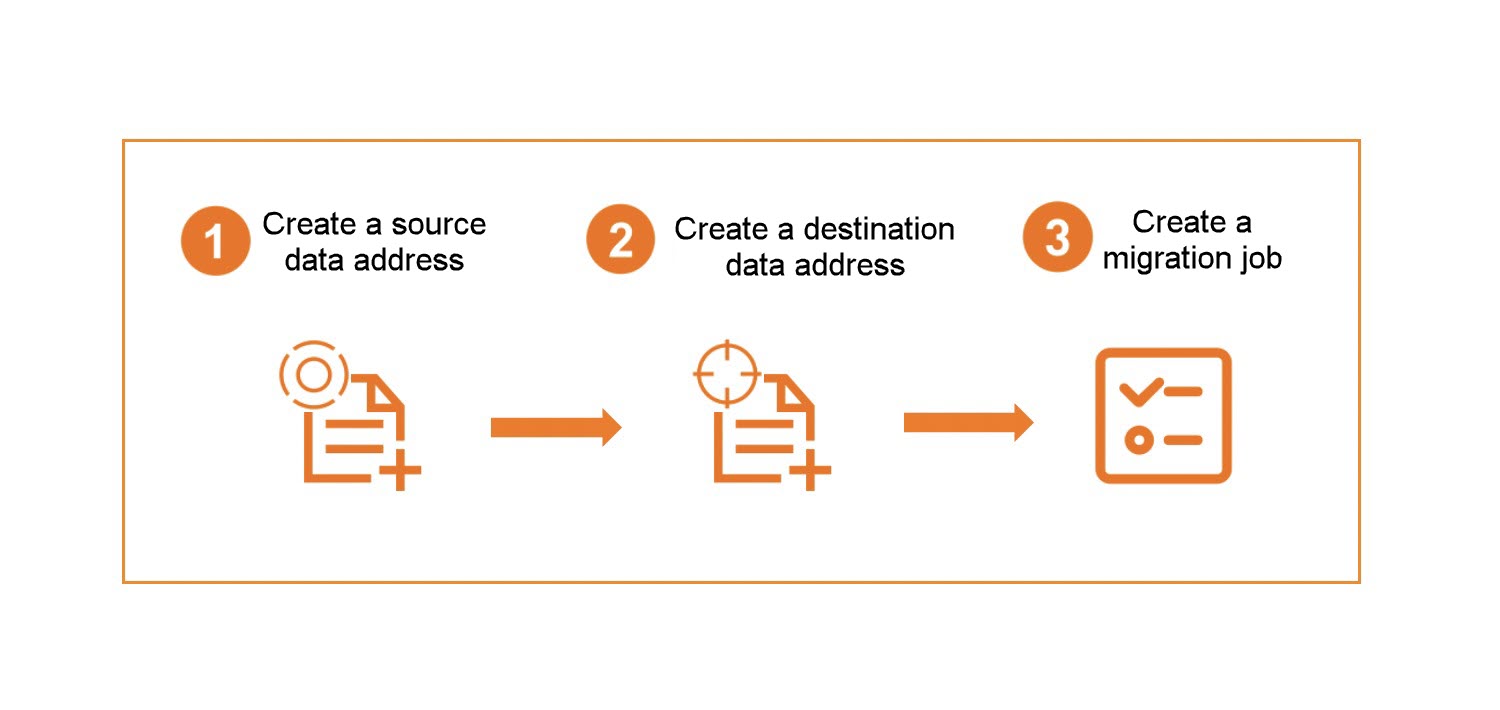
During migration, data is read from the source data address. The source storage provider charges outbound Internet traffic fees for this transfer.
In this tutorial
This tutorial covers: