A workspace is an abstraction layer in Cloud Monitor 2.0 that represents a collection of resources. It provides unified management and data fencing for resources. The region that you select stores the data and configuration information for the workspace. You can use workspaces to create multiple independent resource environments. Each workspace can contain its own set of monitored objects, including Alibaba Cloud services, infrastructure, server-side and frontend applications, and middleware. Resources in each workspace are isolated from one another. This isolation prevents resource contention and improves security.
Prerequisites
Ensure that you have activated the Alibaba Cloud Monitor 2.0 service.
Create a workspace
Log on to the Cloud Monitor 2.0 console.
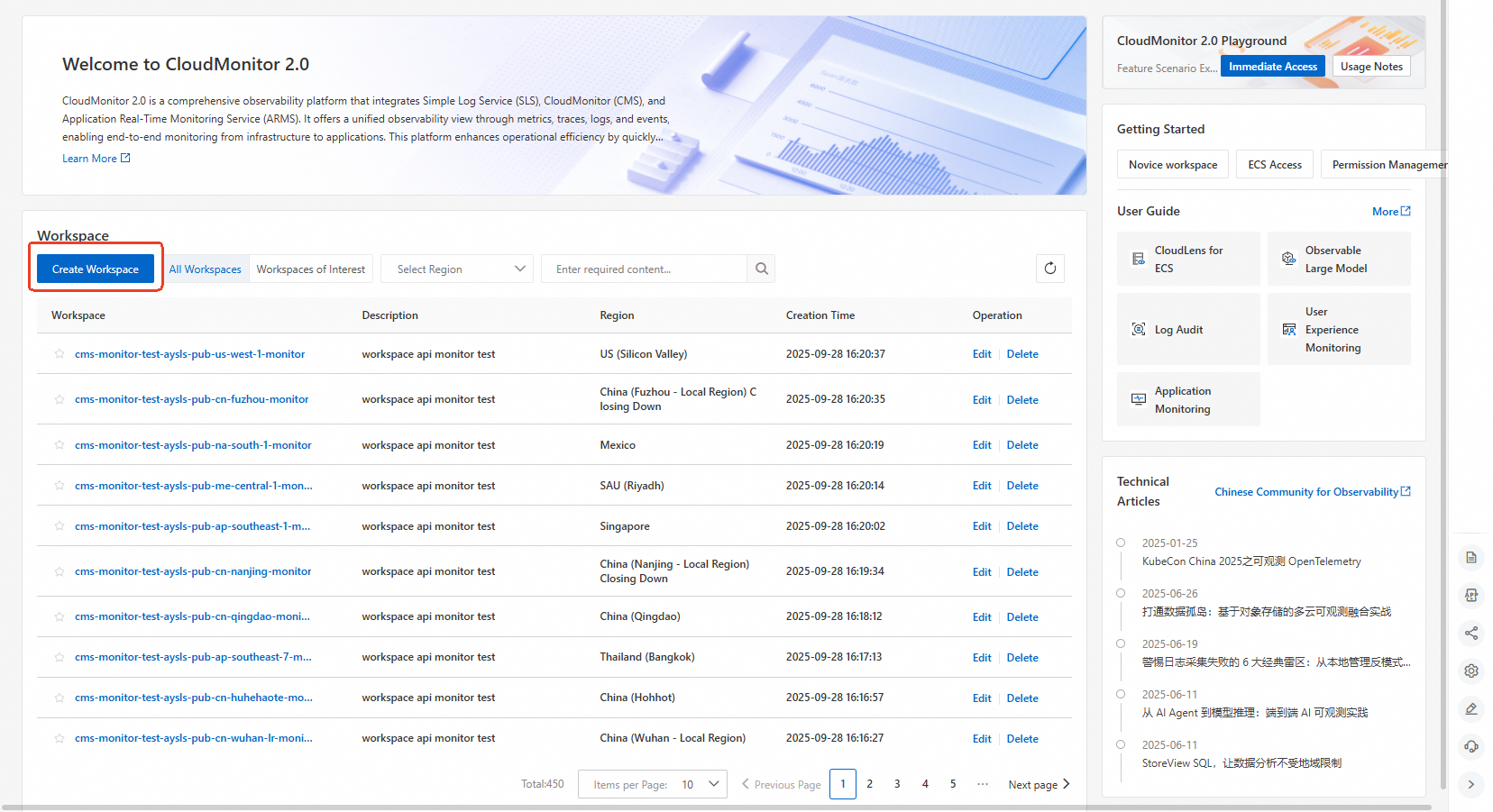
On the Workspace Management page, click Create Workspace.
In the Create Workspace dialog box, configure the following parameters, and then click Save.
Parameter Description Region Select the region where the monitored objects are located. Cross-region access to monitored resources is not supported. The region cannot be changed after the workspace is created. Workspace Name Enter a custom name for the workspace. The name must meet the following requirements: only lowercase letters, numbers, and hyphens (-) are allowed; the name must start and end with a lowercase letter or a digit; the name must be 3 to 63 characters in length. The name cannot be changed after the workspace is created. Workspace Description Optional. Enter a description for the workspace. 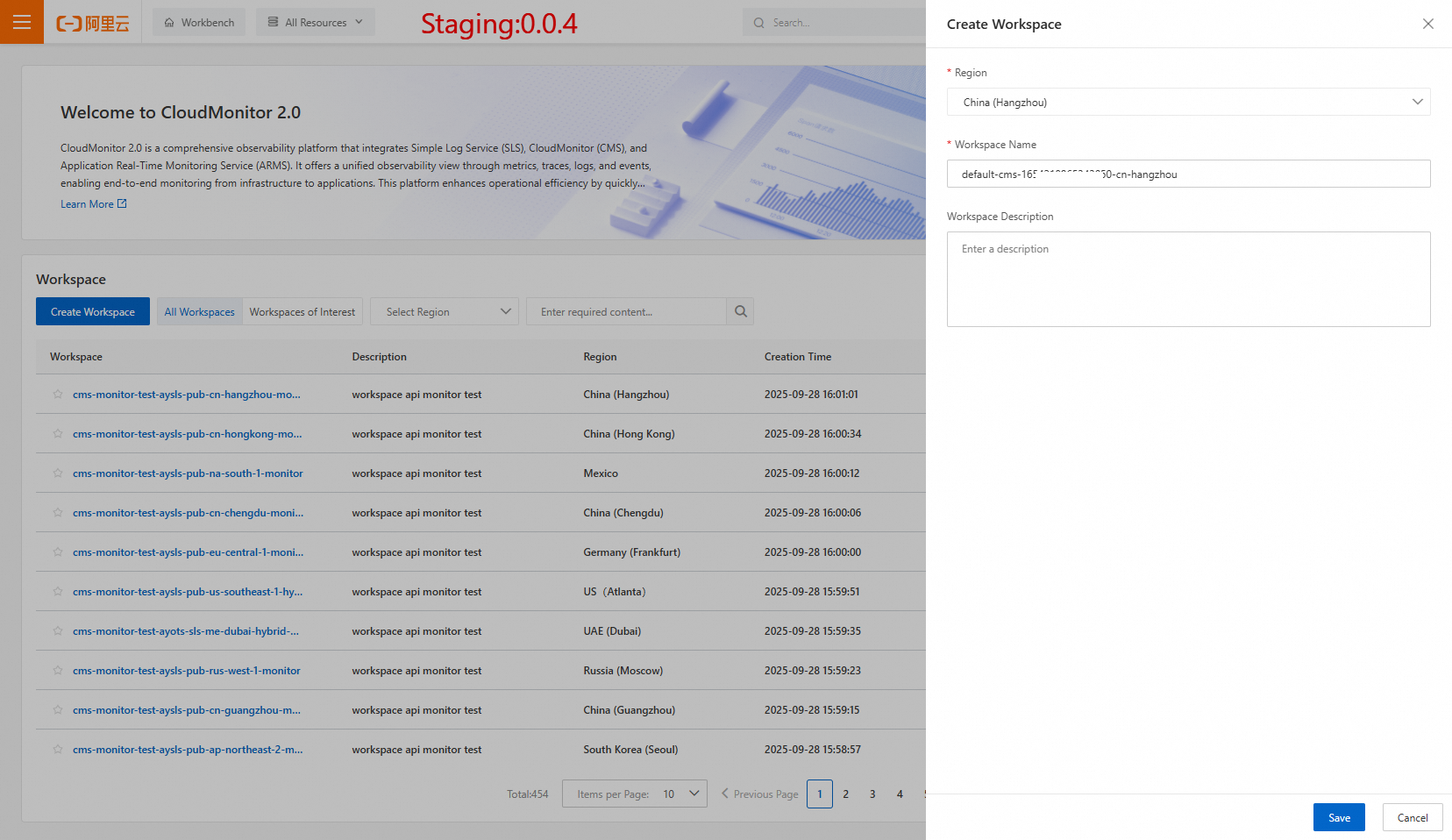
Select the target workspace to open its console.
Query workspaces
On the Workspace Management page, use the following options to find workspaces:
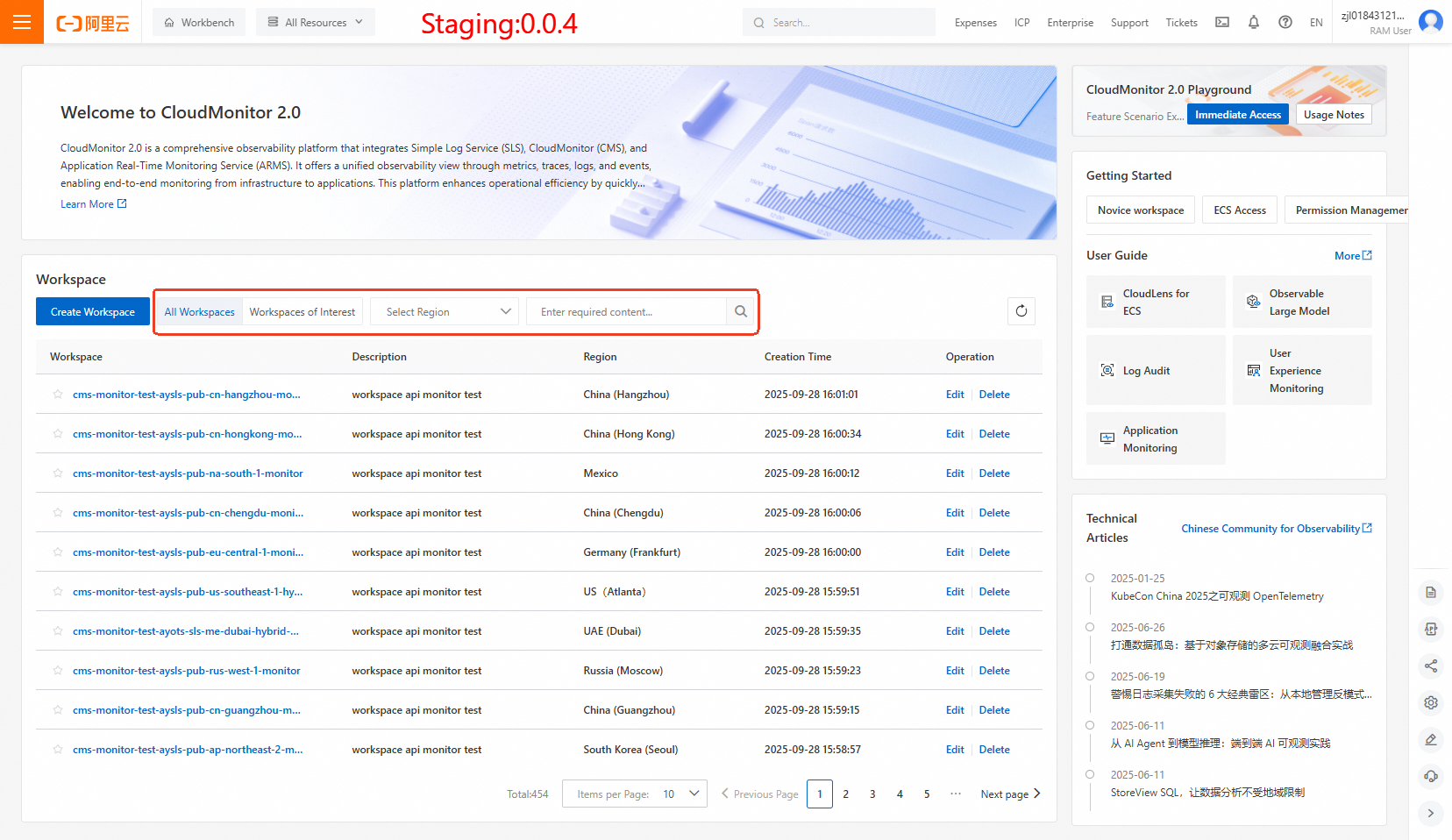
Select All Workspaces or Workspaces of Interest above the list to filter workspaces.
Select a region from the drop-down list to filter by region.
Enter a keyword in the search box to search for a workspace.
Edit or delete a workspace
On the Workspace Management page, find the target workspace and choose an action in the Operation column:
Edit: Modify the workspace description. The workspace name and region cannot be changed after creation.
Delete: Delete the workspace.