Uninstall the Cloud Backup client on Linux or Windows.
Linux
-
Log on to the Linux server.
-
Go to the backup client installation directory.
-
New client default path:/opt/alibabacloud/hbrclient
-
Legacy client default path:/opt/alibabacloud/hbr/
-
-
If a NAS file system is mounted in the installation path, run
umountto unmount it first. This prevents accidental deletion of NAS files. -
If the installation path contains important files or directories, move them elsewhere first.
-
Run
./uninstall.Example:
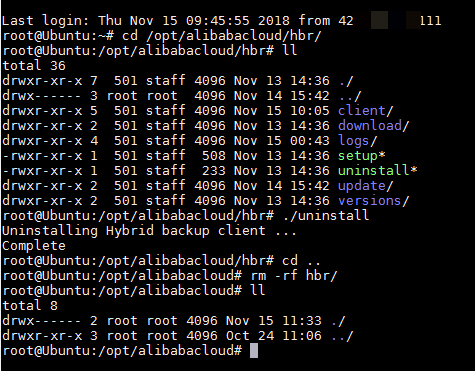
After uninstallation, the Client Status in the Console changes from Activated to Stopped.

Windows
-
Before you uninstall the backup client, the Client Status in the Console is Activated.

-
Log on to the Windows system.
-
In File Explorer, go to the backup client installation directory.
-
New client default path:C:\Program Files\Aliyun Hybrid Backup Service Client
-
Legacy client default path:C:\Program Files\Aliyun Hybrid Backup Service
-
-
If a NAS file system is mapped as a network drive in the installation path, disconnect it.
-
If the installation path contains important files or directories, move them elsewhere.
-
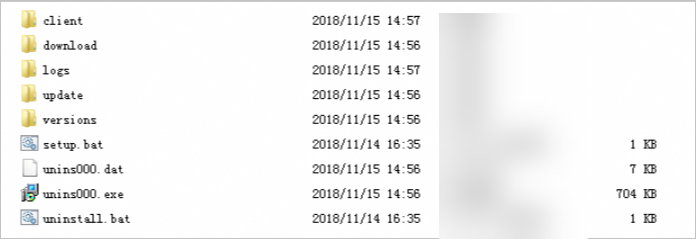
Double-click the uninstaller, unins000.exe.
-
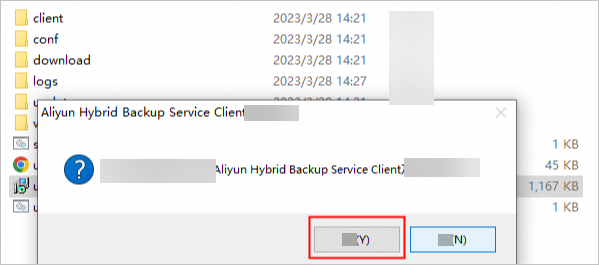
In the uninstallation wizard, click Yes.
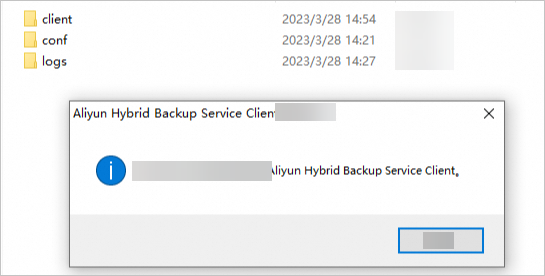
The following window confirms successful uninstallation.
After uninstallation, the Client Status in the Console changes from Activated to Stopped.