If a WhatsApp Business API (WABA) account is blocked for policy violations, it can disrupt your messaging services. This guide covers the account warm-up process, reasons for blocks, the official appeals process, and account recovery steps.
For global businesses, having a WhatsApp Business Account (WABA) blocked is a major disruption. It not only halts ongoing marketing campaigns but can also lead to the loss of valuable customer assets.
This guide explains how to warm up an account, why API accounts get blocked, and how to file an appeal.
Account fundamentals
Before you start sending messages, you must set up your account structure and obtain the necessary permissions.
Account hierarchy
The core process for sending a message is as follows:
-
Create a personal Facebook account: This is the entry point for administrators.
-
Register a Business Manager (BM): This is your company's central management hub and requires Business Verification (BV).
-
Create a WhatsApp Business Account (WABA): This account is dedicated to your WhatsApp business activities.
-
Add a phone number: This number is linked to your WABA and is used to send messages to customers.
-
Create a message template: A pre-approved template required for initiating conversations with customers.

Business verification (BV)
Business Verification unlocks full account capabilities, moving your account beyond its initial trial-like state.
Required documents
-
Business license
-
Utility bills, invoices, or similar documents
-
Phone number and email address
-
Official website
Benefits of verification
|
Benefit |
Unverified |
Verified |
|
Messaging limit |
Initiate conversations with up to 250 unique customers in a rolling 24-hour period. |
Initiate conversations with up to 1,000 unique customers in a rolling 24-hour period, with the ability to increase through automatic scaling. |
|
Customer-initiated replies |
Unlimited replies to customer-initiated conversations. |
Unlimited replies to customer-initiated conversations. |
|
Number of phone numbers |
Register up to 2 phone numbers. |
Register up to 20 phone numbers; more require a special request. |
|
Other benefits |
None |
Display your company name in chats (subject to review); eligibility to apply for an Official Business Account (OBA), which includes a Green Badge. |
A Business Manager (BM) can have a maximum of 20 phone numbers. A special request is required to exceed this limit.
Reference: Scale Your WhatsApp Business Account.
Account warm-up and limit increases
The goal of an account warm-up is to increase your messaging limit—the number of unique users you can contact daily. Meta uses an automatic upgrade system to manage this.
Messaging limit tiers
The messaging limit is associated with your Business Manager (BM) and unlocks progressively as your reputation grows:
-
Tier 1: 1,000 unique customers/day (Initial tier)
-
Tier 2: 10,000 unique customers/day
-
Tier 3: 100,000 unique customers/day
-
Tier 4: Unlimited (Highest tier)
-
Tier 5: Unlimited (Highest tier)
Automatic upgrade rules
Your messaging tier is automatically upgraded within 24 hours of meeting the following quality and quantity criteria:
-
Quality requirement: The quality rating of your phone number remains Medium or High.
-
Quantity requirement: The number of unique customers you have initiated conversations with in the last 7 days is at least half of your current tier's limit.
For example, if your current messaging limit is 1,000, the system will upgrade you to the 10,000 tier after you send messages to over 500 unique users within one week while maintaining a High or Medium quality rating.
Throughput increase
Throughput is the total number of messages that can be sent and received per second.
-
Default: 80 mps (messages per second).
-
Conditions to increase to 1,000 mps:
-
Your messaging limit has reached the Unlimited tier.
-
Your phone number quality rating is Medium or High.
-
You have initiated conversations with 100,000+ unique users in a continuous 24-hour period.
-
Quality rating system
Meta monitors your account's health through quality ratings for both your phone number and your message templates.
Phone number quality rating
This rating is based on user feedback from the past 7 days, with recent feedback weighted more heavily.
-
Ratings: High, Medium, and Low.
-
Warning statuses and consequences:
-
Flagged: A warning state triggered when the quality rating drops. If quality does not improve within 7 days, your messaging limit will be downgraded to the next lowest tier.
-
Restricted: A severe state that occurs when your quality rating remains Low. In this state, you cannot initiate new conversations and can only reply to customer-initiated conversations.
-
For more details, see About Your WhatsApp Business phone number's quality rating.
Template quality rating and status
Template quality ratings
WhatsApp monitors template usage and assigns a quality rating based on user feedback.
-
GREEN— Indicates a high-quality template that has received little to no negative feedback from WhatsApp users. You can send this template. -
YELLOW— Indicates medium quality. The template has received negative feedback from multiple WhatsApp users or has a low read rate, and may soon be paused or disabled. Message templates in this state can still be sent. -
RED— Indicates low quality. The template has received negative feedback from multiple WhatsApp users or has a low read rate. This template can be sent, but it is at risk of being paused or disabled soon. -
UNKNOWN— The quality score is yet to be confirmed because WhatsApp user feedback or read rate data has not yet been received. You can send this template.
Template lifecycle status
This shows the current status of a template based on user feedback within a rolling 24-hour window.
|
Template status |
Quality rating |
Description |
|
In Review |
- |
The template is under review, which can take up to 24 hours. |
|
Rejected |
- |
The template was rejected for violating one or more policies. |
|
Active |
Pending |
The template has not yet received quality feedback. It can be sent to customers. |
|
Active |
High |
The template has received little to no negative feedback. It can be sent to customers. |
|
Active |
Medium |
The template has received negative feedback and may soon be paused. It can still be sent to customers. |
|
Active |
Low |
The template has received negative feedback. It can be sent but may soon be paused. We recommend addressing the issues that led to the feedback. |
|
Paused |
- |
The template is paused due to repeated negative feedback. Paused templates cannot be sent. See the Template Pausing section.
|
|
Disabled |
- |
The template is disabled due to repeated negative feedback. Disabled templates cannot be sent. |
|
Appeal Requested |
- |
An appeal has been requested for a rejected or paused template. |
Template categories and management
Template categories
-
Marketing templates: For promotional offers, announcements, or other messages to increase awareness and engagement.
-
Utility templates: For messages related to a specific, agreed-upon transaction, such as confirmations, updates, or post-purchase notifications.
-
Authentication templates: For messages with one-time passcodes for account verification or security.
-
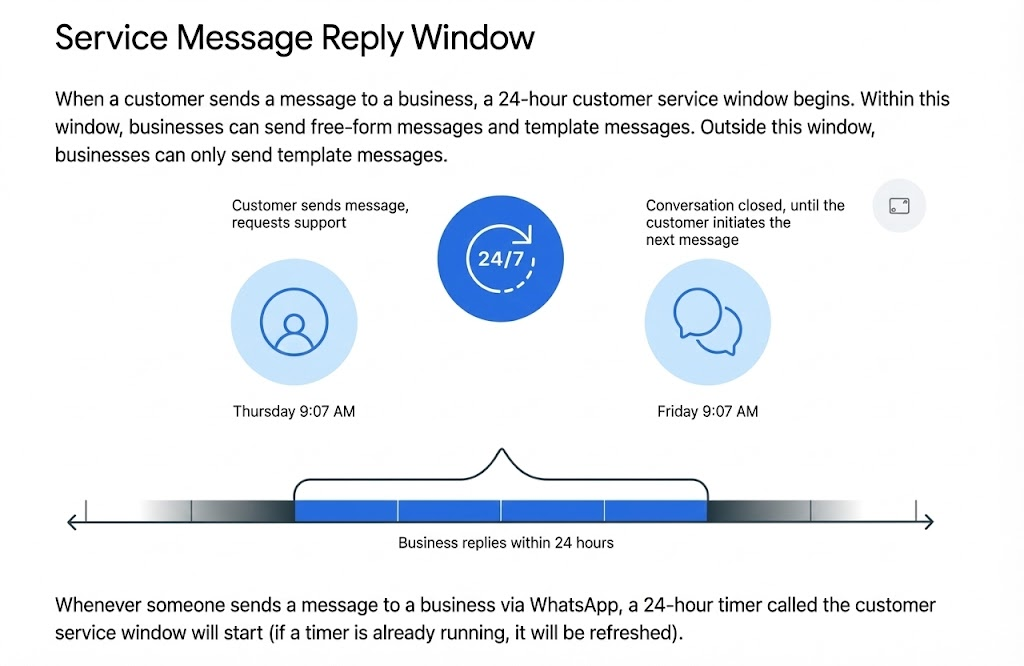
Service conversations: All user-initiated conversations are considered service conversations. A 24-hour customer service window is opened upon a user-initiated message, during which you can reply with free-form messages.
Template management and enforcement
Each language version of a template is treated as a separate template and must be submitted for review.
-
Approval process: During the review, Meta may re-categorize a template. For example, a template submitted as a utility template may be approved as a marketing template.
-
Automated re-categorization: After July 1, 2024, Meta introduced an automated process to re-categorize approved templates that do not comply with category guidelines, such as when a template was:
-
Approved as a utility template, but should be a marketing template.
-
Approved as a marketing or utility template, but should be an authentication template.
-
Notification methods:
A notification is sent 24 hours in advance.
-
Email: Sent to any user with "Full control" of the WABA, with a link to the WhatsApp Manager.
-
Webhook: A JSON object is pushed with the current and new categories.
-
WhatsApp Manager: A notification includes a link to a downloadable CSV file identifying the re-categorized templates.
Message quality
Message quality is reflected in the phone number quality rating.
Message quality is determined by user feedback signals from the past 7 days, weighted by recency. These signals include blocks, reports, and the reasons users provide when blocking your number.
Guidelines for sending high-quality messages:
-
Ensure your messages follow the WhatsApp Business Policy.
-
Send messages only to users who have opted in to receive them.
-
Make messages highly personalized and useful.
-
Avoid sending open-ended welcome or introductory messages.
-
Be mindful of messaging frequency.
-
Optimize message content and length.
In WhatsApp Manager, the Phone Numbers tab displays your phone number's quality rating (e.g., High) and status (e.g., Connected).
In the left navigation of WhatsApp Manager, select Messaging limits to view your current limits. Limits are divided into five tiers: 250, 1,000, 10,000, 100,000, and Unlimited business-initiated conversations in a rolling 24-hour period. To increase your limit, you must first complete Business Verification. After verification, your limit increases automatically when you meet the quality and quantity requirements described in the "Automatic upgrade rules" section.
Reasons for WABA suspension
It is crucial to understand the common reasons for account blocks. Meta strictly manages WABAs, and the following actions can trigger automated or manual reviews and blocks:
-
Violating the WhatsApp Business Policy: Sending spam, clickbait, or prohibited content.
-
Violating message template rules: Using unapproved templates or including promotional content in non-promotional templates.
-
High block rate: A high number of users block or report your number.
-
Ignoring the 24-hour window: Initiating a business-initiated conversation with a user more than 24 hours after their last message.
-
Inaccurate account information: Such as a mismatched business license or incorrect business category.
Frequently changing Business Manager or associating multiple non-compliant accounts.
Responding to a WABA suspension
If your account is restricted or disabled, follow these steps to submit an appeal:
Step 1: Confirm account status
Go to your Business Manager (BM) and check the Account Quality page to see the specific reason for the block and the policy violation. Common statuses include:
-
Restricted
-
Disabled
-
Permanently Disabled
Different statuses may require different appeal paths.
Step 2: Submit an appeal
Prioritize submitting an appeal before attempting to register a new account:
-
Prepare materials: Have your company's business license, official website URL, and an explanation of your recent messaging campaigns ready.
-
Write the appeal: State that you have reviewed your practices and commit to adhering to the WhatsApp Business Policy going forward.
-
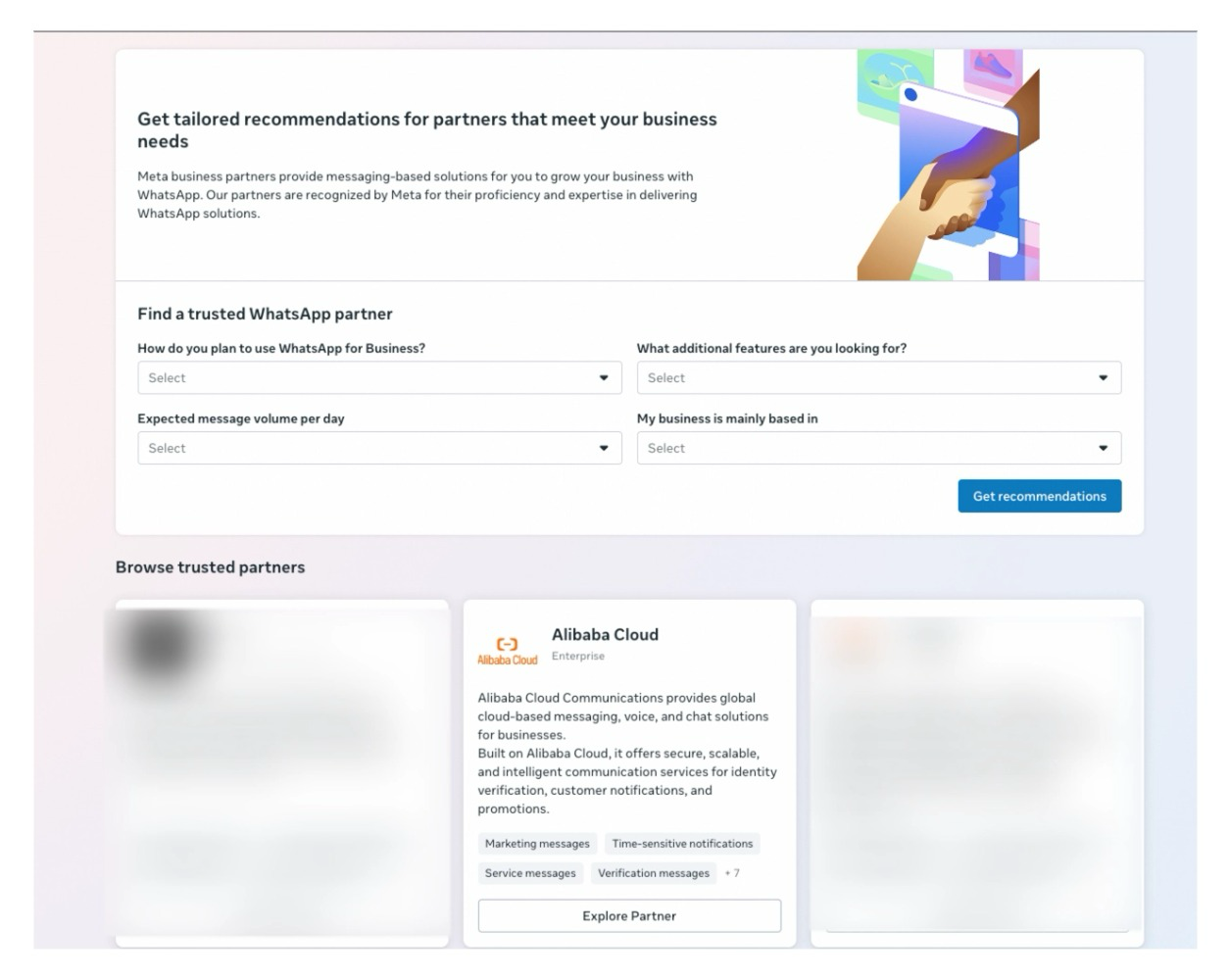
Seek help from your BSP: If you are connected through an official Business Solution Provider (BSP) like Alibaba Cloud, contacting your account manager for assistance with the appeal often leads to a higher success rate than appealing on your own.
Preventing future suspensions
Unblocking your account is a temporary fix; prevention is key to long-term success.
Optimize quality rating
Meta rates your phone number based on user feedback.
-
Maintain a High rating: Ensure your messages are useful, such as order notifications or valuable offers.
-
Provide an opt-out mechanism: Include clear instructions, such as "Reply STOP to unsubscribe," to allow users to opt out instead of reporting your number.
Follow tiered messaging limits
Do not attempt to send a high volume of messages from a new account.
-
Use an account warm-up strategy: WABA has messaging limit tiers (1,000, 10,000, 100,000, and Unlimited). The system automatically increases your tier based on sending volume and quality rating. Start by sending high-quality messages to your most engaged customers.
Use official verification
-
Complete Business Verification: Verify your business in your Business Manager (BM) account.
-
Obtain an Official Business Account (OBA): An OBA with a Green Badge can significantly increase user trust and reduce block rates.
Choose a reliable BSP
Unofficial channels, such as plugins or cracked APIs, are a primary cause of account suspensions. Using the official WhatsApp Business API is the only communication method supported and protected by Meta.
Alibaba Cloud is a Meta-recognized WhatsApp Business Solution Provider (BSP) and is scheduled for an upgrade to the top-tier Premier partner status in 2025.
In the competitive landscape of global customer engagement, compliance is key. The best approach to resolving WABA suspensions is not to seek workarounds, but to return to a fundamental business principle: send valuable messages to the right users at the right time.