Learn the key WhatsApp Business Platform concepts for Chat App Message Service. This is original content from Alibaba Cloud. All intellectual property rights are reserved. Third-party company or product names are mentioned to describe how Alibaba Cloud services interact with them.
With over 3 billion users worldwide, WhatsApp has grown beyond personal messaging into a vital platform for customer service, cross-border promotion, and direct-to-customer marketing.
Businesses often ask: "Should I use the free WhatsApp Business App, or do I need the WhatsApp Business API?"
Choosing the wrong account type can lead to operational bottlenecks, data loss, or even account suspension.
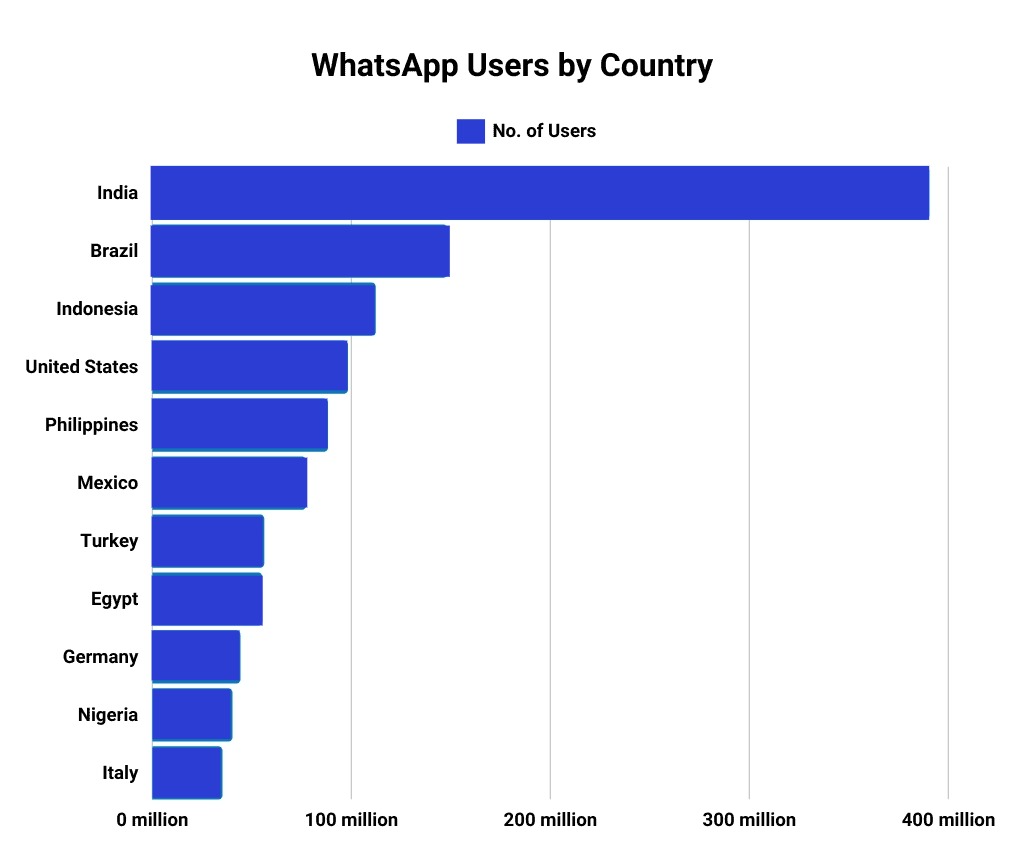
The following sections explain WhatsApp service architecture, account types, and feature boundaries.
WhatsApp Messenger (Personal)
The standard version most people use daily, commonly known as "WhatsApp."
-
Purpose: A free instant messaging application for personal use.
-
Limitations:
-
Does not support business features such as auto-replies, customer labels, or statistics.
-
Cannot integrate with CRM or marketing systems.
-
Strictly prohibited for mass commercial promotion. Violations may lead to account suspension.
-
Best for: Personal communication and family groups.
WhatsApp Business App (SMB solution)
A free standalone app for small and medium-sized businesses, available on Google Play and Apple App Store.
-
Purpose: Helps small local businesses — cafes, salons, retail stores — serve customers more professionally.
-
Requirements:
-
Requires a phone number that has not been previously registered with WhatsApp. It cannot be the same number as a personal account.
-
Only one Business account can be active on a single phone.
-
Best for: Sole proprietors, micro-businesses, and local service providers with fewer than 100 customer inquiries per day.
WhatsApp Business API (Enterprise solution)
WhatsApp Business API is a set of enterprise-grade interfaces from Meta that let businesses programmatically engage in two-way conversations with WhatsApp users.
-
Purpose: The technical access layer that enables WABA automation, integration, and scalability.
-
Key features:
-
Supports sending and receiving messages using RESTful APIs or webhooks.
-
Integrates with CRM, ERP, customer support, and e-commerce platforms.
-
Supports message templates, conversation management, rich media, and contact labeling.
-
Access must be requested through a Meta-certified Business Solution Provider (BSP), such as Alibaba Cloud, and cannot be registered directly.
-
-
Relationship with WABA:
-
WABA is the account — the business's official identity on WhatsApp.
-
Business API is the channel — the technical means to operate that account.
-
A single WABA can be accessed by multiple systems or customer service teams simultaneously via the API.
-
WhatsApp Business Account (WABA)
The official solution for medium to large enterprises, accessible through Meta or a certified BSP such as Alibaba Cloud.
-
Purpose: An enterprise-grade communication platform that supports high concurrency, automation, and system integration.
-
Core capabilities:
-
Multi-user collaboration: Allows multiple customer service agents to handle conversations simultaneously.
-
Deep integration: Connects with CRM, ERP, e-commerce platforms, and customer service systems such as Zendesk and Salesforce.
-
Template messages: Sends notifications, such as order confirmations and logistics updates, outside the 24-hour customer service window using pre-approved templates.
-
Advanced analytics: Provides dashboards for metrics such as delivery rates, response times, and session volumes.
-
Global number support: Supports virtual or local phone numbers.
-
-
Cost structure:
-
Charges are based on the number of messages or sessions. Rates vary by country/region.
-
Requires completing Meta Business Verification to gain full access.
-
Best for: Businesses that require scalable and automated customer service, such as e-commerce companies, banks, airlines, and educational institutions.
Differences between WABA and WhatsApp Business App
|
Item |
How to Use |
Number of accounts |
Team collaboration |
Verification |
Scale |
|
WhatsApp Business App |
Directly on a mobile app. |
1 phone number = 1 account. |
Does not support simultaneous multi-user login. |
Verification takes longer and requires a paid Meta Verified subscription. Businesses can apply independently. |
Small and micro-businesses. |
|
WABA |
Managed indirectly via an API or a BSP's platform. |
1 WABA can manage multiple numbers. |
Supports multiple agents and system integrations. |
Businesses apply for Meta Verified for free by providing official documents. |
Medium to large enterprises and platform-level applications. |
WhatsApp BSP
A WhatsApp Business Solution Provider (BSP) is a Meta-authorized partner that bridges businesses and the WhatsApp Business API. Meta typically does not grant businesses direct, low-level API access, so BSPs handle the technical and compliance challenges of integration, management, and scaling.
|
Feature |
WhatsApp Business API via BSP |
Unofficial bulk sending tools |
|
Meta authorization |
Officially authorized by Meta, ensuring security and compliance. |
Unauthorized or gray-market tools. |
|
Risk of account suspension |
Low (protected by a quality rating system). |
Extremely high (risk of permanent ban at any time). |
|
OBA verification |
Supports applying for verification to display a brand name and a verified badge. |
Displays the phone number only. |
|
Message Volume |
Unlimited (scales with messaging tiers). |
Limited by physical devices and the constant risk of being banned. |
|
Interactive features |
Rich features, including buttons, lists, shopping carts, and flows. |
Mostly limited to plain text and images. |
Alibaba Cloud is a certified Premiere BSP (the highest tier), with superior technical capabilities and service guarantees.
Business Manager
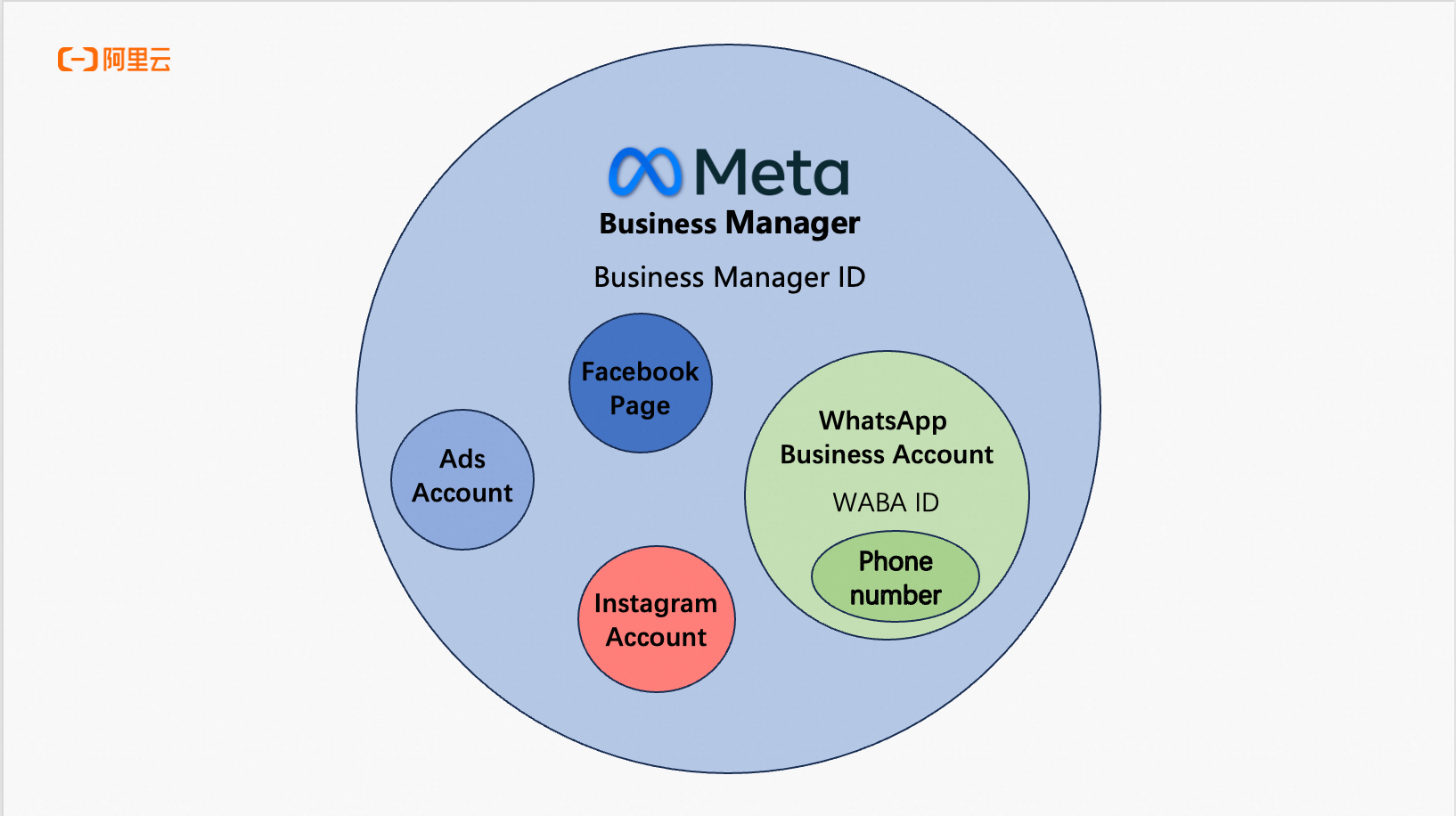
Business Manager (BM) is Meta's centralized platform for managing business assets — ad accounts, Facebook Pages, Instagram accounts, pixels, and WhatsApp business assets — in one place.
Why is it important?
-
A WABA must be linked to a Business Manager account: Businesses cannot create or manage a WABA directly from a personal Facebook profile.
-
Granular permission control: Assign roles (Admin, Advertiser, Analyst) to team members for access control.
-
Asset isolation: Retains control of ad accounts and WhatsApp numbers when employees leave.
-
Compliance prerequisite: A verified Business Manager account is required to apply for Meta Verified or use the WhatsApp Cloud API.
Think of it this way: Business Manager is your digital headquarters in the Meta ecosystem, with WhatsApp business features as sub-modules.
Meta Verified
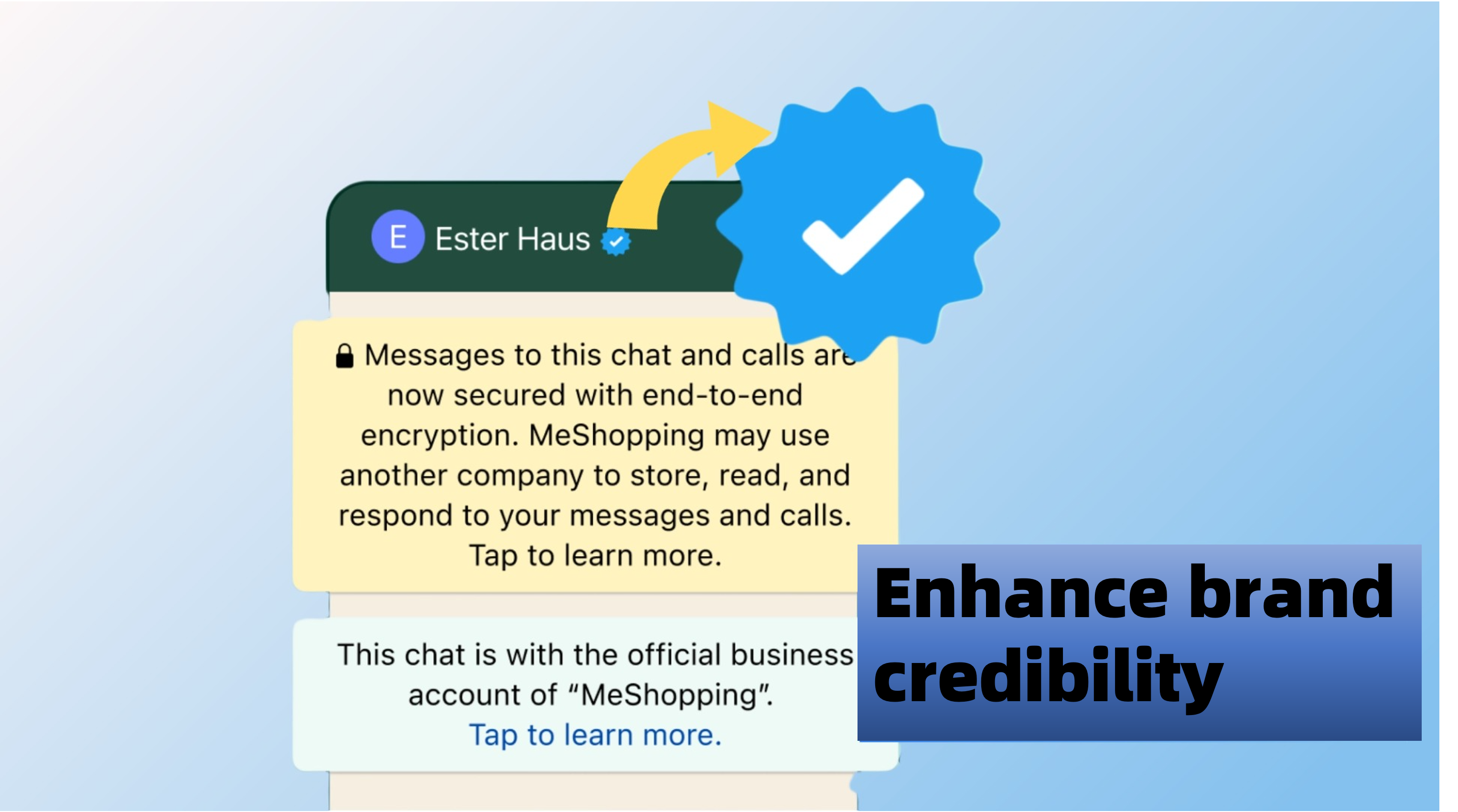
An official verification badge confirming that a business has completed Meta's business verification process.
-
Purpose: To enhance brand credibility and prevent impersonation.
-
Requirements:
-
Must be a business account registered on the WhatsApp Business Platform.
-
Complete Meta business verification by submitting a business license, website, and other relevant documents.
-
The application usually requires assistance from a BSP, such as Alibaba Cloud.
-
No difference between WhatsApp blue and green badges
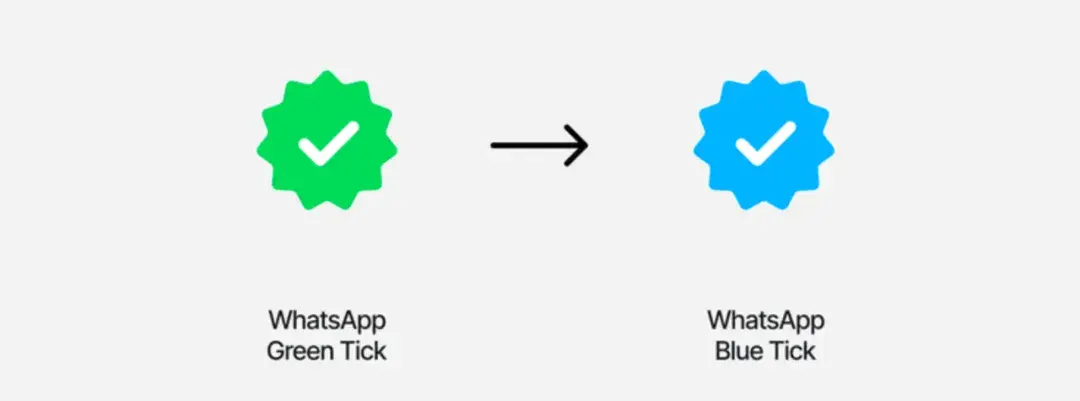
The green badge was previously reserved for Official Business Accounts (OBAs) on the WhatsApp Business API. Now all business types, including SMEs, can apply for the blue badge.
Businesses with a green badge are seamlessly transitioned to the blue badge with no action required.
24-hour customer service window
The most critical compliance mechanism in WhatsApp business communication.
-
Rules:
-
When a user starts a conversation, the business can reply freely within a 24-hour window.
-
After the 24-hour window closes, the business can only send pre-approved message templates, such as notifications and alerts.
-
Templates must be submitted to Meta for review in advance and must not contain marketing promotions or false information.
-
-
Purpose: To protect users from spam and ensure a positive experience.
Example: A user asks "Is this in stock?" — you can reply with any message within 24 hours. To notify them about a new product 3 days later, use an approved template such as: "[Your Brand] New arrivals! Click to learn more: [link]".
Click-to-WhatsApp ads
A high-conversion ad format on the Meta Ads Platform that lets Facebook or Instagram users click an ad and start a WhatsApp chat with the business.
Features:
-
Campaign objective: Usually set to "Messages".
-
User action: User clicks a "Send Message" button → WhatsApp opens automatically → A pre-filled welcome message can be displayed.
-
Use cases: Product inquiries, appointment registrations, promotion claims, and customer support.
-
Prerequisites:
-
The business's Facebook Page is linked to a WABA.
-
The ad account is in a region that supports WhatsApp ads, such as Brazil, India, or Germany.
-
The ad content complies with Meta's policies.
-
Choose the right WhatsApp account
|
Use cases |
Recommended |
|
Personal chat, family communication |
WhatsApp Messenger (Personal) |
|
Small and micro-businesses, local services |
WhatsApp Business App |
|
Medium to large enterprises, cross-border e-commerce, automated customer service |
WhatsApp Business Platform (API) |
|
Official brand presence, anti-counterfeiting verification |
Meta Verified (requires WABA and business verification) |
Apply for and link a WABA in Chat App
For detailed instructions, see Manage WhatsApp send accounts.