Provides data to view the signed contracts of the partner enterprise to which the current login UID belongs.Provides the function of downloading related contract text.
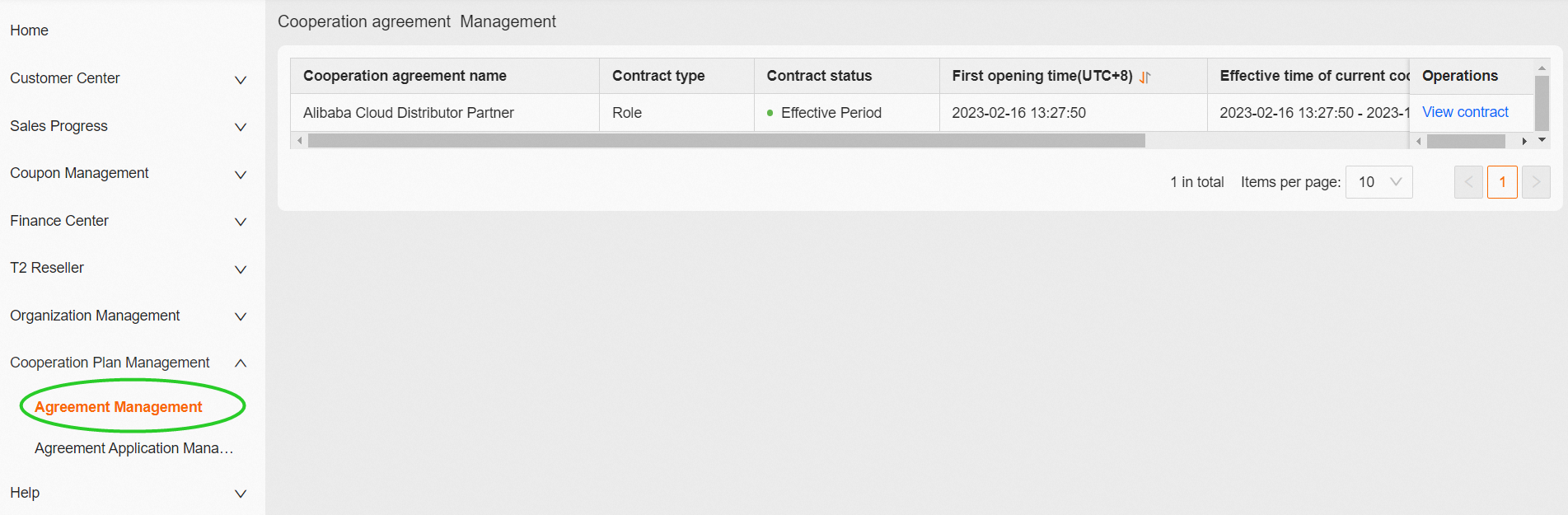
1. Download the current partner's contract
1.1 Click "View Contract" in [Operations]

[Cooperation agreement name]: The specific name of the contract under which the contract is signed.
[Contract type]: The corresponding type of cooperation between Partner and Alibaba Cloud
[Contract status]: Effective Period/ Has Expired
[First opening time(UTC+8)]: The time when the partner role corresponding to this contract first takes effect.
[Effective time of current cooperation agreement(UTC+8)]: The validity period of the partner role corresponding to this contract.
[Applicant UID]:Company Master UID
1.2 Click "Download" from the jump page

[Contract Name/No]: The contract name confirmed by both parties during the signing of the contract.
[Contract type]:
New Sign: Newly signed contract
Change: If the contract within the effective period is modified, the modified contract shall not exceed the effective date of the original contract.
Renew: The contract connecting with the effective period of the original contract
[Effective time of contract(UTC+8)]: The validity period of the contract
[Contract status]: Signed/Expired