Background information
When you use the CDN acceleration service, the user access path is: Client → point of presence (POP) → origin server. By default, your origin server receives requests from the IP address of the CDN POP, not the client's originating IP address. This can affect the accuracy of your access statistics.
To resolve this issue, you can configure your origin server to retrieve the client's originating IP address. By default, Alibaba Cloud CDN passes the client's IP address to the origin server in the ali-cdn-real-ip request header.
The ali-cdn-real-ip header retrieves the IP address of the client that directly connects to the CDN POP. If a client accesses CDN through a proxy server, this header retrieves the IP address of the proxy server.
Procedure
This topic uses an Nginx origin server as an example. It shows how to modify the Nginx configuration to retrieve the client's originating IP address in three ways:
Record the client's originating IP address in the Nginx access log.
Add a custom field that contains the client's originating IP address to the response header.
Return the client's originating IP address directly in the response body using a specific API endpoint.
Configure a custom log format
Use the log_format instruction to define a new log format named custom_log. Add the $http_ali_cdn_real_ip variable to the default log format to record the value of the ali-cdn-real-ip request header.
   log_format custom_log '$remote_addr - $remote_user [$time_local] '
                         '"$request" $status $body_bytes_sent '
                         '"$http_referer" "$http_user_agent" '
                         'ali_cdn_real_ip:"$http_ali_cdn_real_ip"';
Configure a test API endpoint
Use the location instruction to configure the /api/ip endpoint. This endpoint directly returns the client's originating IP address.
   location /api/ip {
       # Obtain the client's real IP address from the request header.
       set $real_ip $http_ali_cdn_real_ip;
       # Add the real IP address to the response header.
       add_header realip $real_ip;
       # Set the response content type (optional, but recommended).
       add_header Content-Type text/plain;
       # Return the value of the request header to the response body.
       return 200 $real_ip;
   }
Configuration example
The following code provides a complete example of an Nginx configuration file. Replace parameters such as server_name as needed.
Restart Nginx after you modify the configuration file for the changes to take effect.
When you use this configuration, configure the default origin fetch HOST for CDN. The value of the origin fetch HOST must be the same as the value of
server_name.
# /etc/nginx/nginx.conf
user nginx;
worker_processes auto;
error_log /var/log/nginx/error.log warn;
pid /var/run/nginx.pid;

events {
    worker_connections 1024;
}

http {
    include       /etc/nginx/mime.types;
    default_type  application/octet-stream;

    # Customize log format by adding the ali_cdn_real_ip field.
    log_format custom_log '$remote_addr - $remote_user [$time_local] '
                         '"$request" $status $body_bytes_sent '
                         '"$http_referer" "$http_user_agent" '
                         'ali_cdn_real_ip:"$http_ali_cdn_real_ip"';

    sendfile        on;
    keepalive_timeout  65;

    # Gzip Settings
    gzip on;
    gzip_vary on;
    gzip_min_length 1024;
    gzip_types text/plain text/css application/json application/javascript text/xml application/xml;

    server {
        listen 80;
        # Please replace it with your accelerated domain name.
        server_name localhost;

        # Use custom log format
        access_log /var/log/nginx/access.log custom_log;

        location / {
            root   /usr/share/nginx/html;
            index  index.html index.htm;
        }

        # Interface used to obtain the client's real IP address
        location /api/ip {
           # Obtain the client's real IP address from the request header.
           set $real_ip $http_ali_cdn_real_ip;
           # Add the real IP address to the response header.
           add_header realip $real_ip;
           # Set the response content type (optional, but recommended).
           add_header Content-Type text/plain;
           # Return the value of the request header to the response body.
           return 200 $real_ip;
        }

        # Error page configuration
        error_page   500 502 503 504  /50x.html;
        location = /50x.html {
            root   /usr/share/nginx/html;
        }
    }

    # For HTTPS configuration, please refer to the following configuration.
    # server {
    #     listen 443 ssl;
    #     server_name localhost; # Please replace it with your accelerated domain name.
    #
    #     ssl_certificate /path/to/cert.pem;
    #     ssl_certificate_key /path/to/privkey.pem;
    #
    #     access_log /var/log/nginx/access.log custom_log;
    #
    #     location /api/ip {
    #         set $real_ip $http_ali_cdn_real_ip;
    #         add_header realip $real_ip;
    #         add_header Content-Type text/plain;
    #         return 200 $real_ip;
    #     }
    # }
}
Verify the results
Verify the response header and response body
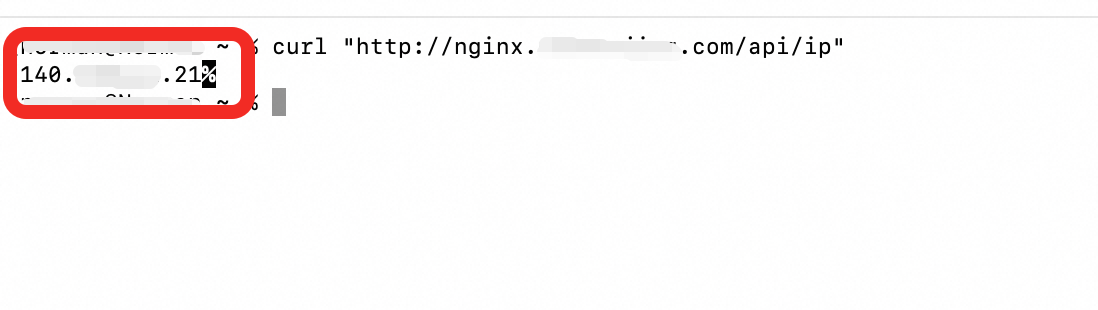
Access the /api/ip endpoint using the accelerated domain name for CDN.
The response header contains the
realipfield. Its value is the client's originating IP address.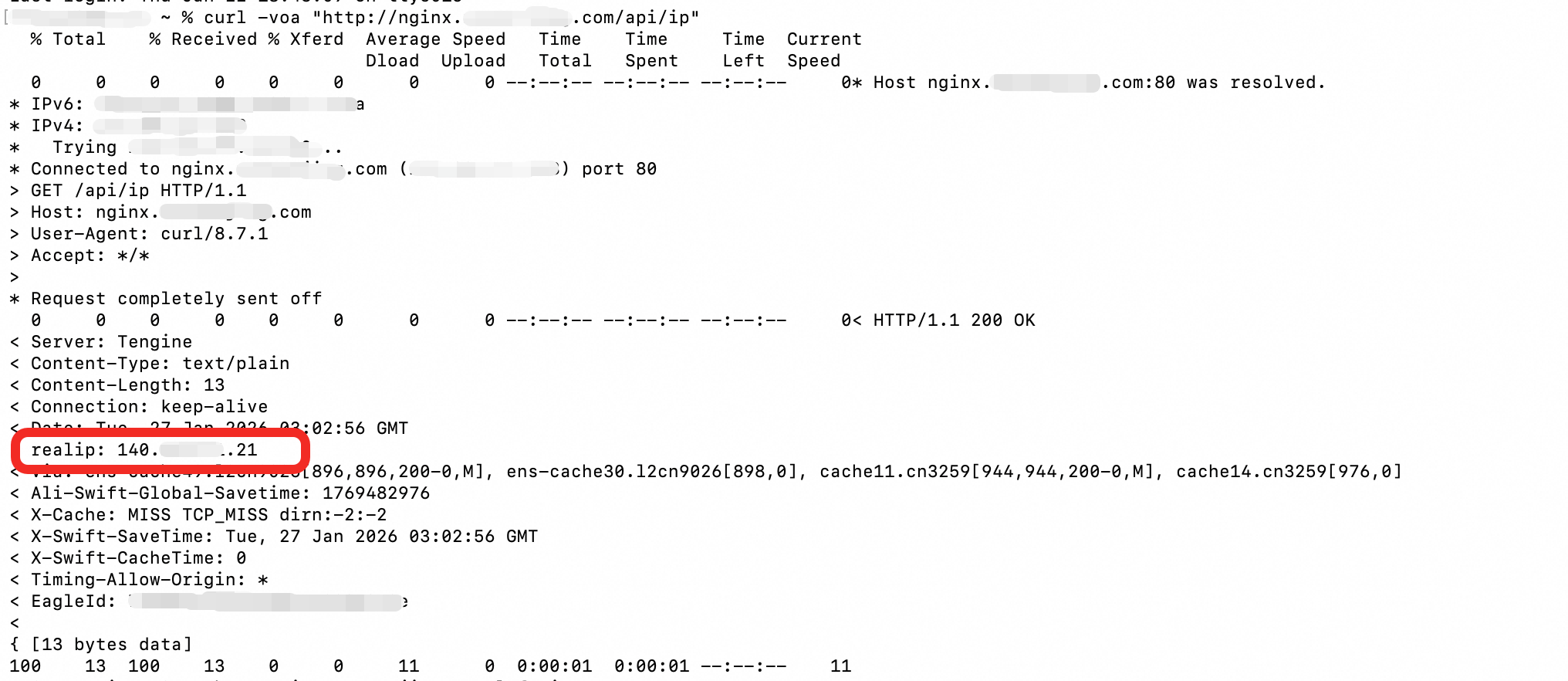
The response body contains the client's originating IP address.
Verify the access log
On the origin server, view the Nginx access log. The default path is /var/log/nginx/access.log. The ali_cdn_real_ip field and its value are recorded in the log.
