CAPTCHA 2.0 uses the following core concepts. Understanding these terms helps you follow the verification flow and navigate the integration guides.
Request flow
A complete CAPTCHA verification involves three sequential requests between your client, your server, and the CAPTCHA server.
1. Initialization request
When a user opens a page with CAPTCHA, the client sends an initialization request to the CAPTCHA server to fetch JavaScript (JS) resources such as images or challenge questions. This is Step 1 in the time series chart.
2. Authentication request
After the user completes a challenge (for example, sliding a slider or solving a puzzle), the client sends an authentication request to the Alibaba Cloud CAPTCHA server. The server uses this request to determine whether the interaction is from a bot. This corresponds to:
Step 3 of Interactive Verification
Step 4.1(i) of No-Captcha Verification (when a challenge is triggered)
Step 3 of No-Captcha Verification (initial verification in no-captcha mode)
3. Signature verification request
Your server calls the VerifyIntelligentCaptcha API to validate the CaptchaVerifyParam parameter. This is Step 6 in the time series chart.
Identifiers
CAPTCHA 2.0 uses three identifiers at different scopes. The following table summarizes their roles.
| Identifier | Scope | Where to find it | How it's used |
|---|---|---|---|
| Identity prefix | Your CAPTCHA service (account-level) | Top-right corner of the Overview page in the console, after you activate CAPTCHA 2.0 | Passed as a global parameter in your client integration code. |
| Scene ID | A specific business scenario (scene-level) | Generated when you create and save a scene in the console | Passed as an initialization parameter in the client integration code. Corresponds to configurations for authentication type, interaction style, and security policies, and helps differentiate between business scenarios. |
| CertifyID | A single verification request (request-level) | Available for each request | Submit this ID to the product team to locate and troubleshoot a specific verification issue.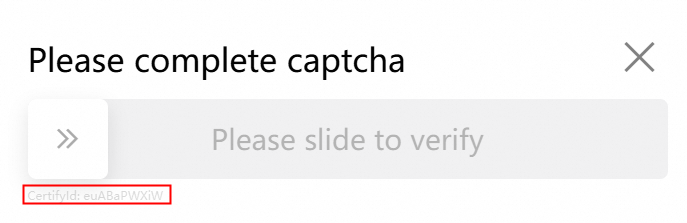 |
Technical architecture versions
CAPTCHA 2.0 supports two verification architectures. Choose based on your integration requirements.
| Architecture | How verification works |
|---|---|
| V3 | The verification request goes from the business client directly to the CAPTCHA server. If verification fails, the CAPTCHA refreshes and the client retries until verification succeeds. After a successful challenge, your server performs signature verification. See the V3 verification architecture time series chart. |
| V2 | The verification request goes from your server to the CAPTCHA server, and the result is returned to your server. See the V2 verification architecture time series chart. |
Custom policy
Within the bot detection security policy system, you can configure custom policies in the console to adjust the baseline security level for specific scenarios. For more information, see Custom policy.