This topic describes how to create a Data Management (DMS) security rule. In this example, the security rule is created for a PolarDB instance.
Prerequisites
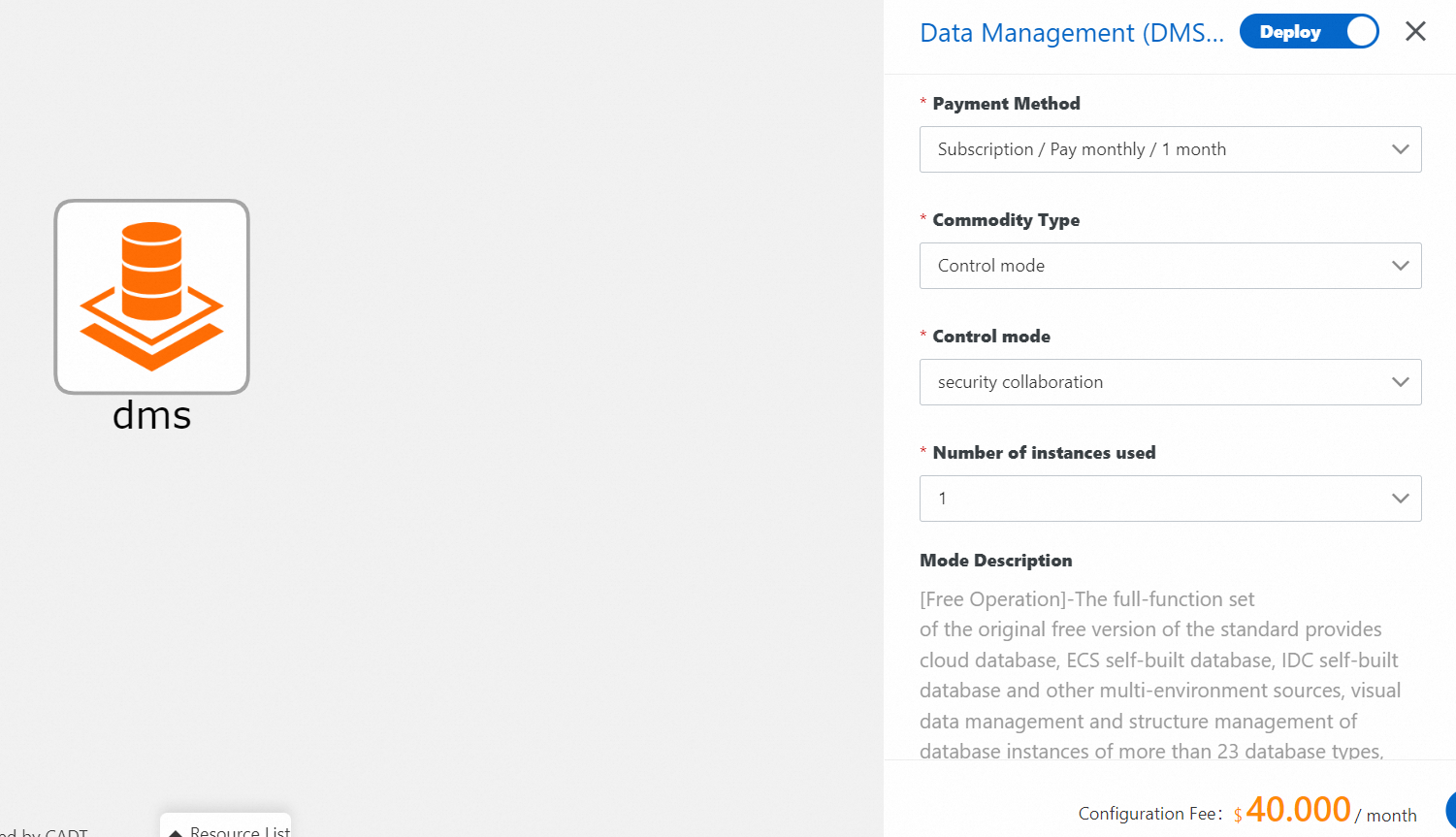
DMS is purchased and the Control mode parameter is set to Security Collaboration.
Procedure
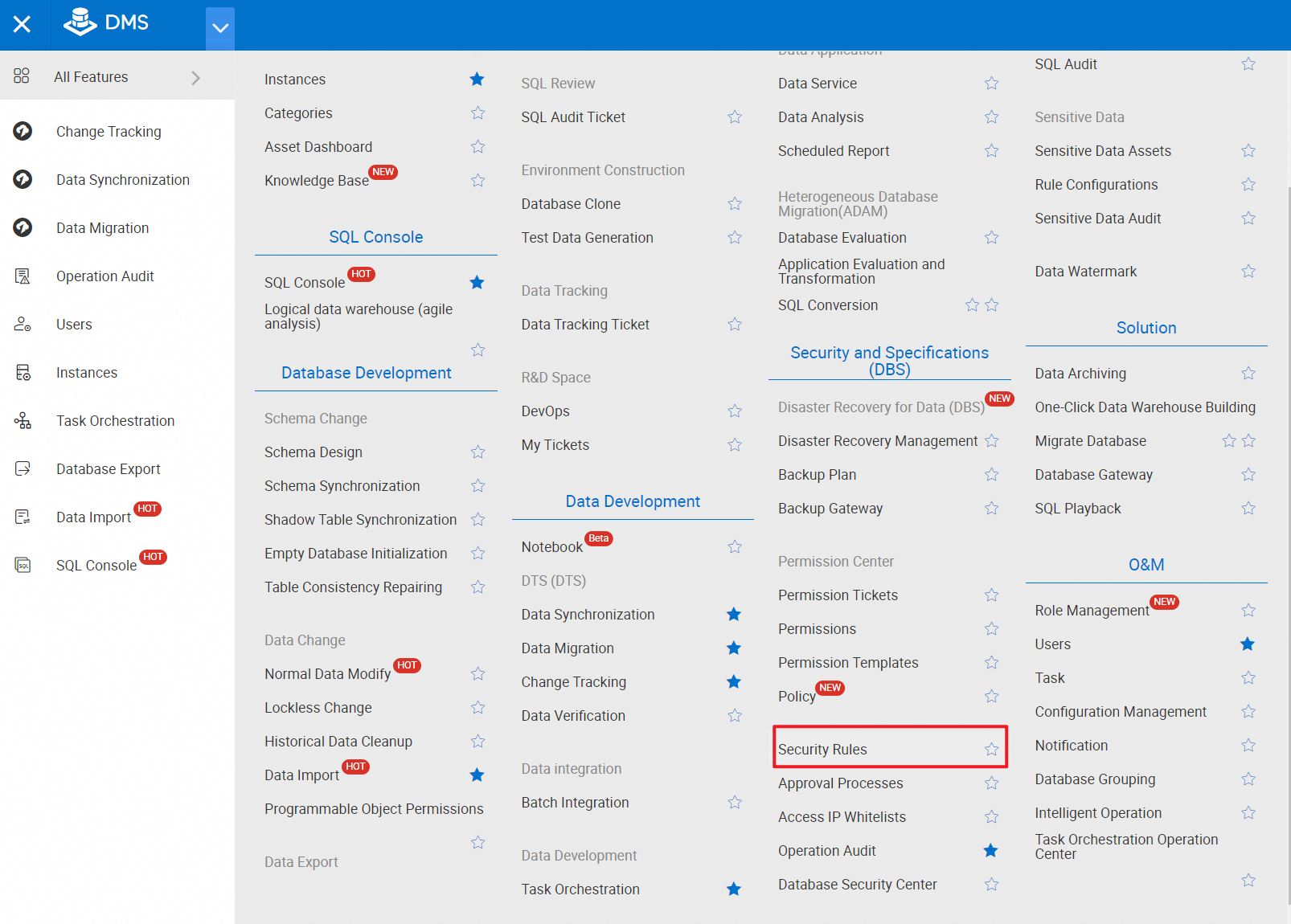
1. Log on to the DMS console. In the top navigation bar, choose Security and Specifications > Security Rules.
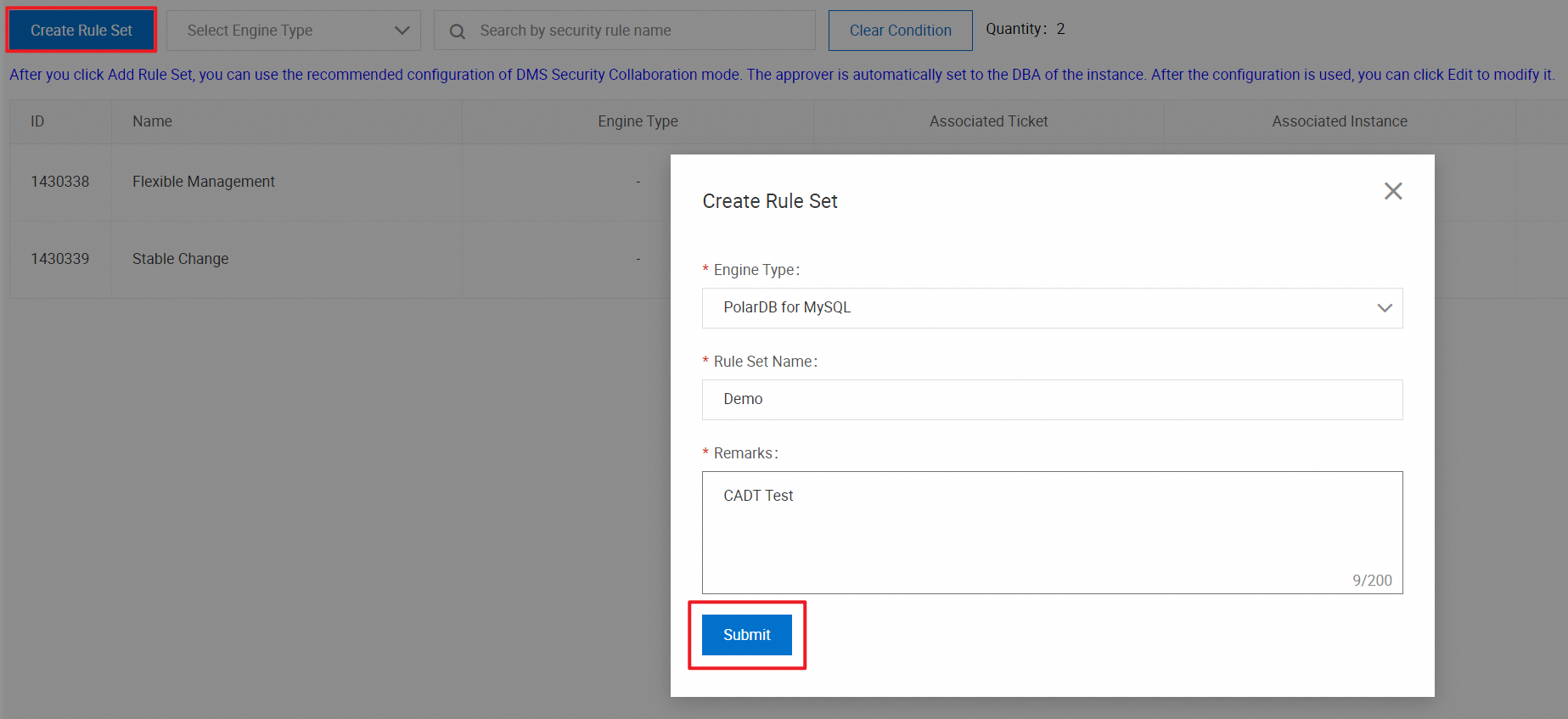
2. On the Security Rules page, click Create Rule Set. In the Create Rule Set dialog box, set the Engine Type parameter to PolarDB for MySQL, enter the name and description of the rule set, and then click Submit.
In actual business, the engine type must be consistent with the type of the instance associated with the process.
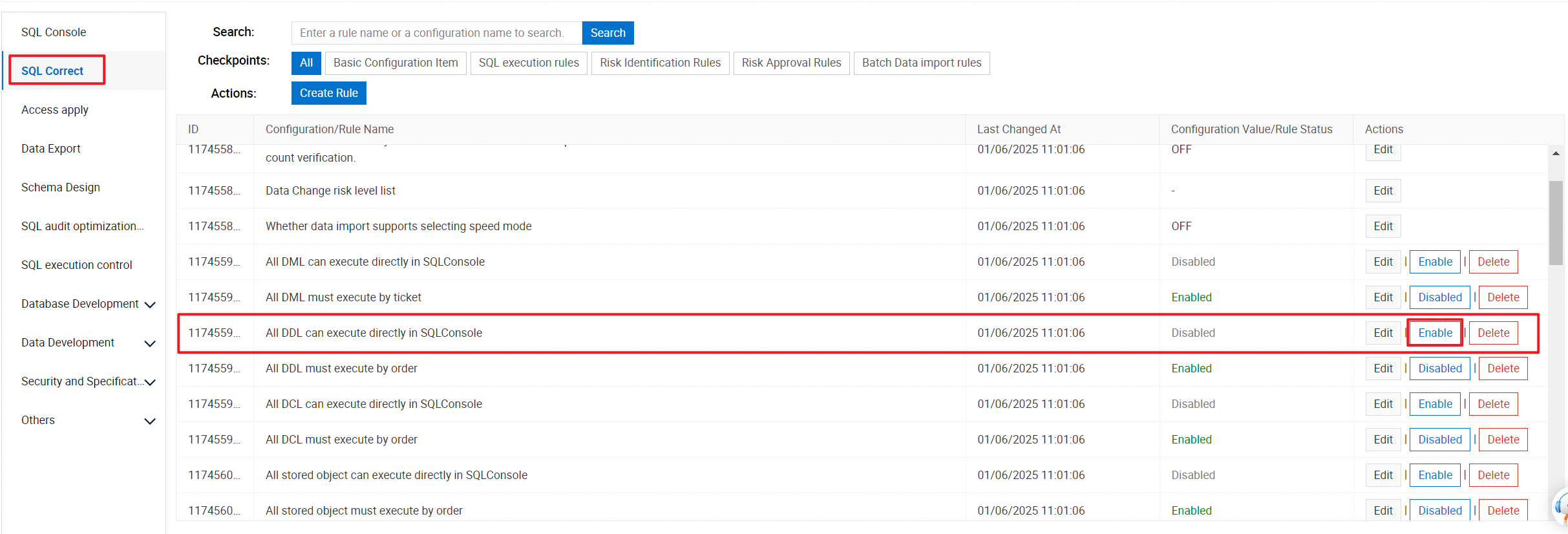
3. In the left-side pane, click SQL Correct. Find the All DDL can execute directly in SQLConsole rule and click Enable in the Actions column. After the rule is enabled, the DDL statements specified in the process can be executed. You can also add other security rules based on your business requirements.
The available security rules vary based on the engine type. You can add security rules based on your business requirements.