CADT detects open-source software installed on your ECS instances for application resource profiling.
Only the following open-source software can be detected.
|
No. |
Software |
|
1 |
ActiveMQ |
|
2 |
Elasticsearch |
|
3 |
Kafka |
|
4 |
Memcached |
|
5 |
MongoDB |
|
6 |
RabbitMQ |
|
7 |
Redis |
|
8 |
RocketMQ |
|
9 |
Zookeeper |
|
10 |
MySQL |
|
11 |
Oracle |
|
12 |
Db2 |
|
13 |
SQL Server |
|
14 |
PostgreSQL |
Procedure
-
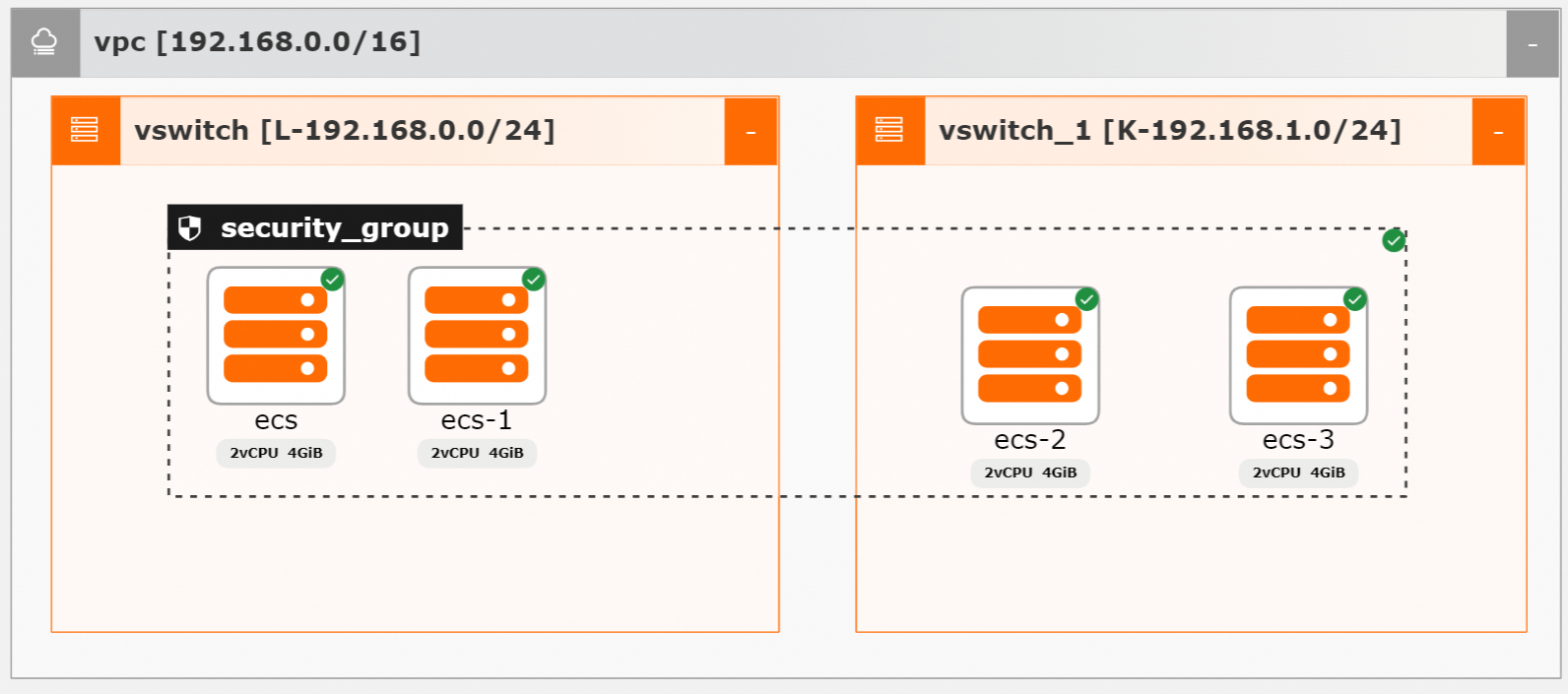
Deploy an application to be detected. You can also import ECS instances. The following figure shows the architecture of the application.
-
Click Resource List at the bottom of the page to find the ECS Application Detection option. This architecture includes a security group named security_group that contains four ECS instances (ecs, ecs-1, ecs-2, and ecs-3). Each instance has 2 vCPUs and 4 GiB of memory and is running. On the right side of the page, you can expand the collapsible resource list panel to find the ECS application detection option.
-
Click ECS Application Detection. The ECS application detection dialog box appears.
This dialog box contains a table with columns for No., instance, service name, and Actions. Click the detection data button in the upper-right corner to begin detection.
-
Click Detection Data. The system starts application resource detection for the ECS instances in the application. The dialog box displays four detection records in a table with instance and service name columns: ecs-2 runs RabbitMQ; ecs-3 runs ZooKeeper, Java, and Kafka; ecs runs MySQL; and ecs-1 runs ZooKeeper, Java, and Kafka. You can click detection data again to refresh the results, or click Locate in any row to view the corresponding instance.