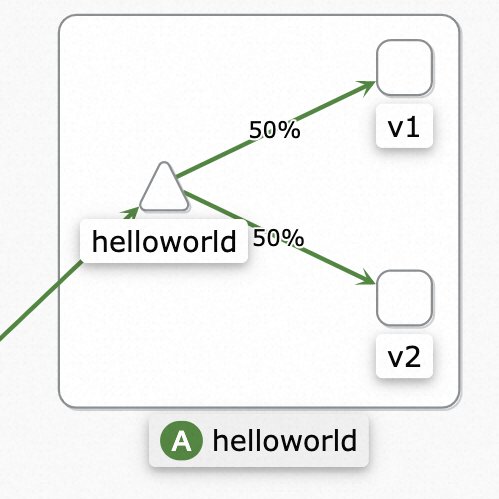
When you deploy a new service version, you need to validate it against real production traffic before switching users over. Traffic mirroring (shadowing) copies live requests to a secondary service without affecting the primary request path. The mirrored service processes real traffic, but its responses are discarded. This lets you compare behavior, error rates, and latency between versions with zero user impact.
Service Mesh (ASM) supports traffic mirroring through Istio DestinationRule and VirtualService resources.
Prerequisites
Complete the preparation steps and deploy the helloworld and sleep services. For details, see Preparations.
Step 1: Verify baseline routing
Before you configure mirroring, confirm that both helloworld-v1 and helloworld-v2 receive traffic.
Use kubectl to connect to the Container Service for Kubernetes (ACK) cluster based on the information in the kubeconfig file, and then open a shell in the
sleeppod:kubectl exec -it deploy/sleep -- shSend several requests to the
helloworldservice:curl helloworld:5000/helloBoth versions respond at random:
Hello version: v2, instance: helloworld-v2-6b96c5684-4****
Hello version: v1, instance: helloworld-v1-6d77f4c4cf-p****
Check the logs for
helloworld-v2to establish a baseline. Record the current log output so you can compare it after mirroring is configured:kubectl logs deploy/helloworld-v2 -c helloworld
Step 2: Configure traffic mirroring
Create a destination rule and a virtual service that route all requests to helloworld-v1 while mirroring a copy of each request to helloworld-v2.
Create a destination rule
Define subsets for v1 and v2. For more information, see Manage destination rules.
apiVersion: networking.istio.io/v1beta1
kind: DestinationRule
metadata:
  name: helloworld
  namespace: default
spec:
  host: helloworld
  subsets:
    - labels:
        version: v1
      name: v1
    - labels:
        version: v2
      name: v2
Create a virtual service
Route all traffic to the v1 subset and mirror it to the v2 subset. The mirror field specifies the mirroring target. For more information, see Manage virtual services.
apiVersion: networking.istio.io/v1beta1
kind: VirtualService
metadata:
  name: helloworld-vs
  namespace: default
spec:
  hosts:
    - helloworld
  http:
    - mirror:                   # Mirror traffic to v2
        host: helloworld
        subset: v2
      route:
        - destination:          # Route live traffic to v1
            host: helloworld
            subset: v1
Step 3: Verify mirroring
Confirm that only v1 responds to live traffic
Use kubectl to connect to the ACK cluster based on the information in the kubeconfig file, and then open a shell in the
sleeppod:kubectl exec -it deploy/sleep -- shSend a request to the
helloworldservice:curl helloworld:5000/helloOnly
helloworld-v1responds:Hello version: v1, instance: helloworld-v1-6d77f4c4cf-p****
Confirm that v2 receives mirrored traffic
Check the pod logs for helloworld-v2 to confirm it received the mirrored request:
kubectl logs deploy/helloworld-v2 -c helloworldCompare the output with the baseline you recorded in Step 1. New access log entries confirm that helloworld-v2 is receiving mirrored traffic.
You can also view the service topology in the ASM console. The topology graph shows mirrored traffic flowing to helloworld-v2. For details, see Use Mesh Topology to view the topology of an application.