ApsaraMQ for MQTT provides two types of SDKs: cloud SDKs for server-side applications and client SDKs for devices. Use a cloud SDK on your backend servers to send messages to devices, or to receive messages that devices send through their client SDKs.
How cloud SDKs and client SDKs work together
Cloud SDKs and client SDKs serve different roles. You must use them together to send and receive messages.
| SDK type | Purpose | Runs on |
|---|---|---|
| Cloud SDK | Connect cloud applications to ApsaraMQ for MQTT | Backend servers |
| Client SDK | Connect devices to ApsaraMQ for MQTT | Devices |
The following diagram shows the interaction between the two SDK types:
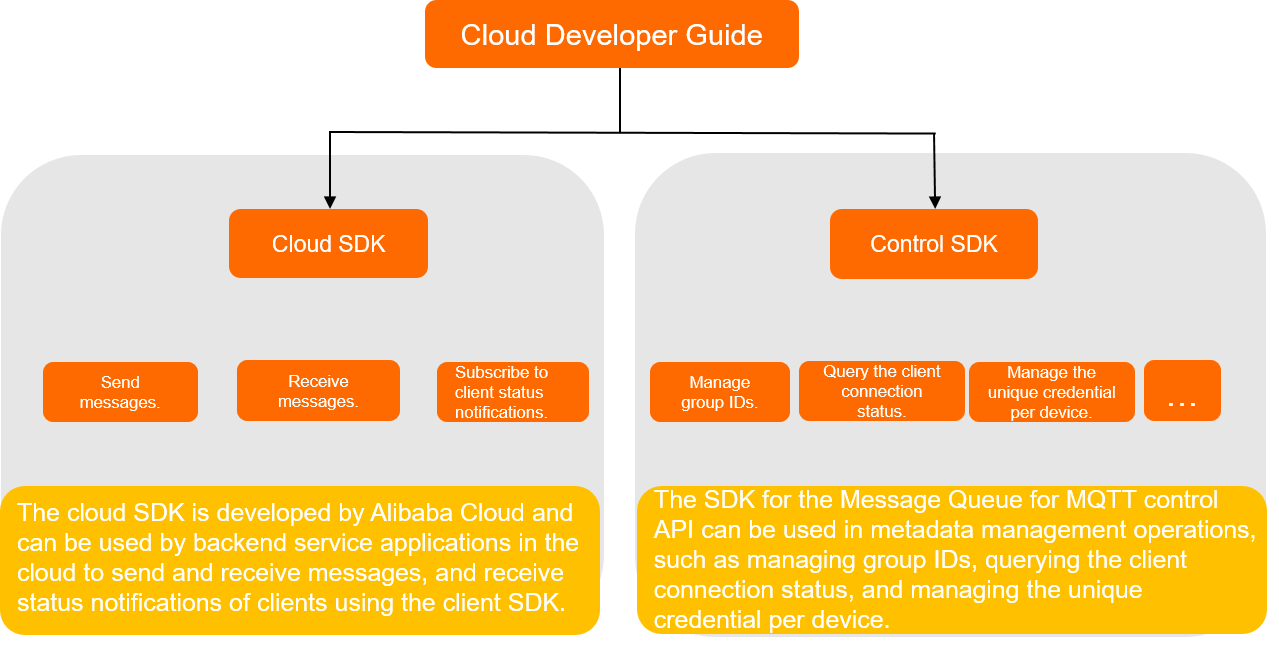
Messages flow in two directions:
Cloud to device: A cloud SDK sends a message, and a client SDK receives it.
Device to cloud: A client SDK sends a message, and a cloud SDK receives it.
Neither SDK type works alone. Always pair a cloud SDK with a client SDK to complete the message send-receive loop.
Supported cloud SDKs
Only the following three languages are supported as cloud SDKs:
| Language | Release notes |
|---|---|
| Java | SDK for Java |
| Go | SDK for Go |
| .NET | SDK for .NET |
For client SDKs that run on devices, see Download the SDK.
Region support
Not all regions support cloud SDK access. Before you start, verify that your target region is listed in SDK access regions.