Which metrics should I monitor?
Focus on the following metrics based on your instance type.
Reserved instances
| Metric | What it tracks | Why it matters |
|---|---|---|
instance_disk_capacity(%) | Disk usage across the instance | High disk usage can cause message production failures. Monitor this to avoid running out of storage. |
InstanceInternetRxUtilizationByNode(%) | Inbound internet bandwidth utilization per node | Sustained high values indicate a node is approaching its bandwidth limit, which can cause message delays. |
InstanceInternetTxUtilizationByNode(%) | Outbound internet bandwidth utilization per node | Sustained high values indicate a node is approaching its bandwidth limit, which can slow consumer throughput. |
Proportion of Production Traffic in Instance Type(%) | Producer throughput relative to the instance spec limit | Values approaching 100% mean you are near the production throughput ceiling for your instance specification. |
Proportion of Consumption Traffic in Instance Type(%) | Consumer throughput relative to the instance spec limit | Values approaching 100% mean you are near the consumption throughput ceiling for your instance specification. |
Proportion of Partitions in Instance Type(%) | Partition count relative to the instance spec limit | Values approaching 100% mean you need to upgrade the instance specification or reduce partitions. |
Serverless instances
| Metric | What it tracks | Why it matters |
|---|---|---|
InstanceMessageInputRatioV3(%) | Message input rate as a percentage of capacity | Tracks how close instance-wide message production is to the capacity limit. |
InstanceMessageOutputRatioV3(%) | Message output rate as a percentage of capacity | Tracks how close instance-wide message consumption is to the capacity limit. |
InstanceMaxNodeInputRatioV3(%) | Peak input rate on the busiest node | Identifies hot nodes. Monitor this to detect uneven load distribution across nodes. |
InstanceMaxNodeOutputRatioV3(%) | Peak output rate on the busiest node | Identifies hot nodes. Monitor this to detect uneven load distribution across nodes. |
Why are some metric values inaccurate?
Three common causes:
Low traffic volume. The system calculates each metric value based on a specific formula. When traffic is low, small fluctuations produce disproportionately large deviations in the calculated result.
Outdated client version. Older Kafka client libraries omit parameters that the monitoring system depends on, which skews reported values. Upgrade to the latest client version to fix this.
Data compression. Producers compress data to meet specific transmission or storage requirements. This can result in deviations in monitoring data.
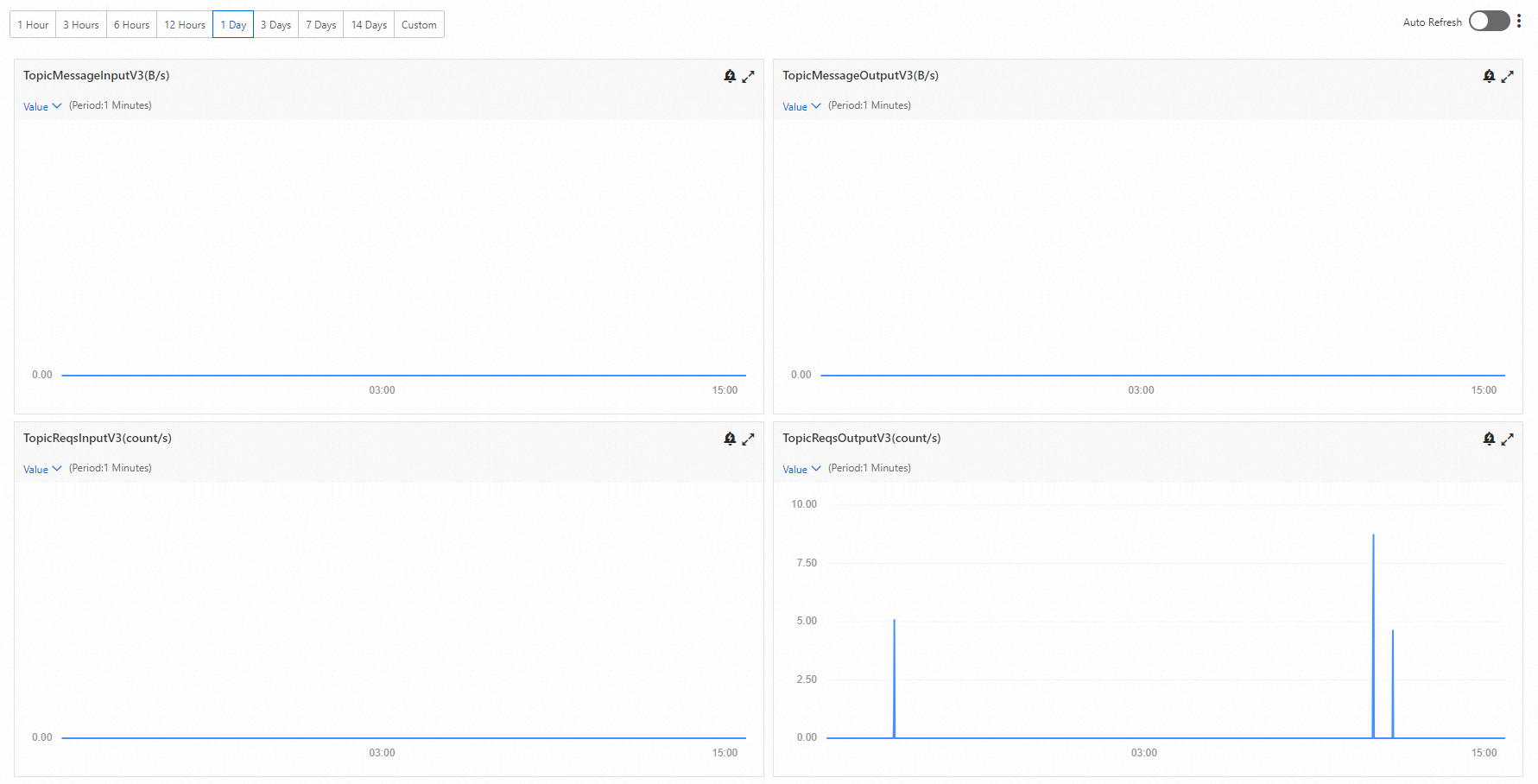
Why is InstanceMessageOutput or TopicMessageOutput zero when InstanceReqsOutput or TopicReqsOutput is greater than zero?
This is normal behavior, not an error. It happens when consumers are active but no new messages have been published to the broker.
Kafka consumers continuously poll the broker for new messages, even when none are available. Each poll registers as a consumption request, so InstanceReqsOutput and TopicReqsOutput increment with every attempt. Because no messages are actually delivered, InstanceMessageOutput and TopicMessageOutput stay at zero.
Example: Suppose no producer is publishing messages while a consumer group polls the broker 50 times. TopicReqsOutput shows 50, but TopicMessageOutput shows 0. As soon as a producer starts publishing again, both metrics begin incrementing together.