This topic describes how to create a normal account for a PolarDB for MySQL instance and grant the minimum privileges required in different phases of data migration to the account.
Background
A PolarDB for MySQL instance supports two types of database accounts: privileged account and normal account. When you use the data transmission service to migrate data from a PolarDB for MySQL instance, observe the following rules:
If you use a privileged account, it has read/write privileges on all databases by default.
ImportantYou can create only one privileged account in a PolarDB for MySQL instance.
If you use a normal account, grant privileges to the account based on the descriptions in this topic.
The privileges of a normal account include the read-only, read/write, DML-only, DDL-only, and read-only + index privileges. For more information, see Account privileges.
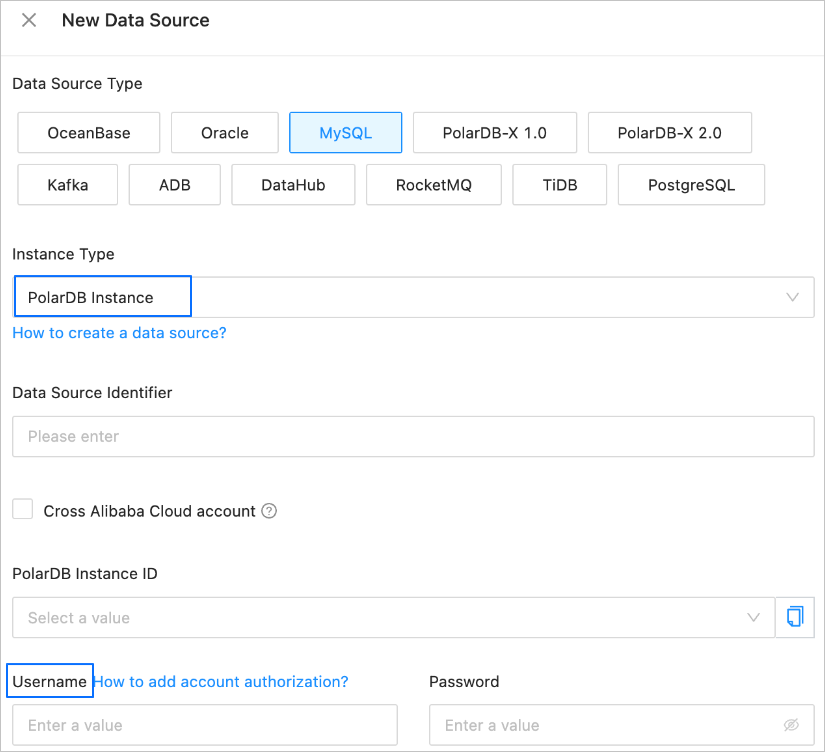
In this example, a normal account is created for a PolarDB for MySQL instance. Specify this account for the Username field when you create a PolarDB for MySQL data source.
Create a normal account for a PolarDB for MySQL instance
Go to the Accounts page.
Log on to the ApsaraDB for PolarDB console.
In the left-side navigation pane, click Clusters.
In the upper-left corner of the Clusters page, select the region of the target cluster and click the cluster ID.
On the details page of the cluster, choose Settings and Management > Account Management in the left-side navigation pane.
On the Accounts page, click Create Account.
In the Create Account dialog box, configure the parameters.
Parameter
Description
Account Name
The username of the account can contain lowercase letters, digits, and underscores (_). It must start with a lowercase letter and end with a lowercase letter or digit. It can contain 2 to 32 characters in length and cannot be reserved usernames such as root and admin.
Account Type
Select Normal Account.
Authorized Databases
Select one or more databases accessible to the account.
In the Unauthorized Databases list on the left side, select one or more databases and click > to add them to the right-side list.
In the Authorized Database list on the left side, grant the read/write, read-only, DML-only, DDL-only, or read-only + index privilege on each database to the account.
Password
The password must be 8 to 32 characters in length and contain any three of the following four character types: uppercase letters, lowercase letters, digits, and special characters. Supported special characters are the following ones: ! @ # $ % ^ & * ( ) _ + - =.
Confirm Password
Enter the password again.
Remarks
Enter the additional information about the account, which can contain 2 to 256 characters in length and cannot start with
http://orhttps://.Click OK.
Grant privileges to a normal account in a source PolarDB for MySQL instance
The following table lists the minimum privileges required for a normal account in a PolarDB for MySQL instance in different phases of data migration. If you grant the read/write privilege to the source account in the reverse incremental synchronization phase, the privilege required by the source is subject to the data type of reverse incremental synchronization. For example, if the data type of reverse incremental synchronization is DDL, you must grant the DDL-only privilege to the source account. If the data type of reverse incremental synchronization is DML, you must grant the DML-only privilege to the source account.
In incremental synchronization, the data transmission service obtains and parses the logs generated after DML or DDL change operations are performed in the source, and writes the logs to the target.
NoteIf you have selected Incremental Synchronization when you configured the task, the account must have the read privilege on all tables in the source. Otherwise, the task may be interrupted.
In reverse incremental synchronization, the data transmission service obtains and parses the logs generated after DML or DDL change operations are performed in the target, and writes the logs to the source.
Table type | Schema migration | Full migration | Incremental DML operation synchronization | Incremental DDL operation synchronization | Full verification | Reverse incremental synchronization |
Table with a primary key or not-null unique key | Read-only | Read-only | Read-only | Read-only | Read-only |
|
Table without a primary key or not-null unique key | Read-only | Read-only | Read-only | Read-only | Not supported |
|
Grant privileges to a normal account in a target PolarDB for MySQL instance
Table type | Schema migration | Full migration | Incremental DML operation synchronization | Incremental DDL operation synchronization | Full verification | Reverse incremental synchronization |
Table with a primary key or not-null unique key | Read-only | Read-only | Read-only | Read-only | Read-only |
|
Table without a primary key or not-null unique key | When the target is a PolarDB for MySQL instance, the data transmission service does not support the migration or synchronization of tables without a primary key or not-null unique key. | |||||