This topic outlines the steps for adding a domain name to Anti-DDoS Proxy using Terraform.
You can run the sample code with one click.
Setup
You have purchased an Anti-DDoS Proxy instance. For more information, see Purchase and manage Anti-DDoS Pro or Anti-DDoS Premium instances by using Terraform.
To mitigate risks associated with compromised Alibaba Cloud accounts, we recommend using a RAM user and creating an AccessKey pair for that user. For more information, see Create a RAM user and Create an AccessKey pair.
Assign the following policy to the RAM user to grant the minimum permissions for managing resources in this example. For more information, see Grant permissions to a RAM user.
This policy allows you to configure and view domain names for an Anti-DDoS Proxy instance.
{
    "Version": "1",
    "Statement": [
        {
            "Effect": "Allow",
            "Action": [
                "ddoscoo:DescribeDomain",
                "ddoscoo:DescribeDomains",
                "ddoscoo:AddDomain"
            ],
            "Resource": "acs:ddoscoo:<region>:<account-id>:domain/*"
        }
    ]
}
Set up the runtime environment for Terraform using one of the following methods:
Explorer: Terraform Explorer provided by Alibaba Cloud allows developers to run Terraform online without installation. This method is ideal for efficiently and conveniently using and debugging Terraform at no cost.
Use Terraform to Quickly Create Resources: Alibaba Cloud Cloud Shell comes pre-installed with Terraform and configured identity credentials, allowing you to run Terraform commands directly. This method is ideal for using and debugging Terraform efficiently, conveniently, and at a low cost.
Install and configure Terraform: This method is best for scenarios with poor network connectivity or when a custom development environment is needed.
Required resources
alicloud_ddoscoo_domain_resource: This resource manages and configures domain names for Alibaba Cloud Anti-DDoS instances.
Procedure
Create a working directory and add a configuration file named
main.tf.main.tf: The primary Terraform file that specifies the resources for deployment. The following guide focuses on configuring domain names for the instance.
ImportantCarefully manage the lifecycle of the instance to avoid unnecessary expenses.
provider "alicloud" {
  region = "cn-hangzhou"
}

variable "name" {
  default = "tf-example"
}
variable "domain" {
  default = "tf-example.alibaba.com"# Replace with your ICP-filed domain name
}

resource "alicloud_ddoscoo_instance" "default" {
  name              = var.name
  bandwidth         = "30"
  base_bandwidth    = "30"
  service_bandwidth = "100"
  port_count        = "50"
  domain_count      = "50"
  period            = "1"
  product_type      = "ddoscoo"
}

resource "alicloud_ddoscoo_domain_resource" "default" {
  domain       = var.domain
  rs_type      = 0
  instance_ids = [alicloud_ddoscoo_instance.default.id]
  real_servers = ["177.167.XX.XX"]# Replace with the IP address of your origin server
  https_ext    = "{\"Http2\":1,\"Http2https\":0,\"Https2http\":0}"
  proxy_types {
    proxy_ports = [443]
    proxy_type  = "https"
  }
}
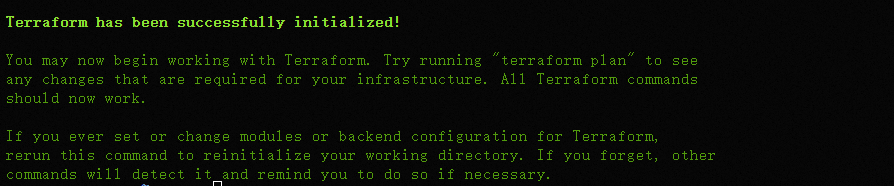
Initialize Terraform by running the
terraform initcommand.Expected result:
Run the
terraform applycommand. When prompted, typeyesand press Enter. The following result confirms successful authorization:Expected result:

Verify the operation.
Run the terraform show command
To query details of resources created with Terraform, run the following command:
terraform show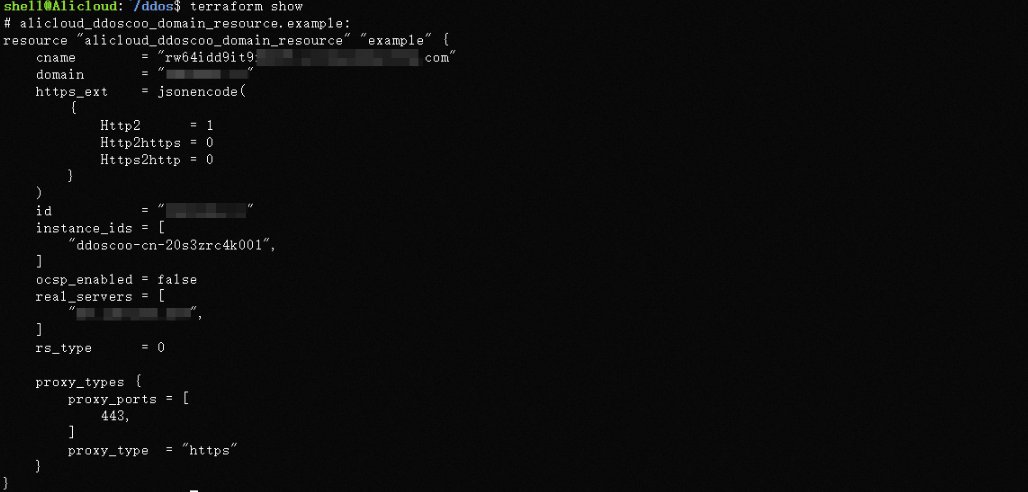
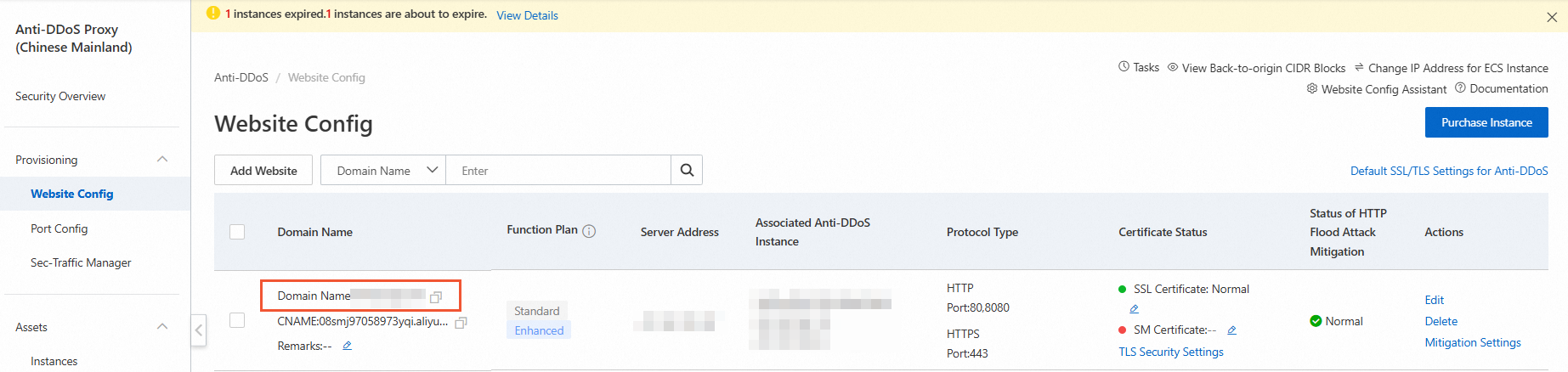
Anti-DDoS Proxy (Chinese Mainland) console
Log on to the Anti-DDoS Proxy (Chinese Mainland) console to view the domain names added.
Release resources
If you no longer need the resources created or managed by Terraform, run the following command to release them. For more information on terraform destroy, see Common commands.
terraform destroyComplete code example
You can run the sample code with one click.
provider "alicloud" {
  region = "cn-hangzhou"
}

variable "name" {
  default = "tf-example"
}
variable "domain" {
  default = "tf-example.alibaba.com"# Replace with your ICP-filed domain name
}

resource "alicloud_ddoscoo_instance" "default" {
  name              = var.name
  bandwidth         = "30"
  base_bandwidth    = "30"
  service_bandwidth = "100"
  port_count        = "50"
  domain_count      = "50"
  period            = "1"
  product_type      = "ddoscoo"
}

resource "alicloud_ddoscoo_domain_resource" "default" {
  domain       = var.domain
  rs_type      = 0
  instance_ids = [alicloud_ddoscoo_instance.default.id]
  real_servers = ["177.167.XX.XX"]# Replace with the IP address of your origin server
  https_ext    = "{\"Http2\":1,\"Http2https\":0,\"Https2http\":0}"
  proxy_types {
    proxy_ports = [443]
    proxy_type  = "https"
  }
}
Reference
For more information on Terraform, see What Is Alibaba Cloud Terraform?