This topic provides solutions to frequently asked questions about using AnalyticDB for MySQL Spark.
Use the Alibaba Cloud AI Assistant
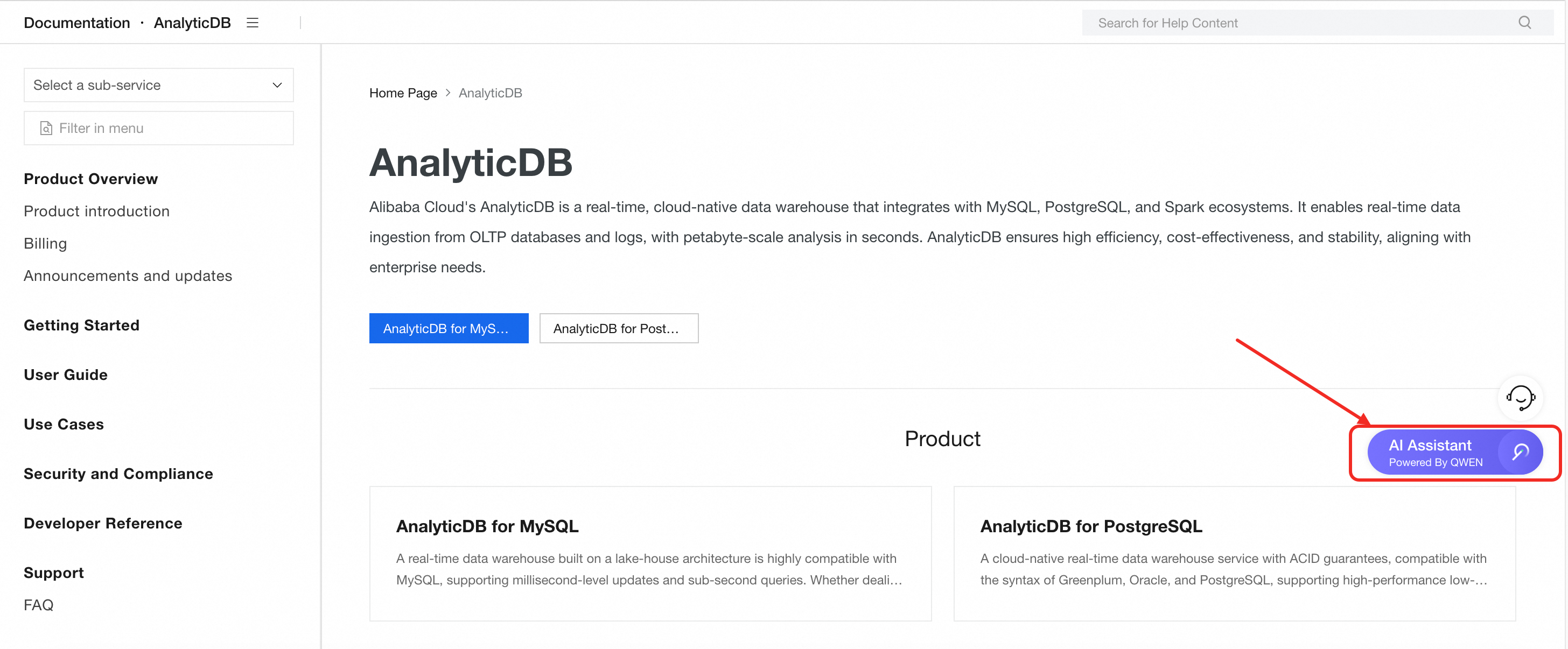
The Alibaba Cloud AI Assistant provides intelligent Q&A capabilities. It can quickly answer your questions about using cloud products and provide technical solutions and documentation. We recommend that you use the AI Assistant first to resolve your issues.
FAQ overview
How do I view Spark application information?
What do I do if the "No space left on device" error occurs when I run a Spark application?
What do I do if a ClassNotFound error appears in Spark application logs?
What do I do if a NoSuchMethod error appears in Spark application logs?
Why does a Spark executor node become Dead when running a Spark application?
Why does a network connection failure occur when Spark accesses an external data source?
Why does a Spark application report an "oss object 403" error?
How do I find the reason why a Spark application runs slowly?
How do I periodically delete Spark application logs?
What do I do if a Spark application gets stuck when creating a UDF?
How do I customize the log output format?
How do I configure Spark Driver/Executor environment variables?
How do I view Spark application information?
On the Spark JAR Development page, you can search by Application ID to view details about a Spark application. For more information, see the Spark editor.
What do I do if the "User %s do not have right permission [ *** ] to resource [ *** ]" error occurs when I submit a Spark application?
Cause: The current Resource Access Management (RAM) user does not have the required permission to call the operation.
Solution: Grant the required permissions to the RAM user as follows.
Log on to the RAM console and grant the RAM user the permission for the resource specified in the error message.
Grant the RAM user the AliyunADBFullAccess and AliyunADBSparkProcessingDataRole permissions, and read and write permissions on AnalyticDB for MySQL databases and tables. For more information, see Account authorization.
What do I do if the "No space left on device" error occurs when I run a Spark application?
Cause: This error occurs because the local disks of the executors have insufficient space.
Solution: On the Applications tab of the Spark JAR Development page, click UI in the Actions column for the Spark application to view the executor's stderr log. If an executor has insufficient local disk space, you can increase the disk capacity for the Spark executor by configuring the spark.adb.executorDiskSize parameter. For more information, see Spark application configuration parameters.
The maximum local disk capacity for an executor is 100 GiB. If the error persists when the disk capacity is set to 100 GiB, increase the number of executors.
What do I do if the "Current Query Elastic Resource Failed" error occurs when I submit a Spark application?
Cause: The database account used to submit a XIHE BSP application over Java Database Connectivity (JDBC) is bound to a Job resource group. This slows down resource allocation and causes the application to time out.
Solution: Disassociate the database account from the Job resource group.
What do I do if a ClassNotFound error appears in Spark application logs?
Cause: A class is missing from the JAR package that was uploaded when the Spark application was submitted.
Solution: Open the uploaded JAR package to check if the class exists.
If the class is a business-related class, repackage the application and make sure that the JAR package contains the target class.
If the class is from a third-party JAR package, upload the package in one of the following two ways:
Use the Shade or Assembly plugin for Maven to manage dependencies. You must manually add the required dependency packages.
Upload the third-party JAR package to OSS. Then, configure the jars parameter when you submit the Spark application. For more information, see Introduction to Spark application development.
What do I do if a NoSuchMethod error appears in Spark application logs?
Cause: The imported JAR package conflicts with Spark.
Solution: Add the following configurations to the Spark conf parameters to log the JAR packages involved in the class loading process. This helps you identify which JAR packages conflict with Spark. Then, use common Maven conflict resolution methods, such as Provided and Relocation, to resolve the error. For more information, see Conf parameters.
"spark.executor.extraJavaOptions":"-verbose:class",
"spark.driver.extraJavaOptions":"-verbose:class"
What do I do if the "ClassNotFoundException: org.apache.hadoop.hive.serde2.JsonSerDe" error occurs when a Spark SQL application reads a JSON external table (including those for log delivery)?
Download hive-serde-3.1.2.jar and hive-hcatalog-core-2.3.9.jar. Then, upload them to OSS and add the following statement when you submit the Spark SQL application: add jar oss://<testBucketName>/hive-hcatalog-core-2.3.9.jar;add jar oss://<testBucketName>/hive-serde-3.1.2.jar;.
Replace <testBucketName> with the OSS path where the hive-serde-3.1.2.jar and hive-hcatalog-core-2.3.9.jar files are stored.
What do I do if the "No such file or directory" error occurs when a Spark SQL application reads an internal table?
Cause: By default, hot data for internal tables is stored on worker nodes. Spark reads data offline from OSS. If the hot data is not in OSS, the Spark SQL execution fails.
Solution: Before you query hot data in an internal table, use the XIHE engine to execute the following SQL statements to modify the configuration parameters. Then, manually build the table. After the build is complete, you can query the hot data from the table. For more information, see BUILD.
SET ADB_CONFIG CSTORE_HOT_TABLE_ALLOW_SINGLE_REPLICA_BUILD=true;
SET ADB_CONFIG ELASTIC_ENABLE_HOT_PARTITION_HAS_HDD_REPLICA=true;
SET ADB_CONFIG ELASTIC_PRODUCT_ENABLE_MIXED_STORAGE_POLICY=true;
What do I do if the "RAM user[***] is not bound to a ADB user" error occurs when a RAM user uses AnalyticDB for MySQL Spark in the DMS console?
Cause: After a privileged database account is created, it is automatically bound to a RAM user. This causes DMS authentication to fail.
Solution: Modify the RAM user binding relationship. You need to bind the RAM user to a standard database account and bind the Alibaba Cloud account to which the RAM user belongs to the privileged account.
What do I do if a java.lang.ArrayIndexOutOfBoundsException error occurs when a Spark SQL application reads Snappy-compressed data, including data from self-built SLS delivery jobs?
Cause: The plugin provided by the Spark community is not compatible with reading Snappy-compressed data.
Solution: Download lake-storage-migration-tool.jar and upload it to OSS. Then, add the following statements to the Spark SQL job:
conf spark.hadoop.io.compression.codec.snappy.native=true;
conf spark.hadoop.io.compression.codecs=com.alibaba.analyticdb.aps.codec.SlsSnappyCodec;
ADD JAR "oss://<testBucketName>/lake-storage-migration-tool.jar";The ADD JAR parameter must be set to the actual OSS path of the lake-storage-migration-tool.jar package.
Why does a Spark executor node become Dead when running a Spark application?
On the Spark JAR Development page, click UI in the Actions column for the target Spark application. This action opens the Spark UI page. If the application fails with the error message Failed to connect to /xx.xx.xx.xx:xxxx, or if an executor node with the Dead status appears on the Executors tab of the Spark UI page, this indicates that the Spark executor node has unexpectedly exited. For more information about accessing the Spark UI, see Spark development editor.
The causes and solutions are as follows:
Cause 1:
The memory used by the executor process exceeds the limit. In addition to the memory used by the JVM itself, a Spark executor also uses off-heap memory for shuffle and cache, and memory for Python UDFs. If the memory used by the container exceeds the allowed limit, the Spark process is forcibly terminated by the kill command. The driver log then shows the following error message:
ERROR TaskSchedulerImpl: Lost executor xx on xx.xx.xx.xx:The executor with id xx exited with exit code 137..Solution:
Increase the value of the spark.executor.memoryOverhead parameter. This parameter specifies the memory capacity (in MB) that can be used by non-Spark executor processes inside the container. The default value is 30% of the total memory of the executor container. For example, if the current executor specification is Medium (2 cores, 8 GB), the default memory capacity for non-Spark executor processes is 2.4 GB. Use the following statement to adjust the value:
spark.executor.memoryOverhead: 4000MBCause 2:
The log contains a java.lang.OutOfMemoryError. On the Spark JAR Development page, click UI in the Actions column for the target Spark application. The Spark UI page opens. On the Executors tab, check the stderr or stdout log for an executor node with a Dead status to find the cause of the error.
Solution:
Optimize the Spark application to avoid high memory usage.
Increase the executor resource specification (spark.executor.resourceSpec).
Cause 3:
Dynamic resource allocation is enabled for the cluster (spark.dynamicAllocation.enabled), and the log of the Dead executor node contains the 'Driver command a shutdown' error message.
Solution:
This error does not affect normal business operations. No action is required.
If other errors occur, you can view the log of the executor node with the Dead status. If the error is in your business code, you can submit a ticket to technical support. Otherwise, you can search for the error message to find a solution.
Why does a network connection failure occur when Spark accesses an external data source?
Cause: An Elastic Network Interface (ENI) is not enabled for accessing the external data source through a VPC.
Solution: In the Spark application that you submit, set the spark.adb.eni.enabled, spark.adb.eni.vswitchId, and spark.adb.eni.securityGroupId parameters. The configuration of these parameters varies depending on the data source. For more information, see Spark application configuration parameters and Access external data sources.
Why do the databases and tables returned by the SHOW TABLES or SHOW DATABASE command not match the actual databases and tables?
First, confirm that the metastore service version used by the Spark SQL application is adb. This applies to applications submitted from your AnalyticDB for MySQLEnterprise Edition, Basic Edition, or Data Lakehouse Edition cluster. If the metastore service version is adb, you can view only the databases and tables for which you have read permissions. Other databases and tables are not visible. If a Hive MetaStore version is specified, you must check the permissions and connectivity of your self-managed metastore service. For more information about metastore service versions, see Spark application configuration parameters.
Why does a Spark application report an "oss object 403" error?
Cause 1: AnalyticDB for MySQL Spark does not support reading JAR packages or files across regions.
Solution: Check whether the OSS Bucket where the JAR packages and files are located is in the same region as the AnalyticDB for MySQLEnterprise Edition, Basic Edition, or Data Lakehouse Edition cluster.
Cause 2: The role specified for the spark.adb.roleArn parameter lacks the permission to read from OSS.
Cause 3: The file path is incorrect.
Solution: You can specify the correct OSS path in the Spark application code.
Cause 4: The files are not separated by commas (,) or are not in the correct JSON format.
Solution: Ensure that the Spark application code is in the correct JSON format and that multiple files are separated by commas (,).
How do I find the reason why a Spark application runs slowly?
For more information about how to go to the Spark UI, see Spark development editor.
If a Spark application runs slowly due to an exception, you can identify the cause in the following two ways:
Check whether the status of a Spark executor node is Dead.
Method:
On the Spark JAR Development page, click UI in the Actions column of the target Spark application. The Spark UI page is displayed. On the Executors tab, check the Status field in the Executors list.
Solution:
For more information, see Why does a Spark executor node become Dead when running a Spark application?
Check the driver log for any exceptions that cause a task to terminate and retry.
Method:
On the Spark JAR Development page, click UI in the Actions column for the target Spark application. The Spark UI page appears. On the Executors tab, view the stderr log for the executor whose Executor ID is driver.
Solution:
Use the error message in the log to find the cause of the exception. Most exceptions are related to your business logic. You can investigate these exceptions or search for the error message to find a solution.
NoteIf an OOM exception occurs, check the business logic for high memory usage, especially if a field is very large. If more memory is required, use an executor or driver node with higher specifications.
If a Spark application runs slowly without any exceptions, you can identify the cause in the following three ways:
Check whether resources are sufficient.
Method:
On the Spark JAR Development page, click UI in the Actions column for the target Spark application. This action opens the Spark UI page. On the Stages tab, find the slow-running stage and check its concurrency in the Tasks: Succeeded/Total column. If the total number of tasks is greater than the value of
Number of executors × Number of executor cores, this indicates that the resources are insufficient.For example, if the total number of tasks is 100, `spark.executor.instances` is 5, and `spark.executor.resourceSpec` is medium (2 cores, 8 GB), then only 10 tasks (5 executors × 2 cores) can run concurrently. The stage will require 10 waves of execution to complete.
Solution:
Increase the total resources for the Spark application by increasing the number of executor nodes (spark.executor.instances) or the executor specification (spark.executor.resourceSpec). To avoid wasting resources, the value of
Number of executors × Number of executor coresshould not be significantly larger than the total number of tasks in the stage.Check whether the GC Time is too long.
Method:
On the Spark JAR Development page, click UI in the Actions column for the target Spark application. The Spark UI page opens. On the Executors tab, view the Task Time (GC Time) field in the Executors list.
Solution:
If the GC Time for some executor nodes is long, you can use one of the following two solutions:
Optimize the business logic of the Spark application.
Increase the node specification for the executor (spark.executor.resourceSpec) or driver (spark.driver.resourceSpec).
Check the driver or executor stack information.
Method:
On the Spark JAR Development page, click UI in the Actions column for the target Spark application. This opens the Spark UI page. Click the Executors tab to view the Thread Dump field.
ImportantYou can view stack information only when the Status is running.
Solution:
Refresh the stack multiple times to check for issues while the Spark application is running:
If certain functions cannot be called successfully, the function logic in the application may have introduced hot spots, or the function implementation may be inefficient. In this case, you must optimize that part of the business logic.
If certain Spark functions cannot be called, search for the error message to resolve the issue.
How do I periodically delete Spark application logs?
View the save path of the Spark application logs.
On the Spark UI, click the Environment tab.
NoteFor more information about how to go to the Spark UI, see Spark development editor.
On the Environment tab, click Spark Properties and view the value of the
spark.app.log.rootPathparameter. This value is the storage path for the Spark application logs.
Set a lifecycle rule for the logs to automatically delete expired logs. For more information, see Lifecycle rules based on last modified time.
What do I do if a Spark application gets stuck when creating a UDF?
Cause: This is a known bug in the community edition of Spark when downloading files from OSS.
Solution: Add the following configuration parameters to the Spark application. For more information about the parameters, see Spark application configuration parameters.
SET spark.kubernetes.driverEnv.ADB_SPARK_DOWNLOAD_FILES=oss://testBucketname/udf.jar;
SET spark.executorEnv.ADB_SPARK_DOWNLOAD_FILES=oss://testBucketname/udf.jar;
SET spark.driver.extraClassPath=/tmp/testBucketname/udf.jar;
SET spark.executor.extraClassPath=/tmp/testBucketname/udf.jar;
How do I customize the log output format?
Open the configuration file and configure the following parameters to modify the log output format.
For Spark versions earlier than 3.5, the configuration file is named log4j.properties, and the parameter name is
log4j.appender.console.layout.ConversionPattern.For Spark 3.5 and later, the configuration file is named log4j2.properties, and the parameter name is
appender.console.layout.pattern. AnalyticDB for MySQL provides a log4j2.properties template file that you can also download and use.
After modifying the output format defined in the configuration file, specify the configuration file in the business SQL code:
CONF spark.executorEnv.ADB_SPARK_DOWNLOAD_FILES=oss://testBucketName/<log4j2.properties/log4j.properties>; CONF spark.executor.extraJavaOptions=-Dlog4j.configurationFile=file:/tmp/testBucketName/<log4j2.properties/log4j.properties>; CONF spark.driver.extraJavaOptions=-Dlog4j.configurationFile=file:/tmp/testBucketName/<log4j2.properties/log4j.properties>; CONF spark.kubernetes.driverEnv.ADB_SPARK_DOWNLOAD_FILES=oss://testBucketName/<log4j2.properties/log4j.properties>;NoteReplace
testBucketNamewith the actual bucket name.
How do I configure Spark Driver/Executor environment variables?
Set Driver environment variables:
"spark.kubernetes.driverEnv.key1":"value1",
"spark.kubernetes.driverEnv.key2":"value2"
Set Executor environment variables:
"spark.executorEnv.key1":"value1",
"spark.executorEnv.key2":"value2"
The format of application configuration parameters varies depending on the Spark development tool that you use. For more information, see Spark application configuration parameters.