Build custom Alibaba Cloud Linux kernel RPM packages to enable or disable specific kernel features. This topic describes how to modify kernel source code and rebuild RPM packages in a Docker container on an ECS instance.
Prerequisites
An ECS instance that runs Alibaba Cloud Linux. For more information, see Create an instance with Custom Launch.
-
Image: Alibaba Cloud Linux 2 or Alibaba Cloud Linux 3.
-
Instance type: 32 vCPUs or more recommended.
NoteKernel builds are resource-intensive. Use an instance with 32 or more vCPUs to reduce build time.
Step 1: Prepare the environment
-
Connect to your ECS instance.
For more information, see Log on to a Linux instance using Workbench.
-
Download the Docker image and start the container.
#Install Docker.
sudo yum install -y docker
#Pull a Docker image.
sudo docker pull <image_url>
#Start the Docker container.
sudo docker run -itd --net host --name alinux-build <image_url> bash
#Access the Docker container.
sudo docker exec -it alinux-build bash
Replace
<image_url>with the URL for your Alibaba Cloud Linux version.Image
Docker image URL
Alibaba Cloud Linux 2
alibaba-cloud-linux-2-registry.cn-hangzhou.cr.aliyuncs.com/alinux2/alinux2
Alibaba Cloud Linux 3
alibaba-cloud-linux-3-registry.cn-hangzhou.cr.aliyuncs.com/alinux3/alinux3
This example uses the Docker image for Alibaba Cloud Linux 3.
sudo yum install -y docker
sudo docker pull alibaba-cloud-linux-3-registry.cn-hangzhou.cr.aliyuncs.com/alinux3/alinux3
sudo docker run -itd --net host --name alinux-build alibaba-cloud-linux-3-registry.cn-hangzhou.cr.aliyuncs.com/alinux3/alinux3 bash
sudo docker exec -it alinux-build bash
Step 2: Download the source code
Download and install the source RPM package.
# Download the source code package.
yum install -y wget
wget <rpm_url>/<src.rpm_name>
# Install the source code package.
rpm -ivh <src.rpm_name>-
<rpm_url>is the URL to the RPM package repository for Alibaba Cloud Linux 2 or 3.Image
RPM package URL
Alibaba Cloud Linux 2
Alibaba Cloud Linux 3
https://mirrors.aliyun.com/alinux/3/plus/source/SRPMS/kernels/
-
<src.rpm_name>is the name of the source RPM package you want to modify.
This example downloads the kernel-5.10.134-13.1.al8.src.rpm package for Alibaba Cloud Linux 3.
yum install -y wget
wget https://mirrors.aliyun.com/alinux/3/plus/source/SRPMS/kernels/kernel-5.10.134-13.1.al8.src.rpm
rpm -ivh kernel-5.10.134-13.1.al8.src.rpm
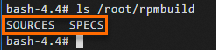
The files are installed to the /root/rpmbuild directory. Run ls /root/rpmbuild to verify:
Step 3: Modify the source code
-
Install build dependencies.
yum install -y rpm-build yum-utils
yum-builddep -y <src.rpm_name>
Replace
<src.rpm_name>with your source RPM package name. Example:kernel-5.10.134-13.1.al8.src.rpm.yum install -y rpm-build yum-utils yum-builddep -y kernel-5.10.134-13.1.al8.src.rpm -
Extract the source package.
# Enter the source code directory.
cd /root/rpmbuild/SOURCES
# Decompress the source code package.
tar xf <Name of the compressed source code package>
In this example,
<source_archive_name>islinux-5.10.134-13.1.al8.tar.xz.cd /root/rpmbuild/SOURCES tar xf linux-5.10.134-13.1.al8.tar.xz -
Go to the extracted directory.
cd <Name of the decompressed source code package>In this example,
<extracted_source_directory_name>islinux-5.10.134-13.1.al8.cd linux-5.10.134-13.1.al8 -
(Optional) Modify the configuration files.
You can modify the source code or a
configfile. The following steps show how to modify aconfigfile.-
List the available configuration files.
ls /root/rpmbuild/SOURCES
The
/root/rpmbuild/SOURCESdirectory contains fourconfigfiles.config file
Description
kernel-5.10.134-aarch64.config
Arm architecture, release version.
kernel-5.10.134-aarch64-debug.config
Arm architecture, debug version. For testing only.
kernel-5.10.134-x86_64.config
x86 architecture, release version.
kernel-5.10.134-x86_64-debug.config
x86 architecture, debug version. For testing only.
Select the file that matches your architecture. You can modify both platforms if needed.
-
Modify the configuration file.
This example uses the
kernel-5.10.134-x86_64.configfile for the x86 architecture.-
Copy the configuration file to the source directory.
cd /root/rpmbuild/SOURCES cp kernel-5.10.134-x86_64.config linux-5.10.134-13.1.al8/.config -
Go to the source directory.
cd linux-5.10.134-13.1.al8 -
Apply default values for any new configuration options.
make olddefconfig -
Use
make menuconfigto modify kernel options. This handles configuration dependencies automatically.make menuconfigIn the
menuconfiginterface, press/to search for options.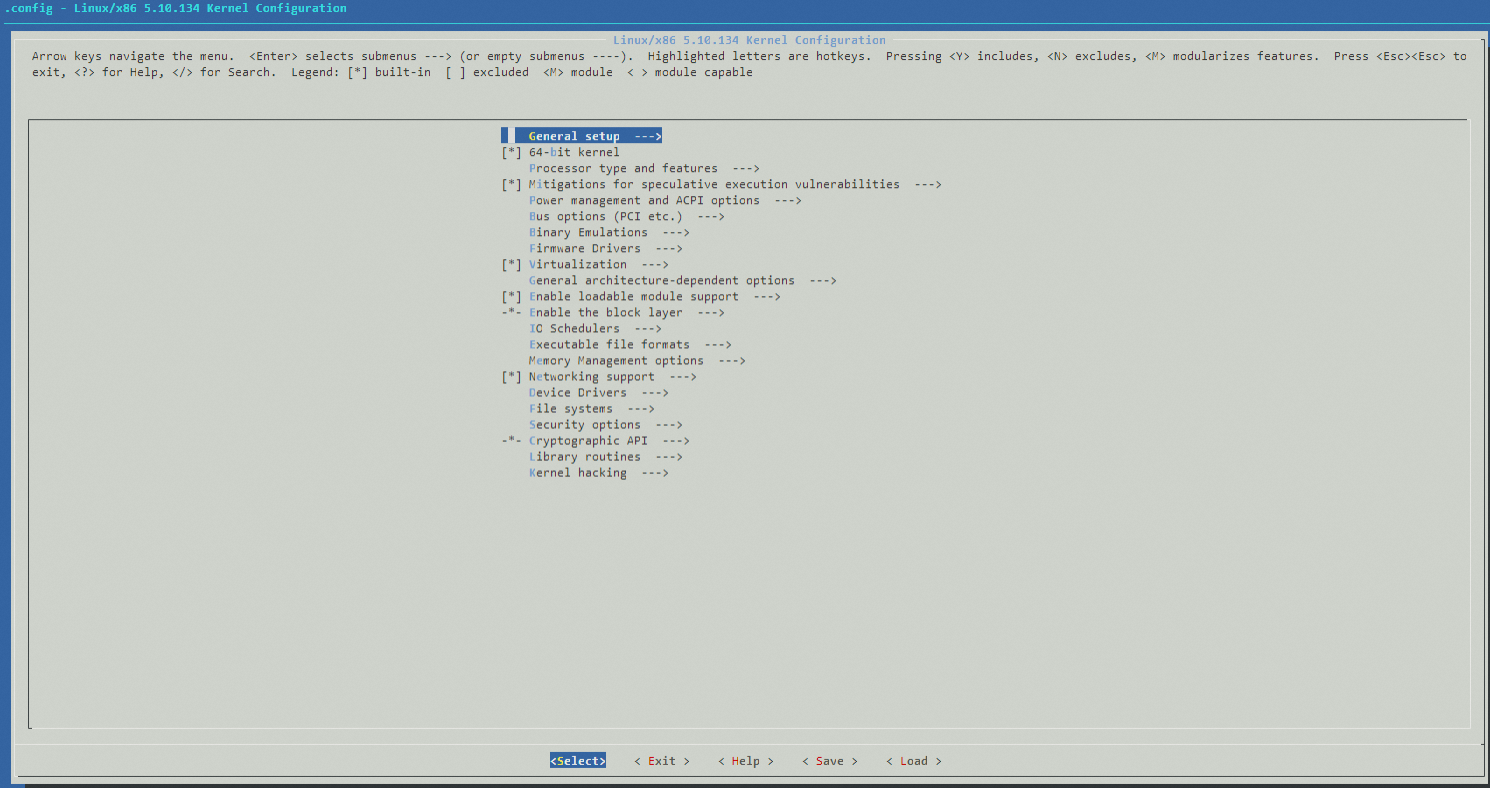
-
Copy the modified configuration back to overwrite the original.
cp .config ../kernel-5.10.134-x86_64.config -
Return to the parent directory.
cd ..
NoteYou can use the same method to modify the configuration file for the Arm architecture.
-
-
-
Update the version number in the spec file.
cd /root/rpmbuild/SPECS
vi kernel.spec
Press
Ito enter Insert mode. When you are finished, pressEsc, type:wq, and pressEnterto save and exit.Versioning recommendations: Update the version number to distinguish your build from official releases. For example:
-
Change a major version like
5.10.134-12to5.10.134-12.0.1. -
Change a minor version like
5.10.134-13.1to5.10.134-13.1.1.
This example updates the version number from
5.10.134-13.1to5.10.134-13.1.1.In the file, find the
%define pkgrelease %{?KREL:%{KREL}}%{?!KREL:13.1}line and update it to%define pkgrelease %{?KREL:%{KREL}}%{?!KREL:13.1.1}.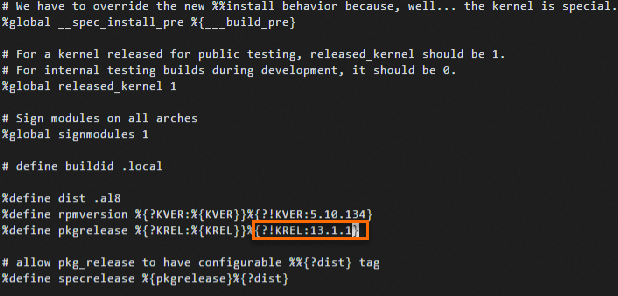
You can also describe your changes in the changelog section of the
kernel.specfile.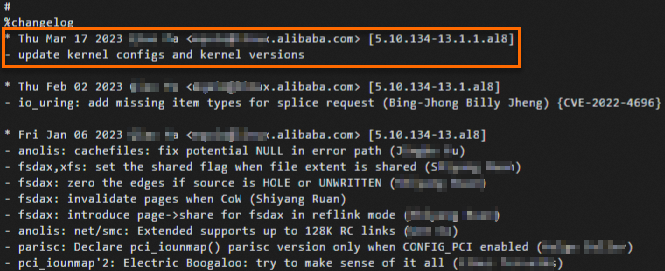
-
Step 4: Rebuild the RPM packages
-
Recompress the modified source code.
In this example, the source directory name is
linux-5.10.134-13.1.al8.-
Go to the
SOURCESdirectory.cd /root/rpmbuild/SOURCES/ -
Rename the source directory.
In the previous step, the version number was updated from
5.10.134-13.1to5.10.134-13.1.1. Therefore, rename the source directory tolinux-5.10.134-13.1.1.al8.mv linux-5.10.134-13.1.al8 linux-5.10.134-13.1.1.al8 -
Recompress the directory into a tarball.
tar cJf linux-5.10.134-13.1.1.al8.tar.xz linux-5.10.134-13.1.1.al8 -
Remove the original source directory and the old tarball.
rm -rf linux-5.10.134-13.1.al8
rm -f linux-5.10.134-13.1.al8.tar.xz
-
-
Rebuild the source RPM package.
cd /root
rpmbuild -bs rpmbuild/SPECS/kernel.spec
The output shows the rebuilt package location:
/root/rpmbuild/SRPMS/kernel-5.10.134-13.1.1.al8.src.rpm.
-
(Optional) Downgrade the
dwarvespackage.If your installed source RPM kernel version is
5.10.134-13.1.al8or earlier, the build requiresdwarves-1.22-1.al8to prevent errors.yum downgrade dwarves-1.22-1.al8 -y -
Rebuild the RPM packages.
rpmbuild --rebuild /root/rpmbuild/SRPMS/<src.rpm_name>Replace
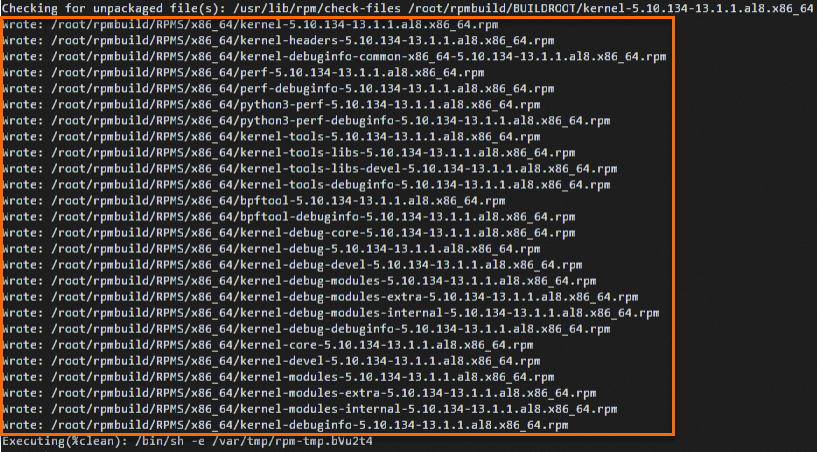
<src.rpm_name>with your modified source RPM package name. Example:kernel-5.10.134-13.1.1.al8.src.rpm.rpmbuild --rebuild /root/rpmbuild/SRPMS/kernel-5.10.134-13.1.1.al8.src.rpmThe build takes significant time. The following output indicates success.