The recommendation diagnostics feature is a visualization platform that lets you view results from the recommendation API and the content of related item IDs. This feature helps you analyze recommendation results and evaluate the reliability of your current recommendation policy.
Data table management
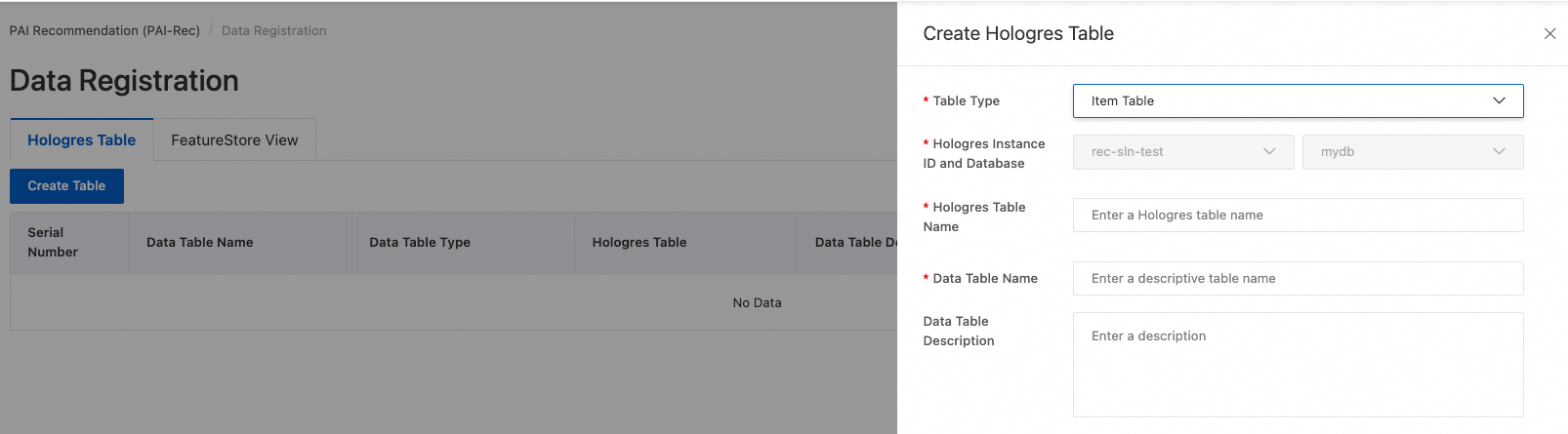
Item information must be stored in a separate data table so that you can associate item IDs from the recommendation results with their corresponding information. This makes it easy to display item details such as titles, images, and videos.
During configuration, select the data table type, set the data table name, and specify the table fields.
Diagnostic methods
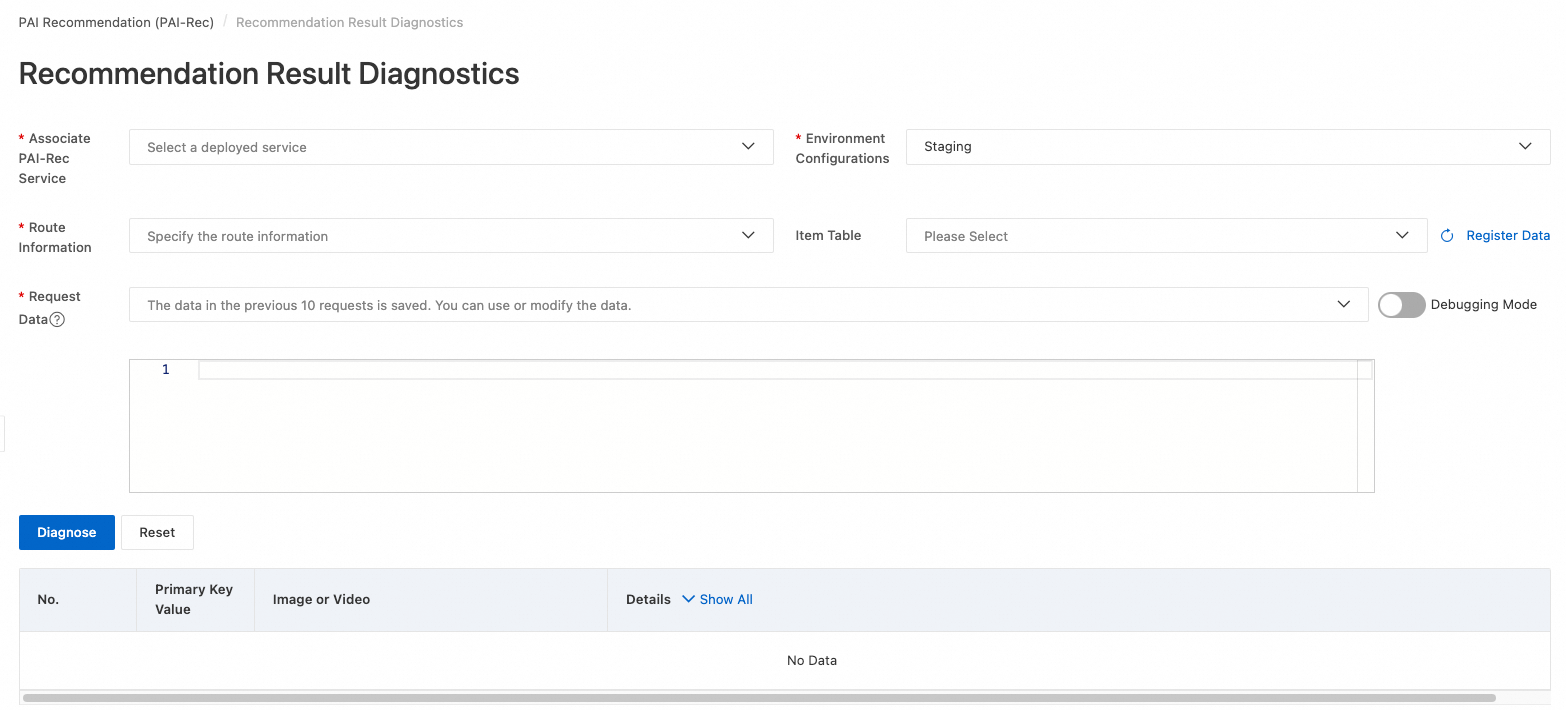
Recommendation result diagnostics
Before you use recommendation diagnostics, go to the PAI-Rec console. On the Engine tab of the System Configuration > Cloud Service Configuration page, configure a PAI-EAS resource group if you want to use a dedicated one. Then, go to Engine Specification and Resource Address to configure the recommendation engine service.
When you use the recommendation API, the response must be in JSON format. The response data must include an items list, and each element in the list must contain at least the item_id field. If the response from the recommendation API is missing these fields, you can call the API in debug mode. In this mode, the system adds the necessary information to the response.
You must register the item table separately. In PAI-FeatureStore, go to the PAI > FeatureStore console to create an offline Feature View from the original MaxCompute item table. Use the Data Synchronization feature of this view to sync one day of data to an online store. Then, in PAI-Rec, navigate to Troubleshooting Tool > Data Registration to register the FeatureStore View. After the operation is complete, you can select the registered item table on the Recommendation Result Diagnosis page.
Complete the configuration based on the following table schema.
Response data
Parameter
Type
Required
Description
code
Integer
No
The error code.
A value of 200 indicates success.
message
String
No
The error message. If the call is successful, the value is success.
request_id
String
No
The unique request ID.
experiment_id
String
No
The experiment ID.
size
Integer
No
The number of items returned.
items
Json array
Yes
The list of recommended items.
Individual item data
Parameter
Type
Required
Description
item_id
String
Yes
The recommended item ID.
retrieve_id
String
No
The retrieval data source ID.
score
Float
No
The final score of the recommended item.
Recall ID string diagnostics
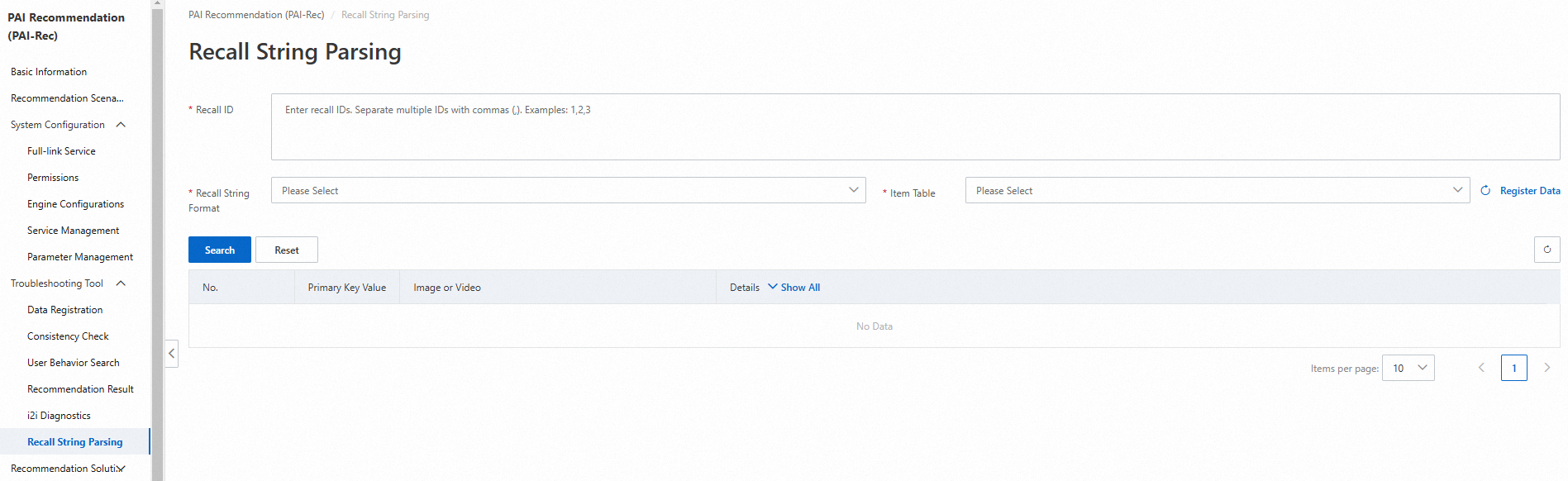
The recall ID string diagnostics feature is used to evaluate the reliability of a recall ID list. You can enter an item_id to fetch and display the basic information of the item. The information is displayed in the same format as in recommendation result diagnostics.
User behavior analysis
The user behavior analysis feature lets you extract and display a list of related item IDs from the behavior table based on user behavioral data.
On the Troubleshooting Tool > Data Registration page, configure the user behavior table. Use uid (user ID) as the primary key.
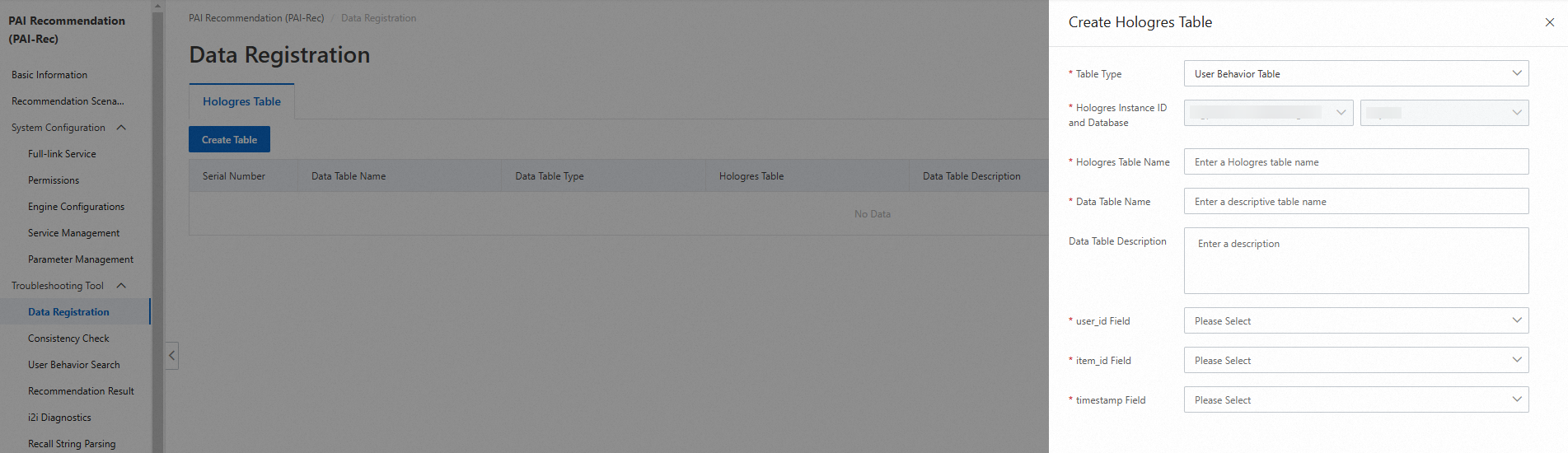
On the Troubleshooting Tool > User Behavior Search page, associate the user behavior table with the item information table and set filter conditions to run queries.
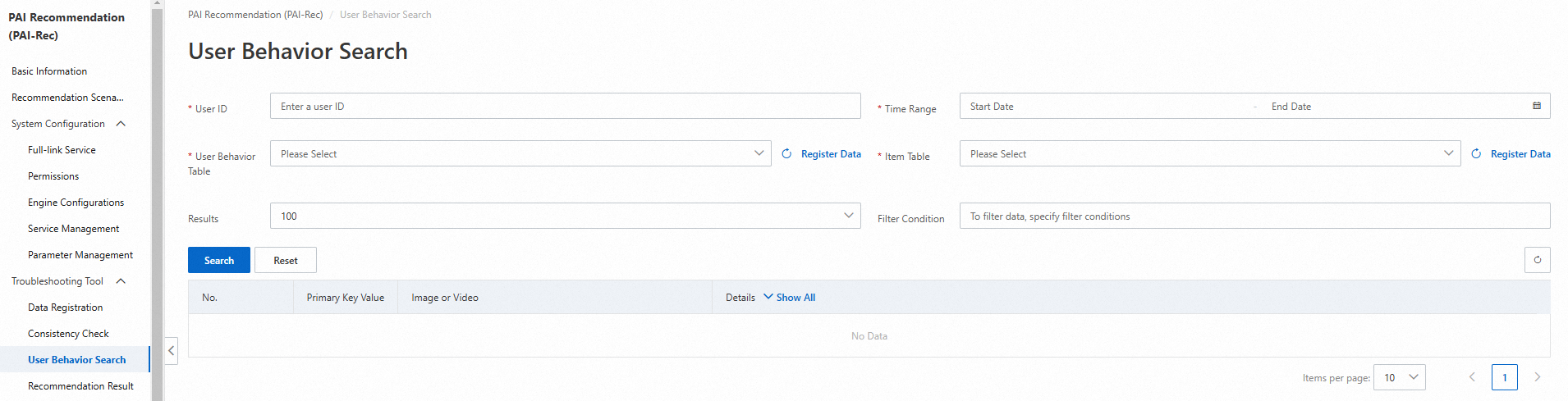
User behavioral data is stored in Hologres. The following SQL statement creates the user behavior table. You can add more fields as needed:
BEGIN;
DROP TABLE IF EXISTS "sv_rec"."user_behavior";
CREATE TABLE "sv_rec"."user_behavior" (
 "uid" text NOT NULL,
 "itemid" text NOT NULL,
 "event" text NOT NULL,
 "timestamp" timestamptz NOT NULL
);
CALL SET_TABLE_PROPERTY('"sv_rec"."user_behavior"', 'orientation', 'row');
CALL SET_TABLE_PROPERTY('"sv_rec"."user_behavior"', 'clustering_key', '"uid","timestamp:desc"');
CALL SET_TABLE_PROPERTY('"sv_rec"."user_behavior"', 'time_to_live_in_seconds', '2592000');
comment on column "sv_rec"."user_behavior"."uid" is 'User ID';
comment on column "sv_rec"."user_behavior"."itemid" is 'Item ID';
comment on column "sv_rec"."user_behavior"."event" is 'User behavior events, such as click, add to favorites, and share.';
comment on column "sv_rec"."user_behavior"."timestamp" is 'Time of the event occurrence.';
COMMIT;