Every service and experiment in PAI-Rec must be associated with a recommendation scenario. Scenarios map placements on your platform to a set of labs, experiment layers, experiment groups, and experiments.
Recommendation scenario
A recommendation scenario maps a specific placement on your platform — such as homepage waterfall recommendations, in-cart "you may also like" suggestions, or related items on a product detail page — to a set of recommendation services and experiments.
Name each scenario after its page location to make it identifiable at a glance. For example, the name "waterfall recommendations on the homepage" tells you both the UI pattern ("waterfall") and the placement ("homepage").
Traffic Code
The Traffic Code field controls how recommendation requests are split across systems. Use it when you run PAI-Rec alongside a self-managed or third-party recommendation system.
| Traffic Code value | Traffic destination |
|---|---|
PAI-REC | PAI-Rec system |
selfhold | Your self-managed recommendation system |
thirdparty | A third-party recommendation system |
For example, in the HomePageRec scenario, traffic is routed to PAI-Rec by default. To migrate traffic gradually, start by routing 10%–20% of the scenario's traffic to PAI-Rec. Once PAI-Rec achieves the expected results, increase the proportion.
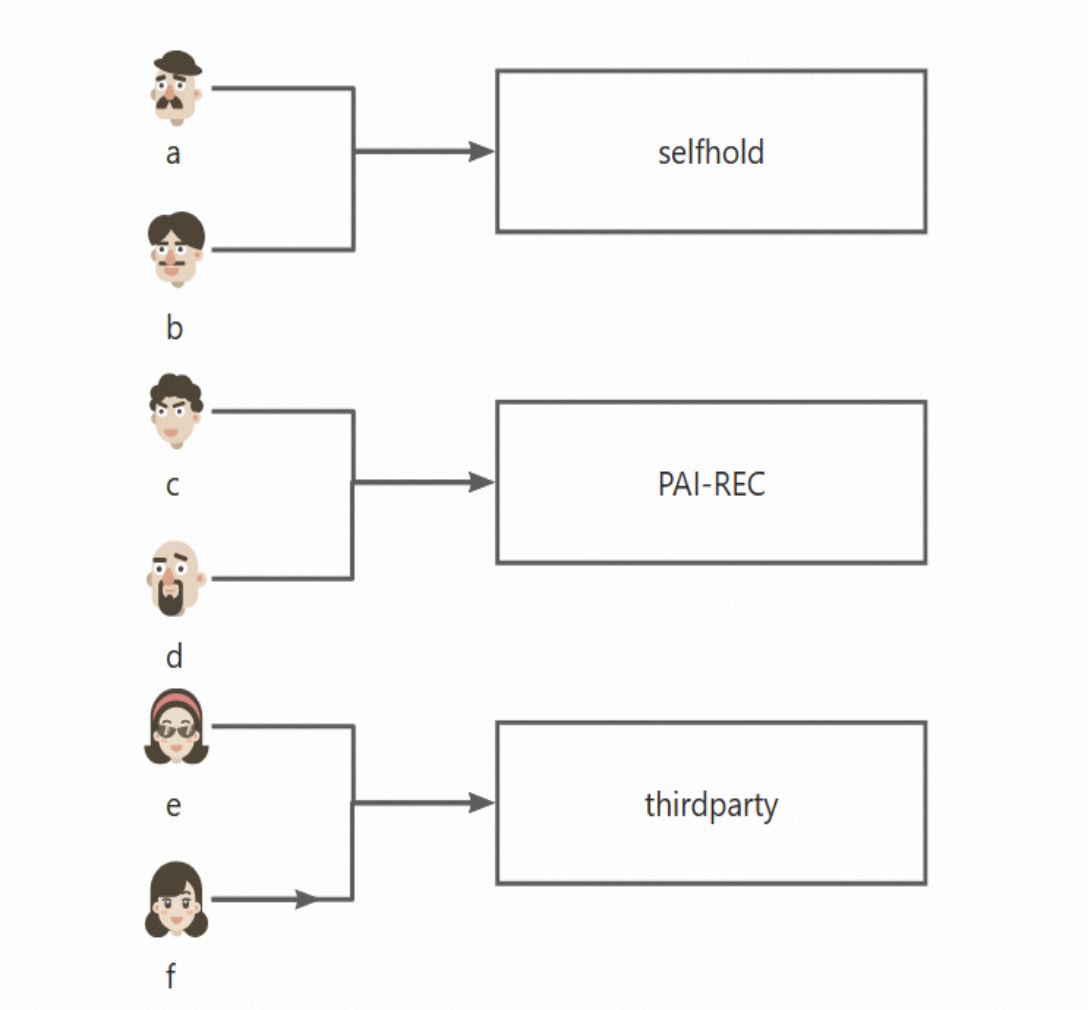
The following figure shows traffic allocation for six users. Users a and b receive results from the self-managed system (selfhold), users c and d from PAI-Rec (PAI-REC), and users e and f from a third-party system (thirdparty).
Lab and experiment layer
PAI-Rec organizes A/B testing using a four-level hierarchy:
Lab
└── Experiment layer
    └── Experiment group
        └── Experiment
Lab
A lab is a collection of traffic. PAI-Rec routes incoming recommendation requests to labs before any experiment matching occurs.
Every scenario requires at least one base lab. Traffic is matched to non-base labs first; if no non-base lab matches, the request falls back to the base lab. If you create only one lab, it must be used as the base lab for fallback. Configure the base lab with simple recall and ranking logic so it stays stable under traffic spikes. The base lab can also be implemented by using popular and random fallback logic.
Non-base labs hold your primary, more complex recall and ranking logic. Create multiple non-base labs when you need to test different algorithm strategies in parallel.
The following table shows the configuration fields for a base lab.
| Field | Description |
|---|---|
| Lab Name | A custom name for the lab. |
| Description | A detailed description of the lab. |
| Lab Type | Base Lab (required) or Non-base Lab (optional). |
| Runtime Environment | The recommendation engine's runtime environment. Valid values: Daily, Staging, Production. |
| Bucketing Method | How PAI-Rec assigns users to buckets. See Bucketing method below. |
| Buckets | The total number of buckets in this lab (for example, 100). |
| Traffic Allocation | The bucket numbers assigned to this lab. Valid range: 0–99. |
| Layering | The experiment layer within this lab. Common values: recall, filter, coarse_rank, rank. |
| Test Users | Users whose traffic is routed directly to this lab, bypassing bucket matching. |
Test Users supports two input methods:
Manually Enter: Enter one or more user IDs separated by commas.
User Group ID: Select a user group created on the User Group Management page.
Bucketing method
PAI-Rec supports three ways to assign users to buckets:
| Method | How it works |
|---|---|
| UID-based Bucketing | Assigns users based on the last digits of their UIDs. |
| Hashed UID-based Bucketing | Assigns users based on the hash values of their UIDs. |
| Condition-based Bucketing | Assigns users based on a key-value expression, such as gender=man. |
Experiment layer
An experiment layer is a logical grouping within a lab. Each lab can have multiple experiment layers. Common layer names include recall, filter, coarse_rank, and rank.
Experiment group and experiment
Experiment group
An experiment group is a subdivision of an experiment layer. Create multiple experiment groups within a layer when multiple algorithm engineers need to run recall or ranking experiments independently.
Experiment
An experiment is a single algorithm or configuration variation within an experiment group.
An experiment group typically contains multiple experiments running simultaneously. For example, in the configuration below, dssm is under testing with its traffic proportion set to 0% and its state set to online, which helps obtain recommendation effects by using the configured whitelist.
The experiment group is named Recall Group, where swing and etrec each have 50% traffic allocation, etrec is the baseline experiment, and swing and dssm are regular experiments.