Publishing and delisting settings
In the recommendation system, the pub_time and expire_time fields control the automatic publishing and delisting of news. pub_time: The time when the content or news is published, specified as a UNIX timestamp in seconds.
1. This field indicates whether the content is newly published. 2. This field is required. Leaving this field empty affects the algorithm's performance and prevents timely recommendations. 3. If you are uploading historical news for the first time and cannot obtain the exact publication times, you can set a uniform past timestamp for all of them. For all new articles, use the actual publication time. expire_time: The timestamp when the content or news expires, specified as a UNIX timestamp in seconds.
1. When the current server time exceeds the value of this field, the item is automatically delisted and is no longer recommended. 2. The service cannot start if all data has expired. 3. If you set this field to empty, the item does not expire.
For more information about data specifications, see News industry.
Example: You can use the server-side SDK to upload the pub_time and expire_time fields to the item table. For example, you can set a news item to expire in 5 days.
JSON data:
[{
    "cmd": "add",
    "fields": {
        "item_id": "item001",
        "item_type": "article",
        "author": "zhangsan",
        "pub_time": "1597308140",
        "expire_time": "1597734175",
        "channel": "Entertainment",
        "scene_id": "a101",
        "title": "xxx",
        "content": "xxx",
        "tags": "Entertainment",
        "category_level": "2",
        "category_path": "1_1",
        "weight": "1",
        "status": "1"
    }
}]
1. The uploaded pub_time is 1597308140 (August 13). 2. The uploaded expire_time is 1597734175 (August 18). The time difference between these two fields is 5 days. This sets the validity period of the news item to 5 days. After 5 days from its publication, the item will no longer be recommended. For more information about pushing data with the server-side SDK, see Push data.
Scenario management
In the console, go to Scenario Management to set an expiration period for each scenario. For example, you can create a scenario that includes only items published within the last 5 days. Configure the scenario as follows: Note: Item selection in Scenario Management uses the pub_time field. Ensure this field has the correct value.
I. Create a scenario
In the console, under Business Operations, click Scenario Management.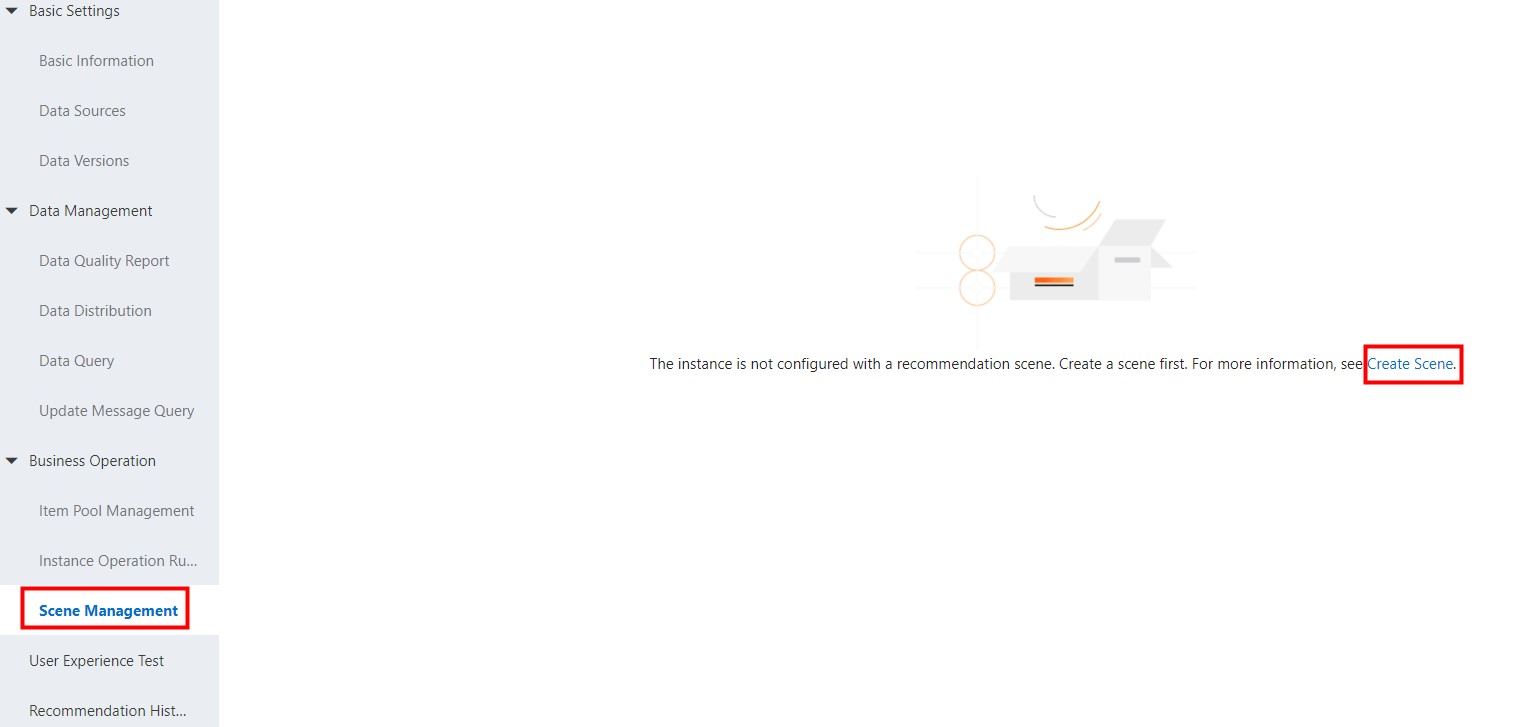
II. Enter basic information
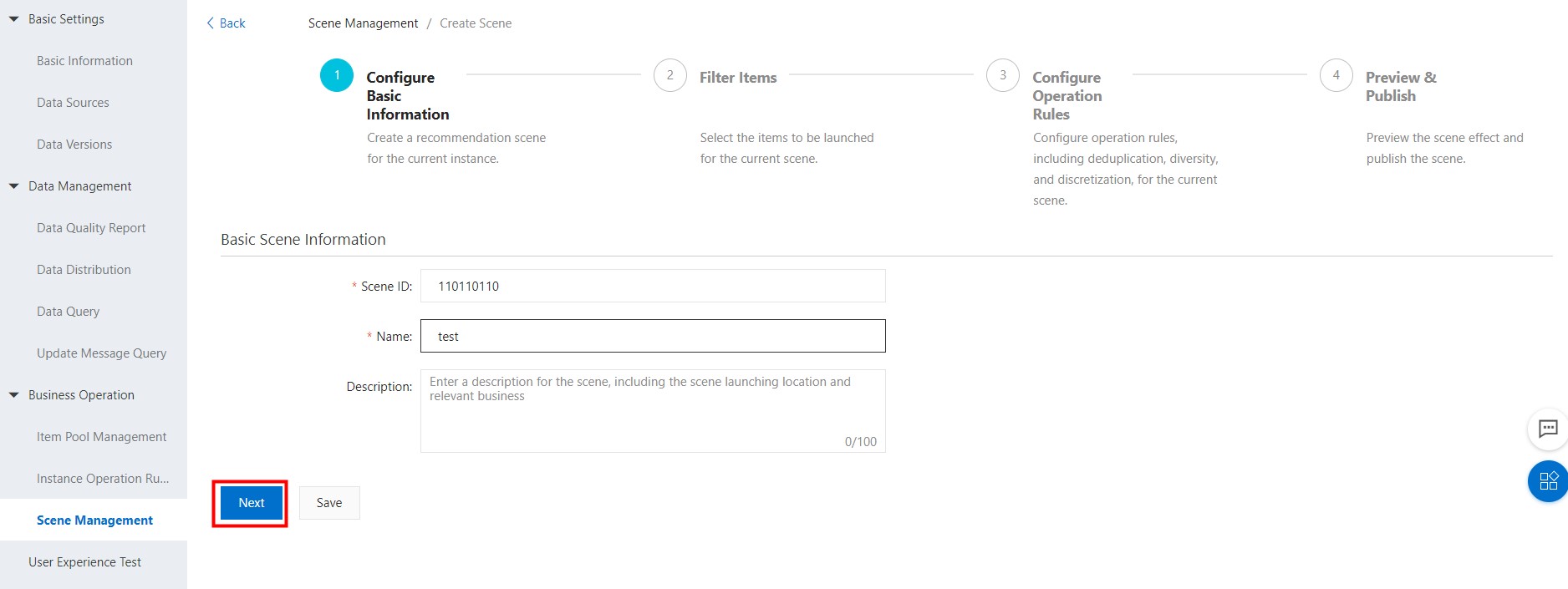
III. Filter items
Select items published within the last 3 days. In this scenario, all items are valid for 5 days after publication, after which they are no longer recommended.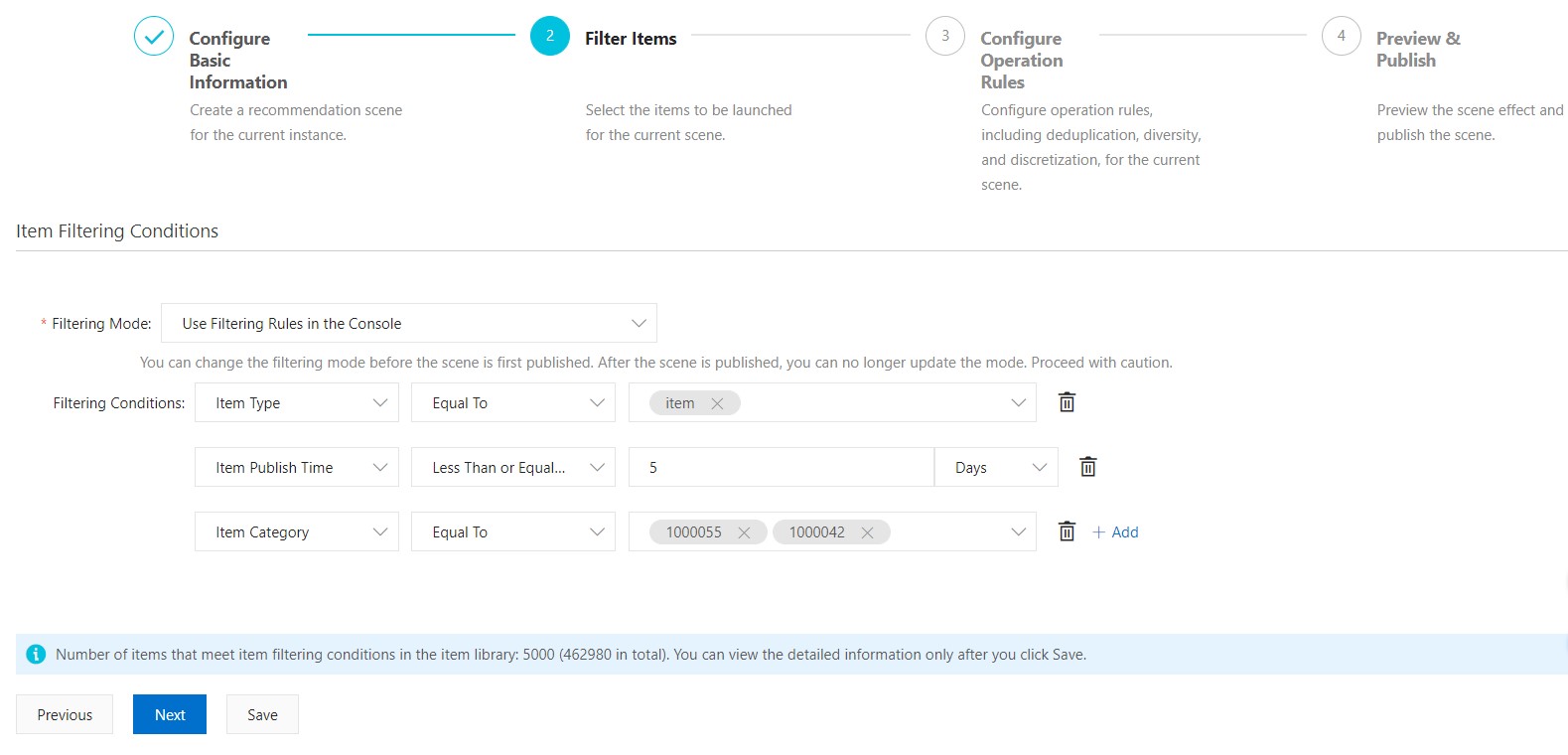
If a scenario requires a shorter validity period, you can create a new scenario, such as one with a 3-day validity period. Items older than this period are automatically excluded from the scenario and are not recommended.
For the remaining configuration steps and notes, see Configure selection and delivery policies to quickly build recommendation scenarios.