Use the Specialized Administration feature of Intelligent Advisor to inspect the stability of your cloud products.
Initiate a stability inspection
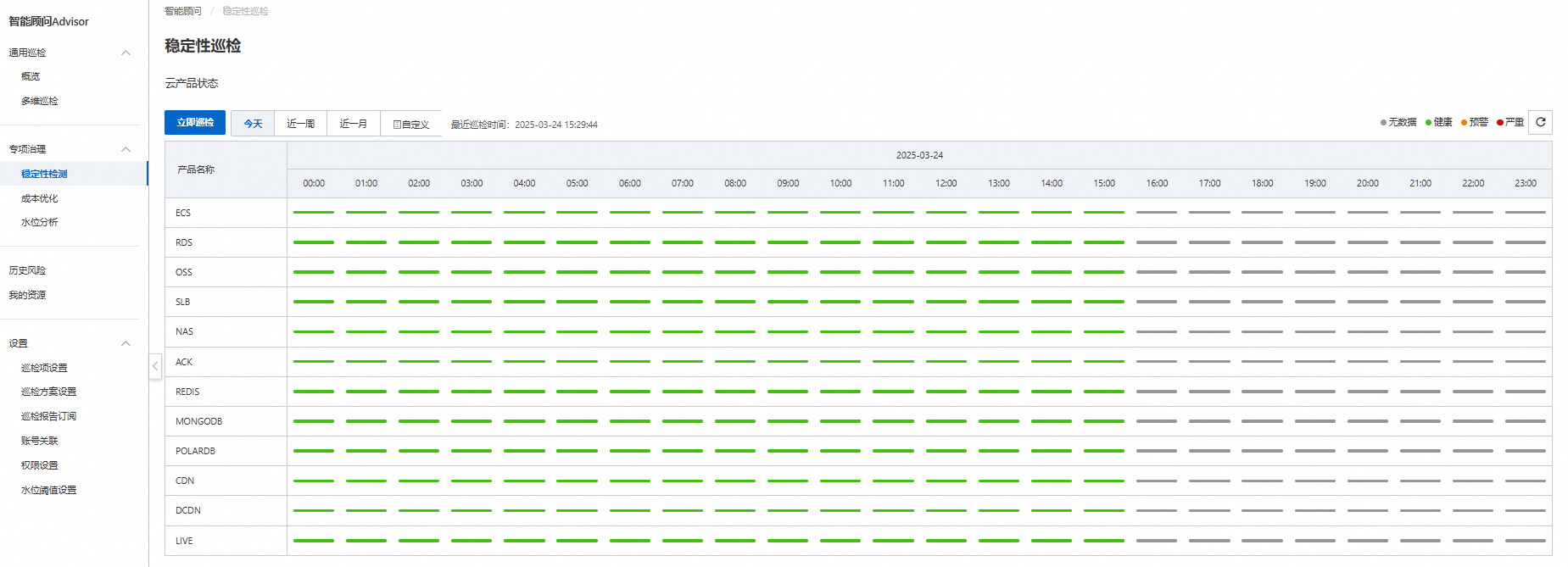
In the menu, find Specialized Administration > Stability Inspection. Click Inspect Now to start a stability inspection for the current day (00:00:00 to the current time).
View stability inspection results
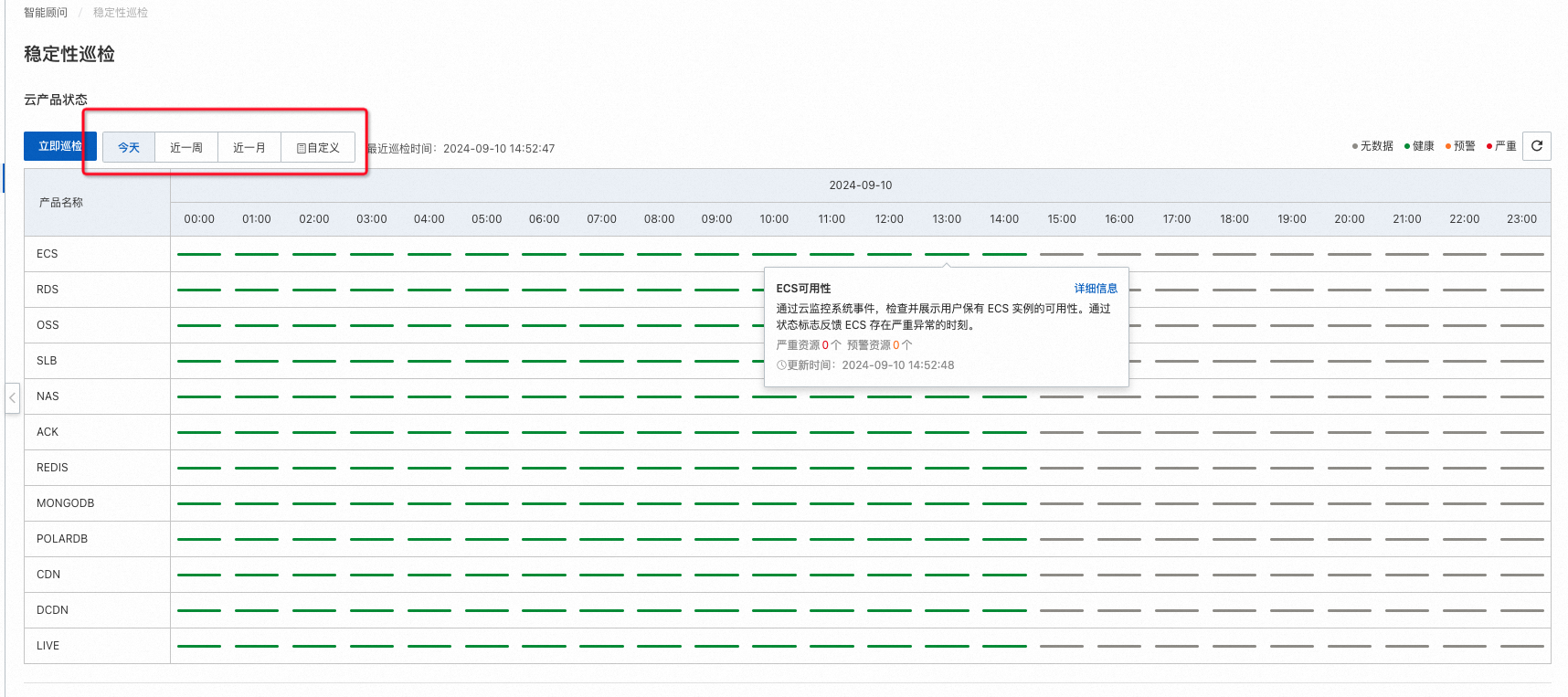
After the inspection is complete, the timeline displays the threat status of each inspection item. Use the time range selector to adjust the displayed period.
View abnormal items
Abnormal inspection items are marked in red (critical) or orange (threat). Hover over a time point to view the details.
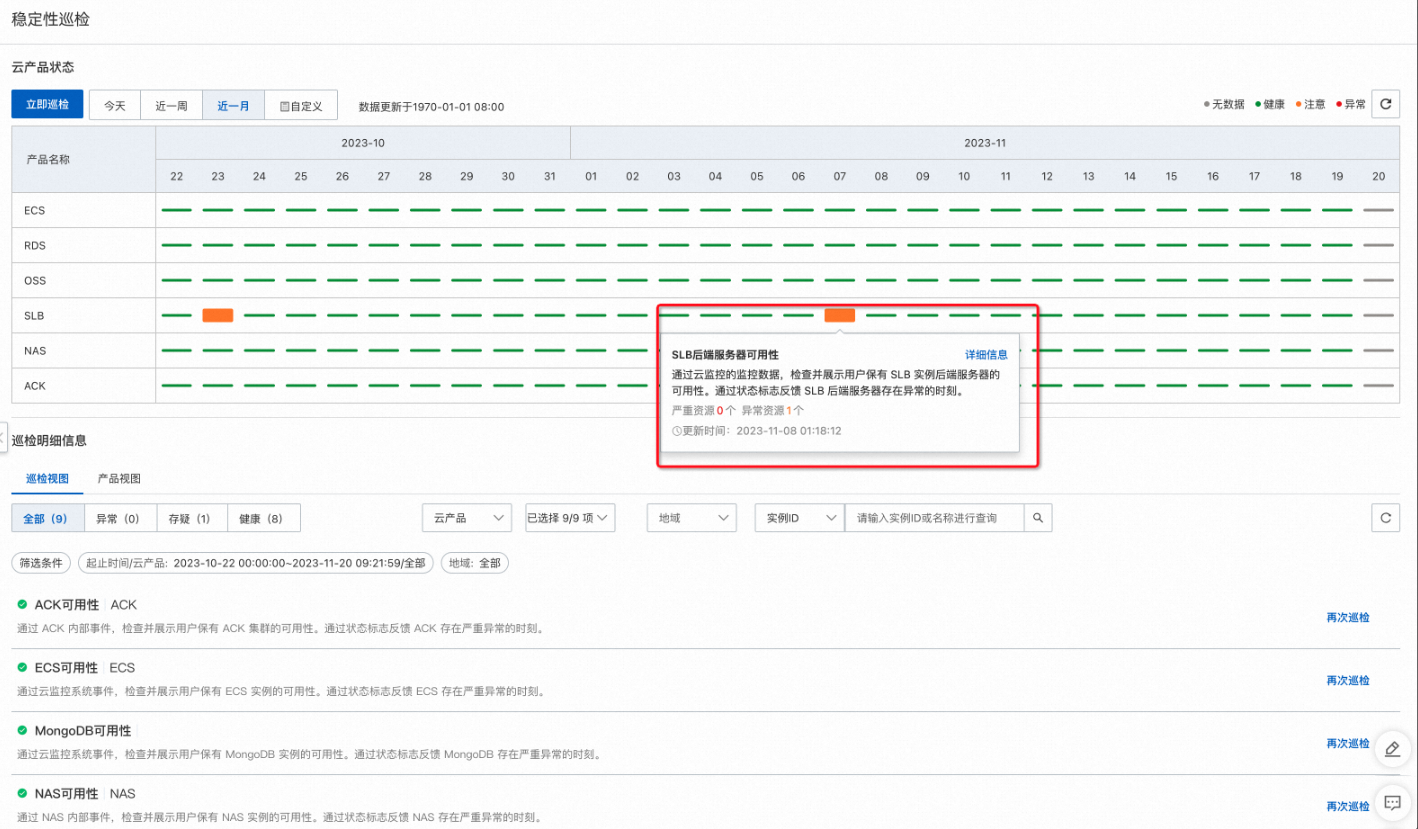
In the pop-up window, click Details to filter inspection details by product and time segment. You can view the threat information for each inspection item and the affected resources.
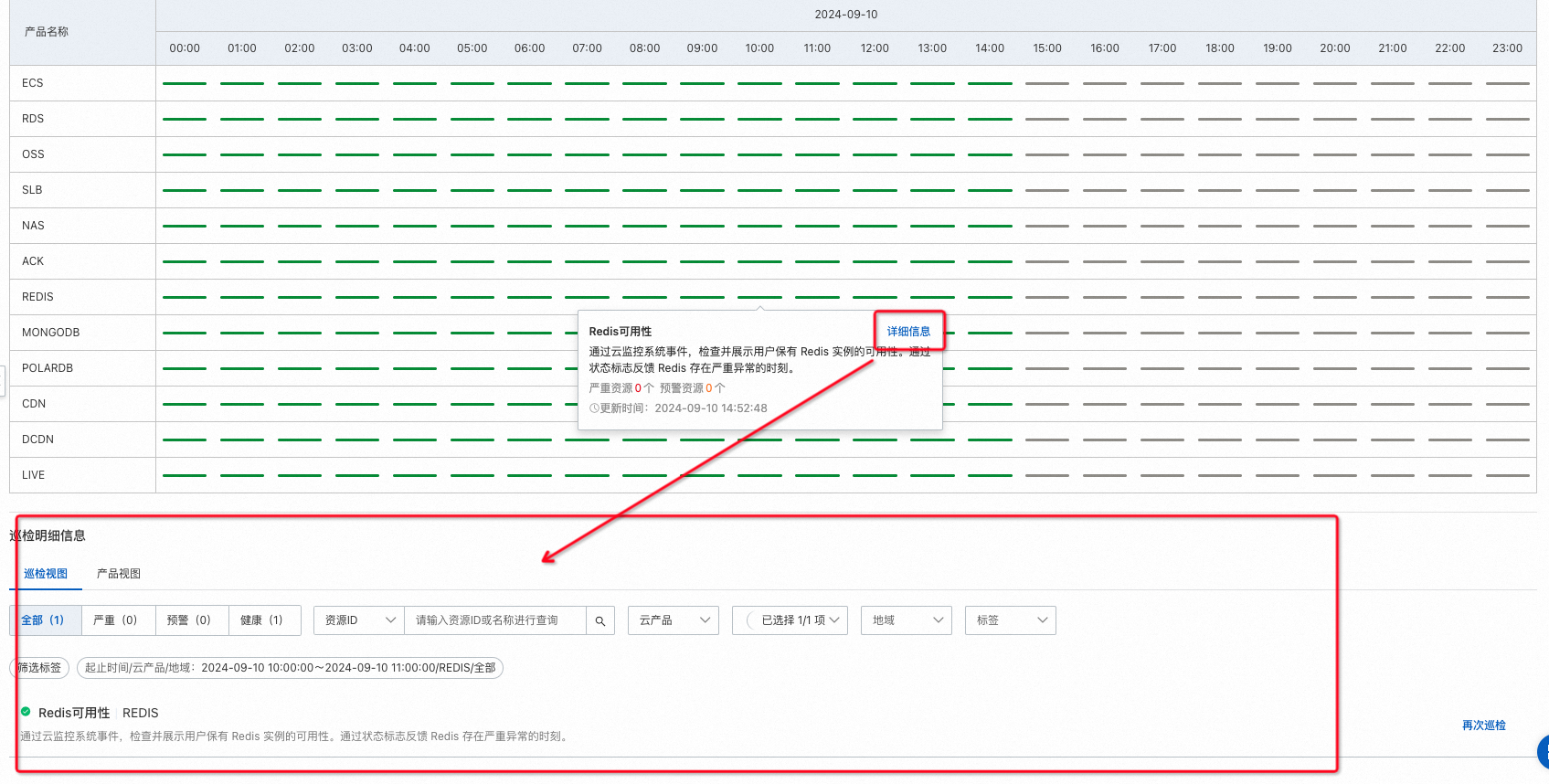
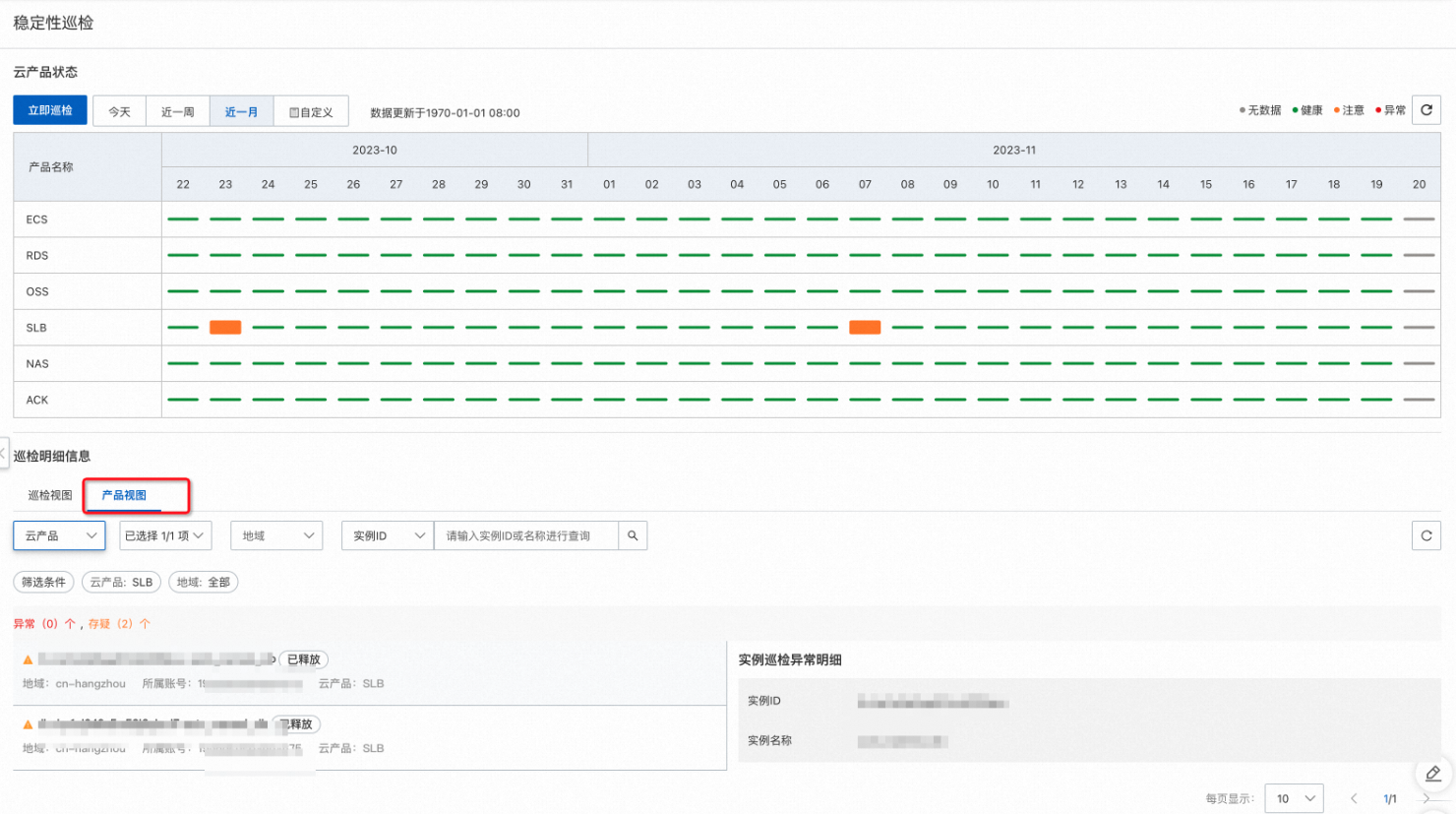
Click Product View to switch to the product view, which shows cloud products with abnormal threats during the specified time segment. Select a product from the drop-down list to view its details. You can view one cloud product at a time.