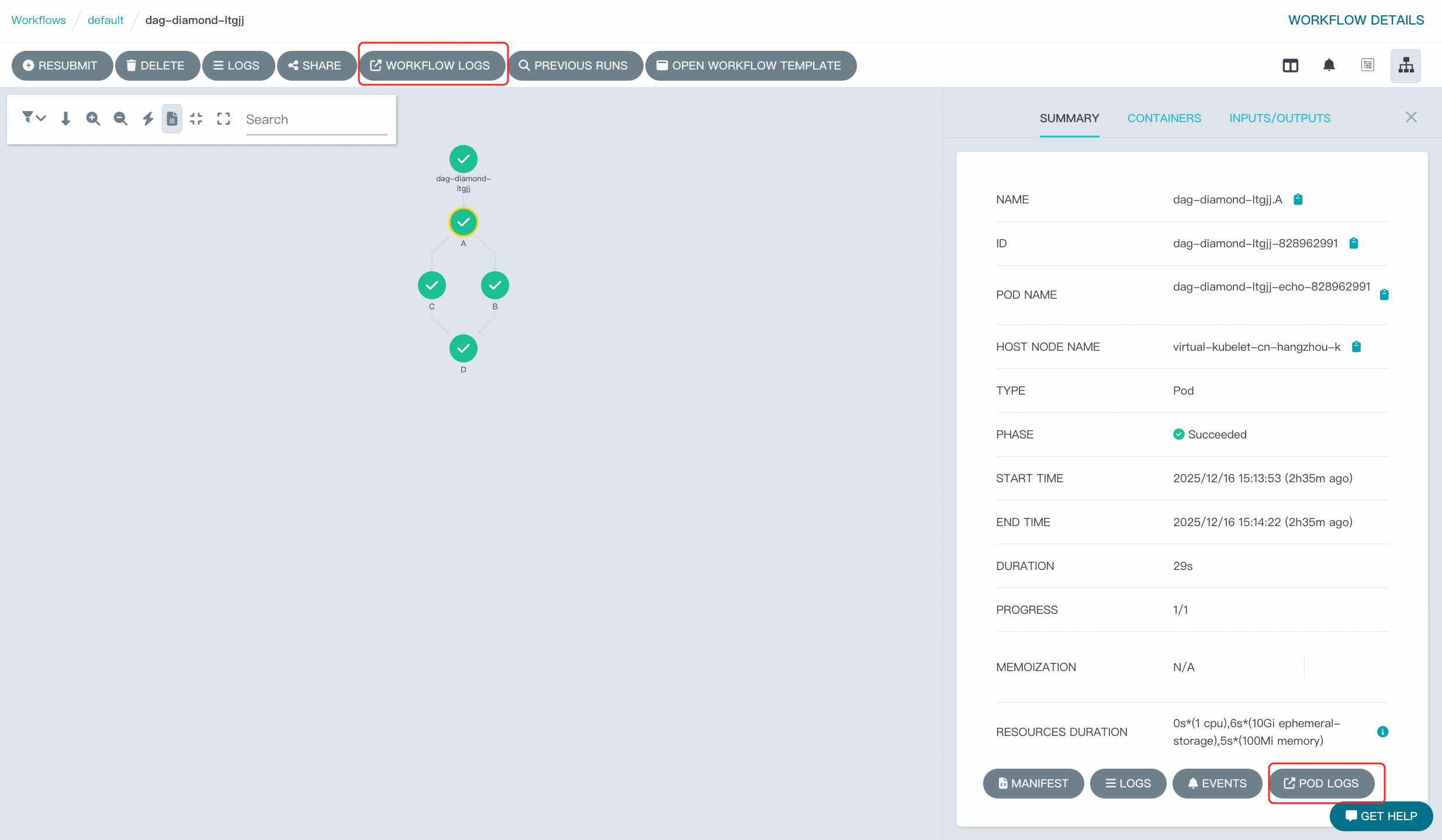
Argo UI supports embedding links to Simple Log Service (SLS) directly within the user interface (UI) for workflows and individual workflow pods, enabling quick access to logs.
Prerequisites
You have activated SLS.
Procedure
Access workflow controller configuration
Log on to the ACK One console.
In the left navigation pane, choose .
Click the workflow controller configuration (YAML).
Edit the YAML configuration
Replace the placeholders in the following template:
{clusterid}: Your cluster ID.{region}: The region where your cluster is located (such ascn-hangzhou).
In the Modify workflow controller configuration panel, add the following block under the
datasection:links: | # Adds a button to the workflow page. E.g. linking to you logging facility. - name: Workflow Logs scope: workflow url: https://sls.console.alibabacloud.com/lognext/project/k8s-log-{clusterid}/logsearch/workflow-controller-{clusterid}?slsRegion={region}&queryTimeType=3&queryString=${metadata.name} # Adds a button next to the pod. E.g. linking to you logging facility but for the pod only. - name: Pod Logs scope: pod url: https://sls.console.alibabacloud.com/lognext/project/k8s-log-{clusterid}/logsearch/workflow-logstore?slsRegion={region}&queryTimeType=3&queryString=_pod_name_=${metadata.name} and _namespace_=${metadata.namespace}Template variable reference:
${metadata.namespace}: The Kubernetes namespace of the current workflow, pod, event source, or sensor.${metadata.name}: The name of the current workflow, pod, event source, or sensor.${status.startedAt}: The start timestamp of the workflow or pod, formatted as2021-01-01T10:35:56Z.${status.finishedAt}: The end timestamp of the workflow or pod, formatted is2021-01-01T10:35:56Z.If the workflow or pod is still running, the value will be
null.
Restart the Argo Server in your workflow cluster to apply the configuration.
kubectl rollout restart deployment/argo-server -n {clusterid}Log on to Argo UI. You should now see that the link to SLS has been added to the interface.