The Prometheus Monitoring dashboards in ACK give you real-time visibility into storage usage at the cluster, node, pod, and volume level. With Managed Service for Prometheus enabled, you can track disk I/O, capacity utilization, and inode usage across disk, NAS, and OSS volumes mounted to your cluster — without additional instrumentation.
Prerequisites
Before you begin, make sure you have:
-
The Container Storage Interface (CSI) plug-in installed at version 1.22.14-820d8870-aliyun or later. When updating the CSI plug-in, update both csi-plugin and csi-provisioner. For update instructions, see Update csi-plugin and csi-provisioner
-
Managed Service for Prometheus enabled for the cluster. For setup instructions, see Step 1: Enable Managed Service for Prometheus in the "Use Managed Service for Prometheus" topic
Supported storage types
The following table lists the container storage types that support monitoring and shows where to view their metrics.
| Storage type | Underlying storage | Where to view metrics |
|---|---|---|
| emptyDir | Node directory (host) | Application Monitoring > Pods tab (ephemeral storage section). emptyDir has no separate metrics — it appears as part of ephemeral storage. |
| Disk volumes | Alibaba Cloud disks | Storage Monitoring > CSI Disk tab |
| File Storage NAS (NAS) volumes | NAS | Storage Monitoring > CSI NAS tab |
| Object Storage Service (OSS) volumes | OSS | Storage Monitoring > CSI OSS tab |
The following storage types do not support storage monitoring:
| Storage type | Reason |
|---|---|
| hostPath | The kubelet does not count hostPath volumes as pod ephemeral storage and does not monitor them. |
| Secrets and ConfigMaps | No storage monitoring requirements exist for these types; the Kubernetes community has not defined a monitoring design for them. |
Open the Prometheus Monitoring page
-
Log on to the ACK console. In the left-side navigation pane, click ACK consoleClusters.
-
On the Clusters page, click the name of the target cluster.
-
In the left-side pane, choose Operations > Prometheus Monitoring.
Cluster dashboard
On the Prometheus Monitoring page, click Monitoring Overview and then click the Cluster Overview tab.
The cluster dashboard gives you a fleet-wide view of all volumes and the containers consuming the most file system capacity.

| Metric | Description |
|---|---|
| PVC Overview | Lists all persistent volume claims (PVCs) mounted to the cluster, including the PVC name, persistent volume (PV) name, type, namespace, number of nodes mounted, total capacity, used capacity, and utilization. |
| Container file system usage (top 10) | The 10 containers with the highest root file system capacity usage. |
| Container file system inode usage (top 10) | The 10 containers with the highest inode usage in the root file system. |
Node dashboard
On the Prometheus Monitoring page, click Node Monitoring and then click the Nodes tab.
The node dashboard shows disk I/O performance and PVC usage for each node.
Disk monitoring
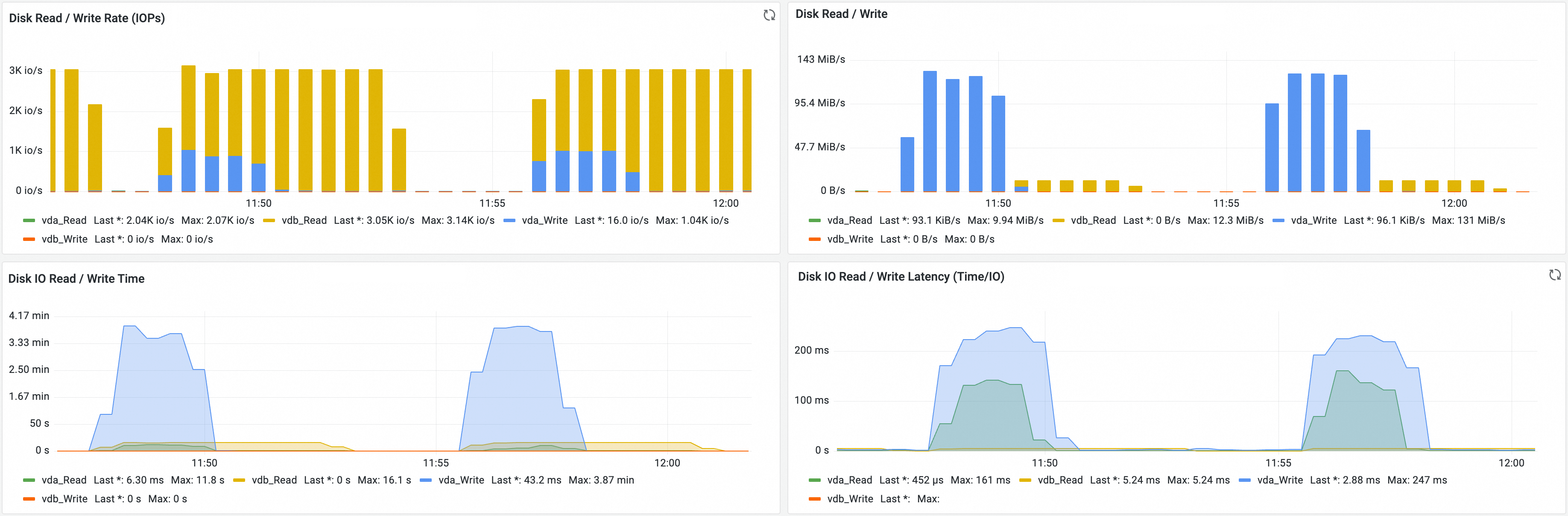
| Metric | Description |
|---|---|
| Disk read/write rate (IOPS) | The IOPS for disk reads and writes. |
| Disk read/write | The disk read and write throughput. |
| Disk I/O read/write time | The disk read and write time. |
| Disk I/O read/write latency (time/IO) | The latency per disk read and write operation. |
PVC monitoring
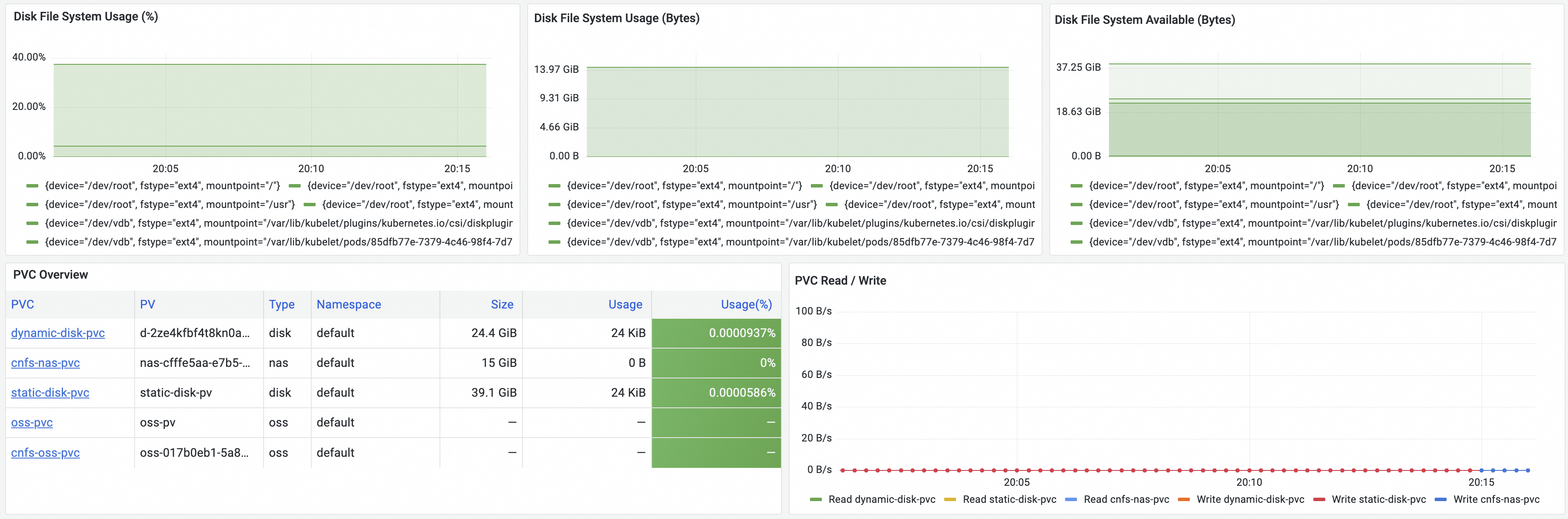
| Metric | Description |
|---|---|
| Disk file system usage (%) | Disk capacity utilization. |
| Disk file system usage (bytes) | Disk capacity used, in bytes. |
| Disk file system available (bytes) | Available disk capacity, in bytes. |
| PVC Overview | Lists all PVCs mounted to the node, including PVC name, PV name, type, namespace, number of nodes mounted, total capacity, used capacity, and utilization. |
| PVC read/write | Real-time read and write throughput for each volume. |
Pod dashboard
On the Prometheus Monitoring page, click Application Monitoring and then click the Pods tab.
Pod storage metrics cover two categories: the root file system and ephemeral storage.
Root file system monitoring
If your cluster runs Kubernetes 1.24 or later, pod dashboard metrics depend on csi-plugin version 1.28.3-eb95171-aliyun or later. If the installed version is earlier, no metrics appear on the pod dashboard. See the csi-plugin release notes to verify your version.
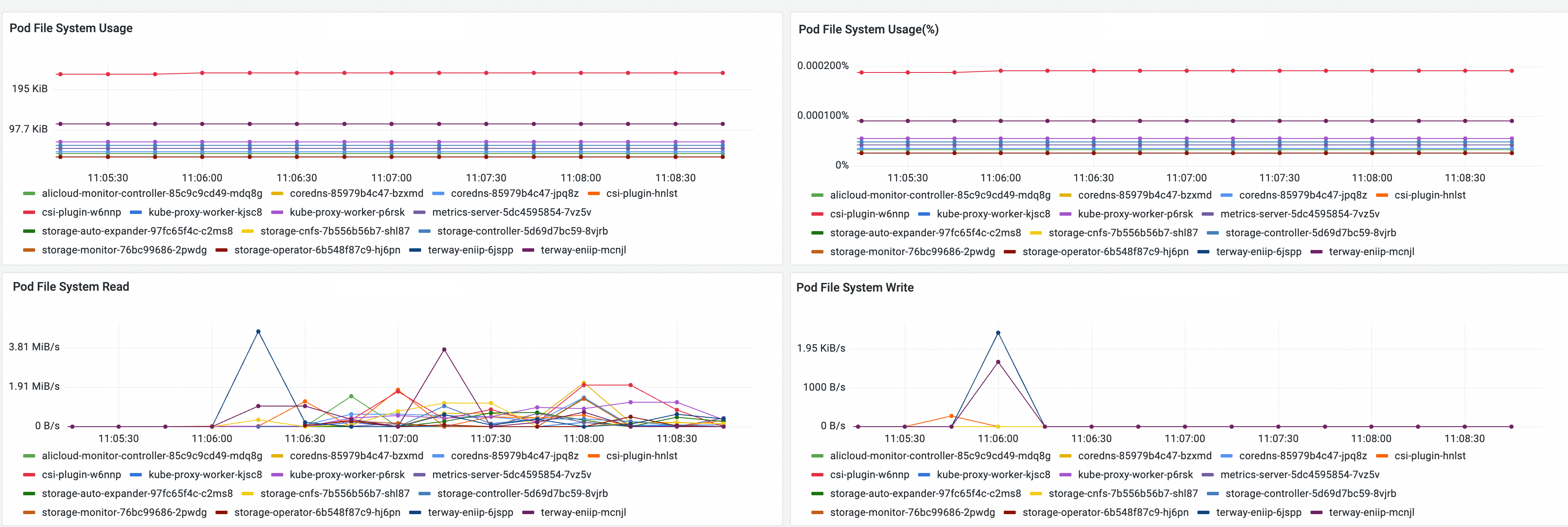
| Metric | Description |
|---|---|
| Pod file system usage | Storage capacity used by the root file system in the pod. |
| Pod file system usage (%) | Storage capacity utilization of the root file system in the pod. |
| Pod file system read | Real-time read throughput of the root file system. |
| Pod file system write | Real-time write throughput of the root file system. |
Ephemeral storage monitoring
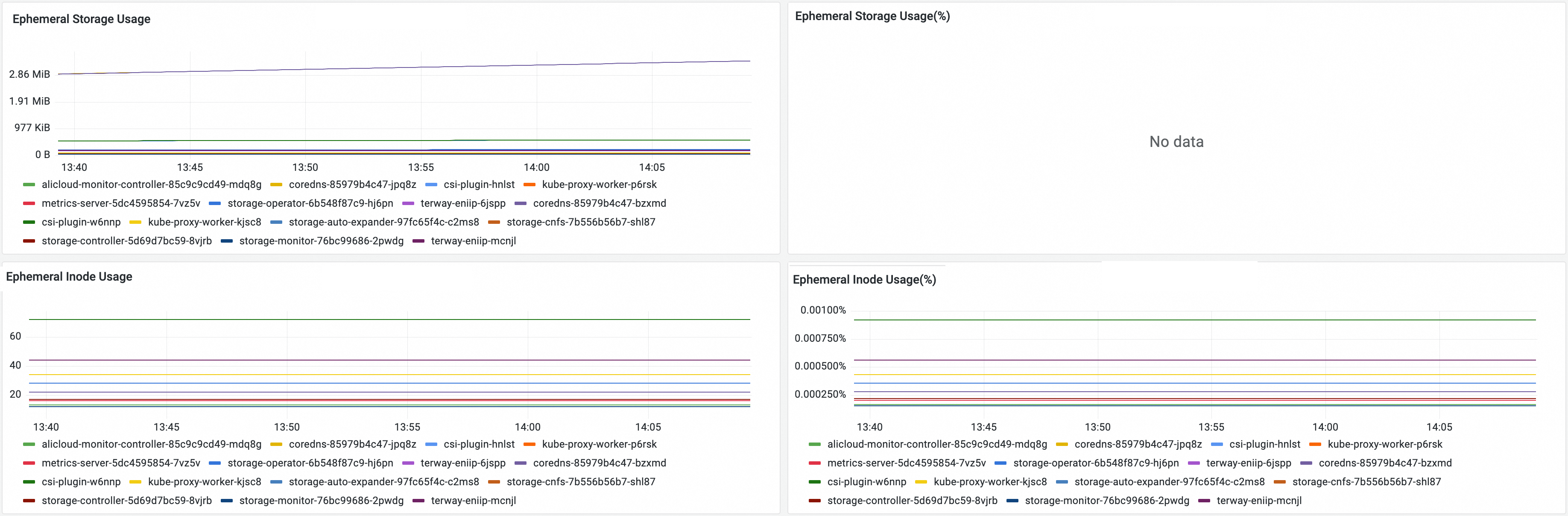
| Metric | Description |
|---|---|
| Ephemeral storage usage | Ephemeral storage used by the pod. |
| Ephemeral storage usage (%) | Ephemeral storage utilization. Collected only when spec.containers[].resources.limits.ephemeral-storage is set. |
| Ephemeral inode usage | Number of inodes used in pod ephemeral storage. |
| Ephemeral storage inode usage (%) | Inode utilization in pod ephemeral storage. |
Volume dashboards
If disk, NAS, or OSS volumes are mounted to pods in your cluster, use the following dashboards to monitor their usage.
Disk volume monitoring
On the Prometheus Monitoring page, click Storage Monitoring and then click the CSI Disk tab.
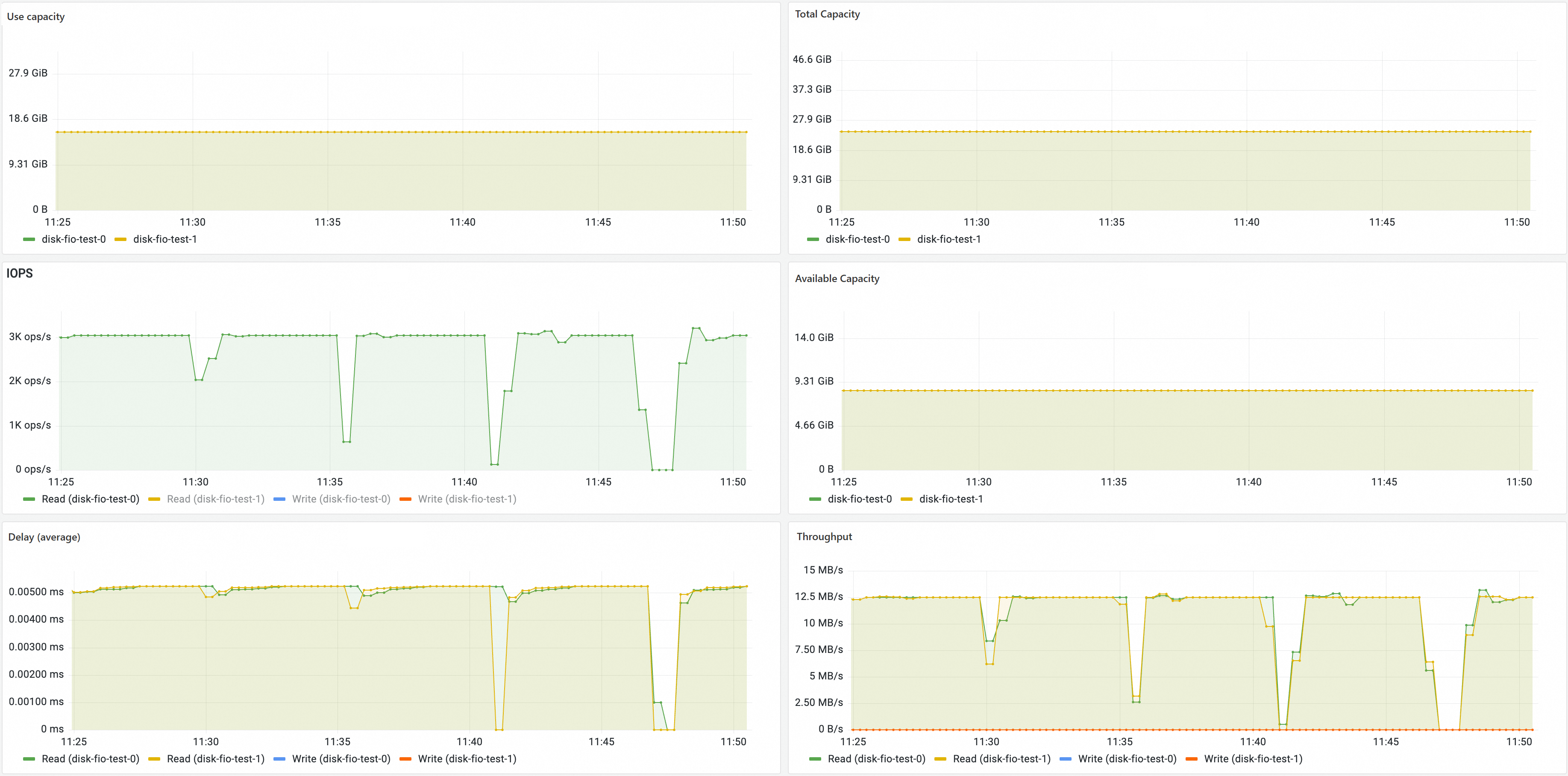
The disk volume dashboard shows disk PVCs, the nodes to which disk volumes are mounted, and disk volume usage.
The disk volume dashboard contains the following areas:
PVC Information table: Displays PVC, PV, Namespace, Type, Node, Device, Node Reference Count, Used, Size, and Usage(%) columns.
Pods Bound to PVC table: Displays Namespace, Workload Kind, Workload Name, and Pod Name columns.
Used Utilization time-series line chart: Displays the disk usage trend for each PVC.
NAS volume monitoring
On the Prometheus Monitoring page, click Storage Monitoring and then click the CSI NAS tab.
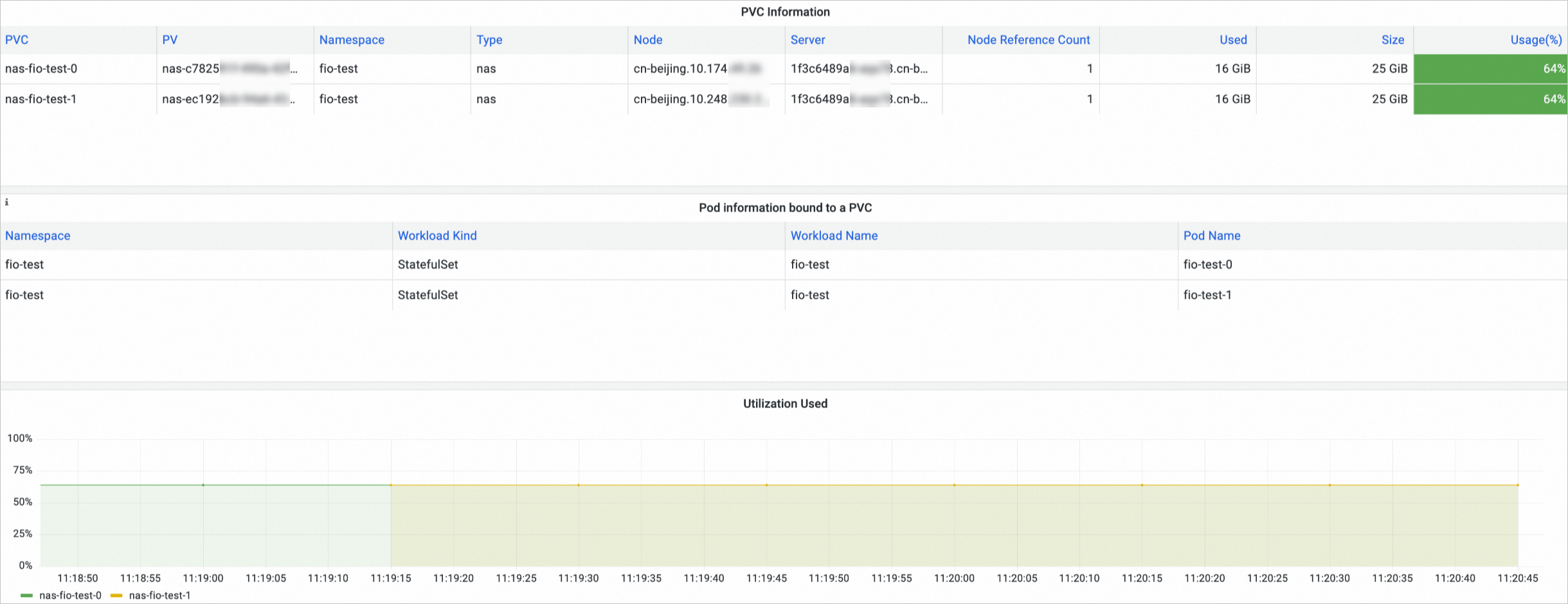
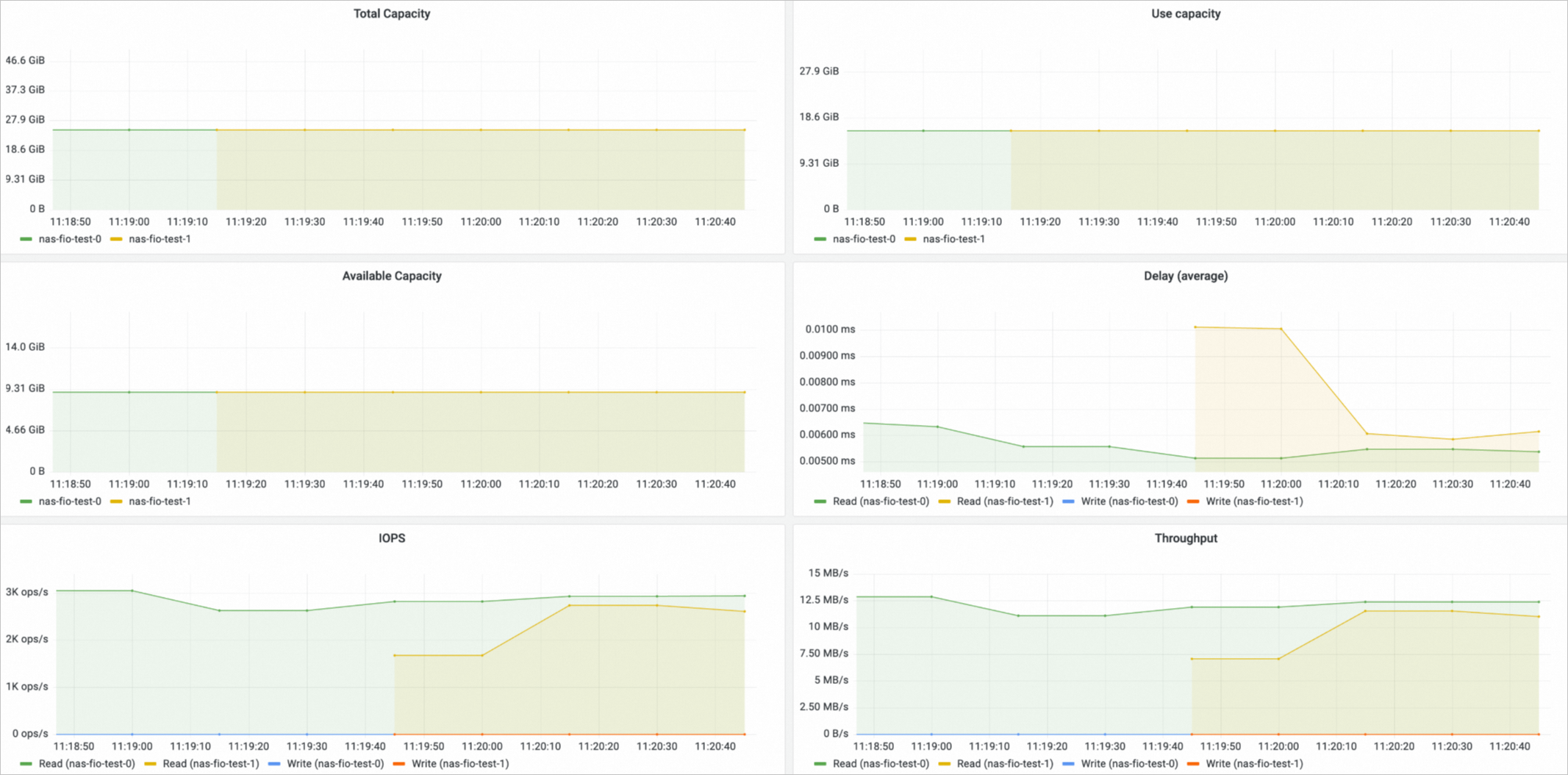
The NAS volume dashboard shows NAS PVCs, the nodes to which NAS volumes are mounted, and NAS volume usage.
Capacity utilization, total capacity, used capacity, and available capacity metrics are available only for NAS volumes managed by Container Network File System (CNFS).
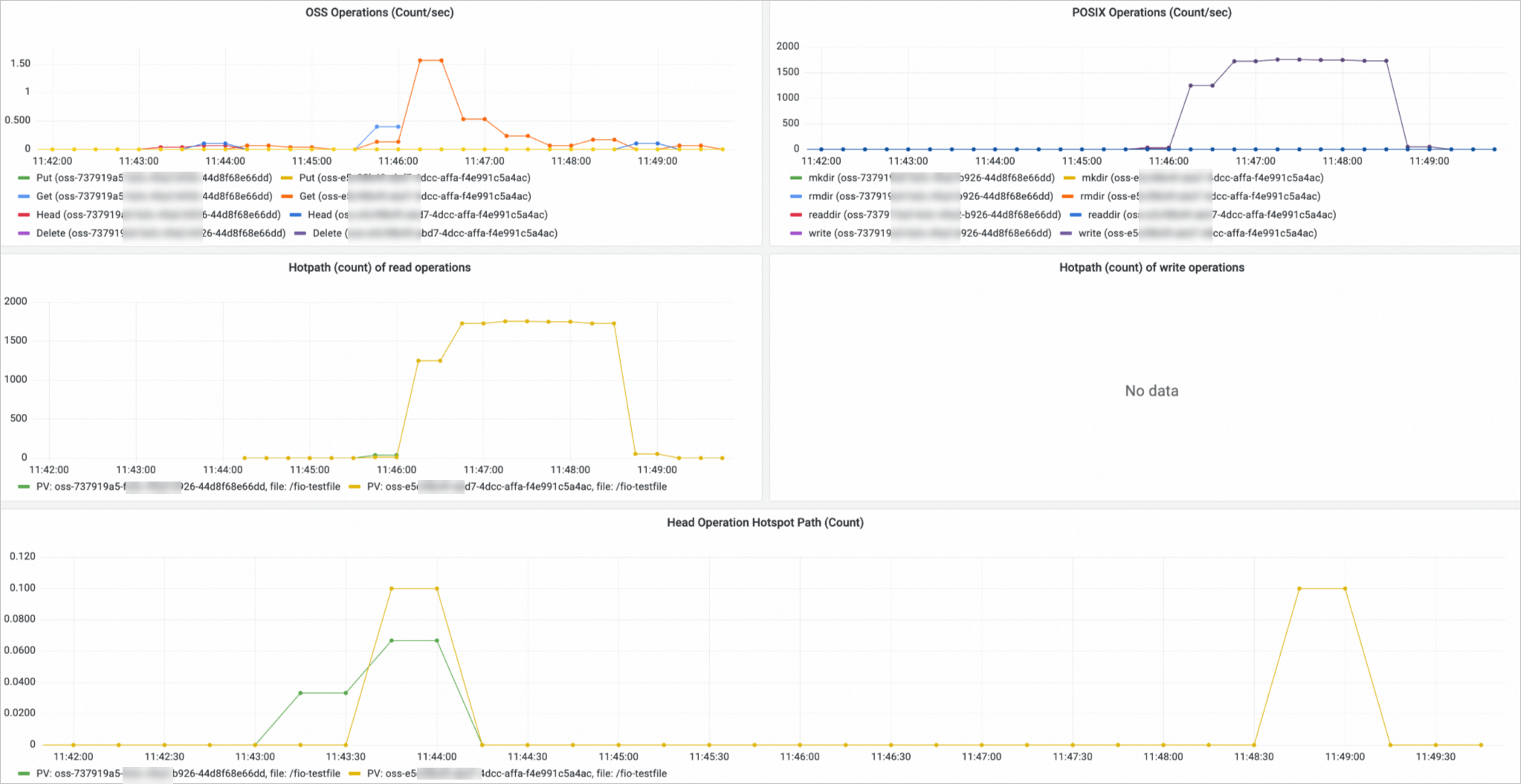
OSS volume monitoring
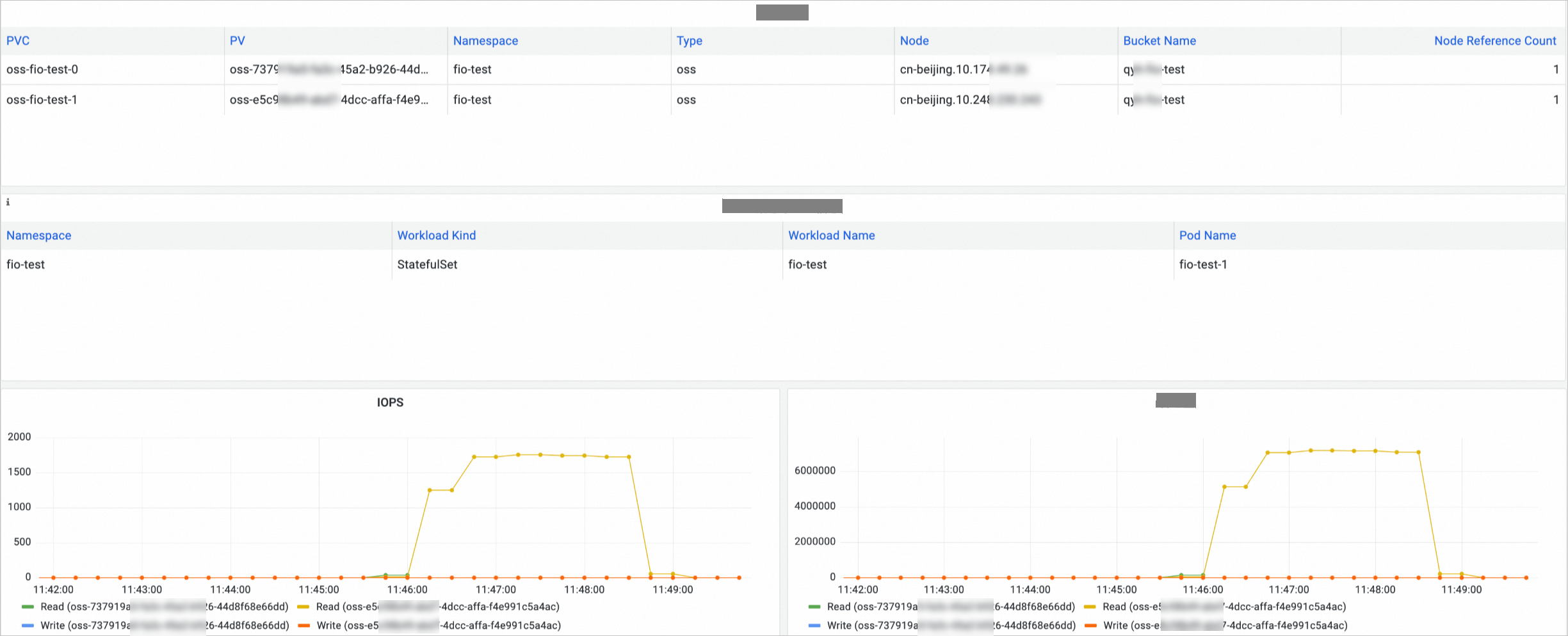
On the Prometheus Monitoring page, click Storage Monitoring and then click the CSI OSS tab.
The OSS volume dashboard shows OSS PVCs, the nodes to which OSS volumes are mounted, and OSS volume usage.
What's next
-
View the full list of storage metrics collected from containers: Storage metrics
-
Expand volumes when capacity runs low: Expand a disk volume, Expand a dynamically provisioned NAS volume, and Use CNFS to automatically expand NAS volumes