Application-Specific Integrated Circuits (ASICs) are integrated circuits custom-designed based on specific algorithms to meet computing power and efficiency requirements. ASICs are small and power efficient. They ensure the reliability and confidentiality of your workloads while improving computing efficiency. This topic describes how to add ASIC nodes to a cluster and how to use ASIC devices.
Prerequisites
Create an ASIC node pool
Log on to the ACK console. In the navigation pane on the left, click Clusters.
On the Clusters page, find the cluster to manage and click its name. In the left-side navigation pane, choose .
Click Create Node Pool. You can select Instance Type as ecs.video-trans.26xhevc and set Desired Number Of Nodes to the required number of nodes. For more information about other parameters, see Create a node pool.
NoteIf no ASIC-accelerated instance type is available, change the VSwitch and try again.
View the ASIC devices mounted to a node
After the nodes are created, you can view the ASIC devices mounted to the nodes.
Log on to the ACK console. In the navigation pane on the left, click Clusters.
On the Clusters page, click the name of the one you want to change. In the navigation pane on the left, choose .
Find the target node and click Details in the Actions column to view the ASIC devices that are mounted to the node.
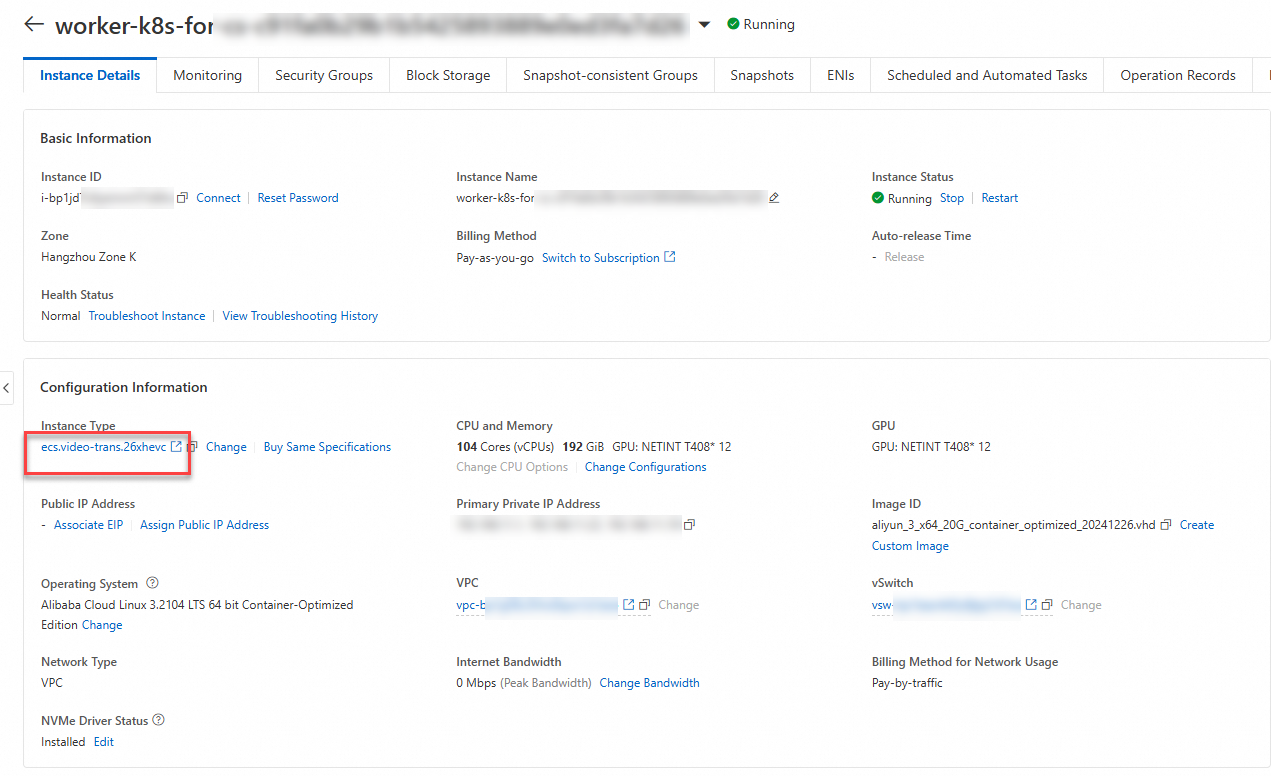
Use ASIC devices
Run the following command to view the number of NETINT ASIC devices on a node in the cluster:
kubectl get nodes <NODE_NAME> -o yaml | grep netint.ca/ASICExpected output:
netint.ca/ASIC: "12"The output indicates that the node is mounted with 12 NETINT ASIC devices.
Submit a job that requests NETINT ASIC devices.
Use the following YAML template to create a file named test-asic.yaml.
apiVersion: batch/v1
kind: Job
metadata:
  name: test-asic
spec:
  parallelism: 1
  template:
    metadata:
      labels:
        app: test-asic
    spec:
      containers:
      - name: test-asic
        image: registry.cn-beijing.aliyuncs.com/ai-samples/asic_258:asic
        command:
        - sleep
        - "500"
        resources:
          limits:
            netint.ca/ASIC: 2 #Request two NETINT ASIC devices.
      restartPolicy: Never
Run the following command to submit the job:
kubectl create -f test-asic.yaml
Run the following command to check whether the pod is in the Running state:
kubectl get po -l app=test-asicRun the following command to log on to the pod:
kubectl exec -ti test-asic-xxxxx -- bashRun the following command in the pod to initialize the NETINT ASIC devices:
ni_rsrc_monRun the following command to check whether the NETINT ASIC devices are ready for use:
bash run_ffmpeg.sh