Validating Admission Policy (VAP) is a native admission control mechanism in Kubernetes. Compared to Gatekeeper, which relies on external webhooks, VAP validates rules directly within the kube-apiserver, offering superior stability and performance. In Alibaba Cloud Kubernetes (ACK), you can enable VAP as your security policy engine by selecting the Common Expression Language (CEL) when you deploy a security policy. This provides a more efficient and stable way to ensure resource security and compliance in your cluster.
How VAP works
VAP is a built-in admission capability in Kubernetes that allows you to use declarative CEL expressions to validate rules before requests to create or update resource objects are persisted. Requests that do not meet the conditions are directly rejected by the kube-apiserver.
The Security Policy Management feature of ACK integrates VAP (enabled by default in versions 1.30 and later) and is based on Gatekeeper's multi-policy engine solution. When a policy instance written in CEL is deployed, Gatekeeper automatically converts it into a native ValidatingAdmissionPolicy resource. The original Gatekeeper webhook serves as a fallback mechanism. If VAP fails, the request falls back to the webhook for a secondary validation to ensure that the policy remains effective.

The following tables describe the key differences between VAP and Gatekeeper.
-
Core architecture
Dimension
VAP
Gatekeeper
Deployment dependency
Built into the kube-apiserver. No additional webhook is required.
Requires you to deploy the Gatekeeper controller and webhook components.
Execution path
Runs in the kube-apiserver, eliminating network overhead.
Calls an external service through a validating webhook, which introduces network latency.
Stability
Higher stability because it does not depend on external components.
Depends on the stability of the Gatekeeper components.
Rule language
CEL expressions match the structure of Kubernetes objects.
Rego and CEL. Multiple languages are supported.
-
Feature support
Dimension
VAP
Gatekeeper
Audit capability (for existing resources)
Not supported.
Supported.
External data sources
Not supported. Rules can access only the object data in the request.
Supported. You can reference other resources or external data by using
external_data.Resource mutation
Supported. This feature is available through Mutating Admission Policy (MAP), which is in the Alpha stage in Kubernetes 1.30.
Supported. This feature is implemented through CustomResourceDefinitions (CRDs).
Non-blocking 'warn' action
Supported. Set the parameter to
validationActions: [Warn].Supported.
dry-run
Supported via the kube-apiserver's native dry-run mechanism.
Supported.
Exemption/Exclusion mechanism
Supported through
match/excluderules.Supported through methods such as
match/excludeandlabelselectors.Events/Subscriptions
It does not provide a native event mechanism.
Supported. Provides violation logs and audit events.
Enable VAP in Policy Management
In Policy Management, you can select a policy language to specify the security policy engine. The system automatically uses the corresponding engine to execute the policy.
-
Rego: Uses the Gatekeeper engine.
-
CEL: Uses the VAP engine.
On the Clusters page, click the name of your cluster. In the left navigation pane, click .
-
Click the My Policies tab and then click Create Policy Instance. Configure the policy instance as prompted.
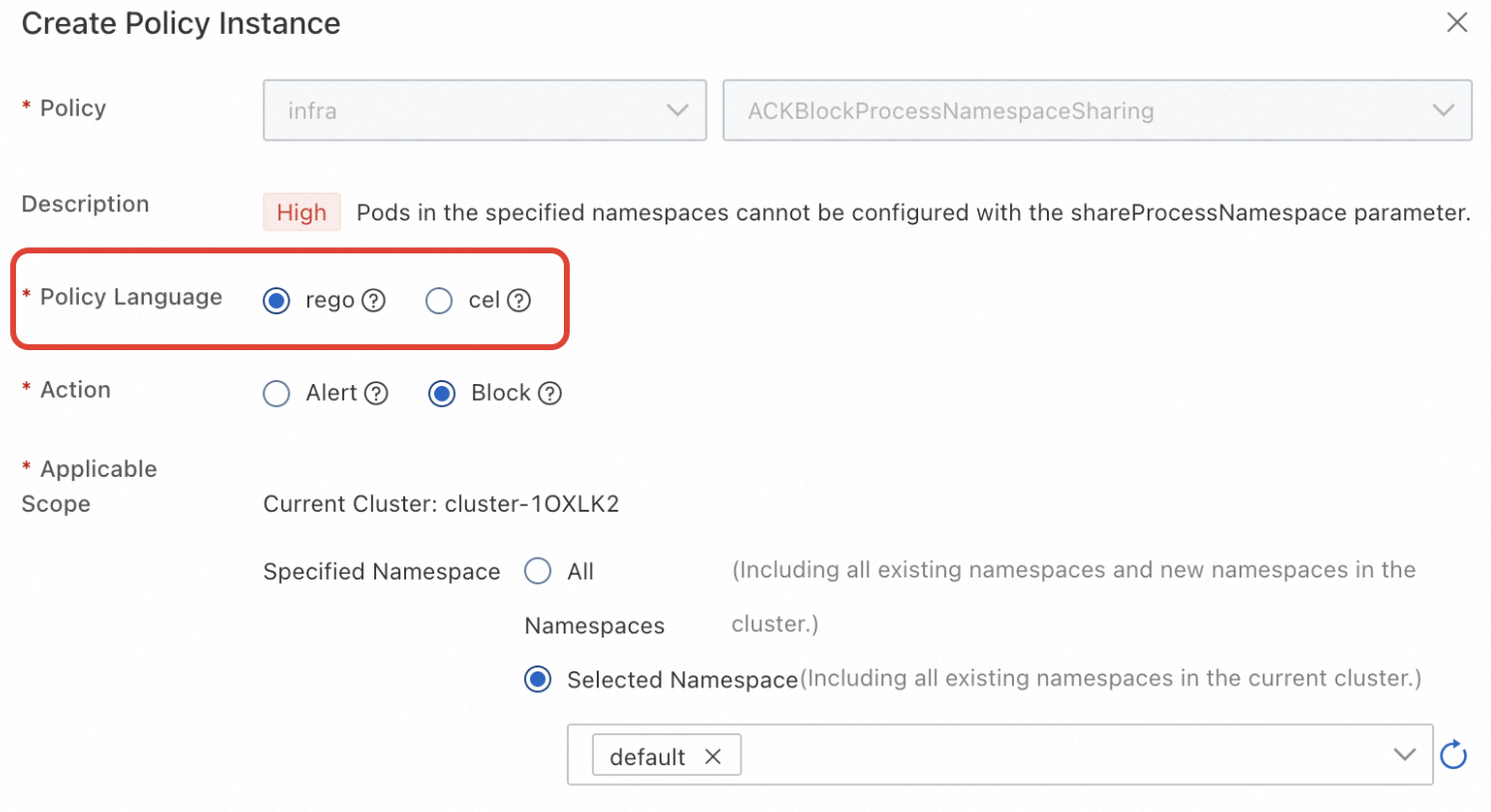 When you create a CEL-type policy instance for the first time, you must enable the VAP policy audit feature so that you can view VAP execution results in the Policy Enforcement Overview.
By default, the page displays the latest 100 violation or warning logs from the last 7 days. To view more logs, choose Operations > Log Center and click the Control Plane Component Logs tab. Then, select and view the validating-admission-policy logs.
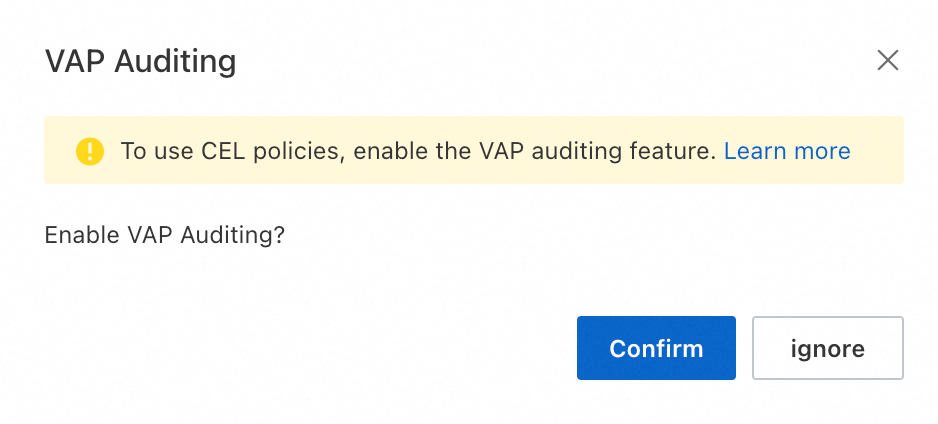
-
After the deployment is complete, go to the Policy Enforcement Overview page to view the policy execution results.
More operations
Changing the execution engine for an existing policy
You can change the policy language for an existing policy. However, all policy instances that are created from the same policy template must use the same language. If you change the language of the template, the system automatically updates all its associated instances.
-
In the ACK console: on the My Policies tab, find the target policy in the list. In the Policy Language column, click Modify and select a new language.

-
Via API: To query, deploy, modify, and delete policy instances in the policy library, see DeployPolicyInstance.