Contacts in Message Center receive account notifications such as billing alerts and security warnings. This page shows how to update the email address or mobile number for an existing contact.
Prerequisites
Before you begin, make sure you have:
Access to the Alibaba Cloud Management Console
Permission to manage contacts in Message Center
Update a contact
Log on to the Alibaba Cloud Management Console. In the upper-right corner, click the
 icon to open Message Center. In the left-side navigation pane, choose Message Settings > Common Settings.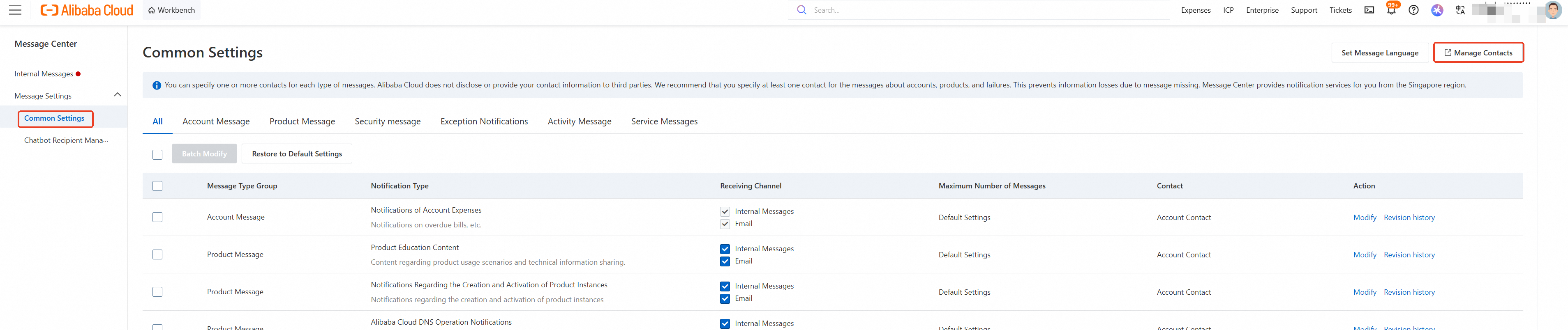
In the upper-right corner of the Common Settings page, click Manage Contacts. Find the contact to update and click Modify in the Action column. To add a new contact instead, click Add Receiver.
