Meta Agent is a large language model (LLM)-based data management agent in DMS. It automatically scans your data assets, generates business knowledge (table descriptions, field definitions, business catalogs, and more), and makes that knowledge queryable in plain language through Data Copilot—without writing SQL or knowing the schema in advance.
Meta Agent provides two core capabilities:
Asset analysis: Scans and parses metadata to generate business descriptions for tables and fields, SQL comments, usage instructions, and business catalogs. This generated knowledge serves as the foundation for AI-powered Q&A.
Asset Q&A: In Data Copilot, ask questions in natural language to search assets, run data analytics queries, and get usage recommendations.
Use cases
Database administrator — eliminate repetitive schema questions
A DBA at an e-commerce company spends hours every week answering the same questions: "What does this table store?" "Which field is the order ID?" With Meta Agent (Database Edition), the DBA runs a one-time asset inventory. From then on, developers get answers directly from Data Copilot—the DBA focuses on higher-value tasks.
Data platform manager — govern massive multi-source assets
A data platform team manages thousands of tables across AnalyticDB, MaxCompute, and ClickHouse. Manually writing descriptions and building a business glossary is impossible at scale. Meta Agent (Data Lakehouse Edition) automatically inventories all assets and generates business descriptions, metric definitions, and business glossaries—cutting governance costs significantly.
Developer or data analyst — find and use data without knowing the schema
A developer needs to build a report on monthly sales trends. They don't know which tables to join or what the field names mean. In Data Copilot, they ask: "What was the total sales volume last month?" Meta Agent returns the SQL and the result, backed by the knowledge base built during inventory.
Choose a version
Meta Agent offers two editions. Select based on your primary use case:
| Database Edition | Data Lakehouse Edition | |
|---|---|---|
| Primary focus | Database development and management | Full-domain data asset management and consumption |
| Use when | Reducing database management costs; improving development efficiency and stability | Reducing data governance costs; improving efficiency in finding, querying, and using data |
| Target users | Database administrators, database developers, application developers | Data Lakehouse managers, data development engineers, data analysts, business data consumers |
| Key difference | Generates database, table, and field descriptions and usage instructions; development-oriented Q&A | Deep inventory across all data sources; generates advanced knowledge including business terms and metric definitions |
Detailed feature comparison:
| Feature module | Feature | Database Edition | Data Lakehouse Edition |
|---|---|---|---|
| Data source | Supported data sources | MySQL: RDS MySQL, PolarDB MySQL Edition, other MySQL sources; PostgreSQL: RDS PostgreSQL, PolarDB PostgreSQL Edition, other PostgreSQL sources; SQL Server: RDS SQL Server, other SQL Server sources | AnalyticDB for MySQL, AnalyticDB for PostgreSQL, SelectDB, Starrocks, ClickHouse, MaxCompute, DWS |
| Asset map | Asset search | Supported | ✅ |
| Business catalog | ✅ | ✅ | |
| Asset details (usage instructions, data quality) | Not supported | ✅ | |
| Asset inventory | Documentation import | Supported | ✅ |
| Data sampling | ✅ | ✅ | |
| Code parsing | ✅ | ✅ | |
| Business glossary generation | Not supported | ✅ | |
| Metric definition generation | Not supported | ✅ | |
| Usage instruction generation | ❌ | ✅ | |
| Catalog generation | ✅ | ✅ | |
| Asset Q&A | Data Copilot Q&A | ✅ | ✅ |
How it works
Meta Agent builds a knowledge base from your data assets and uses it to answer questions accurately.
Asset inventory (one-time or periodic):
Meta Agent scans the metadata and sample data of the databases or tables you select.
An LLM infers business meaning from the schema—generating table descriptions, field definitions, SQL comments, and catalog entries.
You review and adopt the generated knowledge. Adopted knowledge is stored in the knowledge base.
Asset Q&A (ongoing):
When you ask a question in Data Copilot, the agent retrieves relevant knowledge from the knowledge base—including table descriptions, field definitions, business glossary entries, and your own usage instructions—and uses them as context to generate an accurate SQL query or answer. Because the answer is grounded in your inventoried knowledge rather than the raw schema alone, results are more aligned with your business logic.
A background analysis task runs daily to keep the knowledge base current as your data assets evolve.
Core advantages
Comprehensive services: Meta Agent provides end-to-end services from asset inventory and knowledge generation to natural language interaction, covering management, discovery, querying, and usage.
Accurate feedback: By deeply understanding the business knowledge generated during inventory, the agent provides accurate answers aligned with your enterprise business logic. With user feedback, the knowledge base continuously self-optimizes.
Open ecosystem: Meta Agent's invocation capabilities (via API/MCP) and the knowledge it generates can be made available to other platforms or AI applications for integration, building an extensible intelligent ecosystem.
Secure access: All Q&A interactions strictly adhere to the data permission system configured by users in DMS, ensuring convenience while safeguarding enterprise data security and compliance.
Prerequisites
Before you begin, ensure that you have:
Database instances registered in DMS — see ApsaraDB instance entry or third-party cloud or self-managed database entry
Security hosting enabled for each instance
Query permissions on the target database for the database account — see View my permissions
Inventory your data assets
Log in to DMS 5.0.
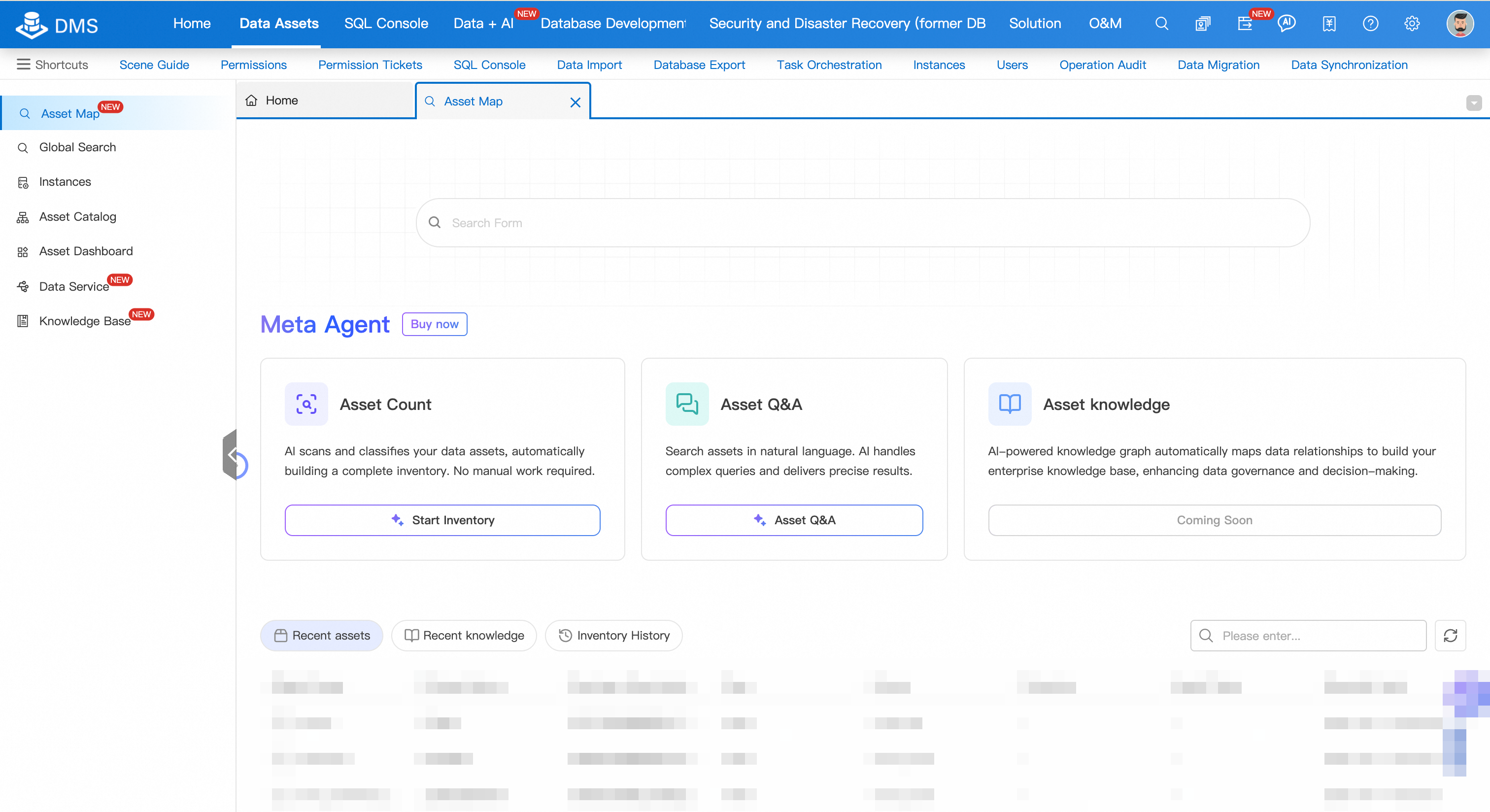
Go to the Asset Map page using one of these paths:
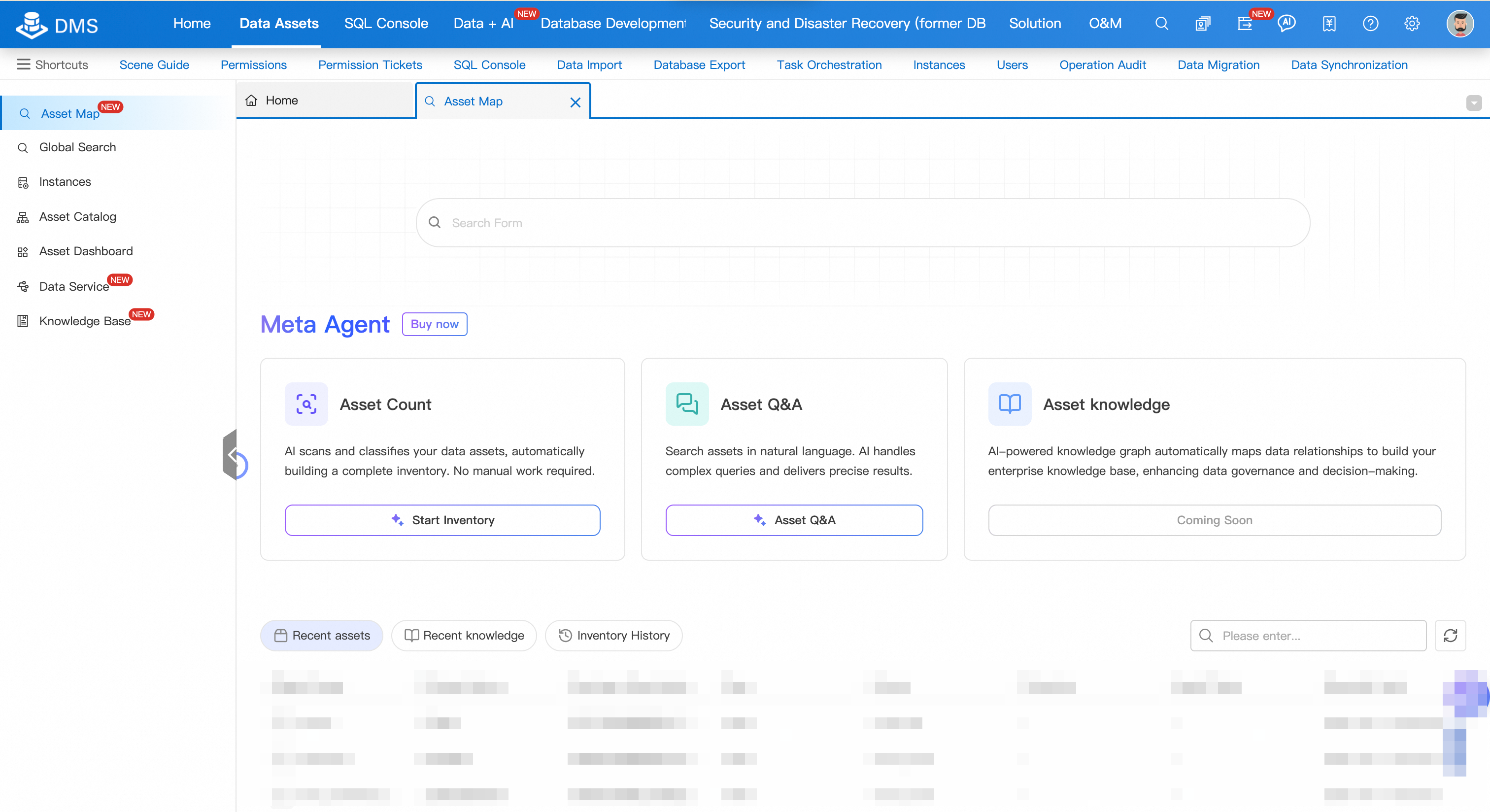
Top menu bar: Data Assets > Asset Map
Simplified Mode: click the
 icon in the upper-left corner, then select All Features > Data Assets > Asset Map
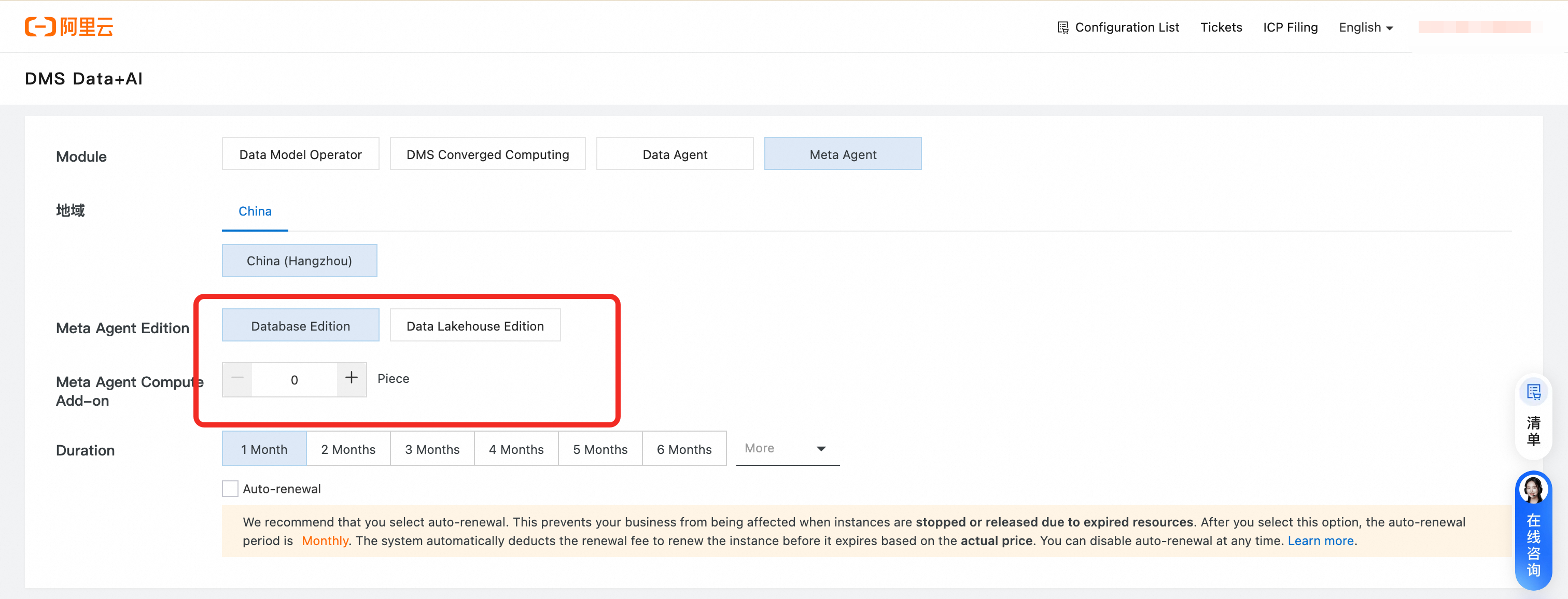
(Optional) If you have not purchased Meta Agent, click Buy Now and select the edition and expansion pack that fit your needs.
In the Asset Inventory box, click Start Inventory.
Select the inventory granularity by choosing the Instance, Database, or Table tab, then select the targets to inventory.
NoteSelect the database or table level to avoid long inventory times caused by too many objects.
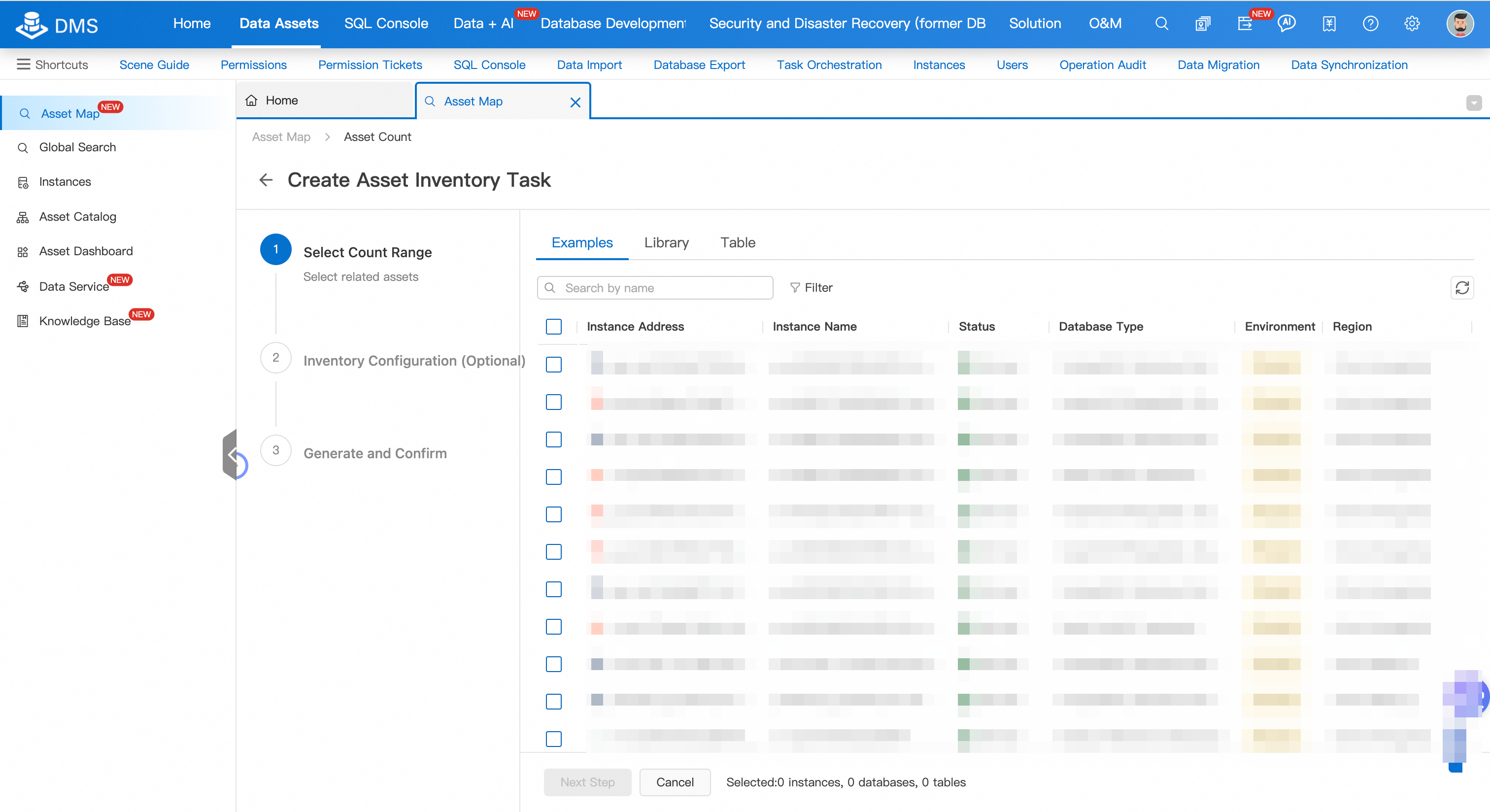
Click Next Step and complete the inventory configuration wizard.
After confirming the configuration, click Start Inventory at the bottom of the page. The system begins knowledge generation.
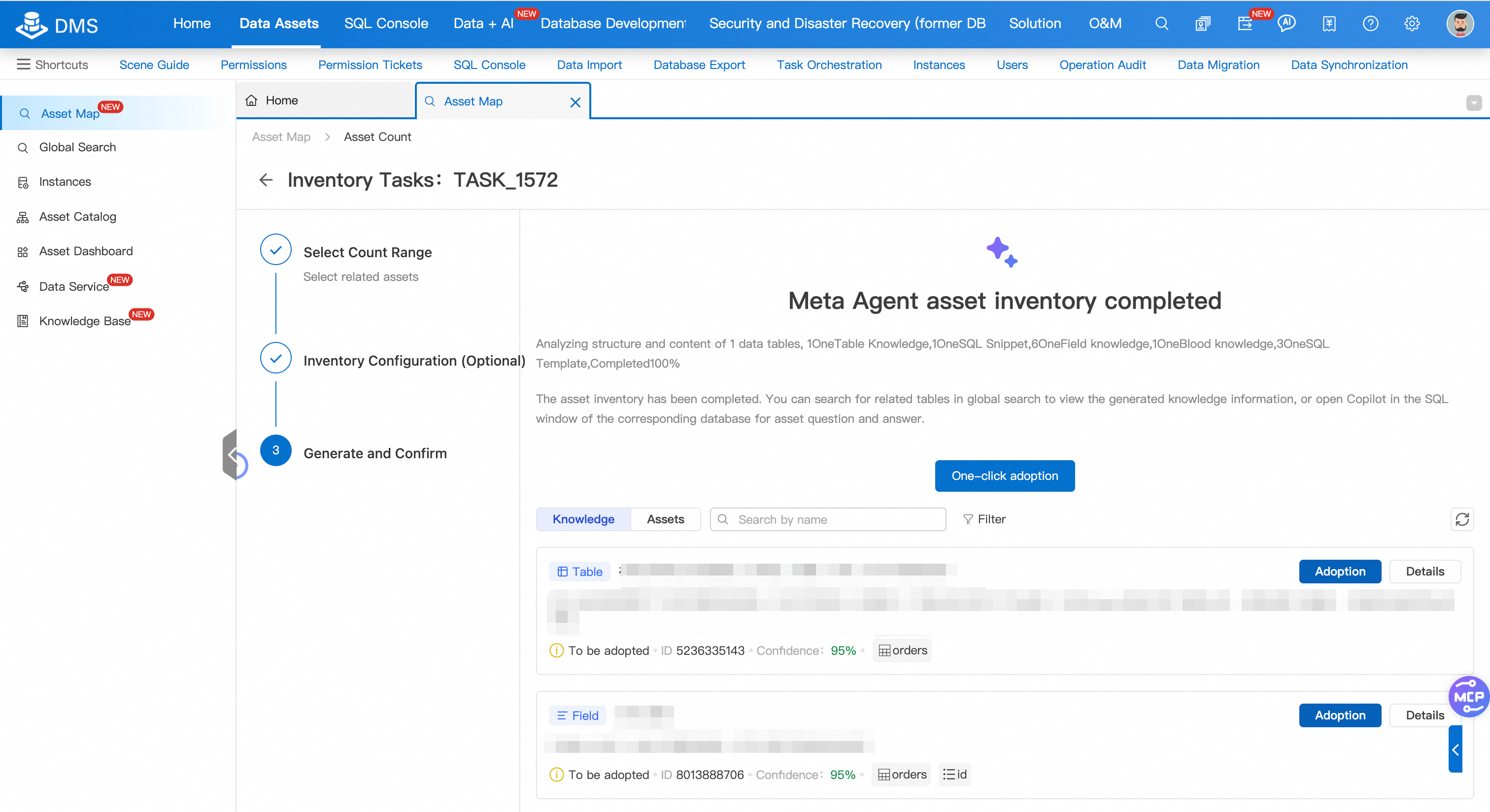
When inventory is complete, review and adopt the generated knowledge:
View and edit knowledge: Click Details on a knowledge row. In the Description Comparison or Content Comparison section, click
 to edit, then click
  to save. The adoption status automatically changes to Adopted. > Note: To view details without making changes, click Cancel after reviewing.
Adopt knowledge:
Single item: click Adopt on the target row.
All items: click One-click Adoption at the top of the list.
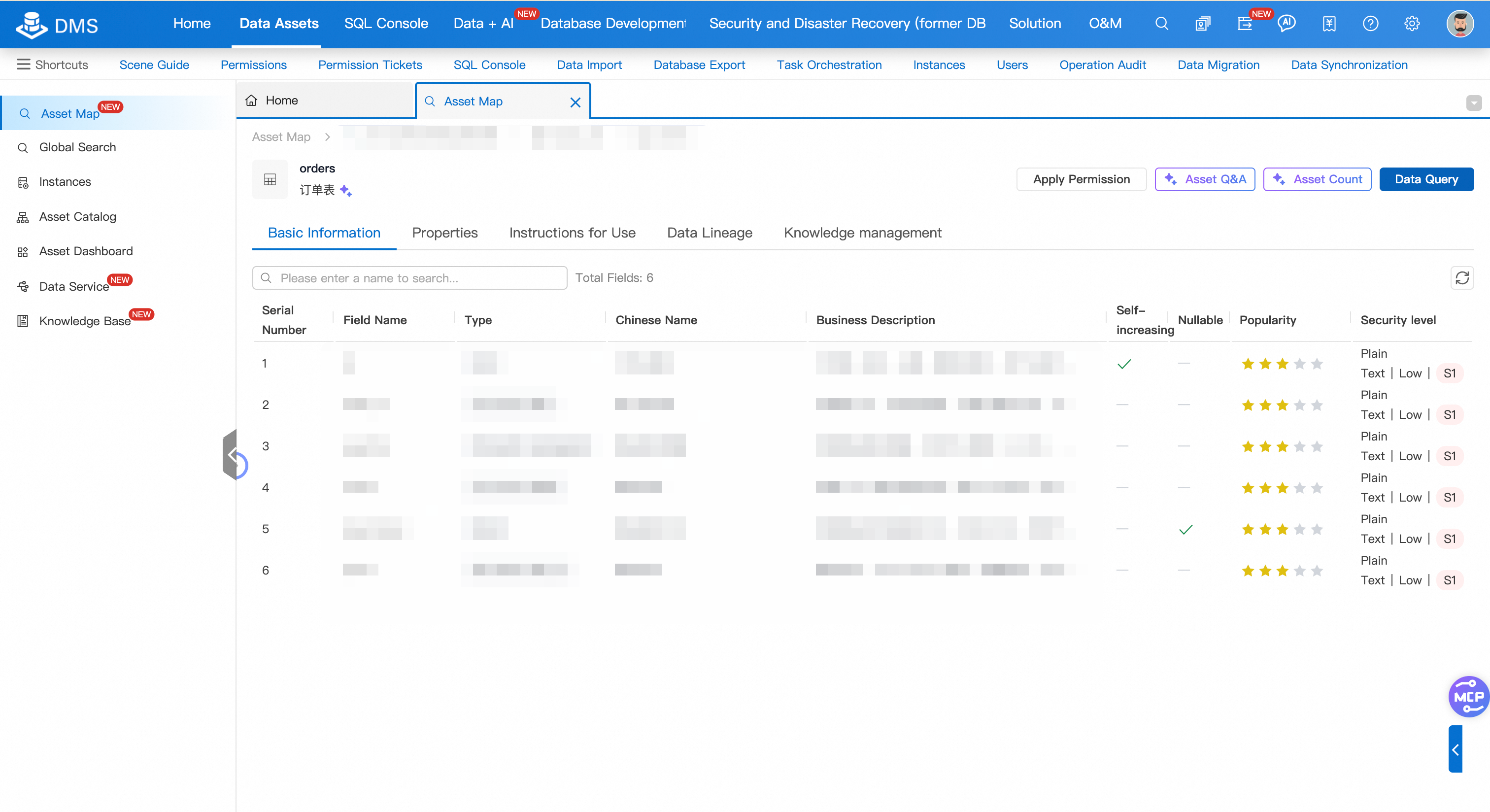
To view the full details of a table after adoption, return to the Asset Map page, search for the table name, and click Details to the right of the result. The details page shows Basic Information, Properties, Usage Guide, and Knowledge Management tabs. Use the Knowledge Management tab to manage knowledge directly.
Ask questions in Data Copilot
Open Data Copilot using either method:
From Asset Map
On the Asset Map page, click the Asset Q&A button in the Asset Q&A box.
In the dialog box, select the target database and log on to the instance.
The DMS Data Copilot dialog box opens.
From the DMS home page
In the left navigation pane, double-click the target database instance name.
Above the SQL Console tab, click Copilot.

In the Copilot dialog box, ask questions in natural language. For example:
"Find tables related to user information."
"What fields are in the order table?"
"What was the total sales volume last month?"
How Copilot generates answers
Copilot answers are grounded in the knowledge base built during asset inventory. For each question, the agent retrieves the most relevant context from the following sources:
Table and field descriptions generated during inventory
Business glossary entries and metric definitions (Data Lakehouse Edition)
Usage instructions you have added or edited
Because answers are based on your inventoried knowledge rather than raw schema, results align with your business logic rather than technical field names alone.
For advanced usage, see Data Copilot.
Limitations
Supported regions: China (Hangzhou), China (Shanghai), China (Shenzhen), China (Chengdu), China (Beijing), China (Zhangjiakou), Singapore, Malaysia (Kuala Lumpur).
Supported data sources:
MySQL: RDS MySQL, PolarDB MySQL Edition, and other MySQL sources
PostgreSQL: RDS PostgreSQL, PolarDB PostgreSQL Edition, and other PostgreSQL sources
SQL Server: RDS SQL Server, and other SQL Server sources
Data lakehouses: AnalyticDB for MySQL, AnalyticDB for PostgreSQL, SelectDB, Starrocks, ClickHouse, MaxCompute, and DWS
Billing
Meta Agent runs a background intelligent analysis task daily to keep the knowledge base current. All large language model (LLM) token usage for this background task is included in your Meta Agent service package—no additional charges apply.
For reference, the approximate token consumption for background tasks is:
Database Edition: Each managed instance uses at least 8 million SOTA model tokens daily for asset inventory and summarization. The daily limit does not exceed 16 million tokens per instance.
Data Lakehouse Edition: For every 1,000 managed tables, at least 200 million SOTA model tokens are used daily. The daily limit does not exceed 400 million tokens per 1,000 tables.
What's next
Data Copilot — explore advanced Q&A features and multi-turn conversations
ApsaraDB instance entry — register instances before running inventory