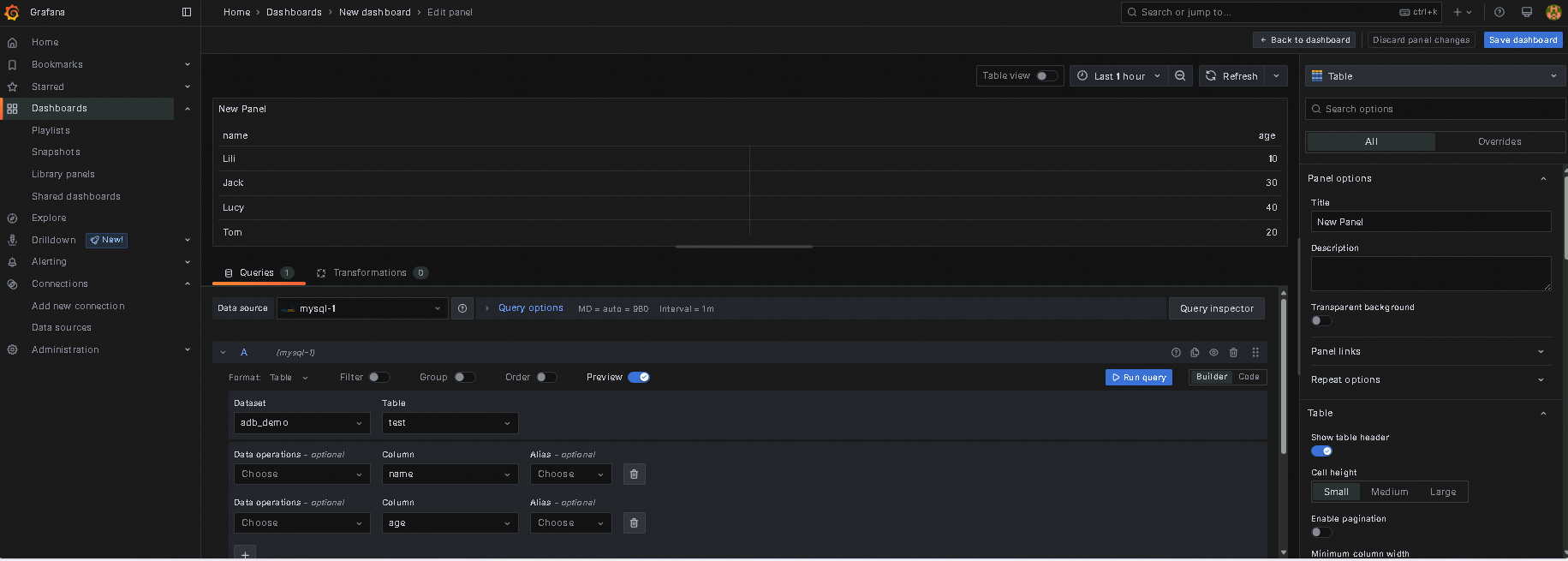
This topic describes how to use Grafana to connect to AnalyticDB for MySQL for visualized data analysis.
Prerequisites
The IP address of the server that runs Grafana is added to an IP address whitelist of an AnalyticDB for MySQL cluster.
Procedure
Access the web page of Grafana. In the left-side navigation pane, choose . On the page that appears, select MySQL.
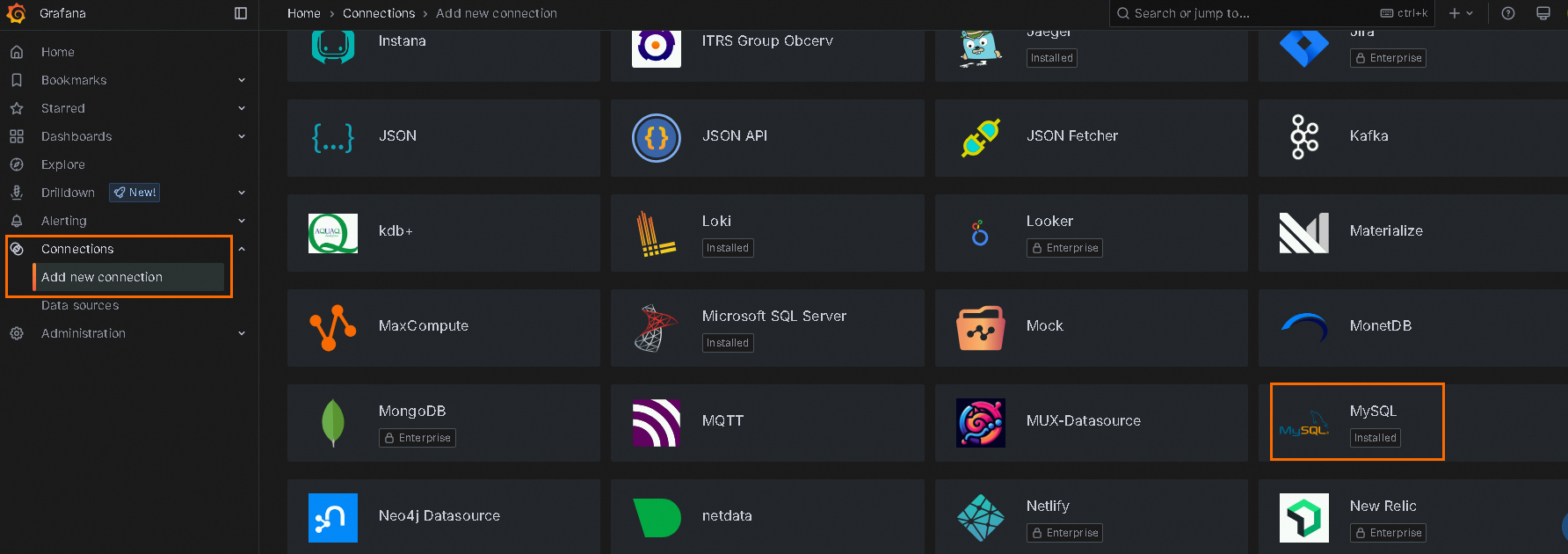
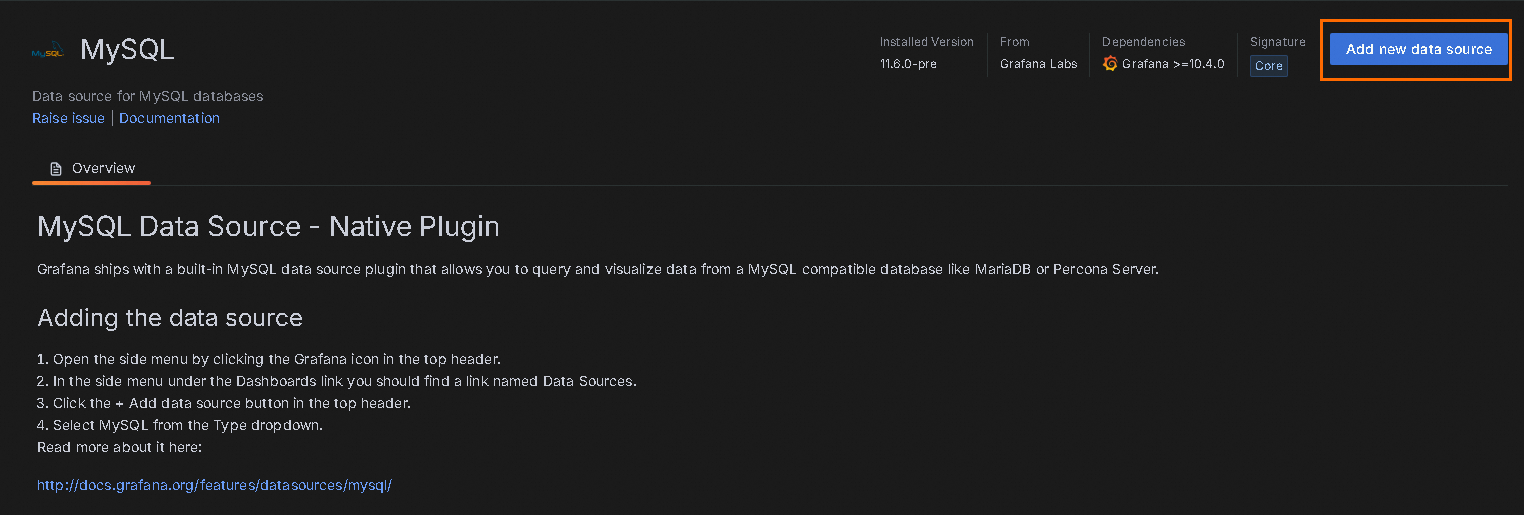
On the MySQL data source page, click Add new data source.
In the dialog box that appears, configure the parameters.
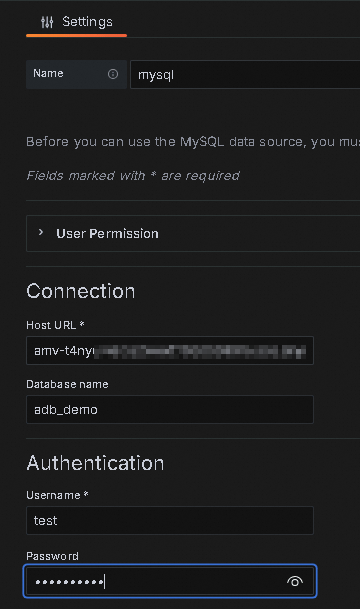
The following table describes the parameters.
Parameter
Description
Name
The name of the data source. You can enter a custom name.
Host URL
The endpoint of the AnalyticDB for MySQL cluster.
If Grafana is installed on an Elastic Compute Service (ECS) instance that resides in the same virtual private cloud (VPC) as the AnalyticDB for MySQL cluster, enter the VPC endpoint.
If Grafana is installed on an on-premises server, enter the public endpoint.
Database name
The name of the database in the AnalyticDB for MySQL cluster.
Username
The name of the database account of the AnalyticDB for MySQL cluster.
Password
The password of the database account of the AnalyticDB for MySQL cluster.
Other parameters
For information about other parameters, see Grafana documentation.
Click Save & Test. If the Database Connection OK message is displayed, the connection is successful.
Perform data analysis.
After the connection is established, you can perform data analysis based on the data source. For more information, see Grafana documentation.