This topic describes how to calculate and analyze the product carbon footprint, generate a product carbon footprint report, and share the carbon footprint results of a product.
Calculate the product carbon footprint
After a model is complete, click Calculate and Publish in the upper-right corner of the Lifecycle Model page to calculate the carbon footprint of the product. Before the calculation starts, the system automatically checks the model quality. For more information, see Model quality check.

Analyze the product carbon footprint
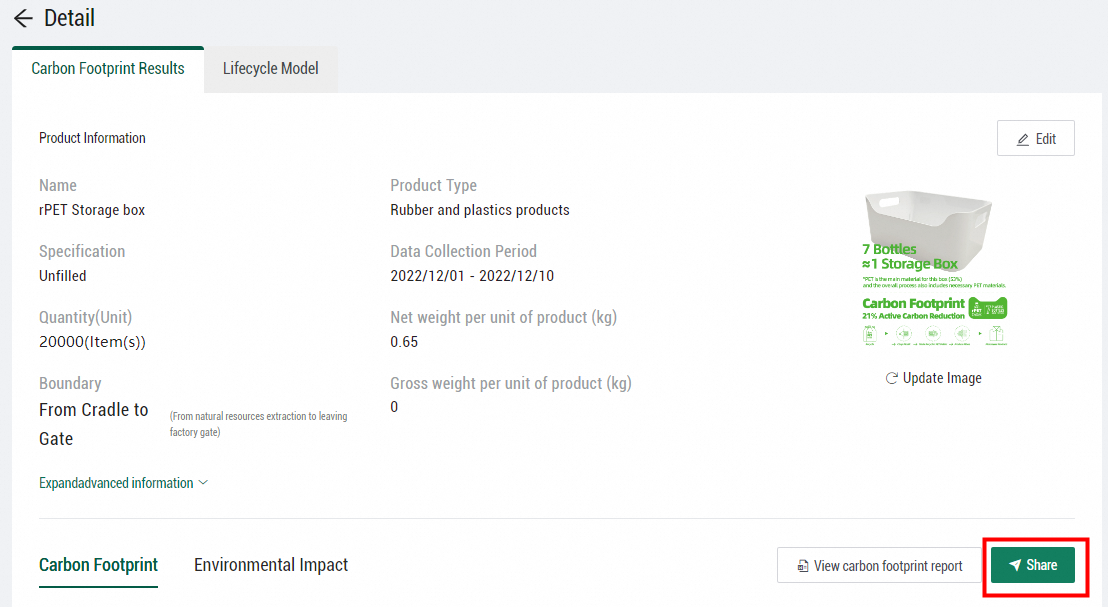
After the calculation is complete, click View Results. On the Carbon Footprint Results tab, view the online analysis results of the product carbon footprint in Energy Expert.
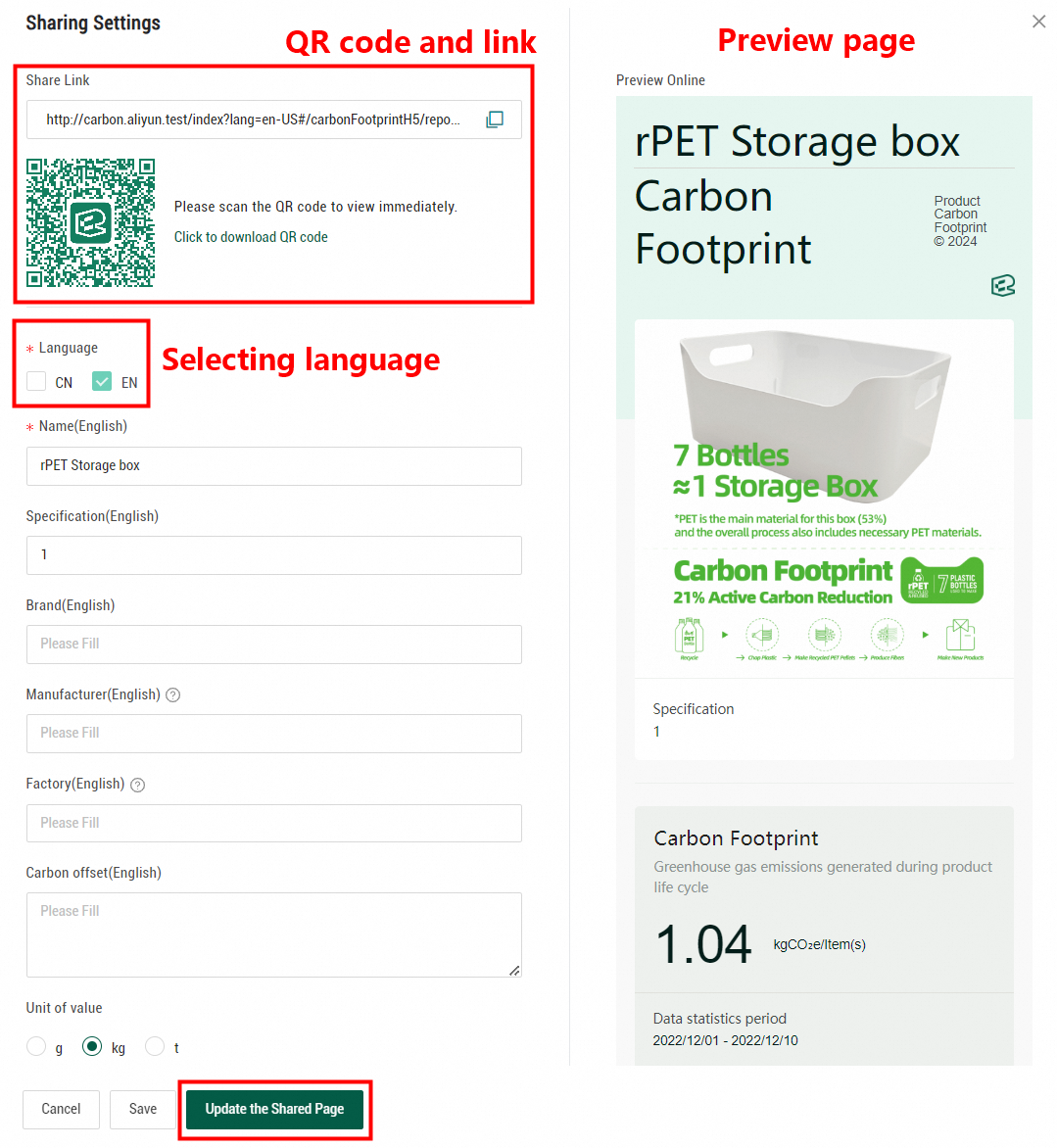
The Product Carbon Footprint section in gray displays the carbon footprint per functional unit of the product. This section also displays the types of emission sources with a high proportion of emissions, such as raw materials, energy, and transportation.
If carbon reduction measures are taken and baseline carbon emission scenarios are specified, the system calculates the active carbon emission reduction. The Carbon Emission Reduction section in green displays the calculation results, including the proportion of each type of carbon reduction source. For more information about how to specify baseline carbon emission scenarios, see Calculate active carbon reduction.
The Carbon Footprint Results tab also provides the following analysis: the rankings of carbon emissions by inventory, type, process, and stage, composition of carbon emissions, rankings of active carbon reduction, data quality evaluation of the product carbon footprint, uncertainty contribution of inventories, sensitivity distribution of the product carbon footprint, and carbon reduction suggestions.
Generate a product carbon footprint report
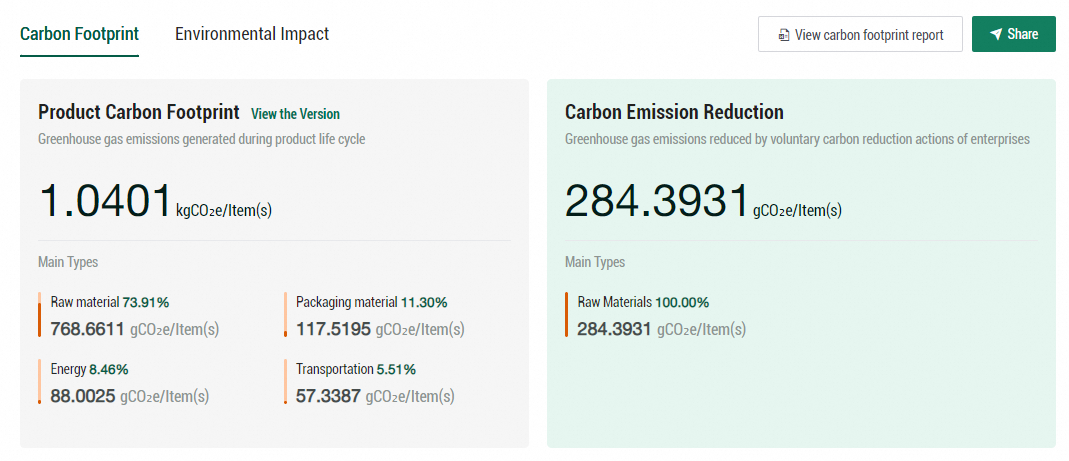
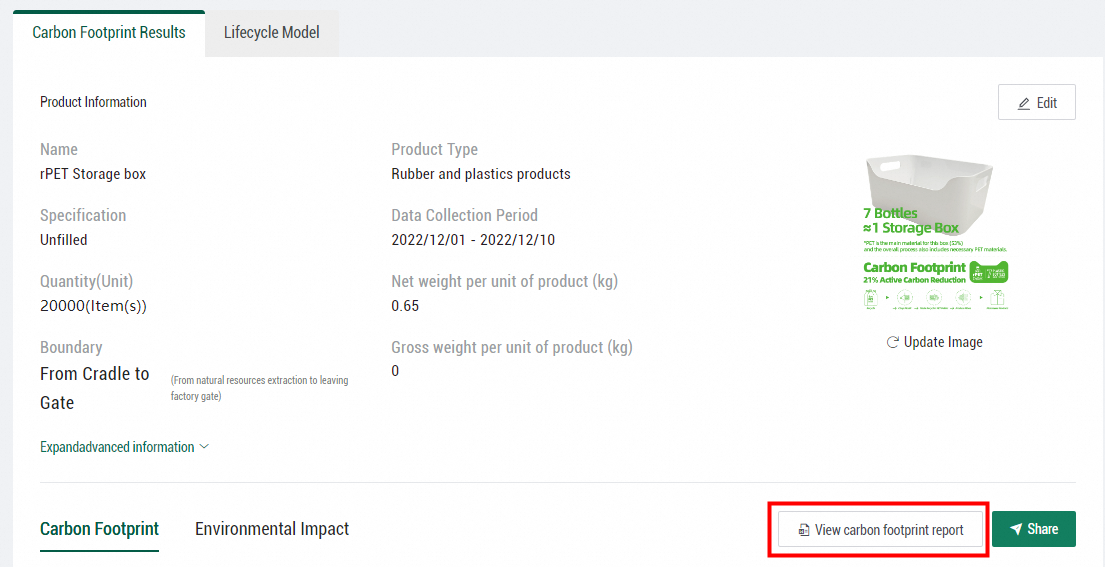
On the Carbon Footprint Results tab, click View carbon footprint report. In the dialog box that appears, select the language of the report to generate a report. If the carbon footprint of the product is updated after the report is generated, click Regenerate the Carbon Footprint Report to download the report again.
Share the carbon footprint of a product
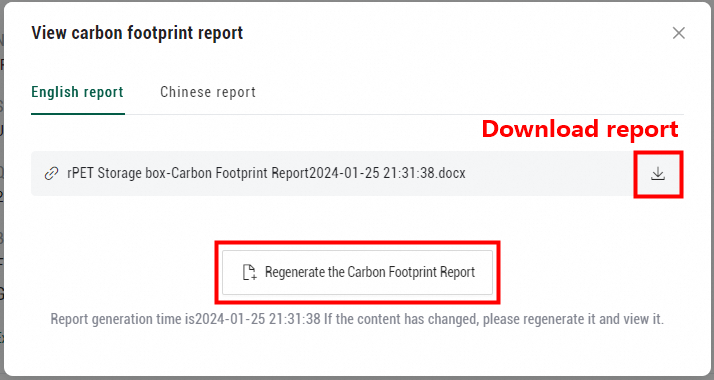
You can generate a QR code and a link in Energy Expert to share the carbon footprint of a product. Click Share.
In the Sharing Settings panel, you can edit the product name, specification, brand, manufacturer, and factory and configure the way in which PCF data is displayed.
After you edit the information, you can view the latest sharing settings in the right-side Preview Online section. You must click Update the Shared Page to make the sharing settings take effect.
Energy Expert supports sharing settings in both Chinese and English. To configure sharing settings in Chinese, select CN as Language.